What Is a Hotel Booking Website Template?
A hotel booking website template is a pre-designed, ready-to-launch website built specifically for hotels, resorts, bed-and-breakfasts, and other accommodation businesses. It includes all the pages a hotel needs — room showcases, booking forms, photo galleries, restaurant menus, local attractions, and contact pages — already designed, coded, and tested across devices. You add your own photos, text, and branding, connect it to your booking engine, and launch.
For independent hotel owners who need a professional web presence without a $10,000 agency contract, a template is the most practical path to a high-quality website. But templates are not all created equal, and choosing the wrong one means months of frustration, a website that does not convert guests, and money wasted on redesigns. This guide breaks down exactly what to look for, what to avoid, and how to evaluate a hotel booking template before you spend a dollar.
Template vs Custom Build vs Website Builder
Hotel owners typically face three options when building a website. Each has distinct trade-offs in cost, control, and long-term value:
| Factor | Website Builder (Wix, Squarespace) | Hotel Booking Template | Custom Agency Build |
|---|---|---|---|
| Upfront Cost | $0 | $29–69 | $3,000–15,000 |
| Monthly Cost | $17–45/month | $3–10/month (hosting only) | $50–200/month (hosting + maintenance) |
| 3-Year Total Cost | $612–1,620 | $157–429 | $4,800–22,200 |
| Code Ownership | No — you rent it | Yes — you own it forever | Yes — you own it |
| SEO Control | Limited | Full control | Full control |
| Booking Engine | Platform add-on only | Connect any engine | Any engine |
| Time to Launch | 1–3 days | 3–7 days | 4–12 weeks |
| Portability | Cannot move to another host | Move anywhere | Move anywhere |
The template sits in the sweet spot: you get a website that looks custom-built, loads faster than any website builder, gives you full ownership of the code, and costs less than two months of a Squarespace subscription. For properties with 5 to 150 rooms that need a professional online presence without ongoing platform fees, a template is the highest-ROI option available in 2026.
9 Features Every Hotel Booking Template Must Have
Not every template labeled “hotel” is actually built for the hospitality industry. Many are generic business templates with a hero image of a hotel lobby. Before evaluating any template, check it against these nine requirements. If it is missing more than one, move on.
1. Mobile-First Responsive Design
Google’s own data shows that over 60% of hotel searches happen on mobile devices, and that percentage climbs to 70%+ for last-minute bookings. Your template must look and function flawlessly on phones and tablets — not as an afterthought, but as the primary design consideration. Test the demo on your phone before buying. If the booking form is awkward to fill out on a small screen, your guests will abandon it and book on Booking.com instead, costing you a 15–25% commission.
2. Booking Form With Date Picker and Guest Selector
The booking form is the single most important element on a hotel website. It must include check-in and check-out date pickers, a room type selector, and a guest count field at minimum. The form should appear on the homepage — ideally in or immediately below the hero section — so that guests who arrive ready to book can act without scrolling. A template without a prominent booking form is a brochure, not a booking engine.
3. Room Showcase Pages
Your template needs at least three room-related page types: a grid view showing all rooms at a glance with photos and starting prices, a list view for guests who prefer a more detailed comparison, and a room detail page for each room type with a photo carousel, full amenity list, pricing, and a direct booking button. Templates that only offer a single room listing page force guests to work too hard to compare options.
4. Photo Gallery With Lightbox
Hotels sell an experience, and photography is how that experience is communicated online. Your template must include a dedicated gallery page with lightbox functionality — click any image and it opens full-screen with navigation arrows. Guests want to see the pool, the lobby, the view from the balcony, and the bathroom. A gallery that opens images in a new tab or does not support full-screen viewing is outdated and will hurt your conversion rate.
5. Restaurant and Amenities Sections
Most hotel guests research dining options before they book. A template with a dedicated restaurant page — including menus, hours, and atmosphere photos — removes a common booking objection. Amenities sections (spa, pool, fitness center, meeting rooms) function the same way: they give the guest reasons to choose your property over a competitor. Templates that skip these pages force you to cram everything into a single “About” page, which looks unprofessional.
6. Google Maps and Local Attractions
Guests choosing between hotels often compare locations. A places of interest page with an embedded Google Map, nearby attractions, distances to airports and landmarks, and local recommendations serves two purposes: it helps guests evaluate your location, and it gives your website local SEO content that Google rewards with higher rankings for location-based searches.
7. SEO-Optimized Semantic Markup
Behind the visual design, the HTML structure matters. Your template should use semantic HTML5 elements — proper heading hierarchy (H1 through H4), descriptive alt text placeholders on images, structured navigation with ARIA labels, and clean URL-friendly page naming. This is what allows Google to understand your site structure and rank your pages for searches like “boutique hotel [your city]” or “beachfront resort [your location].”
8. Accessibility Compliance
Accessibility is not optional — it is a legal requirement in many jurisdictions and a moral imperative everywhere. Your template must support keyboard navigation, screen reader compatibility, sufficient color contrast, and properly labeled form fields. Hotels serve guests with disabilities, and your website must be usable by everyone. Beyond compliance, accessible websites also tend to perform better in search rankings because the same structural discipline that helps screen readers helps search engine crawlers.
9. Speed and Performance
A hotel website that takes more than three seconds to load on mobile loses guests. Google’s Core Web Vitals — Largest Contentful Paint, Interaction to Next Paint, and Cumulative Layout Shift — are direct ranking factors. Your template should be built on a modern CSS framework like Bootstrap 5, use optimized asset loading, avoid unnecessary JavaScript bloat, and score well in Google PageSpeed Insights out of the box. Templates built on older frameworks or loaded with heavy animations will drag your Core Web Vitals scores down and hurt your Google rankings.
Quick Checklist Before You Buy
Open the template’s live demo on your phone. Fill out the booking form. Browse the room pages. Open the gallery. If any of those steps feel clunky, slow, or broken — the template is not ready for your guests. A demo that frustrates you will frustrate your guests even more.
How to Choose the Right Template for Your Property Type
Different accommodation types have different website priorities. A beach resort’s website serves a fundamentally different purpose than a business hotel’s website. Here is a decision matrix to help you match the right template features to your property type:
| Property Type | Must-Have Features | Homepage Style | Primary Conversion Goal |
|---|---|---|---|
| Boutique Hotel | Photo gallery, room detail pages, restaurant page, editorial storytelling | Full-width hero with atmospheric photography | Direct bookings via website booking form |
| Beach Resort | Amenities showcase, activities/attractions page, large gallery, video support | Visual-first with hero video or full-bleed imagery | Package bookings and inquiry form |
| Business Hotel | Meeting room pages, location/transport info, fast booking form, corporate rate section | Clean, efficient, booking bar above the fold | Quick reservations with minimal friction |
| B&B / Inn | Room detail pages, breakfast/dining page, local attractions, personal story section | Warm, editorial with owner’s story | Direct bookings bypassing OTA commissions |
| Vacation Rental | Property detail with amenity list, availability calendar, location map, guest reviews | Property showcase with immediate availability check | Direct bookings avoiding Airbnb fees |
The most versatile hotel booking templates include all of these features in a single package, with multiple homepage layouts so you can select the style that matches your property’s positioning. A boutique hotel in Tuscany and a business hotel near an airport both need room pages and a booking form — but they need completely different visual approaches to their homepage and gallery.
The Booking and Reservation System
This is where most hotel owners get confused — and where the wrong template choice costs the most money. Let us be clear about how booking works with a website template.
What the Template Provides
A hotel booking template provides the front-end user interface — the booking form your guests see and interact with. This includes the date picker, room selector, guest count fields, search results page, and the booking confirmation layout. This is the design layer. It controls what your guest’s booking experience looks like and how it feels on their device.
What You Connect to It
Behind the form, you need a booking engine — the software that actually checks room availability, calculates pricing, processes payments, and sends confirmation emails. This is a separate service. Most hotels already use one. The template’s booking form connects to your booking engine through one of two methods:
- Embeddable widget: Services like Cloudbeds, Little Hotelier, and Lodgify provide a code snippet you paste into your template’s booking page. The widget renders inside your website and handles the entire reservation flow within your site’s design. This is the easiest integration method — no coding required beyond pasting the snippet.
- API integration: For hotels that want a fully custom booking experience, your developer connects the template’s booking form directly to your booking engine’s API. The form submits guest data to the engine, the engine returns availability and pricing, and the template displays the results. This requires development work but gives you complete control over the booking experience.
Popular Booking Engines for Independent Hotels
| Booking Engine | Best For | Starting Price | Integration Method |
|---|---|---|---|
| Cloudbeds | Hotels with 10–500 rooms | Custom pricing | Widget + API |
| Little Hotelier | Small hotels and B&Bs (1–30 rooms) | ~$109/month | Widget |
| Lodgify | Vacation rentals and small properties | $17/month | Widget + API |
| QloApps | Budget-conscious hotels (open-source) | Free (self-hosted) | API |
| SiteMinder | Properties needing channel manager sync | Custom pricing | Widget + API |
The key insight is this: your template choice and your booking engine choice are independent decisions. A good hotel booking template works with any booking engine because the front-end form and the back-end reservation system communicate through standard web protocols. You are not locked into any vendor’s ecosystem.
Channel Manager Sync
If you list your property on Booking.com, Expedia, and your own website simultaneously, you need a channel manager to keep availability synchronized across all platforms. When a guest books through your website, the channel manager automatically updates your availability on Booking.com and Expedia — preventing double bookings. Most booking engines listed above include channel management or integrate with standalone channel managers. This is handled entirely by the booking engine, not the template.
What the Template Costs — And What the Full Website Costs
Hotel owners often ask about the “real cost” of going the template route. The template itself is only one line item. Here is an honest breakdown of every cost involved in launching a hotel website from a template in 2026:
| Cost Item | One-Time | Annual | Notes |
|---|---|---|---|
| Hotel booking template | $29–69 | — | One-time purchase, you own it forever |
| Domain name | — | $12–18 | yourhotelname.com |
| Web hosting | — | $36–120 | Shared hosting is fine for most hotels |
| SSL certificate | — | $0 | Free with most hosting (Let’s Encrypt) |
| Booking engine | — | $0–1,300 | Free (QloApps) to $109/mo (Little Hotelier) |
| Setup by freelancer (optional) | $100–500 | — | Install, customize, connect booking engine |
| Total Year 1 | $77–2,007 | ||
| Total Year 2+ | $48–1,438 (no template or setup cost) |
Compare that to the alternatives:
- Wix or Squarespace: $17–45/month = $204–540/year. Over three years, you will spend $612–1,620 — and the moment you stop paying, your website disappears. You never own it.
- Custom agency build: $3,000–15,000 for design and development, plus $50–200/month for maintenance. Over three years, that is $4,800–22,200.
The Direct Booking Math
OTAs like Booking.com charge 15–25% commission per reservation. On a $200/night room booked for 3 nights, that is $90–150 going to the OTA. A single direct booking through your own website pays for the entire template. Every subsequent direct booking is pure savings. Hotels that drive even 10% of their bookings direct save thousands per year in OTA commissions — more than enough to justify the cost of a template, hosting, and a booking engine combined.
How Your Template Choice Affects Direct Bookings and SEO
The template you choose directly impacts how many guests find your hotel through Google and how many of them complete a booking. Here is how:
Page Speed and Core Web Vitals
Google uses Core Web Vitals as a ranking factor for all websites, including hotels. Templates built on bloated frameworks or loaded with unnecessary animations score poorly on Largest Contentful Paint and Cumulative Layout Shift — pushing your hotel down in search results. A template built on Bootstrap 5 with clean, minimal JavaScript gives you the foundation to score in the green zone on Google PageSpeed Insights, which directly improves your visibility for local searches.
Semantic Markup and Local SEO
When a guest searches “boutique hotel in [your city],” Google looks at your website’s HTML structure to determine relevance. Templates with proper heading hierarchy, semantic HTML5 elements, and structured data support make it easier for Google to understand that your website is a hotel in a specific location offering specific room types. This is the foundation of local SEO — and it is built into the template’s code, not something you can easily add later.
Mobile UX and Booking Abandonment
Industry data consistently shows that mobile booking abandonment rates in hospitality exceed 80%. The primary causes are slow load times, clunky booking forms, and confusing navigation on small screens. Your template’s mobile experience directly determines whether guests who find you on Google actually complete a reservation or bounce to a competitor. This is not an aesthetic concern — it is a revenue concern.
Google Business Profile Integration
Your Google Business Profile is the single most valuable free marketing tool for a hotel. When your GBP links to a fast, mobile-optimized website with matching NAP (name, address, phone) data, Google rewards you with higher placement in the local map pack. A template that includes a properly structured contact page with schema-ready address formatting, embedded Google Maps, and clear phone numbers strengthens this signal. Templates that bury contact information or skip a dedicated contact page weaken your local search presence.
18 Pages That Cover Every Hotel Guest Touchpoint
A well-built hotel website is not a five-page brochure — it is a digital concierge that serves every guest need from first impression to confirmed reservation. The most complete hotel booking templates cover all eighteen essential pages. Here is what each one does and why your hotel needs it:
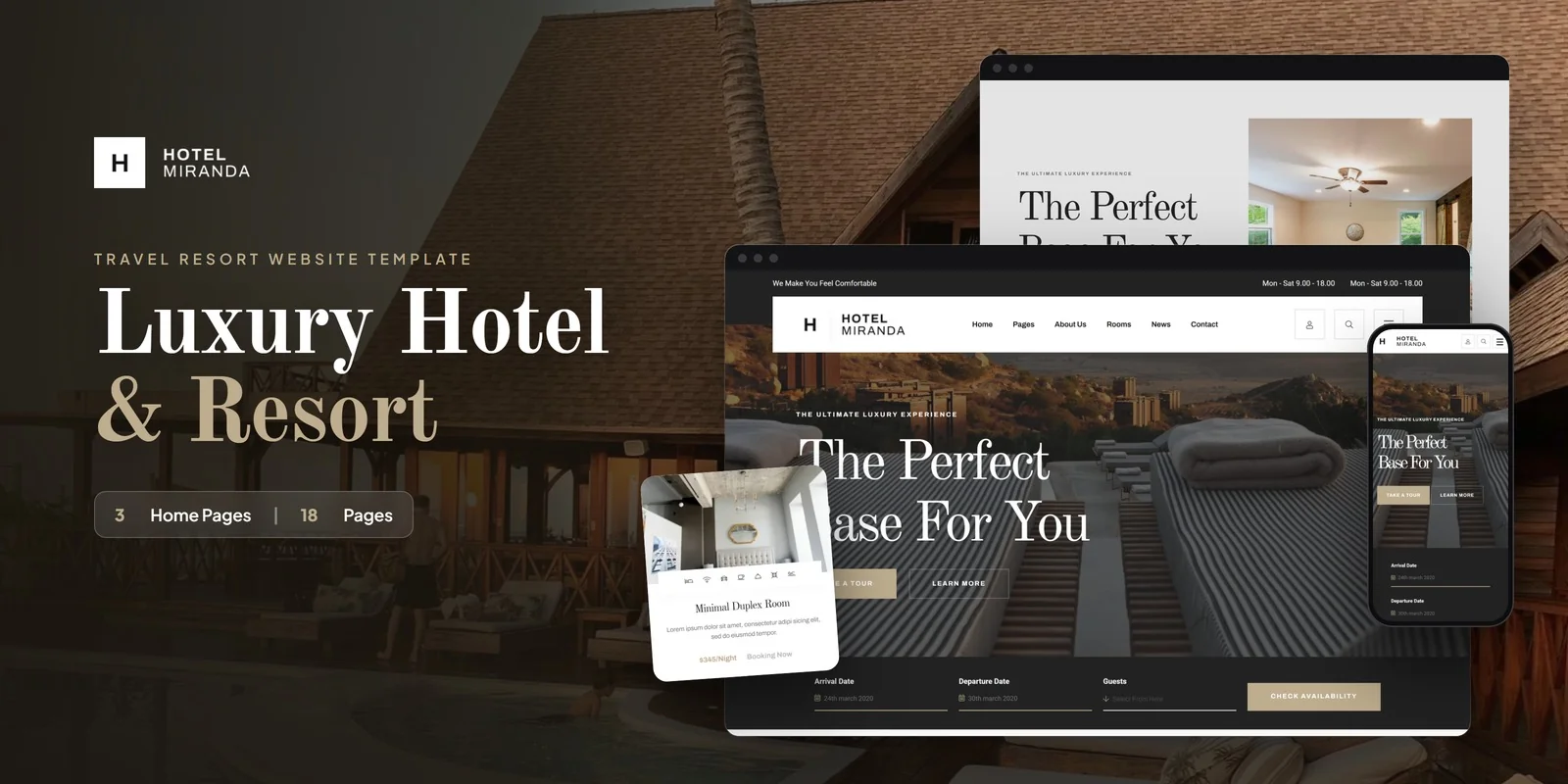
The Miranda hotel booking website template is one of the few templates that ships with all eighteen of these pages, designed and coded as a complete system. Here is how each page works within Miranda’s architecture:
Homepage Variants (3 Pages)
Three distinct homepage designs serve different property positioning strategies. Each includes a booking form, featured rooms, guest testimonials, and service highlights — but arranged in different visual hierarchies depending on whether your property leads with photography, features, or editorial storytelling. Having three options means you choose the one that matches your brand rather than settling for a single generic layout.
Room Pages (3 Pages)
The room grid presents all room types with thumbnail images, starting prices, and key amenity icons — giving guests an instant overview. The room list provides a more detailed comparison with larger images and longer descriptions, ideal for guests comparing multiple room types. The room detail page is the individual room’s sales page — a full photo carousel, complete amenity list, pricing table, and a direct booking button. This three-tier structure mirrors how guests actually shop for rooms: browse, compare, then commit.
Booking and Search (2 Pages)
The booking page presents a full reservation form — check-in, check-out, room type, guest count, and a submission flow designed to connect to your booking engine of choice. The search results page displays available rooms matching the guest’s criteria with pricing, photos, and one-click booking. Together, these two pages form the transactional core of your website.
Restaurant and Menu (1 Page)
A dedicated restaurant page showcasing your dining options, menu highlights, hours of operation, and atmosphere photography. For hotels with on-site restaurants, this page directly influences booking decisions — guests want to know they can eat well without leaving the property. For B&Bs, this page covers breakfast service and any special dining experiences you offer.
Photo Gallery (1 Page)
A grid-based gallery with lightbox functionality for full-screen image viewing. This is where your property photography does its heaviest work — the pool, the spa, the views, the lobby, the details that set your property apart. Miranda’s gallery supports both filtered categories and full-collection browsing.
Places of Interest (2 Pages)
A listing page showing nearby attractions, restaurants, beaches, landmarks, and activities with thumbnails and distances. A detail page for each attraction with descriptions and directions. These pages serve guests planning their stay and give your website substantial local SEO content that Google indexes for location-based queries.
Special Offers (1 Page)
A dedicated page for seasonal packages, early bird discounts, loyalty offers, and promotional rates. This page gives returning visitors a reason to book direct instead of through an OTA, and it provides a natural destination for email marketing campaigns.
Blog / News (2 Pages)
A news listing page and individual post pages for hotel updates, local event coverage, travel guides, and seasonal content. A hotel blog is one of the most underused SEO tools in hospitality — hotels that publish regular content about their location, events, and travel tips consistently outrank competitors who rely solely on their static pages.
About and Contact (2 Pages)
The about page tells your property’s story — its history, philosophy, and the people behind it. For boutique hotels and B&Bs, this is a conversion driver. The contact page includes a contact form, embedded Google Map, phone number, email, and physical address with formatting ready for Google’s structured data — strengthening your local SEO footprint.
3 Homepage Layouts for Different Hotel Brands
Miranda’s three homepage layouts are not cosmetic variations — each is architecturally designed for a different hotel positioning strategy. Here is how to choose the right one for your property:
Layout 1: Classic Full-Width Hero With Booking Bar
A dramatic full-screen hero image with a booking form integrated directly into the hero section. Below the fold: featured rooms, guest testimonials, and service highlights. This is the most conversion-oriented layout — guests see the booking form immediately and can start their reservation without scrolling. Best for: business hotels, established properties with strong photography, and any hotel where the primary goal is immediate bookings.
Layout 2: Split-Screen Approach
A two-column hero dividing the screen between property imagery and a booking or feature panel. This layout balances visual impact with immediate utility, presenting both the property’s atmosphere and key selling points without requiring a scroll. Best for: boutique hotels and resorts that want to lead with both brand story and booking functionality simultaneously.
Layout 3: Minimal With Feature Cards
An editorial-style homepage with a refined hero section and feature cards highlighting services, amenities, and experiences below. The booking form sits below the narrative content, allowing the property’s story to take center stage before the transactional ask. Best for: bed-and-breakfasts, boutique inns, and luxury properties where the personal story and unique character of the property are the primary selling points.
Choosing Your Layout
If your guests book on impulse (business travelers, last-minute bookings), choose Layout 1 — booking form first. If your guests need to be sold on the experience before they commit (resort vacationers, honeymoon couples), choose Layout 3 — story first, booking form after. Layout 2 works for properties that fall somewhere between.
Connecting Your Template to a Real Booking Engine
This is the step that turns a beautiful hotel website into a revenue-generating booking platform. The process is more straightforward than most hotel owners expect.
The Embeddable Widget Method (Easiest)
Most modern booking engines — Cloudbeds, Little Hotelier, Lodgify — provide a JavaScript embed code that you paste into your template’s booking page. The widget renders a complete booking interface (calendar, room selection, payment form) inside your website. It inherits some of your site’s styling and handles the entire reservation flow. For non-technical hotel owners, this is the fastest path from template to live bookings. The process takes 15–30 minutes with most booking engines.
The API Integration Method (Most Control)
For hotels that want the booking form to match their website’s design exactly, a developer connects the template’s existing booking form fields to the booking engine’s API. When a guest submits a booking request, the form sends data to the engine’s servers, receives availability and pricing in return, and displays results within the template’s own search results page. This requires a developer but delivers a seamless brand experience with no third-party widget visible to the guest.
Channel Manager Sync
If your property is listed on OTAs like Booking.com or Expedia, your booking engine’s channel manager keeps availability synchronized in real time. When a guest books a room through your website, the channel manager instantly updates your Booking.com and Expedia listings to reflect the reduced availability. This prevents double bookings and ensures your direct booking channel and OTA channels always show accurate inventory. Most booking engines include channel management or integrate with services like SiteMinder that handle it.
Open-Source Option: QloApps
For budget-conscious properties, QloApps is a free, open-source hotel booking engine you self-host alongside your website. It handles room inventory, pricing, reservations, and payments without monthly fees. The trade-off is that you manage the software yourself (or pay a developer to maintain it). For properties with fewer than 20 rooms and tight budgets, QloApps paired with a quality template delivers a professional booking website for under $200 total.
Frequently Asked Questions
Need Help Launching Your Hotel Website?
MetropolitanHost provides professional web development services for HTML template deployments. Our team understands hospitality website requirements and delivers clean, conversion-focused implementations.
- WordPress Theme Installation — live in under 24 hours
- Full Website Package — complete front-to-back deployment
- Colour Customisation — match your hotel brand across every page
- Website Speed Optimisation — Core Web Vitals improvements
- Accessibility Compliance — WCAG audit and remediation



