Why Your Restaurant Needs Its Own Website in 2026
Seventy-seven percent of diners visit a restaurant’s website before deciding where to eat. If your restaurant does not have its own website, you are invisible to the majority of potential customers — or worse, you are letting Yelp, DoorDash, and Google control how people perceive your food, your atmosphere, and your brand.
Relying solely on third-party platforms creates three problems that directly hurt your bottom line. First, you do not control your brand narrative — Yelp shows competitor advertisements on your listing page. Second, you pay 15 to 30 percent commissions on every delivery order routed through third-party apps. Third, you cannot capture customer email addresses for marketing, loyalty programs, or repeat visit campaigns.
A restaurant website template with online reservation capability solves all three. For a one-time cost that is less than a single Friday night’s revenue, you get a professional website that you own, that showcases your food the way you want it seen, and that converts browsers into seated guests without sharing revenue with a middleman.
7 Features Every Restaurant Website Must Have
Before you evaluate any template, make sure it includes these non-negotiable features. If a template is missing more than one, move on — your restaurant deserves better.
1. Online Reservation and Table Booking Form
This is the single highest-value feature on any restaurant website. Over 60 percent of restaurant searches happen on mobile devices. If a hungry person finds your site and cannot book a table in under 30 seconds, they will book somewhere else. The reservation form must capture date, time, party size, and contact information at minimum. Seating preference and special occasion fields are valuable additions that reduce follow-up phone calls.
2. HTML Menu Page (Not a PDF Download)
Search engines cannot read PDF menus. An HTML menu page with proper headings, dish names, descriptions, and prices gets indexed by Google. When someone searches for a specific dish in your area and your menu is built in structured HTML with proper headings and descriptions, your restaurant has a real chance of appearing in those results. A PDF menu gets zero search visibility, loads slowly on mobile, requires pinching and zooming, and frustrates visitors into leaving.
3. Mobile-First Responsive Design
More than half of mobile visitors leave if a page takes longer than three seconds to load. Your template must look and function flawlessly on phones and tablets — not as an afterthought, but as the primary design consideration. Test the demo on your phone before buying. If the booking form is awkward to fill out on a small screen, your guests will abandon it and book through a third-party app instead, costing you a commission on every reservation.
4. High-Quality Food Photography Display
Professional food photography can increase orders of specific dishes by up to 30 percent. Your template needs a gallery page or prominent image sections that display dishes at full resolution without compression artifacts. A lightbox gallery with category filtering — food, atmosphere, events, bar — lets visitors browse your visual story the way they browse Instagram, except every image leads them closer to a reservation.
5. Location, Hours, and Embedded Map
Every restaurant website must answer two questions within one scroll: where are you and when are you open. A contact page with embedded Google Maps, full address, phone number, and up-to-date hours of operation is not optional. For multi-location restaurants, each location needs its own dedicated section with directions and parking information.
6. About Page and Restaurant Story
Diners care about who is behind the food. A page that tells your restaurant’s story — founding year, culinary philosophy, team, sourcing practices — builds trust and emotional connection. For restaurants that have been operating for years or decades, a history or timeline page establishes credibility that no Yelp listing can replicate. A family-run Italian restaurant founded in 1987 communicates something fundamentally different from a pop-up that opened last month, and the about page makes that heritage tangible.
7. Blog Capability
A blog drives organic search traffic over time. Seasonal menu announcements, chef interviews, wine pairing guides, behind-the-scenes kitchen stories, and local event coverage all create indexable pages that bring new visitors to your site through search engines. Each blog post also becomes shareable content for social media — a single URL with a featured image and headline ready to post across Instagram, Facebook, and email newsletters.
Online Reservation UX — The Feature That Converts Visitors Into Seated Guests
The reservation form is where website traffic becomes actual revenue. Most restaurant owners treat it as an afterthought — a generic contact form with a message box. That approach loses bookings every single day.
An effective restaurant reservation form should show available date and time selections, allow party size input, offer seating preference options such as indoor, outdoor, bar, or private dining, include a field for special occasion or dietary notes, and confirm the request immediately with a clear visual confirmation state. The form should not redirect to a third-party service. Every redirect loses 20 to 30 percent of users who do not want to create an account on another platform or wait for a new page to load.
A native HTML reservation form that you connect to your preferred backend — whether that is OpenTable, Resy, a custom PHP handler, or a simple email notification — gives you full control over the booking experience, the data you collect, and the visual design. No branding conflicts with third-party widgets. No redirect loops. No loading delays from external scripts.
The financial impact is measurable. For restaurants that seat 50 or more covers per night, even a 10 percent improvement in online reservation completion rate can mean five additional covers per night. At an average of $50 per cover, that translates to $250 per night or roughly $7,500 per month in recovered revenue — from a reservation form that simply works better than what you had before.
The Menu Page — Where Restaurant Websites Win or Lose Customers
Your menu page is the most visited page on your restaurant website after the homepage. It deserves more attention than a scanned PDF uploaded as an afterthought.
HTML Menu vs PDF Menu: The SEO Difference
A PDF menu is a file. Search engines treat it as a single document with minimal context. An HTML menu is a web page with headings, categories, descriptions, and structured content that Google can index line by line. When someone searches for a dietary option or specific dish in your neighbourhood, an HTML menu with that content has a realistic chance of surfacing in results. A PDF menu page gives you none of that visibility.
Menu Page Design Best Practices
Organise your menu by category — appetizers, main courses, desserts, drinks — with clear section headings. Include a short description for each dish, no more than two to three lines. Show prices clearly because hiding prices frustrates visitors and drives them to a competitor. Add dietary indicators next to relevant dishes so guests with allergies or preferences can scan quickly. Use a grid or two-column layout instead of cramming everything into a single scrolling column.
Food Photography and Gallery Pages — Let Your Dishes Sell the Experience
Nearly half of all diners specifically look for food photography when visiting a restaurant website. Your gallery page is not decoration — it is a sales tool that does the work of a thousand words of marketing copy.
Photograph your signature dishes with professional lighting. Capture the dining room ambiance — candlelit tables, open kitchen action, seasonal decor. Show your bar with its best cocktail presentations. Include outdoor terrace or patio shots for guests who prefer al fresco dining. If you host private events, the gallery doubles as a venue portfolio that sells your space to corporate event planners and private party organisers.
The template you choose should include lightbox functionality so visitors can view images at full resolution, category filtering to separate food from atmosphere from events, fast-loading optimised images, mobile swipe support, and alt text fields for SEO and accessibility compliance.
Local SEO for Restaurants — How Your Website Drives Foot Traffic
A restaurant website is not just a digital brochure. It is your most powerful local SEO asset — the foundation that determines whether your restaurant appears when someone nearby searches for what you serve.
Nearly half of all Google searches have local intent. Searches for restaurants and dining have grown dramatically over the past two years, and the Google Local Pack — the map results with three business listings that appear at the top of search results — drives more clicks than traditional organic results for restaurant queries. Your website is one of three signals Google uses to rank you in the Local Pack, alongside your Google Business Profile and customer reviews.
A well-built restaurant template supports local SEO in several ways. Semantic HTML5 structure with proper heading hierarchy tells Google what each page is about. A contact page with an embedded map confirms your NAP — name, address, and phone number — data. Your menu page content creates indexable material for dish-specific and cuisine-type searches. Blog posts build topical authority around your location and cuisine niche. Fast page load times satisfy Core Web Vitals requirements, which are a confirmed ranking signal. And clean, well-structured HTML makes it straightforward to add LocalBusiness and Restaurant schema markup for rich search results.
Tufatt — A Restaurant Website Template Built for Table Reservations and Menu Presentation
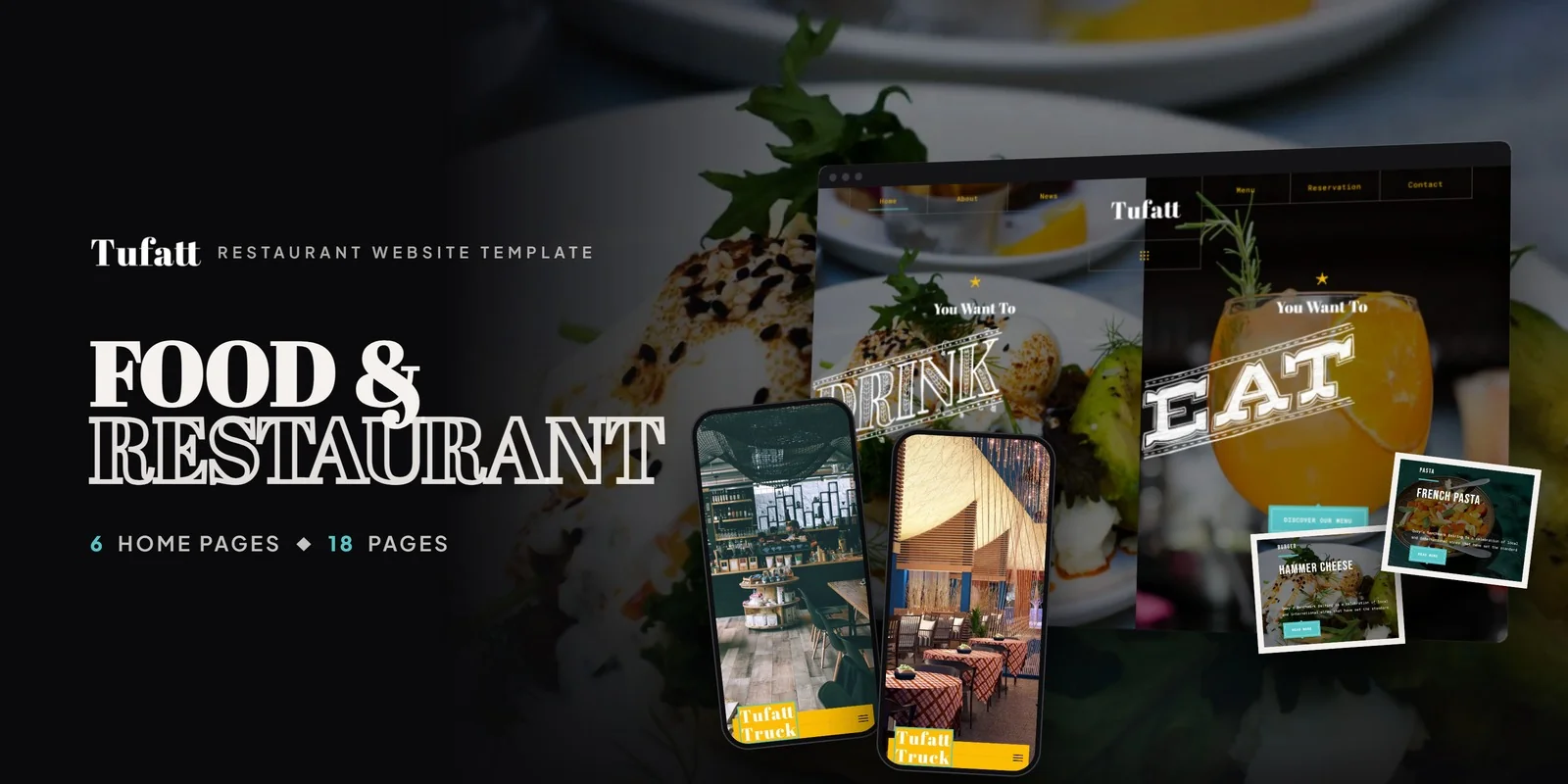
Everything covered in this guide — the reservation form, the HTML menu page, the food gallery, the chef profiles, the local SEO structure — is already designed, coded, and ready to customise in Tufatt. This is not a generic business template with a food image swapped into the hero section. Tufatt is an 18-page restaurant website template built specifically for brick-and-mortar dining establishments.
With 6 unique homepage layouts, an interactive menu system, a dedicated online reservation page, chef profile showcases, and a filterable food gallery with lightbox — Tufatt gives restaurants, bistros, cafes, bars, and lounges a complete digital presence that drives real-world foot traffic and seated reservations.
What Tufatt Includes
Tufatt ships with 18 fully designed pages covering every aspect of a modern restaurant website. The interactive menu page organises dishes by category with descriptions and pricing in structured HTML that search engines can index. The reservation page captures date, time, party size, seating preference, and special occasion notes through a native form you control. Chef profiles introduce your culinary team with photographs, biographies, and signature dishes. The filterable gallery showcases food photography, dining ambiance, and event spaces with full-resolution lightbox viewing. A restaurant history timeline tells your origin story through dated milestones. Three blog layouts — grid, sidebar, and detail — give you a publishing system for seasonal menus, events, and chef interviews. The contact page includes embedded map integration with hours and directions.
6 Homepage Layouts for Different Restaurant Styles
Each homepage variant targets a specific dining concept. Layout 1 is designed for classic fine dining — an atmospheric parallax hero with a centred reservation call-to-action. Layout 2 suits casual dining with a bright, welcoming design and featured menu highlights. Layout 3 works for bars and lounges with a dark palette, bold typography, and drink-forward imagery. Layout 4 targets cafes and brunch spots with a light, airy design and prominent menu categories. Layout 5 is built for chef-driven bistros with an editorial style featuring a chef spotlight and curated dish carousel. Layout 6 opens with location cards for restaurant groups and chains with multiple branches.
Built on Bootstrap with jQuery, Tufatt renders flawlessly on every device — from the desktop screens where guests browse menus during lunch breaks to the mobile phones where they make last-minute dinner reservations. Parallax scrolling, scroll-triggered CSS animations, and Google Fonts integration create a visual experience that communicates the quality of your food before a single dish is served.
The Reservation Page Deep-Dive — How Tufatt Handles Table Booking
Tufatt’s reservation page is a native HTML form — not a third-party embed, not an iframe, not a redirect to an external booking platform. The form captures date, time, party size, seating preference including indoor, outdoor, and bar options, and special occasion notes in a single streamlined flow.
This design choice matters for four reasons. You control the visual design so there are no widget branding conflicts cluttering your page. You control the data and can capture email addresses for your own marketing list instead of feeding them to a third-party platform. You control the integration and can connect the form to OpenTable, Resy, a PHP backend, or a simple email notification depending on your needs and budget. And there are no loading delays from external scripts, which means your mobile reservation completion rate stays high instead of dropping every time a third-party widget takes an extra two seconds to render.
For restaurant owners, this is the difference between a website that takes reservations and a website that sends visitors somewhere else to maybe make a reservation. Every redirect is a potential drop-off, and every drop-off is an empty table that could have been a paying guest.
Chef Profiles and Team Pages — The Trust Factor Diners Look For
The rise of chef-driven dining culture means that a dedicated chef profile page is no longer a luxury or a nice-to-have — it is a conversion tool. When a potential guest can see the head chef’s credentials, read about their culinary training and philosophy, and understand the team behind the kitchen, the decision to book a table becomes significantly easier. For first-time visitors choosing between your restaurant and three others on the same street, the chef page can be the deciding factor.
Tufatt includes both a chef showcase page with professional photographs, biographies, training background, and signature dishes, and a separate team page for front-of-house staff, sommeliers, and management. For restaurants with a well-known chef, this page also captures branded search traffic. People searching for a chef by name will find your restaurant website, which then funnels them toward the reservation page.
Restaurant Website Cost Comparison — Template vs Toast vs Squarespace vs Custom Build
This is the question every restaurant owner asks before committing: how much will a website actually cost, and what do I get for my money?
| Factor | Restaurant Template (Tufatt) | Squarespace Restaurant | Toast Website | Custom Agency Build |
|---|---|---|---|---|
| Upfront Cost | $49 (one-time) | $0 | $0 | $3,000–10,000 |
| Monthly Cost | $3–10 (hosting only) | $23–49/month | $69+/month | $50–200/month |
| 3-Year Total Cost | $157–409 | $828–1,764 | $2,484+ | $4,800–17,200 |
| Code Ownership | Yes — you own it | No — you rent it | No — platform locked | Yes |
| SEO Control | Full HTML control | Limited | Limited | Full |
| Reservation System | Native form (any backend) | Tock integration only | Toast built-in only | Any |
| Menu Page | Full HTML (SEO indexed) | Platform format | Platform format | Any |
| Time to Launch | 3–7 days | 1–3 days | 1–2 days | 4–12 weeks |
| Design Customisation | Full code access | Drag-and-drop only | Limited templates | Unlimited |
| Portability | Move to any host | Cannot move | Cannot move | Move anywhere |
The math favours templates decisively for independent restaurants. A Squarespace Business plan at $33 per month costs $1,188 over three years — and you never own the code. If Squarespace raises prices or changes features, you have no option except to pay more or rebuild from scratch on a different platform.
A restaurant template like Tufatt at $49 plus $5 per month shared hosting costs $229 over three years. You own every line of code. You can move to any hosting provider at any time. You can hire any developer to customise it further. And if you ever sell the restaurant, the website transfers with the business as an owned asset, not a subscription that cancels on the next billing date.
For restaurants processing online orders, the savings compound further. Third-party delivery platforms charge 15 to 30 percent per order. A restaurant doing $10,000 per month in delivery through aggregator apps pays $1,500 to $3,000 in commissions. A website with its own ordering integration eliminates that cost entirely — paying for the template and three years of hosting in the first week.
How to Launch Your Restaurant Website in 7 Days
This step-by-step plan is written for restaurant owners who are not developers. No coding experience required — just follow the sequence.
Day 1 — Choose your template and hosting. Purchase Tufatt and sign up for shared web hosting. Any standard host that supports HTML files works. Budget $3 to $10 per month for hosting.
Day 2 — Upload and configure. Upload the template files to your hosting account through the file manager. Update the site title, restaurant name, logo, and contact details throughout.
Day 3 — Build your menu page. Replace the demo menu content with your actual dishes, descriptions, and prices. Organise by category. Add dietary indicators where applicable.
Day 4 — Photography. Upload your food photography, dining room images, and team photos. Replace all demo placeholder images with your actual content.
Day 5 — Connect the reservation form. Link the reservation form to your preferred backend. Email notification is the simplest starting point. Upgrade to OpenTable or Resy integration when your volume justifies it.
Day 6 — About, history, and chef pages. Write your restaurant’s origin story, add timeline milestones, and create chef profiles with biographies and photographs.
Day 7 — Test and launch. Test on mobile, tablet, and desktop. Check every link and form submission. Submit your site to Google Search Console. Go live.
If you want professional help with any step, MetropolitanHost offers template installation, colour customisation, and full website packages for restaurants using Tufatt.
Related guide: Want to compare across cuisines first? See the best restaurant website templates for every cuisine.



