What Is a Camping Website Template?
A camping website template is a pre-designed, fully coded website built specifically for campgrounds, glamping resorts, RV parks, outdoor recreation businesses, and adventure travel companies. It includes every page an outdoor business needs — homepage with nature-inspired hero section, camp location archive with individual site detail pages, services module, pricing plan displays for different accommodation tiers, an outdoor gear shop, blog for content marketing, and contact page — all designed, responsive, and ready for your content.
For campground owners and outdoor recreation operators who need a professional web presence without subscribing to campground management platforms that charge $50 to $300 per month, a template is the most practical path to a beautiful website that converts visitors into guests. But outdoor hospitality websites have unique requirements that generic business templates cannot address. Camp location pages need to showcase different site types with amenities listings. Pricing must display multiple tiers clearly. Seasonal availability and booking integration matter more here than in almost any other industry. This guide covers what your campground website actually needs, how to evaluate templates before you purchase, and what gets guests from your website to your campsite.
Template vs Campground Platform vs Custom Build
Outdoor recreation business owners typically weigh three options when building their website. Each comes with distinct cost and capability trade-offs:
| Factor | Campground Platform (Campspot, Bonfire) | Camping Website Template | Custom Website Build |
|---|---|---|---|
| Upfront Cost | $0–500 setup | $29–69 | $5,000–15,000 |
| Monthly Cost | $50–300/month | $3–10/month (hosting only) | $50–200/month |
| 3-Year Total Cost | $1,800–11,300 | $137–429 | $6,800–22,200 |
| Code Ownership | No — you rent it | Yes — you own it forever | Yes — you own it |
| Booking System | Built-in (vendor-managed) | Connect any booking tool | Any system |
| Design Flexibility | Limited to platform | Full HTML/CSS/JS control | Unlimited |
| Location Pages | Platform-formatted | Purpose-built layouts | Custom designed |
| Time to Launch | 2–4 weeks | 3–7 days | 6–12 weeks |
| Vendor Lock-in | High — data stays with vendor | None | None |
The template path makes particular sense for campgrounds and outdoor businesses that want full control over their brand presentation while keeping costs predictable. Campground management platforms offer booking engine convenience, but your website disappears if you cancel the subscription. A template gives you permanent ownership of your web presence, and you integrate whatever booking system works best for your operation.
What Guests Expect When They Visit Your Campground Website
People planning a camping trip, glamping getaway, or outdoor adventure are typically excited about the experience and anxious about the logistics. They want to see what your property looks like, understand what types of sites are available, compare pricing, and figure out how to book — all without calling or emailing. Your website is the bridge between inspiration and reservation. Here is what makes that bridge work:
Stunning Visual First Impression
Outdoor businesses sell an experience, and that experience starts with visuals. Your homepage hero section must feature high-quality photography of your property — campfires at sunset, tent sites with mountain views, glamping tents with cosy interiors, trails through forest canopy. Stock photography does not work here. Guests want to see your actual property, your real sites, and the genuine atmosphere of your location. A template with a bold, full-width hero section and support for high-resolution images is essential.
Camp Location Pages That Show Every Site Type
A campground rarely offers just one type of site. You might have tent-only sites, full-hookup RV pads, rustic cabins, glamping tents, and group camping areas — each with different amenities, capacities, and price points. Your website must present these options clearly through a location archive page where guests browse all site types, and individual detail pages that show specific amenities, photos, capacity, pricing, and availability for each type. A template with multiple camp location layout variants lets you present primitive tent sites differently from premium glamping accommodations.
Pricing Plans Displayed Transparently
Campground pricing can be complex — weekday versus weekend rates, seasonal pricing, hookup fees, pet fees, extra person charges, and package deals. Guests want to understand what they will pay before they start the booking process. A pricing plan section that clearly presents your tiers — basic tent site, standard RV pad, premium lakeside spot, glamping package — with inclusions listed under each tier eliminates the most common pre-booking question. Hidden or confusing pricing drives guests to competitors who make costs clear.
Services and Activities That Sell the Experience
Campgrounds compete on experience, not just location. Your website should showcase the services and activities that make your property unique — guided hikes, kayak rentals, fishing access, firewood delivery, camp store, laundry facilities, shower houses, and organised events. A services module with overview and detail pages lets you present each offering with descriptions, photos, and any associated costs. Guests who see a rich activity offering are more likely to book — and more likely to book a longer stay.
Blog Content That Drives Seasonal Traffic
Camping is seasonal, and your website traffic should reflect that. A blog that publishes content like “best fall camping spots in [region],” “what to pack for winter camping,” or “family camping tips for first-timers” drives organic search traffic during planning season — weeks or months before guests actually book. The blog positions your campground as a knowledgeable resource, builds trust with potential guests, and creates content you can share on social media to drive awareness.
Mobile Experience That Works at the Trailhead
Campers research on their phones — often while travelling, sitting at a rest stop, or comparing campgrounds from a car park. Your website must work flawlessly on mobile: images must load quickly over cellular connections, navigation must be thumb-friendly, pricing tables must be readable without horizontal scrolling, and any booking integration must be usable on a small screen. A template built on Bootstrap 5 handles responsive design structurally, ensuring every page adapts correctly from desktop down to compact smartphones.
Technical Requirements for Outdoor Recreation Websites
Beyond visual design and content, your campground website must meet specific technical standards that affect guest experience and search visibility.
Fast Loading Over Cellular Connections
Many guests will access your website from areas with limited cellular service. Pages must load quickly even on 3G connections. This means optimised image compression, minified CSS and JavaScript, lazy loading for below-the-fold images, and minimal external dependencies. A template that loads six or seven JavaScript libraries on every page creates unnecessary weight. Choose a template that uses libraries efficiently and only loads scripts on pages where they are actually needed.
Image Gallery with Lightbox Support
Photography sells outdoor experiences. Your template needs a gallery system that lets guests browse property photos in a full-screen lightbox — zooming into campsite details, cabin interiors, and scenic views. Magnific Popup or comparable lightbox integration provides this without redirecting guests away from the page they are viewing.
Interactive Components That Enhance Browsing
Isotope grid filtering lets guests sort camp locations by type — tent, RV, cabin, glamping. Slick carousels showcase featured sites or guest testimonials. Counterup animated statistics display property credentials like acres, sites available, and years in operation. These interactive components make the browsing experience engaging without slowing down the site when implemented properly.
Booking Integration Tip: Your template provides the front-end pages and visual presentation. For actual reservation processing, integrate a booking widget from services like Campspot, ResNexus, or Lodgify — or use a simple form that sends booking requests to your email. The template handles the guest experience; the booking system handles the transaction.
SEO and Online Marketing for Campgrounds
Campground marketing is seasonal and location-driven. The vast majority of your bookings will come from people searching for camping within a specific region during planning season — typically two to six weeks before their trip. Your website must be visible in search results when these potential guests are making their decisions.
Local Search Optimisation for Outdoor Businesses
Campground searches are almost entirely local. People search for “campgrounds near [lake name],” “camping in [state park area],” or “RV parks [region].” Your website must be optimised for these geographic search terms. This means your homepage and location pages should include your specific geographic area in headings, title tags, and body content. A Google Business Profile with accurate information, photos, and regular updates is essential. Your template should support clean heading structures and geographic keyword placement naturally within the page content.
Seasonal Content Strategy
Campground traffic follows seasonal patterns, and your content strategy should anticipate these cycles. Publish spring content — “best early season camping tips” and “what to pack for spring camping” — in late winter when people start planning. Summer content about family camping activities and nearby attractions should be live by April. Fall foliage content should publish in August. Winter camping or off-season event content fills the slower months. Each piece of seasonal content targets search queries that potential guests are asking at that specific time of year, driving traffic precisely when booking intent is highest.
Location Page SEO
Each camp location page on your website is an SEO landing page. A page about your lakeside RV sites should target “lakeside RV camping [region].” Your glamping tent page should target “glamping [state/region].” Each location page needs 400 to 600 words of descriptive content covering the site features, nearby attractions, amenities, and the experience of staying at that particular site type. Thin pages with just a price and a photo will not rank against competitors who provide comprehensive, helpful content about their camping options.
Revenue Optimisation for Campground Websites
Your website is not just a digital brochure — it is a revenue generation platform. Thoughtful website design directly impacts average booking value, ancillary revenue, and repeat visitation rates.
Upselling Through Site Comparison
When your website presents camp locations side by side — basic tent site versus premium waterfront site versus glamping accommodation — guests naturally compare and often upgrade. The key is making the value proposition clear for each tier. What does the premium site include that the basic does not? What amenities come with the glamping package? A pricing plan display that clearly shows inclusions at each tier encourages guests to choose the option that maximises their experience and your revenue per booking.
Ancillary Revenue Through the Gear Shop
An outdoor gear shop on your website generates revenue beyond campsite bookings. Guests buying firewood bundles, camp chairs, s’mores kits, branded merchandise, and outdoor equipment add incremental revenue to every reservation. The shop should be prominently linked from your homepage and camp location pages — especially items that guests commonly forget or that enhance the camping experience at your property. Positioning the shop as a convenience feature rather than a sales pitch makes it feel helpful rather than pushy.
Review and Testimonial Strategy
Guest reviews are the most powerful conversion tool for campground websites. Over 80% of travellers read reviews before booking accommodation. Your website should prominently display guest testimonials on the homepage, on relevant location pages, and in a dedicated reviews section. After each guest stay, send a follow-up email requesting a review. Feature the best reviews on your website and respond to reviews — positive and negative — on your Google Business Profile. A campground with 200 positive reviews and active responses to guest feedback dramatically outconverts one with ten reviews and no engagement.
Seasonal Planning Tip: Publish your spring camping content by January, summer content by March, and fall content by July. Campers plan weeks to months ahead. Content that is live and indexed when planning begins captures bookings from guests who are actively choosing between properties. Late content misses the decision window.
Photography and Visual Content Strategy
The single most influential element on a campground website is photography. Outdoor businesses sell an experience — the warmth of a campfire under starry skies, the morning mist over a lake, children exploring forest trails. Stock photography cannot capture the specific magic of your property. Every hero image, location photo, and gallery shot on your website must be authentic to your campground.
What to Photograph and When
Capture your property across all seasons. Spring shots showing wildflowers and fresh green canopy. Summer images with families enjoying activities, campfires, and swimming. Autumn photography featuring fall foliage and the warm colours that draw leaf-peeping campers. Winter shots of snow-covered cabins or cosy glamping tents for off-season appeal. For each site type, photograph the setup from multiple angles — the site itself, the surrounding landscape, nearby amenities, and the view from the site. Include people in your photos when possible. An empty campsite looks available; a campsite with a happy family around a campfire looks desirable.
Drone and Aerial Photography
Aerial photography showing your property from above communicates scale, setting, and surroundings in a way that ground-level photos cannot. A drone shot showing your campground nestled beside a lake, surrounded by mountains, or carved into forest creates an immediate emotional response that text descriptions cannot match. Use aerial photography for your homepage hero, your about page, and your location archive page. Ground-level photography handles the detail — individual site features, amenity buildings, activity areas. Together, they give prospective guests a complete picture of what staying at your property feels like.
User-Generated Content
Encourage guests to share photos from their stay on social media with a branded hashtag. Feature the best guest photos in your gallery or blog — with permission. User-generated content provides authentic, trust-building visual proof that real people enjoy your property. It also generates ongoing fresh content without requiring professional photography sessions. A website gallery section that mixes professional photography with guest-submitted images creates a more authentic and engaging visual experience than polished photos alone.
Accessibility and Inclusivity for Outdoor Businesses
Campground websites serve a diverse audience that includes people with disabilities who enjoy outdoor recreation. An accessible website is not just good practice — it expands your potential guest base and demonstrates that your property is welcoming to everyone.
Website Accessibility Basics
At minimum, your campground website should include alt text on all images describing what the photo shows, keyboard-navigable menus for visitors who cannot use a mouse, sufficient colour contrast between text and background, form fields with associated labels for screen reader compatibility, and captions or transcripts for any video content. These accessibility practices also benefit your SEO, as search engines rely on many of the same structural elements that assistive technologies use. A template built with semantic HTML and proper heading hierarchy provides the structural foundation for accessibility — you add the descriptive content.
Showcasing Accessible Facilities
If your campground offers ADA-accessible sites, accessible shower facilities, paved pathways, or adaptive recreation equipment, feature these on your website. Create a dedicated accessibility page or section within your location pages that describes what accessible facilities are available, where they are located on the property, and how guests can request specific accommodations. Campgrounds that proactively communicate their accessibility offerings attract guests with disabilities who might otherwise assume outdoor recreation is not for them. This information also helps trip planners and group organisers who need to accommodate members with varying abilities.
How to Evaluate a Camping Template Before You Buy
Not all outdoor recreation templates are created equal. Use this evaluation process before purchasing:
Check for Dedicated Location Pages
The most critical differentiator for a campground template is whether it includes dedicated camp location pages — not just a generic services section repurposed for sites. Look for an archive page that displays all location types with filtering, and individual detail pages where each site type gets its own page with amenities, capacity, photos, and pricing information.
Verify Pricing Plan Display
Open the demo and navigate to the pricing section. Does it support multiple tiers with clearly listed inclusions? Can it accommodate the complexity of campground pricing — nightly rates, weekly rates, seasonal packages? A template with only a basic three-column pricing table may not handle the range of options your campground offers.
Test the Outdoor Gear Shop Section
If your campground sells outdoor gear, firewood, camp supplies, or branded merchandise, the template should include a functional shop section with product pages, cart, and checkout flow. Check that the shop integrates naturally with the rest of the site design rather than looking like an afterthought bolt-on.
Campa — A Camping Template Built for Outdoor Businesses
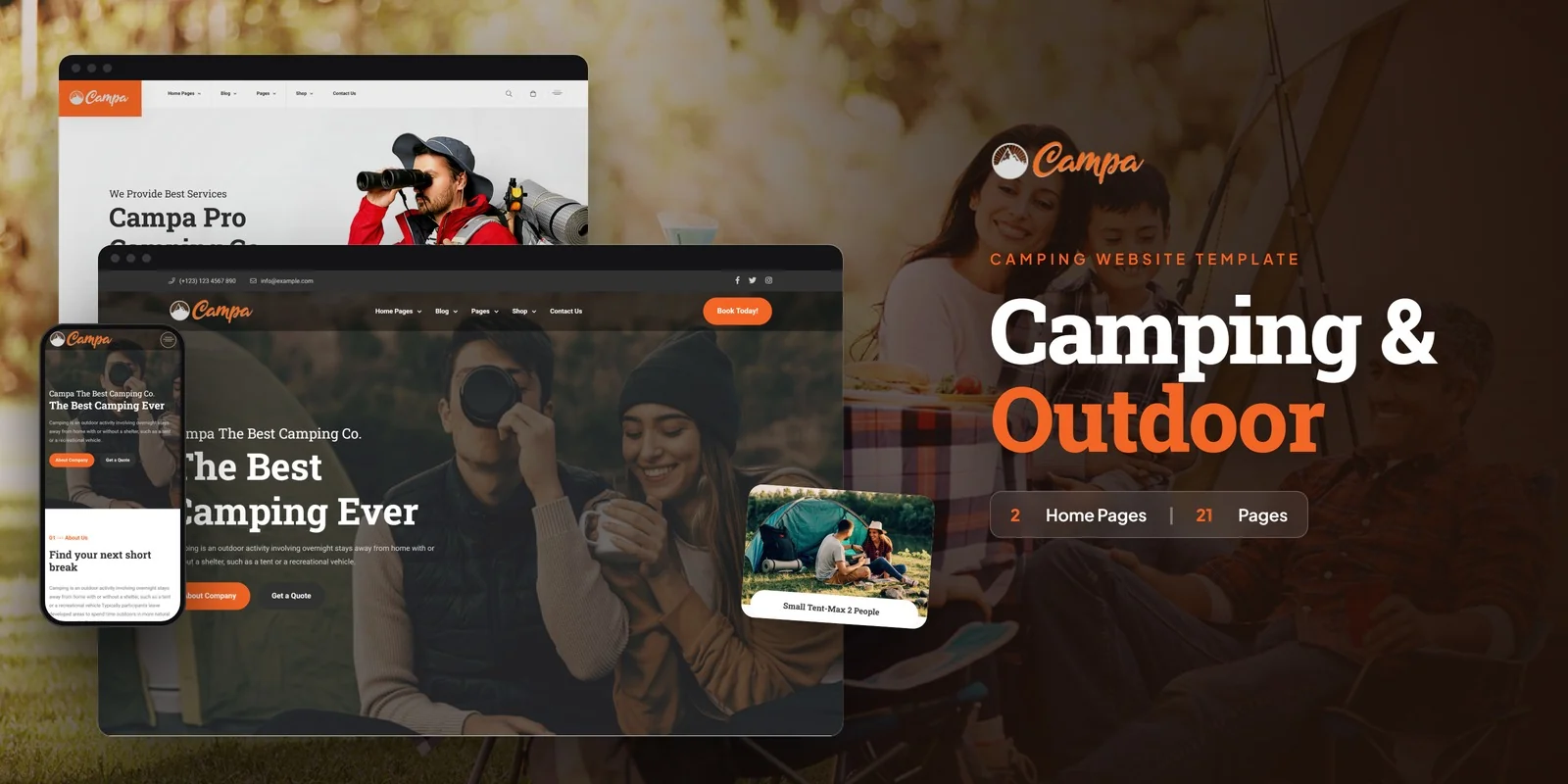
Campa is a camping and outdoor recreation HTML5 template designed to address every requirement outlined in this guide. Built for campgrounds, glamping resorts, adventure travel companies, and nature tourism brands, it ships twenty-one fully crafted HTML pages across two unique homepage layouts — delivering a complete outdoor business web presence.
What Campa Includes
- Two Homepage Layouts — distinct hero styles and featured outdoor content arrangements
- Three Camp Location Layouts — camp location archive in three distinct layout variants for different campground types
- Camp Location Detail Pages — individual location pages with facilities listing and booking information
- Services Module — two services overview layouts plus individual service detail pages for activities and amenities
- Pricing Plans — tiered camping and accommodation package displays
- Outdoor Gear Shop — product pages, cart, checkout, and wishlist for camp supplies and merchandise
- Team Pages — staff and guide profiles
- Blog Archive — content marketing pages for outdoor tips and seasonal content
- FAQ Page — answers to common guest questions about your campground
- Contact Page — comprehensive contact form with location information
Technical Foundation
Campa is built on Bootstrap 5 with Slick carousels for site showcases and testimonials, Isotope filtering for camp location and shop archives, Magnific Popup lightbox for property photo galleries, Counterup animated statistics for property credentials, ion.rangeSlider for price filtering in the shop, jQuery Steps for multi-step checkout, and WOW.js scroll animations. Every page is fully responsive and optimised for fast loading over cellular connections.
21 Pages, Three Location Layouts: Campa covers every page an outdoor recreation business needs — from dual homepages and three distinct camp location layouts to pricing plan displays, an outdoor gear shop, and a full blog section. No placeholder stubs. Every page is designed for campground deployment.
Customisation Roadmap for Campground Owners
Week One — Content and Photography: Gather property photos for every site type, campfire and activity shots, team headshots, and written descriptions for each camping option. Replace all placeholder content. Update pricing plans with your actual rates. Customise the colour scheme to match your property branding.
Week Two — Integration and Launch: Connect contact forms to your email system. Set up the camp location pages with your site types and amenities. Integrate your booking widget or link to your reservation system. Configure the shop section if selling outdoor gear. Test across devices and browsers, then deploy to your production server.
Frequently Asked Questions
Need Help Launching Your Campground Website?
MetropolitanHost provides professional web development services for HTML template deployments. Our team understands outdoor recreation website requirements and delivers clean, well-structured implementations.
- WordPress Theme Installation — live in under 24 hours
- Full Website Package — complete front-to-back deployment
- Colour Customisation — match your campground branding across all pages
- Website Speed Optimisation — Core Web Vitals improvements
- Accessibility Compliance — WCAG audit and remediation



