What Is an Art Gallery Website Template?
An art gallery website template is a pre-designed, fully coded website built specifically for art galleries, creative studios, independent artists, craft businesses, and artisan brands. It includes every page a creative business needs — homepage with visual impact, gallery showcase with filterable categories, integrated e-commerce shop with product pages, cart, checkout, and wishlist, appointment booking for commissions and consultations, case studies for creative projects, team profiles for artists and staff, blog for exhibitions and creative insights, and contact page — all designed to let artwork command attention.
For gallery owners and independent artists who need a website that showcases work with the same care as a physical gallery wall without paying $5,000 to $15,000 for a custom build or surrendering 15% to 40% commissions to marketplace platforms like Saatchi Art or Artsy, a template delivers the most practical path to a professional online presence. But art and gallery websites have unique requirements. Your images must display at maximum visual quality with zoom capability. Your e-commerce must handle one-of-a-kind pieces with appropriate pricing tools. Your booking system must accommodate commission requests and consultation appointments. This guide covers what art buyers and collectors expect from a gallery website, what technical features matter, and how to choose the right template for your creative business.
Template vs Art Platform vs Custom Build
Artists and gallery owners typically face three options when establishing their online presence:
| Factor | Art Platform (Saatchi, Artsy) | Art Gallery Website Template | Custom Website Build |
|---|---|---|---|
| Upfront Cost | $0–50 | $29–69 | $5,000–15,000 |
| Monthly Cost | $0–50/month + 15–40% commission | $3–10/month (hosting only) | $50–150/month |
| Commission on Sales | 15–40% per sale | 0% — you keep everything | 0% |
| 3-Year Total (at $10K annual sales) | $4,500–12,000+ in commissions | $137–429 | $6,800–20,400 |
| Code Ownership | No — you list on their site | Yes — you own it forever | Yes — you own it |
| Brand Control | Minimal — their layout, their rules | Full creative control | Full control |
| E-Commerce | Built-in (with commission) | Integrated shop pages | Any system |
| Time to Launch | 1–2 days | 3–7 days | 4–12 weeks |
| Visitor Ownership | No — platform owns the traffic | Yes — your domain, your audience | Yes |
Art marketplace platforms offer instant visibility but take a significant commission on every sale and limit your brand identity. An artist selling $10,000 worth of work annually loses $1,500 to $4,000 in platform commissions — money that covers years of website template hosting. A template gives you full brand control, zero commission on sales, and direct relationships with buyers and collectors. For artists and galleries treating their practice as a business, the template path preserves both revenue and creative autonomy.
What Art Buyers and Collectors Expect From Your Website
People visiting an art gallery website or artist portfolio are in a distinctly different mindset from typical online shoppers. Art purchases are emotional, considered, and often substantial investments. Buyers need to feel confident in the work, the artist, and the transaction. Your website must facilitate that confidence through exceptional image quality, transparent information, and a professional presentation that mirrors the gallery experience. Here is what art buyers look for:
Image Quality That Does Justice to the Work
Art buyers make purchasing decisions based on what they see on screen. Every artwork image must be high-resolution with accurate colour reproduction. Zoom functionality is essential — buyers want to inspect brushwork, texture, and detail at close range before committing to a purchase. A product zoom view that activates on hover provides the digital equivalent of leaning in to examine a piece on a gallery wall. Without zoom capability, buyers cannot assess the quality that justifies the price, and the hesitation kills the sale.
E-Commerce That Handles Art-Specific Needs
Selling art online requires more than a standard product grid. Artworks come in different sizes, media, and price ranges. A price range filter allows collectors to browse within their budget — filtering from $500 to $2,000 or from $5,000 to $10,000 — without scrolling through pieces outside their range. Product variations handle different print sizes, framing options, and media types for each piece. A wishlist function lets collectors save pieces they are considering, allowing the purchase decision to develop naturally rather than forcing an immediate commitment.
Commission and Consultation Booking
Many artists and galleries generate significant revenue through custom commissions — portrait commissions, custom installations, corporate art consulting, and bespoke pieces. An appointment booking form captures commission enquiries in a structured format: the client’s vision, preferred medium, size requirements, budget range, and timeline. This structured intake process demonstrates professionalism and ensures you gather the information needed to provide an accurate quote. For galleries offering private viewings or studio visits, the booking system handles appointment scheduling without back-and-forth emails.
Artist Story and Creative Process
Art buyers do not just purchase objects — they invest in stories. The artist’s biography, creative philosophy, exhibition history, and process documentation all contribute to the perceived value of each piece. Case study pages that document the creative process — from concept sketches through material selection to finished work — add narrative depth that marketplace listings cannot provide. Collectors who understand the story behind the work assign higher value to the piece and develop stronger loyalty to the artist.
Exhibition and Event Information
Galleries thrive on events — openings, exhibitions, artist talks, workshops, and private viewings. Your website must communicate what is showing now, what is coming next, and what events are open to the public. A blog or events section that regularly updates with exhibition announcements, artist features, and behind-the-scenes content keeps collectors engaged between purchases and gives them reasons to return to your website and your gallery.
Mobile Experience for Gallery Visitors
Collectors browse on their phones — at art fairs, during gallery walks, while researching artists recommended by friends. Your website must display artwork beautifully on mobile screens. The shop must function smoothly with touch-friendly navigation. The booking form must be easy to complete on a phone. Any friction on mobile — slow loading, images that do not scale, checkout forms that require pinch-zooming — loses the collector to a competitor whose mobile experience is seamless.
Technical Features That Elevate Art Gallery Websites
Beyond visual design, certain technical features specifically enhance art gallery and artist websites, distinguishing a professional gallery presence from an amateur portfolio page.
Product Zoom View
A product zoom view activated on hover lets collectors inspect artwork at close range — examining brushwork, texture, colour transitions, and detail that justify the price. This feature bridges the gap between the physical gallery experience, where a buyer can lean in and examine a piece closely, and the digital experience where they rely entirely on screen representation. For photography, prints, and mixed media work, zoom functionality is the difference between a confident purchase and an abandoned cart.
Price Range Filtering
ion.rangeSlider provides an intuitive price filtering tool that lets collectors set their budget range and browse only artworks within that range. A collector with a $1,000 to $3,000 budget wants to see only pieces within that range — not scroll past $50,000 originals or $50 prints to find appropriate options. Price filtering respects the collector’s time, demonstrates professionalism, and increases the likelihood of purchase by presenting only relevant options.
Quick-View and Reviews
Product quick-view allows collectors to preview artwork details — dimensions, medium, price, and a brief description — without navigating away from the gallery grid. This speeds up browsing and lets collectors evaluate multiple pieces efficiently. Customer reviews on product pages provide social proof that builds buyer confidence, particularly for online-only galleries where buyers cannot inspect work in person before purchasing.
Wishlist Functionality
Art purchases are often considered decisions. A collector may admire a piece today but need time to reflect, consult a partner, or evaluate it alongside other potential purchases. A wishlist lets collectors save pieces they are considering, creating a personal shortlist they can return to. For galleries, the wishlist provides valuable data about which pieces attract interest even when they do not convert immediately — information that informs pricing, curation, and marketing decisions.
Animated Statistics for Gallery Credibility
CounterUp animated statistics display your gallery’s credentials in an engaging format. Numbers that animate to “500 Artworks Sold” or “12 Years Exhibiting” or “200 Artists Represented” create immediate credibility as visitors scroll the page. For independent artists, statistics like “150 Commissions Completed” or “30 Exhibitions” communicate professional track record. These metrics help buyers assess the gallery or artist’s established reputation before making a purchase decision.
Commission Revenue: For artists and galleries offering custom commissions, the appointment booking form transforms your website from a passive portfolio into an active revenue channel. Structured commission enquiries — capturing the client’s vision, preferred medium, size, budget, and timeline — arrive in a professional format that allows you to quote accurately and begin the creative conversation immediately. Artists who add a booking form to their website typically see commission enquiries increase because the structured process lowers the barrier for clients who want custom work but do not know how to initiate the request.
Selling Art Online: Building Your Direct Sales Channel
Why Direct Sales Beat Marketplace Commissions
Art marketplace platforms charge 15% to 40% commission on every sale. For an artist selling a $2,000 painting, that is $300 to $800 lost to the platform per transaction. Over a year of consistent sales, these commissions compound into thousands of dollars — revenue that could fund studio rent, materials, or marketing. A website template with integrated e-commerce pages costs a one-time $29 to $69 plus minimal hosting fees. Every sale through your own website keeps 100% of the revenue with you. The breakeven point is a single sale.
Building Collector Relationships
When a collector purchases through a marketplace platform, the platform owns the customer relationship. You cannot email the buyer directly, cannot invite them to your next exhibition, cannot offer them first access to new work. When a collector purchases through your own website, you own that relationship. You can build a mailing list, send exhibition invitations, offer early access to new collections, and develop the long-term collector relationships that sustain an art career. Direct sales through your own website build an asset — your collector database — that compounds in value over years.
SEO for Art Sales
Your website can rank for searches that marketplaces cannot target on your behalf. “Abstract oil paintings for sale” or “ceramic artist commissions [city]” or “contemporary gallery [neighbourhood]” — these high-intent searches drive buyers directly to your website. Each product page, each blog post about your process, each exhibition announcement becomes an indexed page that Google can rank. A marketplace listing buries your work among thousands of competitors; your own website positions you as the primary result for searches about your specific medium, style, and location.
How to Evaluate an Art Gallery Template Before You Buy
Test the E-Commerce System
Navigate through the template demo’s shop. Does it include a shop archive page, individual product pages, cart, checkout, and wishlist? Can you envision displaying your artworks with pricing, dimensions, medium, and availability? Does the product page include zoom functionality for close-up viewing? A template without a complete e-commerce flow requires significant additional development to sell artwork online.
Check the Visual Presentation
Does the template let artwork dominate the visual experience? Look for generous whitespace around images, clean typography, and layouts that frame rather than compete with the work. The homepage should make a visual impact. The gallery pages should display work at maximum size with consistent spacing. Avoid templates with busy backgrounds, aggressive colour schemes, or decorative elements that distract from the artwork.
Evaluate the Booking System
If you offer commissions, workshops, or private viewings, the booking or appointment form is a revenue-critical feature. Does the template include a structured form that captures the information you need — project type, medium preference, size, budget, timeline? A well-designed booking form pre-qualifies enquiries and saves time for both you and the client.
Cost Breakdown: Building an Art Gallery Website
| Component | DIY with Template | Freelancer Build | Agency Custom Build |
|---|---|---|---|
| Design/Template | $29–69 (one-time) | $1,500–4,000 | $5,000–15,000 |
| Hosting | $3–10/month | $10–30/month | $30–100/month |
| Domain | $10–15/year | $10–15/year | $10–15/year |
| Photography | $200–800 | $200–800 | $200–800 |
| Payment Gateway | 2.9% + $0.30/transaction | 2.9% + $0.30/transaction | 2.9% + $0.30/transaction |
| Year 1 Total | $285–1,064 | $1,840–5,175 | $5,570–16,015 |
| Year 2+ Annual | $46–135 | $130–375 | $370–1,215 |
Compare these costs to marketplace commissions: an artist selling $10,000 annually through Saatchi Art or Artsy loses $1,500 to $4,000 in commissions each year. The template path pays for itself with a single sale and preserves 100% of revenue from every subsequent transaction. For galleries representing multiple artists, the economics are even more compelling — the website serves as a commission-free sales channel for the entire roster.
Artizen — A Template Built for Creative Businesses
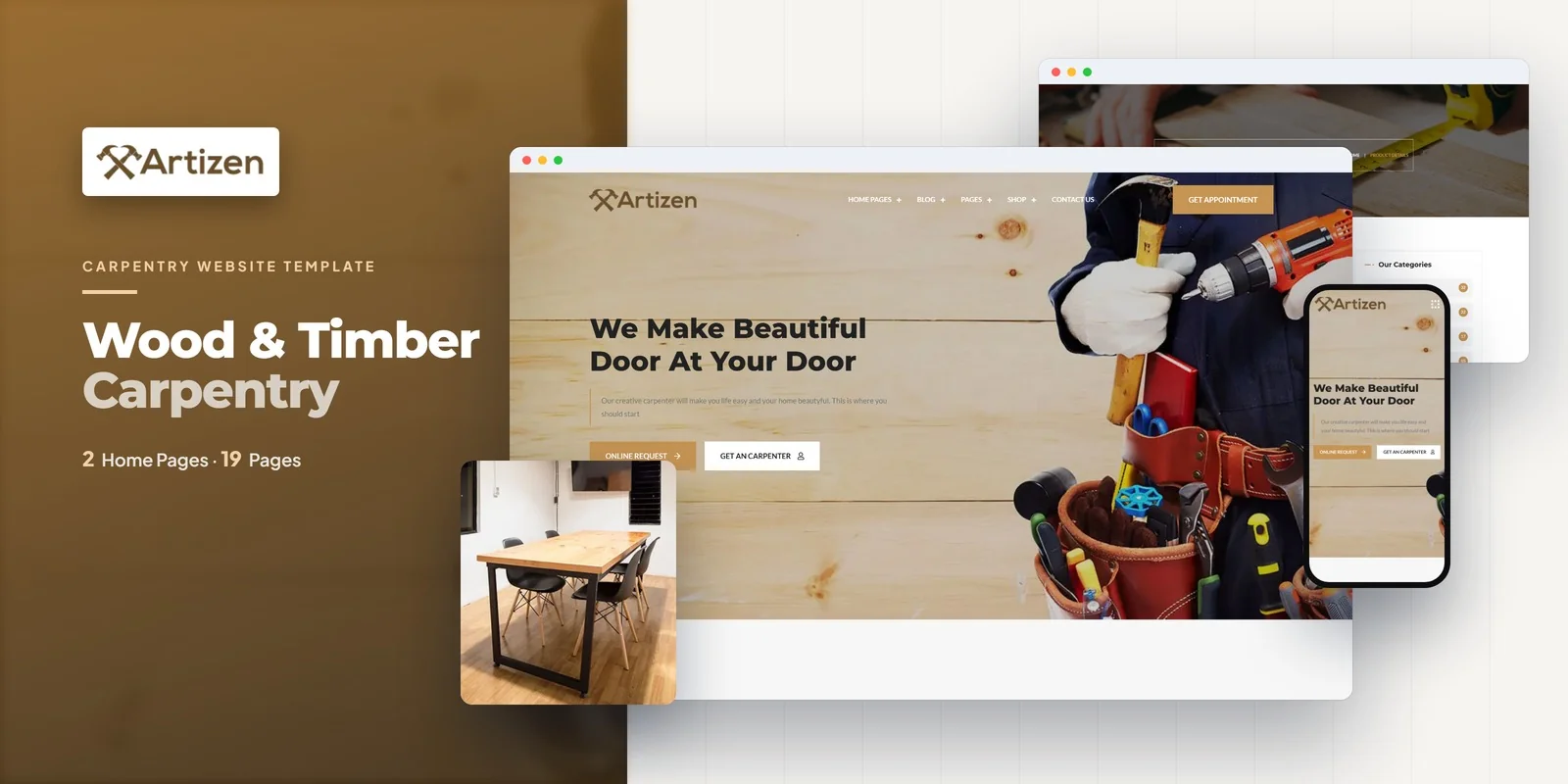
Artizen is an art gallery and creative studio HTML5 template designed to meet every requirement outlined in this guide. Built for art galleries, creative studios, craft businesses, artists, and artisan brands, it delivers both the visual sophistication and the e-commerce functionality that creative businesses need — with appointment booking and price filtering features that generic portfolio templates lack.
What Artizen Includes
- 5-Page E-Commerce Shop — shop archive, product single with zoom, cart, checkout, and wishlist for selling artwork and products
- Price Range Slider — ion.rangeSlider for filtering artworks and products by price range
- Product Quick-View and Reviews — preview artwork details without leaving the gallery and display collector feedback
- Appointment Booking Form — structured commission and consultation request intake
- Case Studies Module — document creative projects and exhibition histories
- Isotope Filtering — category-based gallery browsing by medium, collection, or project type
- CounterUp Animated Statistics — artworks sold, exhibitions held, commissions completed in animated format
- Services Pages — commission services, workshops, consulting, and private viewings
- Team Profiles — artist and studio staff pages with bios and specialisations
- FAQ Page — common buyer, shipping, and commission questions
- Blog Module — grid and list layouts for exhibition announcements, process features, and creative insights
- Slick Carousels — featured artwork and testimonial showcases
- WOW.js Scroll Animations — subtle visual polish throughout all pages
Technical Foundation
Artizen is built on Bootstrap 4 with jQuery 3.5.1, Slick carousels for featured artwork showcases, Isotope grid filtering for gallery browsing by category, ion.rangeSlider for price-based filtering, CounterUp for animated gallery statistics, WOW.js for scroll-triggered animations, and Magnific Popup lightbox for full-screen artwork viewing. Every page is fully responsive and designed for the visual richness that art and creative businesses demand.
Complete Sales Channel: Artizen is one of the few art gallery templates that combines a full 5-page e-commerce system with price range filtering, product zoom, wishlist functionality, and an appointment booking form in a single template. Most gallery templates offer either a portfolio or a shop — Artizen delivers both, along with the commission booking system that turns passive website visitors into active revenue. For artists and galleries selling work directly, this integrated approach eliminates the need for multiple tools and plugins.
Customisation Roadmap for Gallery Owners
Week One — Photography and Content: Photograph all available artworks with consistent lighting and colour accuracy. Write product descriptions including medium, dimensions, year, price, and a brief narrative about each piece. Prepare artist bios, exhibition histories, and creative statements. Draft FAQ content covering shipping, returns, commissions, and purchasing process. Replace all placeholder content and adjust the colour palette to complement your artwork rather than compete with it.
Week Two — E-Commerce and Launch: Configure the shop with your artwork organised by category — paintings, sculpture, prints, ceramics, or whatever your medium mix includes. Set up the price range slider with appropriate range values for your price points. Configure the appointment booking form for commission enquiries. Integrate your payment processor (Stripe, PayPal). Set up analytics to track which artworks attract the most views and wishlist additions. Test the complete purchase flow across all devices, then launch and announce to your collector mailing list.
Frequently Asked Questions
Need Help Launching Your Gallery Website?
MetropolitanHost provides professional web development services for HTML template deployments. Our team understands creative business website requirements and delivers clean, well-structured implementations.
- WordPress Theme Installation — live in under 24 hours
- Full Website Package — complete front-to-back deployment
- Colour Customisation — match your gallery branding across all pages
- Website Speed Optimisation — Core Web Vitals improvements
- Accessibility Compliance — WCAG audit and remediation



