 The outdoor adventure industry is booming. Global outdoor recreation spending has exceeded $900 billion annually, fueled by a post-pandemic surge in hiking, camping, kayaking, rock climbing, hunting, fishing, and wildlife tourism. Millions of consumers are actively searching online for guided tours, adventure travel packages, outdoor gear, pet-friendly trail guides, and local outfitters. Whether you operate a guided hunting service, a kayak rental outfitter, an outdoor adventure school, or an animal and wildlife experience marketplace, your website is the gateway to capturing this massive and growing market.
Yet most outdoor adventure businesses operate with websites that look like they were built in 2012. Slow-loading pages with tiny thumbnails, no filtering, no booking functionality, and no mobile optimization. Meanwhile, customers are comparing your site against Airbnb Experiences, Viator, REI Adventures, and BringFido, platforms that have spent millions perfecting their user experience. You do not need millions to compete, but you do need a website template that delivers the same level of professionalism, functionality, and visual impact.
This guide covers everything you need to know about choosing a website template for an outdoor adventure business. You will learn which features drive bookings, how to present activities and listings for maximum conversion, what technology stack delivers the best performance, and how to evaluate templates before investing. Whether you are launching a new adventure brand or upgrading an outdated site, this is your complete roadmap.
The outdoor adventure industry is booming. Global outdoor recreation spending has exceeded $900 billion annually, fueled by a post-pandemic surge in hiking, camping, kayaking, rock climbing, hunting, fishing, and wildlife tourism. Millions of consumers are actively searching online for guided tours, adventure travel packages, outdoor gear, pet-friendly trail guides, and local outfitters. Whether you operate a guided hunting service, a kayak rental outfitter, an outdoor adventure school, or an animal and wildlife experience marketplace, your website is the gateway to capturing this massive and growing market.
Yet most outdoor adventure businesses operate with websites that look like they were built in 2012. Slow-loading pages with tiny thumbnails, no filtering, no booking functionality, and no mobile optimization. Meanwhile, customers are comparing your site against Airbnb Experiences, Viator, REI Adventures, and BringFido, platforms that have spent millions perfecting their user experience. You do not need millions to compete, but you do need a website template that delivers the same level of professionalism, functionality, and visual impact.
This guide covers everything you need to know about choosing a website template for an outdoor adventure business. You will learn which features drive bookings, how to present activities and listings for maximum conversion, what technology stack delivers the best performance, and how to evaluate templates before investing. Whether you are launching a new adventure brand or upgrading an outdated site, this is your complete roadmap.
Understanding the Outdoor Adventure Customer Journey
Outdoor adventure customers follow a distinct purchase path that differs significantly from standard e-commerce. Understanding this journey is essential for designing a website that converts browsers into booked customers. The journey begins with inspiration. A potential customer sees a stunning photo on Instagram, reads a blog post about a destination, or hears a friend describe an experience. They open Google and search for specific activities in specific locations: “guided kayaking tours [river name],” “best hunting outfitters [state],” “family-friendly hiking near [city],” or “outdoor adventure companies [region].”Outdoor adventure purchases have the longest research phase of any travel category. The average customer visits 8 to 12 websites and spends 3 to 6 weeks researching before booking. Your website needs to provide enough detail, visual quality, and trust signals to survive this extended comparison process.
Essential Features for Outdoor Adventure Websites
Not every website feature matters equally for outdoor adventure businesses. Some drive bookings directly, while others build the trust and engagement that lead to bookings over time. Here are the features your template must include. Activity and Experience Listings with Multiple Views Your adventures, tours, and experiences need to be browsable in at least three formats: a card grid for visual browsing, a list view with more detail per item, and a map view for location-based discovery. Each listing card should display a hero image, activity name, difficulty level, duration, price, and a booking CTA. Detailed Activity Pages When a customer clicks on an activity, the detail page must deliver everything they need to make a booking decision: multiple photos, complete itinerary, difficulty rating, what is included, what to bring, group size limits, seasonal availability, pricing tiers, and cancellation policy. Multiple detail page styles let you showcase different activity types appropriately. Comparison Functionality Adventure customers often compare multiple options before deciding. A side-by-side comparison view that displays key metrics like price, duration, difficulty, group size, and ratings across multiple activities accelerates decision-making and reduces the back-and-forth between individual listing pages. Team and Guide Profiles Trust is paramount in adventure tourism. Customers are literally putting their safety in your hands. Detailed guide profiles with photos, certifications, years of experience, specializations, and personal bios build the confidence that converts inquiries into bookings. Team archive and individual detail pages are essential. E-Commerce Shop for Gear and Merchandise Many outdoor adventure businesses sell gear, apparel, and merchandise alongside their experiences. A built-in shop with product grids, detail pages with zoom functionality, shopping cart, and checkout extends your revenue beyond services alone. Blog for Content Marketing Adventure content performs exceptionally well in search. Trail guides, gear reviews, packing lists, seasonal forecasts, wildlife spotting guides, and destination profiles drive organic traffic from customers in the early stages of their planning journey. Account Management Returning customers are the most profitable segment for adventure businesses. Login, registration, and profile pages let customers save favorite activities, view booking history, and access loyalty pricing.Design Principles for Adventure Brands
Outdoor adventure websites must evoke emotion. The design needs to transport visitors to the mountain summit, the rushing river, the dense forest trail, or the wide-open hunting ground before they even read a word of copy. Full-bleed hero images are non-negotiable. Your homepage should open with a stunning, high-resolution photograph that captures the essence of your adventure brand. The image should be large enough to create an immersive feeling, ideally filling the entire viewport above the fold. Color palettes should draw from natural environments: deep forest greens, mountain slate grays, sunset ambers, river blues, and earth browns. These colors create an instant association with the outdoors and set the tonal foundation for your brand. A single vibrant accent color for CTAs and pricing ensures calls-to-action stand out against the natural palette. Typography for adventure brands should balance ruggedness with readability. Bold, slightly condensed sans-serif fonts for headings communicate strength and adventure, while clean, well-spaced body text ensures descriptions and itineraries are easy to scan on any device. Card-based layouts work exceptionally well for adventure listings. Each card acts as a window into an experience, with the hero image creating visual interest and the card footer providing the essential details (price, duration, difficulty) that customers scan when comparing options.Technology Stack for Outdoor Adventure Templates
Your template’s technology stack determines performance, interactivity, and maintainability.| Technology | Purpose | Adventure Application |
|---|---|---|
| Bootstrap 5 | Responsive grid system | Activity cards, guide profiles, booking forms |
| Isotope | Filterable grids | Filter activities by type, difficulty, price |
| Slick Carousel | Image sliders | Activity photos, testimonials, featured experiences |
| Magnific Popup | Full-screen lightbox | High-res adventure photography viewing |
| ion.rangeSlider | Price range filtering | Budget-based activity browsing |
| jQuery Zoom | Product image zoom | Gear shop product detail inspection |
| Countdown | Timer functionality | Seasonal event countdowns, early-bird pricing |
| jQuery Steps | Multi-step forms | Booking wizard, listing submission |
SEO Strategy for Outdoor Adventure Businesses
Outdoor adventure SEO is deeply seasonal and location-specific. Your content strategy must account for both dimensions to capture search traffic year-round. Seasonal content calendar planning is critical. Hunting outfitters need content targeting fall and winter keywords months before the season begins, because customers research and book well in advance. Kayaking and rafting businesses should publish content targeting spring and summer keywords during the winter planning season. Hiking and camping content should target shoulder-season keywords when competition is lower.Create destination landing pages for every location you serve. A page dedicated to “guided fishing trips [lake name]” or “rock climbing instruction [mountain name]” can rank for highly specific queries that indicate strong booking intent. These pages should include location descriptions, available activities, seasonal information, and direct booking CTAs.
Cost Analysis: Building an Outdoor Adventure Website
The cost of building an outdoor adventure website depends on the scope of functionality you need.| Approach | Cost Range | Timeline | Best For |
|---|---|---|---|
| Premium HTML5 Template | $19 – $59 | 1 – 3 weeks | Single-location outfitters |
| WordPress + Booking Plugin | $200 – $600 | 3 – 6 weeks | Tour operators with online booking |
| Custom Freelance Build | $5,000 – $15,000 | 6 – 12 weeks | Multi-activity adventure brands |
| Full Marketplace Platform | $25,000 – $80,000+ | 3 – 8 months | Multi-vendor adventure marketplaces |
| SaaS Booking Platform | $50 – $300/mo | 1 – 2 weeks | Quick launch, limited customization |
Catchi: A Feature-Rich Marketplace Template for Outdoor and Adventure Businesses
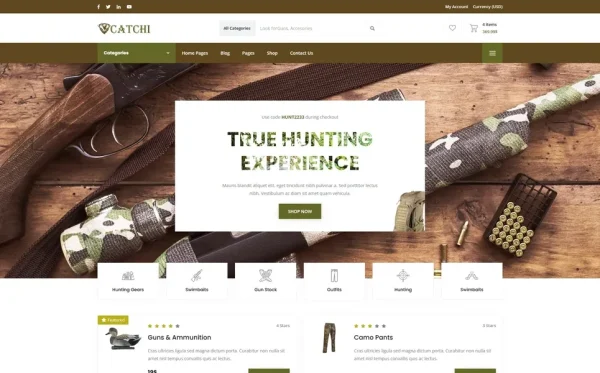
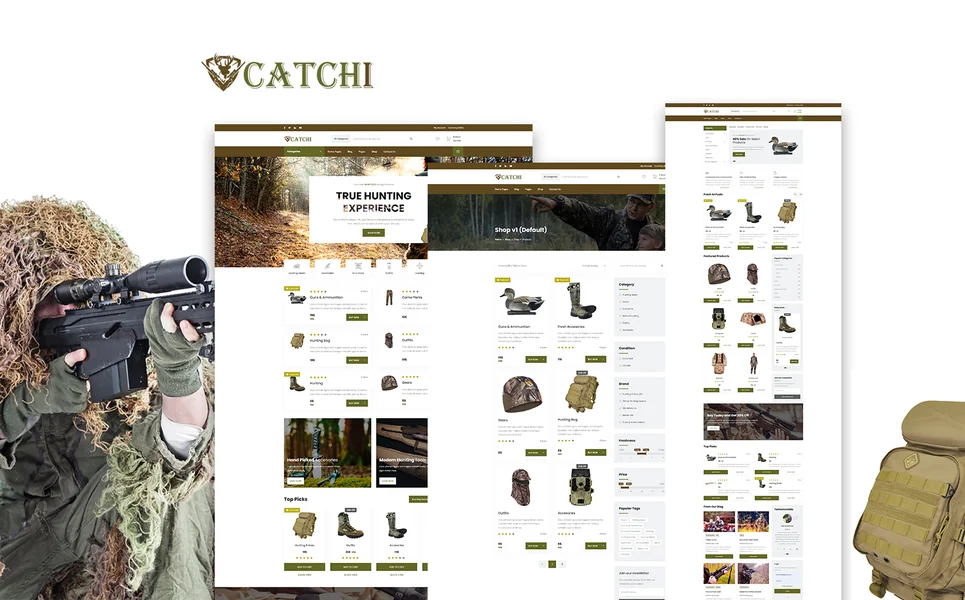
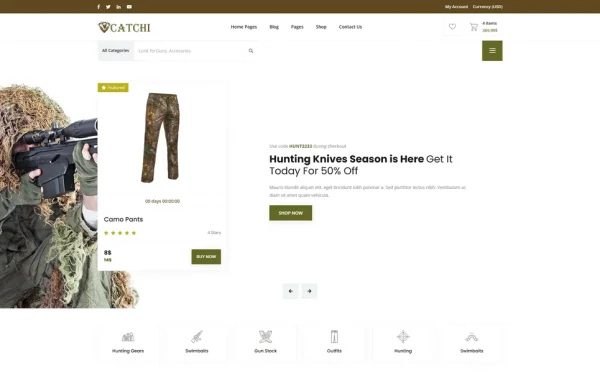
Catchi is a feature-rich, comprehensive HTML5 template built for marketplace-style websites with over 35 fully crafted HTML pages and 3 unique home layouts. It delivers the most complete marketplace experience available in a single template, with functionality that typically requires custom development costing tens of thousands of dollars. The template includes listings in three viewing modes (grid, list, and interactive map view), three distinct listing detail page styles, a comparison tool for evaluating options side by side, and a submit listing form that enables guides, outfitters, and partners to contribute their own listings. This marketplace architecture makes Catchi ideal for adventure platforms that aggregate multiple operators or experience providers. The built-in e-commerce shop rounds out the offering with product grids, detail pages featuring jQuery Zoom for close-up gear inspection, a shopping cart, checkout, and wishlist functionality. This means you can sell adventure gear, apparel, and merchandise alongside your experience listings, all within a single, cohesive design system. Agent and dealer directory pages with individual profile pages support the guide and outfitter profiles that build customer trust. Team pages with grid and detail views showcase your staff credentials. Two services page layouts and two pricing plan layouts provide the commercial infrastructure for subscription-based marketplace models or tiered adventure packages. Built on Bootstrap 5 with Slick carousels, Isotope filtering, Magnific Popup lightbox, ion.rangeSlider price filtering, jQuery Steps, Countdown timer, and jQuery Zoom, Catchi delivers enterprise-level marketplace functionality in a template you can deploy in days rather than months. The complete account management system (login, register, and user profile pages) with saved listings supports the repeat engagement that drives long-term marketplace growth.Launching Your Outdoor Adventure Website: A Practical Roadmap
Getting from template to live website requires a focused approach. Here is the implementation path that gets outdoor adventure businesses online fastest. Week One: Brand Foundation Deploy the template, customize your brand colors and typography, upload your logo, and configure navigation. Hire a photographer or dedicate a full day to shooting high-quality hero images of your activities, locations, and team. The visual quality of your adventure photography directly determines your conversion rate. Week Two: Activity Listings and Shop Create detailed listing pages for every activity, tour, and experience you offer. Include multiple photos, complete descriptions, pricing, what is included, difficulty ratings, and seasonal availability. If you sell gear, populate your shop with product photos (including zoom-quality detail shots), descriptions, and pricing. Week Three: Team Profiles and Content Build out guide and team profile pages with professional photos, bios, certifications, and specializations. Write and publish five foundational blog posts targeting your primary location and activity keywords. Create a gallery page showcasing your best adventure photography. Week Four: Testing and Launch Test all functionality on desktop, tablet, and mobile. Verify that listing filters, map view, comparison, cart, and forms work flawlessly. Set up Google Business Profile, submit your sitemap, configure analytics, and launch. Announce on social channels and to your existing customer list.Frequently Asked Questions
The highest-impact features are activity listings with filtering (by type, difficulty, price, and location), high-quality photo galleries with lightbox viewing, and mobile responsiveness. Map-based browsing, activity comparison, and team profile pages significantly improve engagement and conversion. A built-in shop for gear and merchandise adds revenue diversification.
A premium HTML5 template costs $19-$59 and can be deployed in one to three weeks. Hosting ($5-$20/month) and a domain ($10-$15/year) keep first-year costs under $300. Custom builds range from $5,000 to $15,000 for single-business sites, while full marketplace platforms can exceed $80,000.
A map view is strongly recommended for any location-dependent adventure business. Customers searching for outdoor activities think geographically, asking what is available near their destination or current location. Map-based browsing captures this intent directly and significantly improves the discovery experience compared to grid or list views alone.

If you sell or plan to sell gear, apparel, or merchandise, a built-in shop adds a significant revenue stream. Adventure customers who book experiences are highly likely to purchase related gear. Having the shop within your main website rather than on a separate platform creates a seamless brand experience and captures impulse purchases.
Bootstrap 5 is the standard framework for professional adventure website templates. It provides responsive design for the mobile-heavy outdoor audience, flexible grid systems for activity cards, and robust form components for booking and inquiry forms. Combined with Isotope for filtering, Slick for image carousels, and map integration, Bootstrap 5 covers every functional need.

Photography is the single most important conversion factor for outdoor adventure websites. Customers are buying an experience, and the only way to preview that experience online is through compelling imagery. Invest in professional adventure photography before launching your website. Every hero image, gallery photo, and activity thumbnail directly influences whether a customer books or bounces.
Yes, if your template includes a submit listing form and account management system. A marketplace model where multiple guides and outfitters list their activities on your platform can scale faster than a single-operator model. Look for templates with listing submission forms, agent and dealer directory pages, and user profile management to support this architecture.