What Is a Coffee Shop Website Template?
A coffee shop website template is a pre-designed, fully coded website built specifically for independent coffee shops, specialty cafes, roastery businesses, espresso bars, tea houses, artisan beverage retailers, and coffee subscription services. It includes every page a coffee business needs — homepage with featured products and atmosphere imagery, menu listings in grid list and map views, individual product detail pages with zoom magnification, an online shop for beans equipment and merchandise, product comparison tools, team profiles for baristas and roasters, project showcases for roastery stories and sourcing journeys, services pages, a full blog for coffee education and brewing guides, and complete user account management — all designed, responsive, and ready for your brand.
For coffee shop owners who need a professional web presence without paying $5,000 to $15,000 for a custom build or $30 to $100 per month for a managed e-commerce platform, a template delivers the most practical path to an online presence that drives foot traffic and online orders. But coffee shop websites face a unique sensory challenge: coffee is an experience sold through aroma, atmosphere, and ritual — none of which translate automatically to a screen. Your website must communicate the warmth, craft, and quality of your coffee experience through visual design, content structure, and product presentation. This guide covers what coffee customers expect from your website, what technical features drive orders, and how to choose the right template for your coffee business.
Template vs E-Commerce Platform vs Custom Build
Coffee shop owners typically face three options when establishing their online presence:
| Factor | E-Commerce Platform (Shopify, Square Online) | Coffee Shop Website Template | Custom Website Build |
|---|---|---|---|
| Upfront Cost | $0–200 | $29–69 | $5,000–15,000 |
| Monthly Cost | $29–79/month | $3–10/month (hosting only) | $50–200/month |
| 3-Year Total Cost | $1,044–3,044 | $137–429 | $6,800–22,200 |
| Code Ownership | No — you rent it | Yes — you own it forever | Yes — you own it |
| Design Uniqueness | Same themes as other shops | Fully customisable source code | Fully custom |
| Product Comparison | Plugin/add-on required | Built-in comparison tool | Custom development |
| Product Zoom | Theme-dependent | Built-in jQuery Zoom | Custom development |
| Menu Listings | Product catalogue only | Dedicated listing views (grid, list, map) | Any format |
| Vendor Lock-in | High — migration difficult | None | None |
E-commerce platforms like Shopify charge monthly fees that compound rapidly for small food and beverage businesses operating on thin margins. A $39/month Shopify plan costs $1,404 over three years — before transaction fees, app subscriptions, and premium theme upgrades. A template provides the complete visual and functional website that establishes your coffee brand online while integrating with any payment processor, delivery service, or ordering system you choose.
What Coffee Customers Expect From Your Website
Coffee shop customers visit your website with specific intent: checking your menu, finding your location, browsing beans for online purchase, or evaluating whether your cafe is worth visiting. Your website must answer these questions immediately while communicating the quality and personality that differentiates your shop from the chain on every corner. Here is what coffee customers evaluate:
Visual Atmosphere That Communicates Quality
The first impression of your coffee shop website must evoke the feeling of walking into a well-designed cafe. Warm colour palettes, quality photography of latte art and interior spaces, and clean typography signal that you care about every detail — from bean selection to cup presentation. Coffee customers are highly aesthetic; they photograph their drinks, share cafe interiors on Instagram, and judge quality by visual presentation before they taste anything. Your homepage hero image must communicate artisanal quality in under three seconds.

Menu Browsing With Visual Appeal
Your menu is the most visited page on a coffee shop website. Customers want to browse drink options, food items, and seasonal specials with photos, descriptions, and prices visible at a glance. Multiple view options — grid for visual scanning, list for detailed comparison, and map for multi-location menus — let customers browse in their preferred format. A menu page without images is a missed opportunity; specialty coffee customers want to see the pour-over setup, the pastry selection, and the single-origin packaging before they visit or order.
Online Shop for Beans and Merchandise
The specialty coffee market has shifted dramatically toward online retail. Customers who discover your coffee at a cafe want to order beans for home brewing. A proper online shop — not just a list of products — with multiple layout options, product images with zoom magnification, clear pricing, and an organised browsing experience is essential for converting cafe visitors into recurring online customers. Coffee subscriptions, equipment, branded mugs, and gift cards create multiple revenue streams beyond the counter.
Product Detail Pages With Rich Information
Specialty coffee customers are educated buyers. They want to know the origin country, processing method, roast profile, flavour notes, altitude, and farmer or cooperative behind every bean. Product detail pages with jQuery Zoom image magnification let customers examine packaging and label details at high resolution. Three distinct product detail page styles allow you to present different product categories — single-origin beans, blends, and equipment — with layouts optimised for each product type’s information requirements.
Product Comparison for Informed Choices
Coffee customers choosing between single-origin options or comparing brewing equipment want to evaluate products side by side. A comparison tool that displays origin, roast level, flavour profile, price, and quantity in a structured table helps customers make confident purchasing decisions. This is particularly valuable for roasteries selling multiple single-origin coffees where subtle differences in processing, altitude, and flavour notes determine customer preference. Comparison reduces decision paralysis and increases average order value.
The Roaster and Barista Story
Specialty coffee is a craft industry where the maker’s story matters. Team profiles for your head roaster, baristas, and founders — with their coffee journey, certifications, competition results, and sourcing philosophy — differentiate your shop from chains that hire interchangeable staff. Customers who feel connected to the people behind their coffee become loyal regulars who advocate for your brand. Project showcase pages for roastery visits, farm partnerships, and sourcing trips add narrative depth that commodity coffee brands cannot match.
Mobile Experience for Location and Hours
The most common mobile coffee search is not for beans — it is for hours and location. A customer walking through a neighbourhood, searching “coffee shop near me,” needs your address, hours, and a map pin within five seconds of landing on your site. If your website requires horizontal scrolling, unreadable text, or multiple page loads to find this information on a phone, you lose that customer to the cafe with a cleaner mobile experience. Touch-friendly navigation, prominent location blocks, and click-to-call buttons are essential for capturing mobile foot traffic.
Technical Features That Drive Coffee Shop Revenue
Beyond content and design, specific technical components determine whether a coffee website converts browsers into buyers and visitors into regulars. These features transform a static menu page into an interactive retail and discovery experience:
jQuery Zoom Product Magnification
jQuery Zoom enables hover-to-magnify functionality on product images, letting customers inspect bean packaging, equipment details, and merchandise quality at high resolution without opening a separate image viewer. For coffee retailers, this matters more than in most industries — customers want to read roast dates on packaging, examine grind settings on equipment, and verify label details before purchasing. Zoom magnification provides the tactile inspection experience that online shopping otherwise lacks, directly reducing purchase hesitation.
Select2 Enhanced Dropdowns
Standard dropdown menus fail when your shop offers 30 single-origin coffees, 15 blends, and multiple equipment categories. Select2 transforms basic HTML selects into searchable, filterable dropdown menus where customers type “Ethiopia” and instantly see all Ethiopian coffees, or type “grinder” and find equipment without scrolling through unrelated categories. This micro-interaction dramatically improves product discovery for shops with extensive catalogues and reduces the friction between curiosity and purchase.
jQuery Steps Multi-Step Checkout
A single-page checkout form with 15 fields intimidates customers and increases cart abandonment. jQuery Steps breaks the purchase process into clearly labelled stages — shipping details, delivery preferences, payment information, order review — with progress indicators that show customers exactly where they are in the process. For coffee subscriptions that require frequency selection, grind preference, and delivery scheduling alongside standard checkout fields, multi-step forms are essential for maintaining conversion rates through complex order configurations.
Magnific Popup Lightbox
Product photos, cafe interior shots, latte art galleries, and sourcing trip documentation all benefit from Magnific Popup’s responsive lightbox. Customers can browse through a gallery of your cafe atmosphere, zoom into product photos, or view behind-the-scenes roastery content without leaving the current page. This smooth visual browsing experience keeps customers engaged with your brand story and product imagery rather than bouncing to Instagram for the visual content your website should provide.
Cost Breakdown: Coffee Shop Website Options
Coffee shops operate on notoriously thin margins. Understanding the true cost of each website approach helps owners invest wisely:
| Cost Component | HTML Template | E-Commerce Platform (Shopify) | Custom Build |
|---|---|---|---|
| Template / License | $29–69 (one-time) | $0 | N/A |
| Hosting | $36–120/year | Included | $120–600/year |
| Platform Fee | None | $348–948/year | None |
| Product Zoom | Built-in | Theme-dependent | $500–1,500 custom |
| Product Comparison | Built-in | $5–15/month app | $1,000–3,000 custom |
| Design Customisation | $0–500 | $0–200 | $3,000–8,000 |
| Total Year One | $65–689 | $348–1,148 | $4,620–13,100 |
| 3-Year Total | $137–929 | $1,044–3,444 | $4,860–14,300 |
Revenue Per Dollar Invested: A coffee shop paying $39/month for Shopify spends $468 per year on platform fees alone — before transaction fees, app subscriptions, and premium theme costs. At an average online bean order of $18, that platform fee equals 26 lost orders annually — revenue that could fund new equipment, marketing, or wholesale development. An HTML template at $29–69 provides a richer product experience with built-in zoom magnification, product comparison, and multiple shop layouts at a fraction of the ongoing cost. With 41 pages covering every aspect of a coffee retail operation, the template delivers more features than platform themes at a one-time price.
How to Choose the Right Coffee Shop Template
Not all templates serve the specialty coffee industry effectively. Here is what to evaluate specifically for coffee shop use:
Check the Shop and Product Experience
Open the template demo and browse the shop pages. Can you zoom into product images? Are there multiple shop layout options for different product categories? Do product detail pages have enough space for the rich descriptions that specialty coffee requires — origin stories, tasting notes, processing methods? A coffee template with a basic product grid and no detail page depth will force you to compromise on the product storytelling that differentiates artisan coffee from commodity retail.
Evaluate Menu and Listing Options
Your in-cafe menu needs a different presentation than your online shop. Look for templates that offer multiple listing views — grid for visual menu browsing, list for detailed descriptions, and detail pages for featured items or seasonal specials. Three distinct listing detail page styles let you present espresso drinks, food items, and retail beans with layouts optimised for each category. A template with only one listing view forces all your products into the same format regardless of how they should be presented.
Count the Page Depth
A coffee shop website needs more than a homepage, menu, and contact page. You need product detail pages, shop with multiple layouts, team profiles for your roasters and baristas, project pages for sourcing stories and cafe events, blog for coffee education, account management for online customers, pricing pages, and service descriptions. A template with 10 pages will leave you building critical sections from scratch. A template with 40+ pages covers the complete coffee retail experience — from in-store menu browsing to online bean purchasing to brand storytelling — without requiring additional design work.
Test the Product Comparison Tool
If you sell multiple single-origin coffees or equipment options, the comparison tool is a revenue driver. Open the template demo and try comparing two or three products. Does the comparison table display attributes that matter for coffee — origin, roast level, flavour notes, price, bag size? Is the comparison interaction smooth and intuitive? A comparison tool that requires too many clicks or displays irrelevant attributes does not serve the educated specialty coffee buyer who represents your most valuable customer segment.
Common Mistakes When Building a Coffee Shop Website
Using Stock Photos Instead of Real Cafe Imagery
Stock photos of generic latte art and staged cafe interiors are immediately recognisable to coffee customers — and they signal inauthenticity. Your website should feature your actual cafe, your latte art, your pastry case, your team behind the bar, and your packaging on the shelf. A single genuine photo of your barista pulling an espresso shot communicates more credibility than ten stock images. Invest a few hours in quality phone photography of your real space before launching; you can upgrade to professional photography later.
Hiding Hours and Location
The most common reason someone visits a coffee shop website is to check if you are open right now and where you are located. If your hours and address require more than one click from the homepage, you are losing foot traffic. Feature hours and location prominently on the homepage — above the fold on mobile — with a clickable map link and click-to-call phone number. Every second a potential customer spends searching for this information is a second they could spend walking to a competitor.
Neglecting the Online Shop
Many coffee shops treat their website as a digital brochure for the physical cafe, ignoring the revenue potential of online bean sales, subscriptions, and merchandise. Specialty coffee customers who love your shop want to order beans for home brewing, buy gift subscriptions for friends, and purchase branded merchandise. A well-designed online shop with product zoom, comparison tools, and multi-step checkout converts cafe fans into online customers who generate revenue between visits — and from cities they have never set foot in.
No Blog or Coffee Education Content
Coffee customers search for brewing guides, bean comparisons, and cafe recommendations. A blog with educational content — how to dial in your grinder, understanding coffee origins, seasonal drink recipes — drives organic search traffic from people who are already interested in coffee and likely to become customers. Blog content also establishes your authority as a specialty coffee expert, which increases trust and willingness to purchase from your online shop. A coffee website without educational content misses the organic traffic that sustains long-term growth.
Dorox — A Coffee Shop Template Built for Specialty Retail
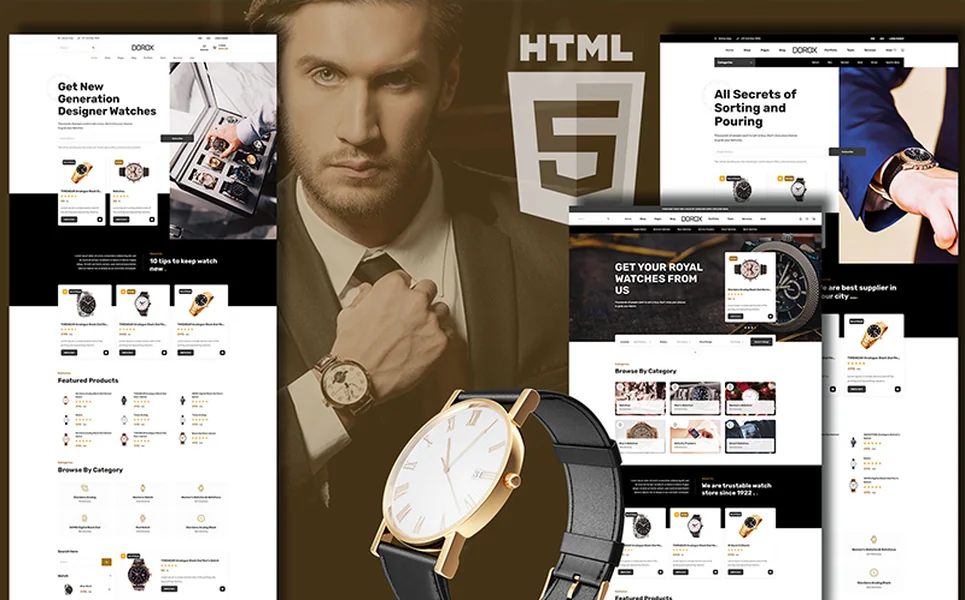
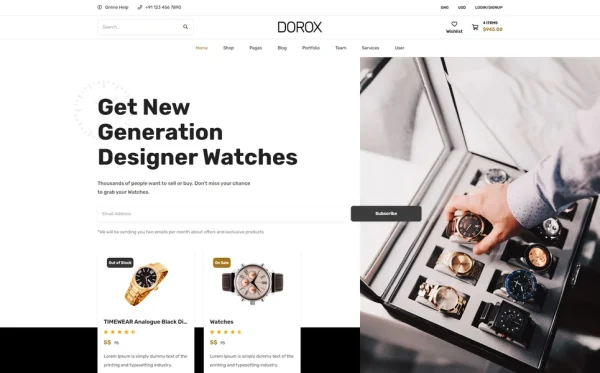
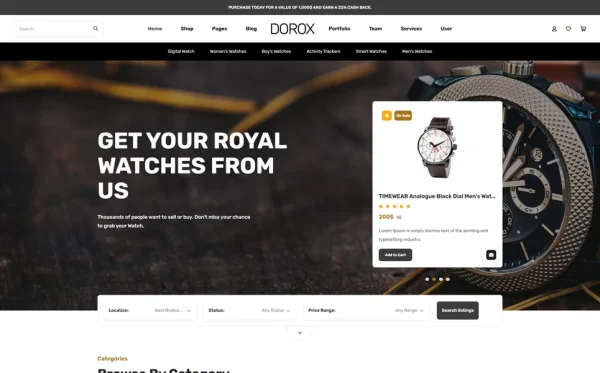
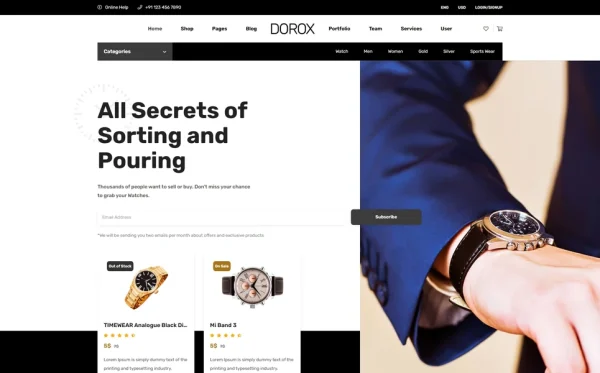
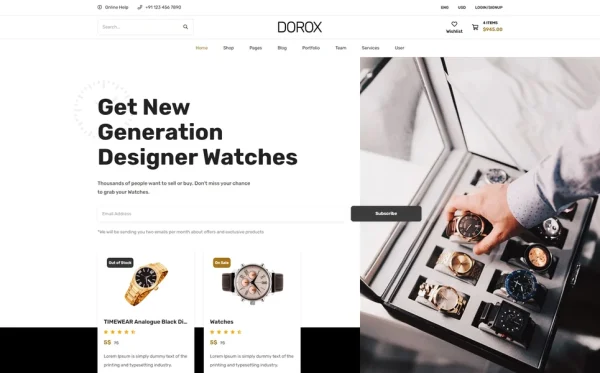
Every feature discussed in this guide exists in a single template. Dorox is a Bootstrap 5 HTML5 template with 41 fully designed pages — one of the most comprehensive beverage retail templates available, covering every aspect of a specialty coffee operation from menu browsing to online shop to brand storytelling.
What Dorox Includes
- 3 unique home layouts — three distinct hero styles and featured content arrangements for different cafe personalities
- 3 listing view modes — grid, list, and interactive map view for menu and product browsing
- 3 listing detail page styles — three layout variants for individual product and menu item profiles
- Listing comparison — compare coffees, equipment, or menu items side-by-side
- Submit listing form — for multi-vendor or supplier submission workflows
- E-commerce shop — full shop in left sidebar, right sidebar, and full-width layouts
- jQuery Zoom — product image magnification on shop and detail pages
- jQuery Steps — multi-step checkout and order process
- Project showcase — roastery stories, sourcing journeys, and cafe projects in three layout styles
- Services module — two services overview layout variants for catering, wholesale, events
- Team directory — barista and roaster profiles in two layout variants
- User profile management — account dashboard, order history, and saved favourites
- Blog module — coffee education and news in grid, sidebar, list, masonry, and full article formats
Technical Foundation
- Bootstrap 5 — responsive grid with mobile-first breakpoints
- Select2 Dropdowns — searchable, enhanced product filtering
- jQuery Zoom — hover-to-magnify product image inspection
- jQuery Steps — multi-step checkout process
- Magnific Popup — responsive lightbox for galleries and product photos
- Cross-browser tested — Chrome, Firefox, Safari, Edge, Opera
Customisation Roadmap for Coffee Shops
After purchasing Dorox, follow this implementation sequence to launch your coffee shop website:
- Photograph your cafe — capture your space, drinks, food, packaging, and team for authentic visual content
- Brand the template — update colours to match your cafe palette, swap fonts, and apply your logo throughout
- Build your menu — populate listing pages with your complete drink and food menu with photos and descriptions
- Set up the online shop — add your retail beans, equipment, merchandise, and gift cards with detailed product information
- Tell your story — create team profiles for your roaster and baristas, and project pages for sourcing trips and cafe milestones
- Launch with content — publish two to three blog posts covering brewing guides, bean recommendations, or seasonal specials to establish content authority
- Integrate ordering — connect your shop to a payment processor and configure delivery or pickup options
Frequently Asked Questions
Need Help Launching Your Coffee Shop Website?
MetropolitanHost provides professional web development services for HTML template deployments. Our team understands food and beverage website requirements and delivers clean, conversion-optimised implementations.
- WordPress Theme Installation — live in under 24 hours
- Full Website Package — complete front-to-back deployment
- Colour Customisation — match your cafe brand across all pages
- Website Speed Optimisation — Core Web Vitals improvements
- Accessibility Compliance — WCAG audit and remediation