What Is a Cooking Class Website Template?
A cooking class website template is a pre-designed, fully coded website built specifically for culinary schools, cooking class studios, private chef instruction businesses, corporate team-building cooking experiences, and food education providers. It includes every page a cooking class business needs — homepage with class highlights and instructor showcasing, detailed course catalog pages with individual class descriptions, kitchen equipment and ingredient shop with product zoom, completed project case studies showcasing student achievements and kitchen transformations, brand history and milestone timeline, instructor and chef profiles, blog for recipes and cooking education, and contact page with class booking enquiry — all designed, responsive, and ready for your culinary brand.
For cooking class businesses that need a professional web presence without paying $8,000 to $20,000 for a custom build or $100 to $300 per month for a managed education platform subscription, a template delivers the most practical path to a student-generating online presence. But cooking class websites face a unique challenge: food is inherently visual and experiential. Prospective students need to see the quality of your kitchen, the expertise of your instructors, and the results students achieve before they commit to a class. Your website must make the culinary experience feel tangible and aspirational through rich visual storytelling. This guide covers what cooking students expect from your website, what technical features drive class bookings, and how to choose the right template for your culinary education business.
Template vs Education Platform vs Custom Build
Cooking class operators typically face three options when establishing their online presence:
| Factor | Education Platform (Teachable, Thinkific) | Cooking Class Website Template | Custom Website Build |
|---|---|---|---|
| Upfront Cost | $0–500 | $29–69 | $8,000–20,000 |
| Monthly Cost | $79–399/month | $3–10/month (hosting only) | $75–200/month |
| 3-Year Total Cost | $2,844–14,864 | $137–429 | $10,700–27,200 |
| Code Ownership | No — you rent it | Yes — you own it forever | Yes — you own it |
| Design Uniqueness | Same as every competitor | Fully customisable source code | Fully custom |
| Equipment Shop | Basic digital products only | Full shop with 4 layouts + product zoom | Custom development |
| Case Studies | None | Archive + detail pages | Any format |
| Brand History Page | None | Dedicated milestone timeline | Custom development |
| Vendor Lock-in | High — content at risk | None | None |
Education platforms like Teachable and Thinkific offer course delivery and student management tools but charge monthly fees plus transaction percentages that compound into significant overhead. A $199/month platform with a 5 percent transaction fee costs $7,164 in platform fees alone over three years — before any transaction cuts. A template provides the client-facing website that attracts students, showcases your culinary brand, and sells cooking equipment, while allowing integration with any booking, video delivery, or payment tool through embedded forms or links.
What Cooking Students Expect From Your Website
The global cooking class market reached $6.8 billion in 2024 and is projected to nearly double to $14.7 billion by 2033. Nearly 48 percent of adults in North America have taken cooking lessons, and culinary experience bookings surged 27 percent year-over-year in 2026. The market is growing rapidly, but so is competition — from professional culinary schools to home-kitchen hobbyists offering Instagram-promoted weekend workshops. Here is what prospective cooking students evaluate when choosing a class provider:
Visual Storytelling of the Culinary Experience
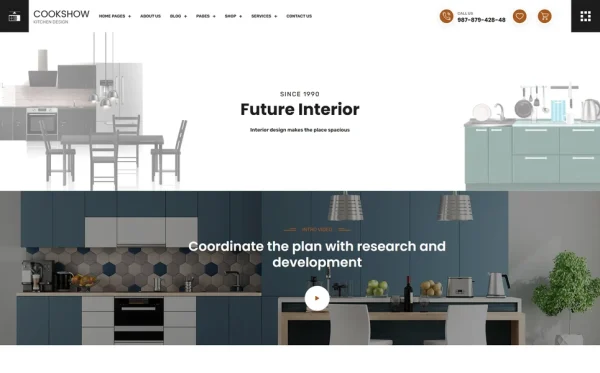
Food is the most visual of all consumer categories. Prospective cooking students want to see your kitchen, your ingredients, your plated results, and the joy on students’ faces during and after class. A website with rich photography — wide shots of your kitchen setup, close-ups of ingredient preparation, action shots of instructors demonstrating techniques, and glamour shots of finished dishes — makes the culinary experience feel tangible before a student has even tasted anything. Case study pages showcasing completed class projects, student cooking achievements, and culinary transformations provide the visual evidence that inspires enrolment.
Detailed Course Catalog and Descriptions
Prospective students want to understand exactly what each class covers before enrolling. Individual service pages functioning as course catalog entries should describe: what cuisine or technique is taught, what skill level is required, what students will prepare during the class, what equipment is provided versus what to bring, class duration, group size limits, and what students take home. Two different service layout options allow you to present introductory courses differently from advanced workshops, or in-person classes differently from virtual sessions. Specificity in course descriptions directly reduces pre-booking hesitation and post-class disappointment.
Instructor Credentials and Culinary Background
Students enrolling in cooking classes are investing in learning from an expert. Chef and instructor profiles showcasing culinary training, restaurant experience, competition achievements, cuisine specialisations, and teaching philosophy build the credibility that justifies class pricing. Students choosing between a $150 class at your school and a $30 YouTube tutorial need to see evidence that your instructors deliver expertise worth the investment. Team profiles with professional culinary backgrounds, personal food philosophy, and signature teaching styles create the personal connection that drives class bookings.
Kitchen Equipment and Ingredient Shop
Cooking class businesses generate significant supplementary revenue through equipment and ingredient sales. Students who take a pasta-making class want to buy the pasta machine the instructor used. Baking class attendees want the exact brand of vanilla extract, specialty flour, and silicone moulds demonstrated in class. An integrated e-commerce shop with multiple layout options and jQuery Zoom for detailed product photography lets students purchase instructor-recommended equipment and specialty ingredients directly from your website. Product zoom is particularly valuable for kitchen equipment — students want to examine build quality, handle design, and material finish at close range before purchasing.
Brand Story and Culinary Heritage
Cooking education is deeply personal and cultural. Students connect with cooking schools that have a story — a founding chef’s journey through culinary traditions, a family’s multi-generational food heritage, or a food educator’s mission to make quality cooking accessible. A dedicated history page with brand milestones and timeline creates an emotional narrative that differentiates your school from competitors offering functionally similar classes. Students choosing where to learn are often choosing whose culinary philosophy to adopt — and that decision is driven by story and values as much as by menu and price.
Student Achievements and Case Studies
Case studies showcasing student outcomes are the cooking class equivalent of before-and-after portfolios. A home cook who went from burning scrambled eggs to plating restaurant-quality dishes after your programme. A team-building group that bonded over making fresh pasta from scratch. A career-changer who completed your professional programme and opened their own catering business. These success stories — with project descriptions, learning journeys, and outcome documentation — provide the social proof that inspires new students to enrol. Filterable case study archives organised by course type or cuisine let prospective students find success stories relevant to their own culinary goals.
Mobile Experience for Spontaneous Discovery
Cooking class searches often happen during spontaneous moments — while watching a cooking show, after a dinner party conversation, or while browsing weekend activities. These searches are overwhelmingly mobile. Your website must load fast, display class schedules clearly, and provide easy booking access on any screen size. Product shop browsing, course descriptions, and instructor profiles must all work flawlessly on phones. Touch-friendly navigation and fast-loading food photography ensure that the spontaneous interest translates into a class booking rather than a bounced visit.

Technical Features That Drive Class Bookings
Beyond visual design, certain technical features specifically enhance cooking class websites and improve student enrolment.
Four-Layout E-Commerce Shop
The four distinct shop archive layouts — grid, left sidebar, right sidebar, and full-width — provide flexibility in how you present kitchen equipment and ingredients to students. Grid layout works well for browsing large product catalogs. Sidebar layouts enable category filtering alongside product browsing. Each layout serves different shopping behaviours, and testing which layout converts best for your specific product mix optimises revenue without custom development.
jQuery Zoom for Equipment Details
jQuery Zoom provides hover-to-magnify functionality on product images. For cooking equipment — knives, cookware, specialty tools, baking moulds — zoom capability lets students examine blade finish, handle construction, coating quality, and material detail at close range. This detailed product viewing is particularly important for premium kitchen equipment where students trust their instructor’s recommendation but want to verify quality before purchasing. Close-up product inspection reduces purchase hesitation and return rates.
WOW.js Scroll Animations
WOW.js triggers smooth entrance animations as page elements scroll into view. For cooking class websites, scroll animations create a dynamic, engaging browsing experience that matches the energy and creativity of the culinary experience itself. Course descriptions that animate into view, instructor profiles that slide in on scroll, and food photography that fades in as visitors browse create an immersive experience that keeps prospective students exploring rather than bouncing.
Countdown Timer for Class Promotions
The Countdown timer creates urgency for early-bird class registration, seasonal cooking workshops, holiday baking specials, and limited-seat classes. Cooking classes often have strict capacity limits — a countdown timer showing “Only 3 spots remaining” or “Early-bird pricing ends in…” drives immediate registration from students who are interested but have not yet committed. Seasonal promotions for holiday cooking workshops, summer grilling classes, and Valentine’s Day couples cooking are particularly effective with visible countdown urgency.
CounterUp Animated Business Metrics
CounterUp triggers animated number counting when business statistics scroll into view — students taught, cuisines covered, classes offered, years of culinary education. For cooking class businesses competing against free YouTube tutorials and casual home instructors, these animated credibility metrics communicate professional scale and experience. A school showing “5,000+ students taught” and “200+ classes offered” positions itself as an established culinary education provider rather than a hobbyist offering weekend workshops.
Cost Breakdown: Cooking Class Website Options
Cooking class businesses operate with seasonal demand fluctuations and capacity-limited revenue. Understanding the true cost of each website approach helps culinary educators make smart investments:
| Cost Component | HTML Template | Education Platform (Teachable) | Custom Build |
|---|---|---|---|
| Template / License | $29–69 (one-time) | $0 | N/A |
| Hosting | $36–120/year | Included | $120–600/year |
| Platform Fee | None | $948–4,788/year | None |
| Transaction Fee | Payment processor only (2.9%) | 0–5% on top of processor fees | Payment processor only |
| Equipment Shop | 4 layouts + zoom built-in | Basic digital products | $3,000–8,000 custom |
| Design Customisation | $0–500 | $0–200 | $5,000–12,000 |
| Total Year One | $65–689 | $948–5,488 | $8,120–20,600 |
| 3-Year Total | $137–929 | $2,844–14,864 | $8,360–21,800 |
Revenue Per Dollar Invested: A cooking class business spending $199/month on an education platform spends $2,388 per year — before transaction fee deductions on every booking. At an average class price of $85 with 8 students per session, that platform fee equals 3.5 fully-booked class sessions worth of gross revenue annually. An HTML template at $29–69 preserves that budget for kitchen equipment, premium ingredients, or marketing that directly fills class seats. With 24 pages including a four-layout equipment shop with product zoom, case study showcasing, and brand history timeline, the template delivers more features than most platforms while keeping 100 percent of your booking revenue.
How to Choose the Right Cooking Class Template
Not all templates serve the culinary education industry effectively. Here is what to evaluate specifically for cooking class use:
Check the Shop Module Depth
This is a key differentiator for cooking class businesses. Equipment and ingredient sales generate significant supplementary revenue. A template with multiple shop archive layouts and product zoom provides the retail foundation your business needs. If the template only offers a basic single-layout shop without zoom capability, you lose both the browsing flexibility and the product detail viewing that drives equipment sales.
Evaluate the Services Module
Navigate to the services section. Does the template offer multiple service layout variants for presenting different types of classes? Cooking class businesses typically offer diverse programmes — beginner workshops, advanced technique courses, kids camps, team building events, private classes, virtual sessions — and different presentation layouts help differentiate these offerings. Templates with only a single service layout force all class types into the same visual format.
Count the Page Depth
A comprehensive cooking class template should include: multiple homepage layouts, services pages in multiple variants, case study archive and detail pages, history and brand story page, full shop with multiple archive layouts and product detail with zoom, team profiles, blog, FAQ, authentication pages, and contact page. Templates with 20+ pages provide the depth needed for a complete culinary education web presence. Templates under 15 pages often leave critical course catalog or shop pages missing.
Test the Case Study Structure
Check whether case study pages provide enough structure for showcasing student achievements, class outcomes, and culinary projects with rich photography. Case studies are how cooking class businesses prove their educational value — the template must provide the layout structure for visual storytelling that inspires new student enrolment.
Common Mistakes When Building a Cooking Class Website
Treating It Like a Restaurant Website
The most common cooking class website mistake is designing it like a restaurant site — focused on menus and reservations rather than education and enrolment. Cooking class websites need to sell an educational experience, not a dining experience. Course descriptions should emphasise what students will learn, what skills they will develop, and what they will take home — not just what they will eat. The services module should function as a course catalog with class-specific details, not as a restaurant menu with dish descriptions.
No Student Success Evidence
A cooking class website without student achievement documentation is making educational claims without evidence. “Our students learn professional techniques” is a claim. A case study showing a student who progressed from basic knife skills to plating competition-worthy dishes over a six-week programme is evidence. Every class session produces student achievements worth documenting — build the habit of photographing student work and collecting outcome stories, and your case study archive becomes an ever-growing enrolment tool.
Missing the Equipment Revenue Opportunity
Many cooking class websites ignore the natural product sales opportunity. Students who learn techniques with specific equipment want to buy that equipment. A pasta class with a recommended pasta machine, a sushi class with the exact knife the instructor uses, a baking workshop with the precise scales and moulds demonstrated — these are high-intent purchase moments. An integrated shop with product zoom lets students buy instructor-recommended tools immediately after class, while the excitement and learning are still fresh.
No Brand Story or Heritage
Cooking education is deeply personal. Students choose cooking schools partly based on the culinary philosophy and story behind the brand. A website without a history page or brand story fails to create the emotional connection that differentiates established culinary educators from casual class providers. Your founding story, culinary journey, milestones, and food philosophy deserve a dedicated page — they are part of what students are buying when they enrol in your classes.
Cookshow — A Culinary Template Built for Cooking Class Excellence
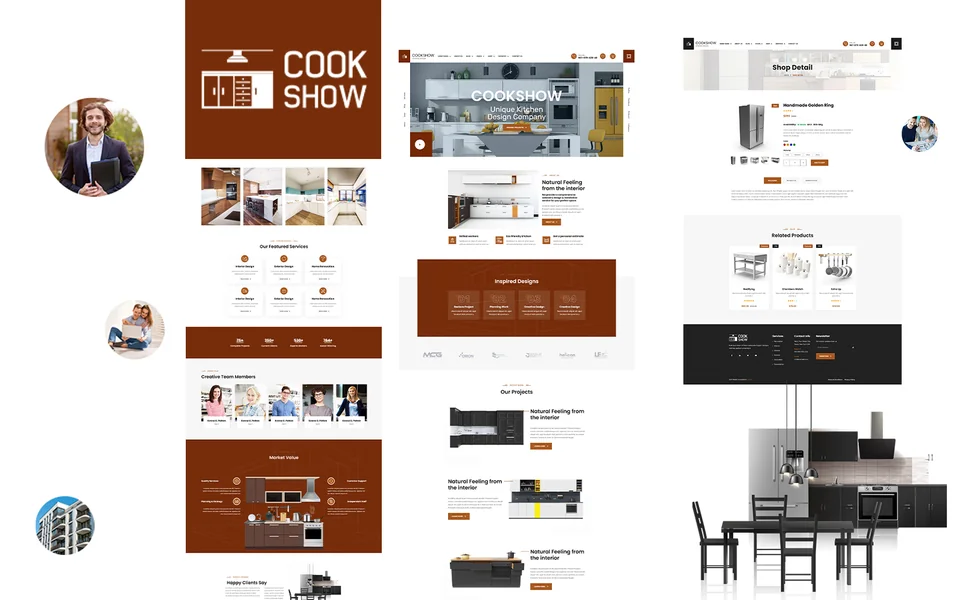
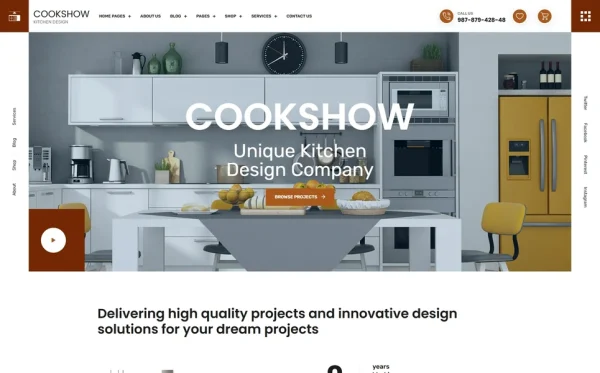
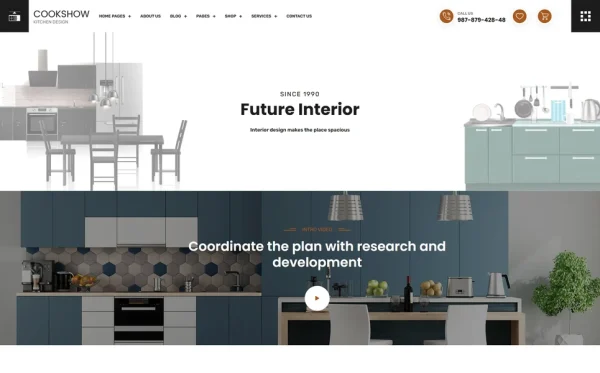
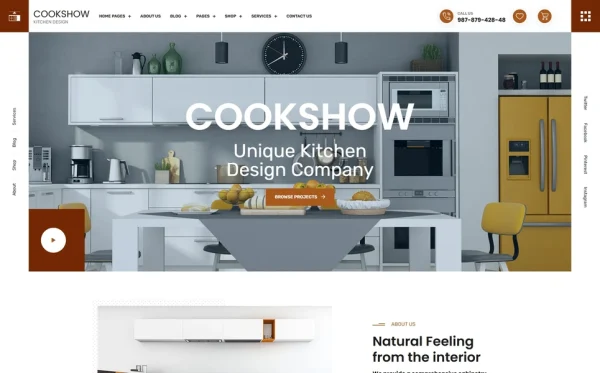
Cookshow is a kitchen design and culinary services HTML5 template designed to meet every cooking class business requirement outlined in this guide. Built for culinary schools, cooking class studios, food education providers, and kitchen equipment retailers, it delivers the most comprehensive culinary web presence — with 24 pages, three homepage layouts, a four-layout equipment shop with product zoom, two service page variants for course catalog presentation, case study showcasing, brand history timeline, and WOW.js scroll animations.
What Cookshow Includes
- 24 Fully Designed HTML5 Pages — complete culinary education web presence from homepage to checkout
- 3 Unique Home Layouts — distinct hero styles for different culinary brand personalities and seasonal campaigns
- Full E-Commerce Shop (4 Layouts) — grid, left sidebar, right sidebar archive layouts plus product detail with jQuery Zoom
- jQuery Zoom — hover-to-magnify product images for detailed kitchen equipment inspection
- Services Module (2 Variants) — two distinct course catalog presentation layouts plus individual class detail pages
- Case Studies Module — student achievement and project archive plus individual case study detail pages
- History Page — brand milestones, culinary heritage, and founding story timeline
- Team Page — chef and instructor profiles with culinary credentials and teaching specialisations
- CounterUp Animated Statistics — students taught, classes offered, cuisines covered, years of culinary education
- Countdown Timer — class registration deadlines, early-bird pricing, and seasonal workshop promotions
- WOW.js Scroll Animations — polished entrance animations throughout all pages
- Blog Module — list and full-article detail formats for recipes and cooking education
- Isotope Grid Filtering — category-based browsing for products and case studies
- Authentication Module — login and registration pages for student accounts
Technical Foundation
Cookshow is built on Bootstrap 4 with Slick Carousel for testimonial and showcase rotations, Isotope grid filtering for product and case study browsing by category, WOW.js for smooth scroll-triggered entrance animations, jQuery Zoom for detailed product image magnification on kitchen equipment, CounterUp for animated business statistics, Countdown timer for class registration urgency, Magnific Popup lightbox for full-screen food and project photography viewing, and Mean Menu for clean mobile navigation. The four-layout shop module with zoom, combined with dual service page variants and a dedicated brand history page, provides the integrated culinary business platform that turns website visitors into enrolled students.
The Culinary Education Advantage: Cookshow combines student acquisition with equipment revenue in a single template. The dual-variant services module presents different class types in distinct visual formats, while the four-layout shop with jQuery Zoom generates supplementary income through instructor-recommended equipment and ingredient sales. Case study pages showcase student achievements through documented outcomes, the history page builds emotional connection through brand storytelling, and CounterUp statistics communicate the established credibility that justifies premium class pricing. At 24 pages with WOW.js animations, Countdown promotional timers, and Isotope filtering, Cookshow provides every tool a cooking class business needs — while competing education platforms charge $79–399/month plus transaction fees for less visual flexibility.
Customisation Roadmap for Cooking Class Businesses
Week One — Photography and Core Content: Photograph your kitchen space, cooking stations, ingredient displays, and plated results with professional food photography lighting. Capture instructors in action — demonstrating techniques, guiding students, and presenting finished dishes. Replace all placeholder content, adjust brand colours to match your culinary brand identity, and write individual course descriptions for each class type with learning objectives, skill requirements, what students prepare, and what they take home.
Week Two — Shop, History, and Team: Set up the equipment and ingredient shop with your product inventory, photography with zoom-quality detail shots, and pricing. Write the brand history page with founding story, culinary journey milestones, and food philosophy. Create instructor profile pages with culinary training, restaurant experience, teaching specialisations, and personal food philosophy. Begin documenting student success stories as case studies with achievement descriptions and outcome photography.
Week Three — Content, SEO, and Launch: Write your first three blog posts — a signature recipe from one of your classes, a kitchen equipment buying guide for home cooks, and a seasonal cooking guide. Set up Google Business Profile with class schedule, location photos, and student reviews. Configure Google Analytics 4 and conversion tracking on class booking enquiry forms and shop checkout. Test across all devices with emphasis on food photography display quality and shop browsing experience. Deploy and submit to Google Search Console.
Frequently Asked Questions
Need Help Launching Your Cooking Class Website?
MetropolitanHost provides professional web development services for HTML template deployments. Our team understands culinary education website requirements and delivers clean, conversion-optimised implementations.
- WordPress Theme Installation — live in under 24 hours
- Full Website Package — complete front-to-back deployment
- Colour Customisation — match your culinary brand across all pages
- Website Speed Optimisation — Core Web Vitals improvements
- Accessibility Compliance — WCAG audit and remediation