What Is a Nonprofit Organization Website Template?
A nonprofit organization website template is a pre-designed, fully coded website built specifically for charitable organizations, advocacy groups, humanitarian foundations, community nonprofits, and social impact entities. It includes every page a nonprofit needs — homepage with mission statement and impact metrics, donation workflow with multi-step forms, event calendar and registration, volunteer signup, programme showcases, impact stories, blog section, and contact page — all designed, responsive, and ready for your cause.
For nonprofit organizations that need a professional web presence without diverting $5,000 to $20,000 of donor funds toward a custom website build or $40 to $150 per month toward a managed nonprofit platform, a template delivers the most responsible path to an impactful online presence. But nonprofit websites carry a unique responsibility: every dollar spent on the website is a dollar not spent on your mission. This guide covers what donors, volunteers, and stakeholders expect from your organization’s website, what technical features maximize fundraising and engagement, and how to choose the right template for your nonprofit.
Template vs Nonprofit Platform vs Custom Build
Nonprofit organizations typically face three options when establishing their online presence:
| Factor | Nonprofit Platform (Classy, Bloomerang) | Nonprofit Website Template | Custom Website Build |
|---|---|---|---|
| Upfront Cost | $0–500 | $29–69 | $5,000–20,000 |
| Monthly Cost | $49–200/month | $3–10/month (hosting only) | $50–200/month |
| 3-Year Total Cost | $1,764–7,700 | $137–429 | $6,800–27,200 |
| Code Ownership | No — you rent it | Yes — you own it forever | Yes — you own it |
| Donation Integration | Built-in (with processing fees) | Integrate any processor | Any system |
| Event Management | Platform-dependent | Full event pages included | Any system |
| Donor Data Ownership | Platform controls data | You own everything | You own everything |
| Time to Launch | 1–3 days | 3–7 days | 6–16 weeks |
| Vendor Lock-in | High — donor data at risk | None | None |
Nonprofit platforms offer convenience but charge ongoing fees that accumulate into significant mission fund diversion over time. A $150/month platform costs $5,400 over three years — funds that could have supported your programmes directly. More critically, platform-dependent nonprofits risk losing donor data and online presence if they need to switch providers. A template gives you full ownership of your website code, content, and donor engagement infrastructure with no recurring platform fees beyond basic hosting.
What Donors and Supporters Expect From Your Website
Nonprofit donors, volunteers, and supporters are evaluating your organization’s credibility, transparency, and impact from the moment they arrive on your website. Unlike commercial businesses where the website sells products, a nonprofit website must sell trust. Here is what supporters look for:
Mission Clarity Within Five Seconds
A visitor to your nonprofit website should understand what your organization does, who it serves, and why it matters within five seconds of landing on your homepage. This requires a clear, concise mission statement prominently displayed — not buried three scrolls down below stock photography. The most effective nonprofit homepages lead with a powerful headline that communicates impact, followed immediately by a one-sentence mission description and a visible “Donate Now” button. Every additional second a visitor spends trying to understand what you do is a second closer to them leaving your site.
Transparent Impact Metrics
Donors want proof that their contributions create real change. Animated statistics showing families served, meals delivered, children educated, communities supported, or funds distributed provide instant credibility. CounterUp animated counters that trigger when scrolled into view transform static numbers into attention-grabbing impact demonstrations. A nonprofit showing “12,500 families served” with an animated counter communicates scale and impact far more effectively than the same number in a paragraph of text.
Impact stories and programme spotlights provide the narrative depth that statistics alone cannot. Individual success stories — with photographs, timelines, and specific outcomes — transform abstract statistics into human connections that motivate giving.
Donation Workflow That Minimizes Friction
The donation process is the most critical conversion point on any nonprofit website. Research consistently shows that every additional step in the donation workflow reduces completion rates. The ideal donation experience presents preset giving amounts ($25, $50, $100, $250), a custom amount option, recurring donation toggle, and payment processing — all on a single, clean page. Multi-step donation forms with progress indicators work when they break complex information (tribute gifts, memorial donations, employer matching) into digestible steps without overwhelming first-time donors.
Your template should provide the front-end donation form structure ready for integration with payment processors like PayPal, Stripe, GiveWP, or Donorbox. The form design, preset amounts, and multi-step flow are provided by the template — the payment processing backend is handled by your chosen payment integration.
Event Calendar and Registration
Nonprofits run on events — fundraising galas, community workshops, awareness campaigns, volunteer drives, board meetings, programme launches. Your website must present upcoming events with clear dates, descriptions, locations, and registration options. Past event archives with photo galleries demonstrate organizational activity and community engagement. An active events section signals a vibrant, functioning organization — a stale or empty events page signals the opposite.
Volunteer Recruitment and Engagement
Volunteers are the operational backbone of most nonprofits. Your website needs dedicated volunteer pages that explain available roles, time commitments, impact descriptions, and signup forms. Effective volunteer recruitment pages answer three questions immediately: What will I be doing? How much time does it require? What impact will my contribution make? Volunteers who understand their potential impact before signing up are more likely to stay engaged long-term.
Programme and Ministry Showcases
Whether your nonprofit operates education programmes, community outreach initiatives, humanitarian aid missions, advocacy campaigns, or support services, each programme deserves its own showcase page. Programme pages should include descriptions, beneficiary stories, impact data, how to get involved, and how donations support that specific programme. Donors increasingly want to direct their giving to specific programmes rather than general funds — programme-specific pages enable targeted fundraising that increases total donations.
Mobile Giving Without Friction
Mobile donation rates have increased dramatically. Supporters receive fundraising emails, social media appeals, and peer-to-peer sharing links on their phones — and they need to complete the donation on the same device without friction. Your entire donation workflow must function flawlessly on mobile: tap a giving amount, enter payment details, complete the gift. Forms that require pinch-zooming, buttons too small for thumbs, or payment integrations that redirect to non-mobile-optimized pages lose donations at the moment of maximum generosity.
Technical Features That Maximize Nonprofit Impact
Beyond visual design, certain technical features specifically enhance nonprofit websites and maximize fundraising and engagement outcomes.
jQuery Steps Multi-Step Donation Flow
jQuery Steps provides a guided, multi-step form experience that breaks complex donation workflows into manageable stages. For nonprofits, this means a donation form that walks donors through giving amount selection, personal information, payment details, and confirmation in clearly numbered steps with progress indicators. Multi-step forms reduce perceived complexity and increase completion rates compared to single-page forms that display all fields at once. This is particularly valuable for tribute gifts, memorial donations, and employer matching workflows that require additional information fields.
CounterUp Animated Impact Statistics
CounterUp triggers animated number counting when impact statistics scroll into view — families served, meals provided, volunteers active, funds distributed. The animation draws attention to credibility metrics and creates an emotional response that static numbers cannot achieve. When a visitor sees “12,500” animate from zero, they process the scale of impact differently than reading the number in text. Combined with icons and descriptive labels, animated counters become one of the most effective trust-building elements on nonprofit websites.
Isotope Filtering for Programmes and Galleries
Isotope provides animated, category-based filtering for programme showcases and event photo galleries. Supporters can filter programmes by type (education, healthcare, community development), view event galleries by year or campaign, and browse volunteer opportunities by category. This interactive navigation improves user experience and helps supporters find the specific areas of your work that resonate most with their interests — which directly correlates with donation and volunteer conversion rates.
Slick Carousels for Testimonials and Stories
Slick carousel powers rotating testimonials from beneficiaries, donor quotes, and partner endorsements. For nonprofits, social proof operates differently than in commercial contexts — testimonials from people whose lives were changed by the organization carry more weight than any marketing copy. Rotating impact stories and beneficiary testimonials in a carousel format keeps the emotional narrative front and centre without requiring visitors to navigate to separate pages.
Timeline and History Sections
A nonprofit’s history demonstrates longevity, growth, and sustained commitment. Timeline sections that chronicle organizational milestones — founding year, programme launches, partnership milestones, impact achievements — build credibility with potential major donors and institutional funders who evaluate organizational stability. Grant makers in particular look for evidence of sustained operation and growth trajectory, which a well-designed history timeline communicates at a glance.
Cost Breakdown: Nonprofit Website Options
For nonprofits, every dollar spent on infrastructure is a dollar diverted from mission. Understanding true costs helps boards and executive directors make responsible investment decisions:
| Cost Component | HTML Template | Nonprofit Platform (Classy, Bloomerang) | Custom Build |
|---|---|---|---|
| Template / License | $29–69 (one-time) | $0 | N/A |
| Hosting | $36–120/year | Included in plan | $120–600/year |
| Platform Fee | None | $588–2,400/year | None |
| Payment Processing | Stripe/PayPal standard rates | Platform rates + surcharge | Stripe/PayPal standard rates |
| Design Customisation | $0–500 | $0–300 | $3,000–10,000 |
| Total Year One | $65–689 | $588–2,700 | $3,120–20,600 |
| 3-Year Total | $137–929 | $1,764–7,500 | $3,360–21,800 |
| Mission Funds Preserved | Maximum | Reduced by platform fees | Significantly reduced |
Mission Fund Impact: A nonprofit spending $150/month on a website platform diverts $5,400 over three years from its mission. That amount could fund 540 meals at $10 each, provide school supplies for 270 children at $20 each, or support a community programme for an entire quarter. An HTML template at $29–69 with basic hosting preserves the maximum possible percentage of donor funds for actual programme delivery — which is exactly what donors expect.
How to Choose the Right Nonprofit Website Template
Not all nonprofit templates are created equal. Here is a systematic evaluation framework for nonprofit leaders:
Evaluate Donation Workflow Completeness
Open the template demo and navigate to the donation section. Does it include preset giving amounts? Is there a custom amount option? Does it support multi-step donation flows with progress indicators? Is the form responsive on mobile? The donation workflow is the revenue engine of your nonprofit website — if the template donation experience is basic or afterthought-quality, eliminate it regardless of how attractive the homepage looks.
Check Programme and Ministry Showcase Depth
A production-ready nonprofit template should include dedicated pages for individual programmes, ministries, or service areas — not just a single list page. Each programme deserves its own page with description, impact data, beneficiary stories, and specific calls to action. Templates that treat programme showcases as secondary features do not understand nonprofit communication requirements.
Verify Event and Volunteer Functionality
Check for dedicated event listing pages, individual event detail pages with registration capability, and volunteer recruitment pages with signup forms. Nonprofits that run events and recruit volunteers need these pages from day one — retrofitting them requires custom development that negates the cost advantages of using a template.
Assess the Page Count and Coverage
A comprehensive nonprofit template should include 18–25+ pages covering: multiple homepage layouts, donation pages, programme/ministry showcase pages, event listing and detail pages, volunteer pages, about page with team profiles, history timeline, blog section, shop (for merchandise or publications), and contact page. Templates with fewer than 15 pages often leave critical gaps that require custom development.
Test Warmth and Visual Tone
Nonprofit websites need to feel warm, welcoming, and trustworthy — not cold, corporate, or commercial. Evaluate the template’s colour palette, typography, imagery style, and overall visual tone. Templates designed for corporate or tech contexts often feel wrong when adapted for charitable and community organizations. Choose a template whose visual language naturally communicates care, community, and purpose.
Common Mistakes When Building a Nonprofit Website
Nonprofit organizations often make predictable mistakes when building their website. Avoiding these pitfalls preserves donor trust and maximizes engagement:
Burying the Donation Button
The single most common nonprofit website mistake is making the donation button hard to find. The “Donate” button should be visible on every page — ideally in the main navigation header, always above the fold on the homepage, and repeated strategically throughout programme and impact pages. A donor who feels moved to give and cannot find the donation button within three seconds will not search for it — they will leave.
Talking About the Organization Instead of the Impact
Too many nonprofit websites focus on organizational structure, staff bios, and institutional history at the expense of impact stories. Donors do not give because your board has impressive credentials — they give because your programmes change lives. Lead with impact: beneficiary stories, outcome data, programme results. Organizational information supports the impact narrative; it should never replace it.
Neglecting Event and Volunteer Pages
An active events calendar and robust volunteer section signal organizational vitality. Empty or outdated event pages tell visitors the organization is inactive or struggling. If you list events, keep them current. If you recruit volunteers, ensure signup forms work and are monitored. Stale content on these pages does more damage to donor confidence than having no events page at all.
Overspending on Website at the Expense of Mission
A $15,000 custom website does not raise more money than a well-configured $49 template. Donors care about impact, not website budgets. In fact, evidence of excessive website spending can undermine donor confidence — it suggests the organization prioritizes appearances over programmes. Choose a cost-effective template that looks professional, communicates impact clearly, and directs maximum resources toward your actual mission.
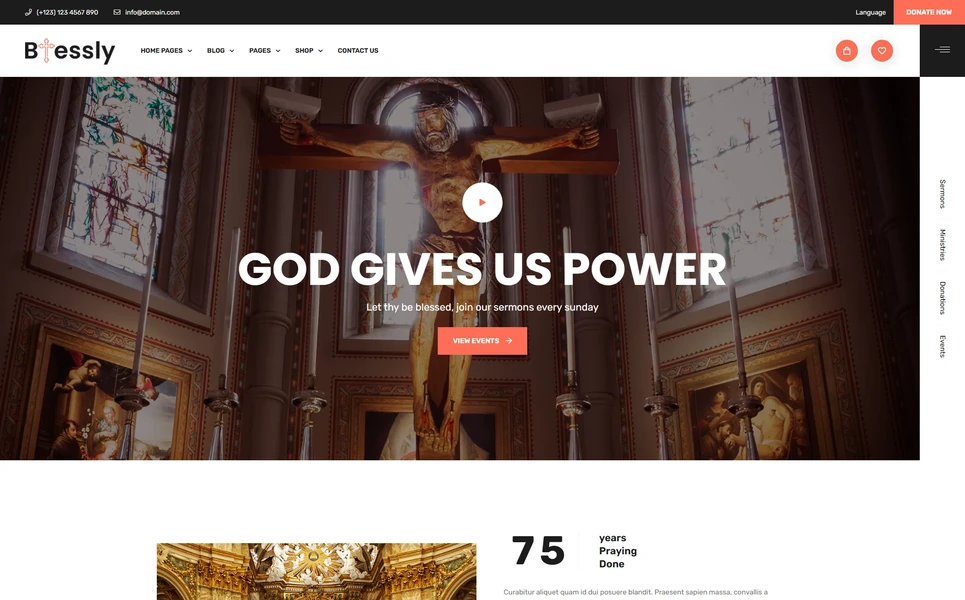
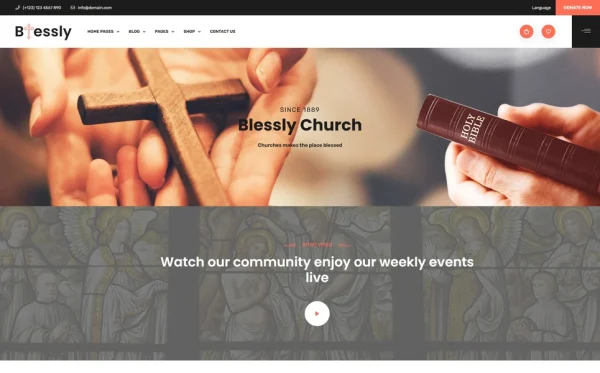
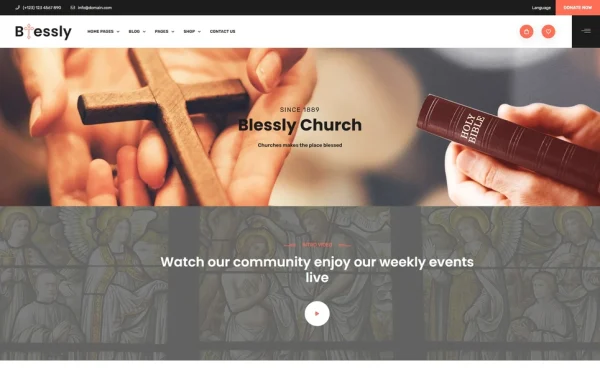
Blessly — A Nonprofit Template Built for Charitable Organizations
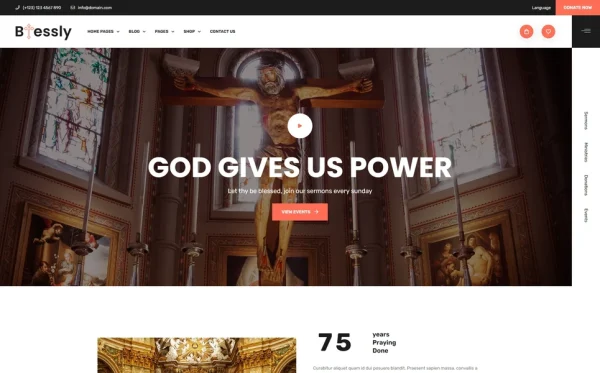
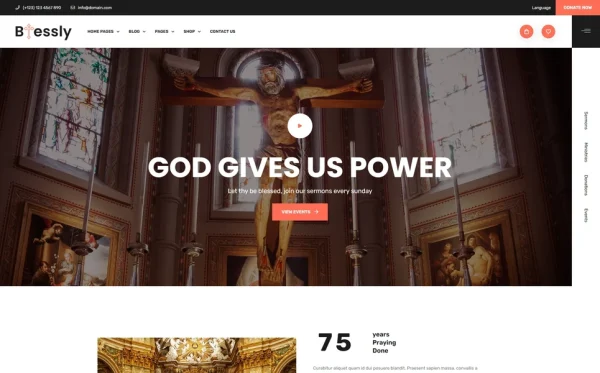
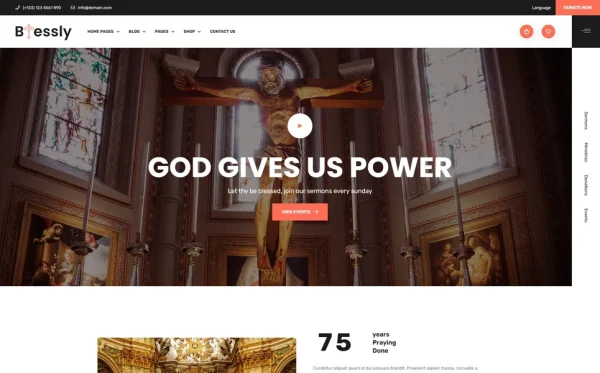
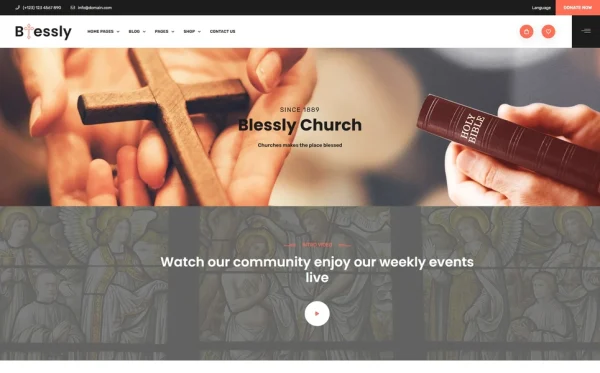
Blessly is a nonprofit organization HTML5 template designed to meet every requirement outlined in this guide. Built for charitable foundations, humanitarian organizations, community nonprofits, advocacy groups, and social impact entities, it delivers the essential components for a warm, professional nonprofit web presence — with a complete donation workflow, event management system, and volunteer recruitment infrastructure that purpose-built nonprofit platforms charge monthly fees to provide.
What Blessly Includes
- 23 Fully Designed HTML5 Pages — complete page set covering home, programmes, donations, events, volunteer, shop, blog, and contact
- 2 Unique Home Layouts — distinct visual approaches for different organizational tones
- Multi-Step Donation Workflow — jQuery Steps guided donation form with preset amounts and progress indicators
- Event Calendar and Detail Pages — upcoming events listing with individual event registration pages
- Ministry/Programme Showcase — dedicated pages for each organizational programme or service area
- Volunteer Recruitment Pages — volunteer opportunities with role descriptions and signup forms
- History Timeline — organizational milestone timeline for credibility building
- Charity Shop with Checkout — merchandise and publication sales with jQuery Steps multi-step checkout
- Slick Carousels — beneficiary testimonial rotations and impact story showcases
- Isotope Filtering — programme and gallery browsing by category
- CounterUp Animated Statistics — families served, funds distributed, volunteers active
- Magnific Popup Lightbox — full-screen event gallery and impact photo viewing
- WOW.js Scroll Animations — warm entrance animations throughout all pages
- Blog Section — impact stories, organizational news, and community updates
Technical Foundation
Blessly is built on Bootstrap 5 with jQuery Steps for multi-step donation and checkout workflows, Slick carousels for testimonial and impact story rotations, Isotope grid filtering for programme and gallery browsing, CounterUp for animated impact statistics, Magnific Popup lightbox for full-screen photo viewing, ion.rangeSlider, jQuery Zoom for shop product detail, and WOW.js for scroll-triggered entrance animations. The warm, welcoming design language uses a carefully calibrated colour palette that communicates care and community rather than corporate coldness.
Complete Donation Infrastructure: Blessly ships with a full jQuery Steps multi-step donation workflow — preset giving amounts, custom amount input, donor information, and payment confirmation — all in a guided, progress-indicated form. This replaces the core functionality that nonprofit platforms like Classy and Bloomerang charge $49–200/month to provide. Combined with 23 pages covering events, volunteer recruitment, programme showcases, and a charity shop, Blessly delivers the complete nonprofit web infrastructure at a one-time template cost instead of ongoing platform fees.
Customisation Roadmap for Nonprofit Organizations
Week One — Mission Content and Branding: Write your mission statement, impact statistics, and programme descriptions. Gather beneficiary stories with photographs. Compile organizational history milestones for the timeline section. Replace all placeholder content, adjust the colour palette to match your organizational branding, and update the logo and visual identity elements throughout all pages.
Week Two — Donation, Events, and Volunteer Setup: Configure the donation form with your preset giving amounts and integrate your chosen payment processor (PayPal, Stripe, GiveWP, or Donorbox). Populate the events section with your upcoming calendar. Set up volunteer pages with current opportunity descriptions and signup forms. Configure the charity shop if you sell merchandise or publications.
Week Three — Integration and Launch: Connect analytics (Google Analytics 4 for Nonprofits). Set up donation confirmation email routing. Integrate email marketing for donor communications. Test the entire donation workflow on mobile devices. Deploy to your hosting environment and submit to Google Search Console. Register for Google Ad Grants ($10,000/month in free search advertising for qualifying nonprofits).
Frequently Asked Questions
Need Help Launching Your Nonprofit Website?
MetropolitanHost provides professional web development services for HTML template deployments. Our team understands nonprofit website requirements and delivers clean, well-structured implementations that maximise your mission impact.
- WordPress Theme Installation — live in under 24 hours
- Full Website Package — complete front-to-back deployment
- Colour Customisation — match your organizational branding across all pages
- Website Speed Optimisation — Core Web Vitals improvements
- Accessibility Compliance — WCAG audit and remediation