
What Is an Auto Repair Shop Website Template?
An auto repair shop website template is a pre-designed, fully coded website built specifically for auto repair shops, mechanic garages, car service centres, automotive maintenance businesses, and mobile mechanic operations. It includes every page an automotive service business needs — homepage with service highlights, service pages with detailed descriptions, portfolio gallery showcasing completed repair work, team profiles for your technicians, blog for automotive tips and SEO content, and contact page with appointment booking — all designed, responsive, and ready for your shop brand.
For auto repair shop owners who need a professional website without paying $5,000 to $10,000 for a custom build or $50 to $200 per month for an automotive-specific platform, a template delivers the most practical path to a credible online presence. But auto repair websites have unique requirements that generic business templates miss entirely. Your services must be clearly listed with pricing transparency. Your completed work portfolio must build trust with car owners who are nervous about leaving their vehicle with an unknown shop. Your team profiles must communicate certifications and expertise. This guide covers what vehicle owners expect from your website, what features drive appointment bookings, and how to choose the right template for your auto repair business.
Template vs Automotive Platform vs Custom Build
Auto repair shop owners typically face three paths when building their web presence:
| Factor | Auto Platform (AutoLeap, Shopmonkey) | Auto Repair Template | Custom Website Build |
|---|---|---|---|
| Upfront Cost | $0–300 | $29–69 | $5,000–10,000 |
| Monthly Cost | $99–399/month | $3–10/month (hosting only) | $50–200/month |
| 3-Year Total Cost | $3,564–14,664 | $137–429 | $6,800–17,200 |
| Code Ownership | No — you rent it | Yes — you own it forever | Yes — you own it |
| Design Uniqueness | Same layout as other shops | Fully customisable | Fully custom |
| Service Pages | Basic listings | Dedicated service detail pages | Any format |
| Scheduling | Built-in | Integrate any scheduling tool | Any system |
| Time to Launch | 1–3 days | 3–7 days | 4–12 weeks |
| Vendor Lock-in | High — your site disappears if you cancel | None | None |
Automotive shop management platforms focus on operations — work orders, invoicing, and scheduling — but their website components are an afterthought. Every shop on AutoLeap looks like every other shop on AutoLeap. A template gives you complete control over how your repair shop presents itself online — the visual trust-building that convinces a nervous car owner to choose your garage over the three competitors they are also evaluating.
What Vehicle Owners Expect From Your Repair Shop Website
Car owners searching for an auto repair shop are stressed. Something is wrong with their vehicle — a strange noise, a warning light, a breakdown — and they need to find a trustworthy mechanic fast. Your website must eliminate their anxiety by proving your expertise, showing your work quality, and making it easy to book an appointment. Over 85% of auto repair searches happen on mobile devices, and potential customers will evaluate your shop within seconds of landing on your website.
Service Pages With Clear Descriptions and Pricing
Your service pages are the most important conversion element on your auto repair website. Car owners want to know exactly what you fix, how you fix it, and what it costs before they call. Each major service category — oil changes, brake repair, engine diagnostics, transmission service, tire rotation, alignment, AC repair, electrical systems — needs its own dedicated page with a detailed description, the repair process explained in plain language, and transparent pricing or at least a “starting from” price range.
A services overview page that lists everything you offer gives visitors a quick scan of your capabilities, while individual service detail pages allow you to provide the depth that builds confidence. A vehicle owner searching for “brake repair near me” who lands on a dedicated brake repair page with detailed information is far more likely to book than one who lands on a generic homepage and has to hunt for brake-specific information.

Completed Work Portfolio That Builds Trust
Nothing builds trust faster than visual proof of your work quality. Before-and-after photos of engine rebuilds, suspension repairs, brake jobs, and bodywork restorations demonstrate your skill in a way that marketing copy cannot match. A filterable portfolio organized by service category — engine work, brake repairs, body restoration, custom modifications — lets potential customers see examples of the specific type of work they need done.
Isotope grid filtering transforms a static photo gallery into an interactive portfolio that customers can navigate by repair category. Instead of scrolling through all your completed jobs, a customer clicks “Brake Repair” and sees only brake work examples. This targeted viewing proves your specific expertise in the area they need help with — and that specific proof eliminates doubt and drives bookings.
Technician Profiles That Communicate Expertise
Car owners trust certified mechanics more than uncertified ones. Your team page should showcase each technician with their photo, ASE certifications, years of experience, specialisations (diesel, European vehicles, electrical systems, performance tuning), and a brief professional bio. Displaying certifications and manufacturer training credentials communicates that your team is qualified to work on the customer’s specific vehicle.
For shops specialising in specific vehicle brands (BMW, Mercedes, Toyota, etc.) or service types (diesel engines, hybrid vehicles, classic car restoration), technician profiles that highlight brand-specific training and experience build confidence with owners of those vehicles. A customer with a BMW would rather book with a shop where a technician’s profile lists BMW certification than a shop that says nothing about brand expertise.
Online Appointment Scheduling
Modern vehicle owners expect to book repair appointments online — not just during business hours, but at 10 PM when they notice their brake warning light. Your website must include either a built-in booking form or a seamlessly integrated scheduling widget from tools like SimplyBook.me, Calendly, or your shop management software. The appointment form should capture vehicle make, model, year, service needed, preferred date and time, and any symptoms or concerns.
Click-to-call buttons remain critical for auto repair — many customers prefer calling when their situation is urgent. But the online booking option captures the customers who prefer digital interaction, research their options at night, or want to avoid phone conversations. Offering both channels maximizes your appointment conversion rate.

Reviews and Social Proof
Auto repair is a trust-dependent industry. Customers are handing over a vehicle worth $5,000 to $50,000 to your shop — the stakes are real. Google review integration, testimonial sections, animated statistics showing cars serviced and years in business, and certification badges all reduce the anxiety that prevents first-time customers from booking. Place your strongest social proof near your booking call to action — the moment of maximum hesitation is when reassurance matters most.
Mobile Experience That Books in Three Taps
Over 85% of auto repair searches happen on mobile devices — often from the side of the road, in a parking lot with a warning light on, or during a stressful breakdown situation. Your website must load fast, display your phone number prominently, and make appointment booking effortless on a touchscreen. Three taps: find the service needed, see your credentials, book an appointment or call. Any additional friction loses the booking to a competitor with a faster mobile experience.
Technical Features That Elevate Auto Repair Websites
Beyond visual design, several technical features specifically enhance auto repair shop websites.

Filterable Work Portfolio
Isotope grid filtering applied to your completed work portfolio lets customers browse your repair and restoration projects by category. A customer needing engine work filters to engine projects and evaluates your specific competence. A customer considering a classic car restoration filters to restoration work and assesses your craftsmanship. This targeted viewing converts browsers into bookers because they see proof of your ability to handle their exact repair need.
Services Module With Detail Pages
A structured services module with both an overview page and individual service detail pages creates the information architecture that both customers and search engines need. The overview page shows everything you offer at a glance. Each detail page provides in-depth information about a specific service — process, timeline, pricing, and what makes your approach different. These detail pages also serve as SEO landing pages for service-specific searches like “engine diagnostic [city]” or “AC repair [city].”
Instagram Feed Integration
Live Instagram feed integration keeps your website feeling current and active. Auto repair shops that post regular Instagram content — before-and-after repairs, shop life, customer vehicle spotlights — benefit from having that content automatically displayed on their website. It proves your shop is busy, active, and consistently producing quality work. An embedded Instagram feed is also zero-effort content — you are already posting to Instagram, and the feed widget populates your website automatically.
Blog System for Automotive SEO
Blog content drives organic search traffic from vehicle owners researching automotive questions. Articles about common car problems, maintenance schedules, warning sign explanations, and seasonal vehicle preparation tips attract people who are potential customers. A blog post answering “Why is my car making a grinding noise when braking?” attracts a visitor who likely needs brake repair — and your shop is the one they discovered while researching the problem.
Trust Factor: Auto repair websites with real photos of their shop, technician team, and completed work convert at dramatically higher rates than those using stock photography. Authentic images prove you are a real business with real expertise. Stock photos of generic mechanics in crisp uniforms actually undermine trust — customers recognize stock imagery, and it signals that you have something to hide.
How to Evaluate an Auto Repair Template Before You Buy
Inspect the Services Architecture
Open the template demo and navigate to the services section. Does it offer both an overview page and individual service detail pages? Is there enough space on each detail page for service descriptions, process explanations, and pricing? Can you envision your brake repair, engine diagnostic, and oil change services presented in this format? A template with only a single services page limits your ability to create dedicated landing pages for each service — and loses the SEO value of service-specific pages.
Check the Portfolio System
Review the portfolio section. Does it support category-based filtering (Isotope or similar)? Can you envision organizing completed repair jobs by service type? Does each portfolio item have a detail page for before-and-after documentation? A portfolio without filtering forces customers to scroll through all your work to find examples relevant to their repair need — that friction costs you bookings.
Evaluate Team Profile Depth
Look at the team section. Does it provide enough space for technician names, certifications, specialisations, and professional photos? Can you display ASE certifications and manufacturer training? Auto repair customers choose shops based on technician credentials — a team page that does not communicate certifications misses a critical trust-building opportunity.
Auto Repair Website Cost Breakdown
Here is the realistic cost comparison for auto repair shop website approaches:
| Cost Category | Template Approach | Custom Build |
|---|---|---|
| Website Design | $29–69 (one-time) | $5,000–10,000 |
| Hosting | $3–10/month | $20–80/month |
| Domain | $10–15/year | $10–15/year |
| SSL Certificate | Free (Let’s Encrypt) | Free–$200/year |
| Scheduling Tool | Free–$30/month | $500–2,000 (custom) |
| Shop Photography | $300–1,000 (one session) | $300–1,000 |
| Google Business Profile | Free | Free |
| Annual Maintenance | $100–500 | $1,000–5,000 |
| First-Year Total | $500–2,000 | $7,000–19,500 |
Auto Repair Local SEO Strategy
Auto repair is one of the most competitive local search categories. Dominating local search results requires a coordinated strategy between your website, Google Business Profile, and review generation.
Service-Specific Landing Pages
Create individual pages for each major service you offer, optimized for “[service] + [city]” searches. “Brake repair in [city],” “engine diagnostic [city],” “oil change near [neighbourhood]” — each of these searches represents a customer ready to book. A dedicated page for each service gives you a ranking opportunity for each search term, while a single “services” page can only target one or two keywords.
Google Business Profile Optimization
Your Google Business Profile drives more phone calls and direction requests than your website for many auto repair shops. Post weekly updates with completed repair photos, seasonal service reminders, and special offers. Respond to every review — positive and negative. Keep your hours accurate. Add photos of your shop, team, and equipment regularly. The shops that dominate the Local Pack are the ones that treat their Google Business Profile as a living marketing channel, not a set-it-and-forget-it listing.
Content Marketing With Automotive Education
Blog content targeting common automotive questions brings potential customers to your website during the research phase. “What causes brake squealing?” “How often should I change my oil?” “Signs your transmission is failing” — these articles attract people experiencing vehicle problems who are likely to need your services. The blog converts research traffic into booked appointments when visitors see your expertise, portfolio, and easy booking options alongside the helpful information.
Local SEO Reality: Auto repair shops ranking in the Google Local Pack for high-intent searches like “auto repair near me” and “mechanic [city]” receive the majority of local clicks. Your Google Business Profile, service-specific website pages, consistent local citations, and review volume work together to achieve and maintain those top local positions. The shops investing in all four elements dominate — those relying on only one or two struggle to compete.
Cagarr — A Template Built for Auto Repair and Service Businesses
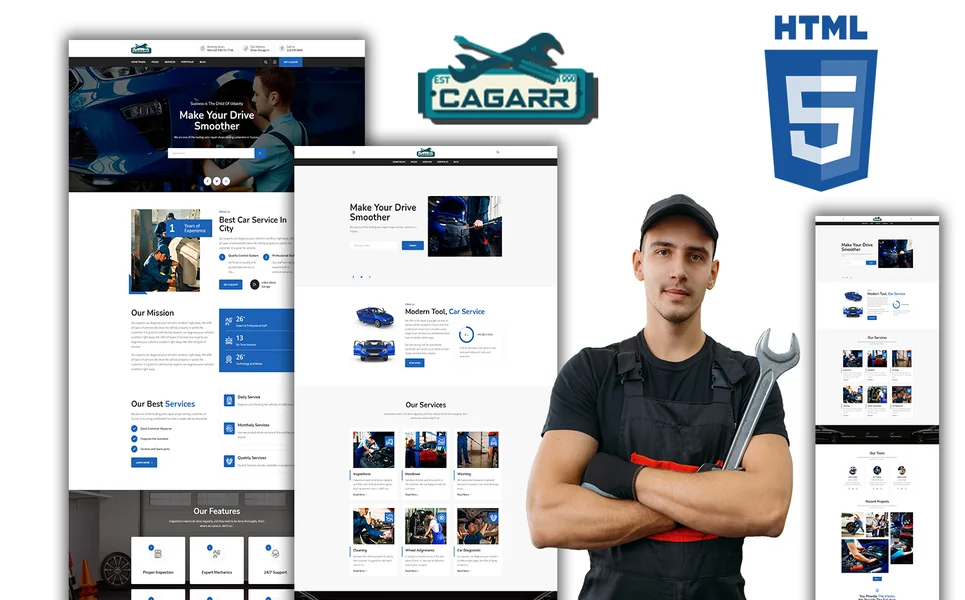
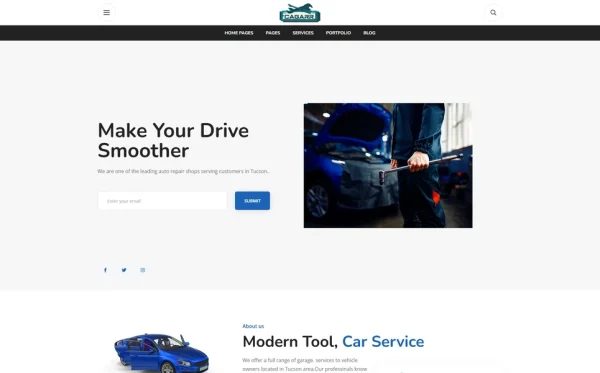
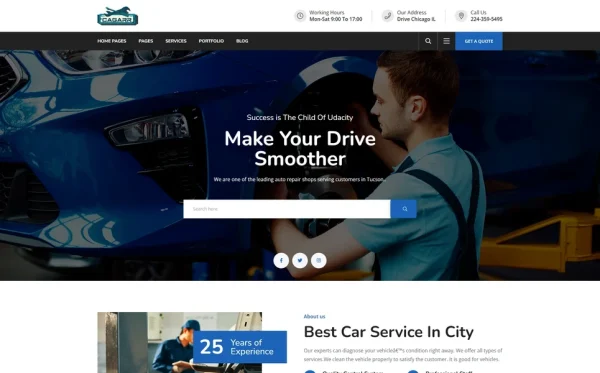
Cagarr is an HTML5 template that provides auto repair shops, mechanic garages, and automotive service businesses with a professional, trust-building web presence. With 11 fully designed pages, a filterable portfolio with Isotope, dedicated service pages with detail views, team profiles, Instagram feed integration, and a blog system — Cagarr delivers the components that convert vehicle owners browsing for a repair shop into booked appointments.
What Cagarr Includes
- 2 Homepage Layouts — two distinct hero styles for different auto repair brand identities
- Services Module — services overview page plus individual service detail pages for each repair category
- Filterable Portfolio — Isotope grid filtering for completed work organized by repair type with project detail pages
- Team Profiles — technician and staff profiles grid for displaying certifications and expertise
- Instagram Feed Integration — live Instagram photo feed showing recent shop activity and completed repairs
- Blog Module — blog archive and article detail pages for automotive content marketing and SEO
- Slick Carousel — testimonial and featured work sliders for social proof
- Magnific Popup Lightbox — full-screen viewing for portfolio images and before-and-after repair photos
- Bootstrap 5 Framework — fully responsive, mobile-first design for bookings from any device
- 11 Total Pages — focused page set covering every auto repair shop website requirement
- Cross-Browser Compatible — tested on Chrome, Firefox, Safari, Edge, and Opera
Why Cagarr Works for Auto Repair Shops
What makes Cagarr effective for auto repair businesses is its service-and-portfolio architecture. The services module with overview and detail pages maps perfectly to the way auto repair customers search — they need a specific service (brake repair, engine diagnostic, AC repair), and your detail page answers their questions about that service. The Isotope-filtered portfolio lets you showcase completed repair work by category, providing the visual proof of expertise that builds trust with anxious vehicle owners.
The team profiles section is where you display ASE certifications, manufacturer training credentials, and years of experience — the credentials that differentiate your shop from competitors. Instagram feed integration keeps your site current with fresh shop content without additional maintenance. The Magnific Popup lightbox provides full-screen before-and-after viewing for repair documentation. Built on Bootstrap 5, every element works smoothly on the mobile devices where over 85% of auto repair searches originate.
Portfolio and Service Synergy: Cagarr’s services module plus Isotope-filtered portfolio create a powerful trust-building combination for auto repair shops. When a customer views your brake repair service detail page, they get a complete description of your brake service process and pricing. When they check your portfolio filtered to brake repairs, they see before-and-after documentation of actual brake jobs you have completed. Service information plus visual proof together overcome the trust barrier that prevents first-time customers from booking.
Customisation Roadmap for Auto Repair Shops
Week One — Photography and Content: Photograph your shop — the bay area, equipment, signage, and team. Take before-and-after photos of current repair jobs for your portfolio. Gather technician headshots, certifications, and bio information. Write service descriptions for each repair category you offer — include the process, typical timeline, and pricing or price ranges. Replace all placeholder content with your shop’s brand identity.
Week Two — Integration and Launch: Configure the portfolio gallery with your completed work organized by repair category. Set up team profiles with certifications and specialisations. Integrate your scheduling tool — embed a widget from SimplyBook.me, Calendly, or your shop management software. Connect Instagram feed integration. Add Google Maps to the contact page. Submit your sitemap to Google Search Console and ensure your Google Business Profile links to your new website. Test across all devices and deploy.
Frequently Asked Questions
Need Help Launching Your Auto Repair Website?
MetropolitanHost provides professional web development services for HTML template deployments. Our team understands automotive service industry website requirements and delivers clean, trust-building implementations.
- WordPress Theme Installation — live in under 24 hours
- Full Website Package — complete front-to-back deployment
- Colour Customisation — match your shop branding across all pages
- Website Speed Optimisation — Core Web Vitals improvements
- Accessibility Compliance — WCAG audit and remediation