What Is a Dropshipping Website Template?
A dropshipping website template is a pre-designed, fully coded e-commerce website built specifically for dropshipping businesses, product resale stores, direct-to-consumer brands, beauty and cosmetics retailers, and online product businesses that fulfil orders through third-party suppliers. It includes every page a dropshipping store needs — homepage with product collection showcases and promotional banners, multiple shop archive layouts for product browsing, two product detail page styles for different product types, multi-step checkout for streamlined purchasing, price range filtering for budget-based product discovery, countdown timers for flash sales, wishlist for customer retention, blog for content marketing, and a legal page for compliance — all designed, responsive, and ready for your store brand.
For dropshipping entrepreneurs who need a professional storefront without paying $10,000 to $30,000 for a custom e-commerce build or $29 to $399 per month for a managed e-commerce platform subscription, a template delivers the most practical path to a revenue-generating online store. But dropshipping websites face a unique credibility challenge: customers increasingly recognise dropshipping stores, and poorly designed storefronts with generic layouts, slow loading, and basic checkout flows trigger immediate distrust. Your website must look and feel like an established brand — not a hastily assembled store with AliExpress product photos. This guide covers what online shoppers expect from your store, what technical features drive conversions, and how to choose the right template for your dropshipping business.
Template vs E-Commerce Platform vs Custom Build
Dropshipping entrepreneurs typically face three options when establishing their online store:
| Factor | E-Commerce Platform (Shopify, BigCommerce) | Dropshipping Website Template | Custom E-Commerce Build |
|---|---|---|---|
| Upfront Cost | $0–500 | $29–69 | $10,000–30,000 |
| Monthly Cost | $29–399/month | $3–10/month (hosting only) | $100–400/month |
| 3-Year Total Cost | $1,044–14,864 | $137–429 | $13,600–44,400 |
| Transaction Fees | 0–2% on top of processor | Payment processor only (2.9%) | Payment processor only |
| Code Ownership | No — you rent it | Yes — you own it forever | Yes — you own it |
| Design Uniqueness | Shared with thousands of stores | Fully customisable source code | Fully custom |
| Shop Layouts | Theme-dependent (1–3) | 4 distinct archive layouts + 2 product styles | Any format |
| Multi-Step Checkout | Platform-dependent | jQuery Steps built-in | Custom development |
| Vendor Lock-in | High — store migrating is painful | None | None |
E-commerce platforms like Shopify and BigCommerce offer integrated inventory management and app ecosystems but charge monthly fees plus transaction percentages that compound into significant overhead — particularly painful for dropshipping businesses with thin margins. A Shopify store on the $79/month plan with the 0.5 percent transaction fee costs $2,844 in platform fees over three years — before app subscriptions, theme purchases, and additional transaction cuts. A template provides the storefront that converts visitors into customers, while allowing integration with any payment processor, supplier API, or order management tool without ongoing platform fees eating into your margins.
What Online Shoppers Expect From a Dropshipping Store
The global dropshipping market reached approximately $401 billion in 2026, growing at over 21 percent annually. Over 27 percent of online retailers now use dropshipping as their primary fulfilment method. But this explosive growth means competition is fierce — and customers have learned to recognise the signs of a poorly operated dropshipping store. Here is what online shoppers evaluate when deciding whether to purchase from your store:
Professional Store Design That Builds Brand Trust
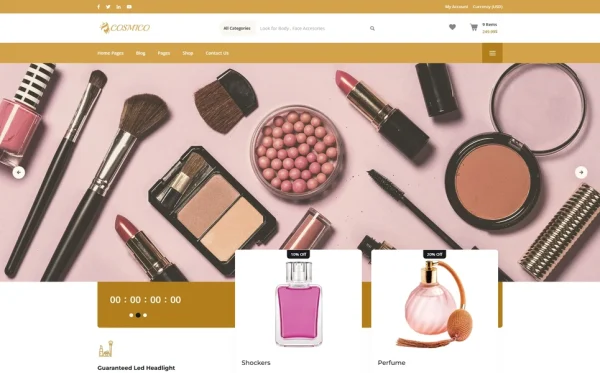
The single biggest barrier to dropshipping store success is trust. Online shoppers have been burned by low-quality dropshipping stores — slow shipping, poor product quality, non-existent customer service, and websites that look like they were built in an afternoon. Your store must overcome this learned scepticism through professional design that communicates brand legitimacy. Clean layouts, consistent typography, polished product photography, and cohesive brand styling signal that you are a real business, not a fly-by-night operation. Multiple homepage layouts allow you to position your store for your specific niche and target demographic, creating a brand-first shopping experience rather than a generic product dump.
Multiple Product Browsing Experiences
Different product categories benefit from different browsing formats. Fashion and beauty products look best in visual grid layouts where shoppers scan multiple items quickly. Technical products benefit from list layouts with more descriptive space. Curated collections work well in editorial-style layouts. Four distinct shop archive layouts — providing visual variety and optimised browsing for different product types and shopping behaviours — give you the flexibility to present each product category in its most effective format. This variety also distinguishes your store from competitors using a single default grid that looks identical to every other dropshipping store.
Product Detail Pages That Convert
Product pages are where purchase decisions happen. Two distinct product detail page styles allow you to match the presentation format to the product type — a gallery-focused layout for visually-driven products like fashion and cosmetics, and a specification-focused layout for technical or feature-rich products. jQuery Zoom on product images lets shoppers examine material quality, texture, colour accuracy, and construction detail at close range — the kind of detailed inspection that substitutes for the in-store touch-and-feel experience and directly reduces purchase hesitation and return rates.
Streamlined Multi-Step Checkout
Cart abandonment is the biggest revenue leak in e-commerce — industry average abandonment rates exceed 70 percent. A multi-step checkout powered by jQuery Steps breaks the purchase process into clear, manageable stages: shipping information, delivery method, payment details, and order confirmation. This guided flow reduces the overwhelming feeling of a single long form, provides visual progress indicators so shoppers know how close they are to completion, and creates natural pause points where additional trust signals (security badges, satisfaction guarantees, return policies) can be reinforced. Streamlined checkout directly increases completion rates and reduces abandoned carts.
Price Range Filtering for Budget Shopping
Online shoppers frequently have a budget in mind before they start browsing. Price range filtering with ion.rangeSlider lets visitors set their minimum and maximum price and instantly see only products within their budget. This self-service discovery tool reduces frustration from browsing unaffordable items, accelerates the path to purchase by showing only relevant products, and creates a more satisfying shopping experience. For dropshipping stores with large product catalogues spanning multiple price points, price filtering is essential for helping shoppers find what they want without scrolling through hundreds of irrelevant listings.
Flash Sale Urgency With Countdown Timers
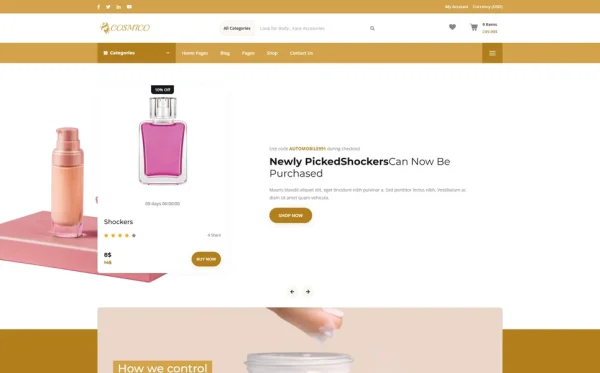
Urgency drives e-commerce conversions. Countdown timers showing the remaining time on flash sales, limited-time discounts, seasonal promotions, and new arrival specials create the fear of missing out that pushes shoppers from consideration to purchase. For dropshipping stores running regular promotions — product launches, holiday sales, clearance events, bundle deals — visible countdown timers on the homepage and product pages drive immediate action from shoppers who would otherwise bookmark and never return.
Wishlist for Customer Retention
Not every visitor is ready to buy immediately. A wishlist feature lets shoppers save products they are interested in for later purchase — creating a return path that brings them back to your store. Wishlist functionality is particularly valuable for dropshipping stores because it transforms casual browsers into committed prospects. Saved products represent purchase intent — and email marketing campaigns targeting wishlist items (price drops, back in stock, limited stock) convert at significantly higher rates than generic promotional emails.
Mobile-First Shopping Experience
Over half of all online purchases now happen on mobile devices. For dropshipping stores where customers discover products through social media ads, influencer links, and mobile search, the mobile shopping experience determines revenue. Product grids must be touch-friendly, product images must load fast, checkout forms must work flawlessly on small screens, and the entire purchase flow must feel native to mobile browsing. A template built on Bootstrap 4 with responsive grids, touch-optimised carousels, and mobile-friendly forms ensures that the social media traffic you pay for converts into purchases rather than bounces.
Technical Features That Drive E-Commerce Conversions
Beyond visual design, certain technical features specifically enhance dropshipping store websites and improve conversion rates.
jQuery Steps Multi-Step Checkout
jQuery Steps transforms the checkout process into a guided, step-by-step experience. Instead of confronting shoppers with a single overwhelming form requesting shipping, billing, and payment information simultaneously, the multi-step flow presents one stage at a time with clear progress indicators. Each step validates input before proceeding, reducing errors and frustration. This guided checkout experience consistently outperforms single-page checkout forms in completion rates, particularly on mobile devices where screen space is limited and scrolling through long forms causes abandonment.
ion.rangeSlider Price Filtering
The ion.rangeSlider provides a dual-handle slider interface for setting price range boundaries. Shoppers drag minimum and maximum price handles to filter products instantly, seeing only items within their budget. This interactive filtering is more intuitive than typed price inputs and faster than manual sorting. For dropshipping stores with diverse product catalogues, price filtering dramatically improves product discovery and reduces the frustration that causes shoppers to abandon their search.
jQuery Zoom for Product Inspection
jQuery Zoom provides hover-to-magnify functionality on product images. Online shoppers cannot touch products, so detailed visual inspection is the primary quality assessment tool. Zoom capability lets shoppers examine stitching on clothing, texture on accessories, finish on electronics, and ingredient labels on beauty products — the close-up details that determine purchase confidence. For dropshipping stores where product photography is often supplier-provided, zoom functionality helps build trust by showing that you are confident enough in product quality to let shoppers examine it at maximum detail.
Isotope Grid Filtering for Product Discovery
Isotope provides animated, category-based filtering for product archives. Shoppers click categories — New Arrivals, Best Sellers, On Sale, by product type — and the grid rearranges with smooth animation to show only matching products. This dynamic filtering creates an engaging browsing experience that encourages exploration and discovery, keeping shoppers on your site longer and increasing the likelihood of adding items to cart.
Four Blog Formats for Content Marketing
Content marketing drives organic traffic to dropshipping stores. Blog formats — grid, list, masonry, and single post — provide the editorial flexibility to create product reviews, buying guides, comparison articles, and trend reports that capture search traffic from shoppers researching before purchasing. A dropshipping store with a blog targeting “best [product type] 2026” and “how to choose [product category]” captures high-intent shoppers at the research phase and converts them through integrated product links.
Cost Breakdown: Dropshipping Website Options
Dropshipping margins are thin — typically 15 to 30 percent after product costs, shipping, and advertising. Every dollar saved on platform fees is a dollar that can fund advertising or product sourcing. Understanding the true cost of each website approach is critical for dropshipping profitability:
| Cost Component | HTML Template | E-Commerce Platform (Shopify) | Custom Build |
|---|---|---|---|
| Template / License | $29–69 (one-time) | $0 | N/A |
| Hosting | $36–120/year | Included | $120–600/year |
| Platform Fee | None | $348–4,788/year | None |
| Transaction Fees | Processor only (2.9%) | 0.5–2% + processor fees | Processor only |
| Multi-Step Checkout | jQuery Steps built-in | App required ($9–29/month) | $2,000–5,000 custom |
| Theme Purchase | Included | $0–350 additional | N/A |
| Design Customisation | $0–500 | $0–200 | $6,000–18,000 |
| Total Year One | $65–689 | $348–5,567 | $8,120–23,600 |
| 3-Year Total | $137–929 | $1,044–14,864 | $8,360–24,800 |
Margin Protection: Dropshipping margins average 15–30 percent. A Shopify store on the $79/month plan with the additional 0.5 percent transaction fee costs $2,844 over three years in platform fees alone — before app subscriptions for multi-step checkout, countdown timers, and advanced product filtering. On $100,000 in annual revenue, the 0.5 percent transaction fee alone costs $500 per year. An HTML template at $29–69 eliminates platform fees entirely, preserving those margins for advertising spend that drives sales growth. With 22 pages including four shop layouts, two product detail styles, multi-step checkout, price filtering, countdown timers, and wishlist, the template delivers enterprise-level e-commerce features at a one-time cost.
How to Choose the Right Dropshipping Template
Not all e-commerce templates serve the dropshipping model effectively. Here is what to evaluate specifically for dropshipping use:
Check Shop Layout Variety
This is the most important differentiator for dropshipping stores. Different product categories convert better in different visual layouts. A template with multiple shop archive styles gives you the flexibility to present different collections in their most effective format — and to A/B test which layout drives the most conversions for your specific product mix. Templates with only one shop layout lock you into a single presentation format that may not suit your products.
Evaluate the Checkout Flow
Navigate to the checkout page. Is it a multi-step guided process or a single long form? Multi-step checkout consistently outperforms single-page checkout in completion rates. If the template does not include jQuery Steps or equivalent multi-step checkout, you will need custom development or third-party integration to achieve the checkout optimisation that protects your conversion rate.
Test Product Page Quality
Check whether the template offers multiple product detail page styles. Dropshipping stores sell diverse products — visual products like fashion need gallery-focused layouts, while technical products need specification-focused layouts. Product image zoom capability is essential for building purchase confidence when shoppers cannot physically examine products. Templates with only one product page style force all products into the same format regardless of category.
Verify Conversion Tools
Does the template include countdown timers for flash sales, price range filtering for product discovery, and wishlist for customer retention? These conversion optimisation tools are standard requirements for competitive e-commerce stores. Templates that lack these features require custom development or third-party scripts that add complexity and cost.
Common Mistakes When Building a Dropshipping Store
Looking Like Every Other Dropshipping Store
The most damaging mistake in dropshipping is launching a store that looks identical to thousands of others. When customers recognise the default Shopify theme layout, the AliExpress product photos, and the generic “Free Shipping Worldwide” banner, they immediately distrust the store. A customised template with your brand colours, consistent typography, edited product photography, and a cohesive visual identity communicates that you are a real business investing in the customer experience — not a store that was set up in a weekend to make quick money.
Single-Step Checkout Causing Abandonment
A long single-page checkout form is intimidating on desktop and agonising on mobile. With over half of e-commerce traffic on mobile devices, a checkout flow that is not optimised for small screens directly costs revenue. Multi-step checkout with progress indicators reduces abandonment by making the process feel manageable and showing shoppers exactly how close they are to completion. Every percentage point improvement in checkout completion rate translates directly to additional revenue.
No Content Marketing Strategy
Dropshipping stores that rely exclusively on paid advertising for traffic are building on a fragile foundation. When advertising costs rise or campaigns underperform, revenue disappears. A blog with buying guides, product comparisons, and trend articles captures organic search traffic from shoppers in the research phase — traffic that costs nothing and compounds over time. “Best wireless earbuds under $50” or “how to choose a skincare routine” are high-intent searches that content marketing captures and converts through integrated product links.
Missing Legal Compliance
A dropshipping store without a legal page is a liability waiting to happen. Privacy policies, return policies, terms of service, and shipping disclaimers are legal requirements in most jurisdictions and trust signals for customers. A dedicated legal page that addresses data handling, return procedures, shipping timeframes, and customer rights protects your business legally and reassures customers that you operate transparently. Templates with a built-in legal page provide the structure for this essential compliance content.
Cosmico — A Dropshipping Template Built for E-Commerce Conversion
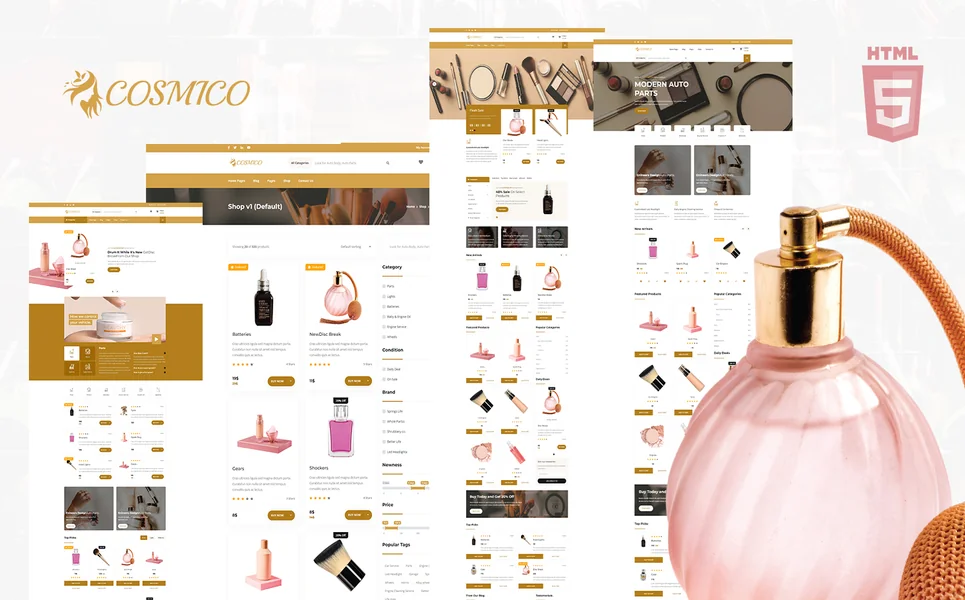
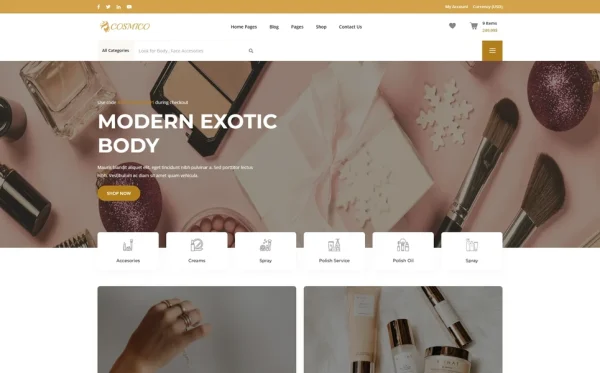
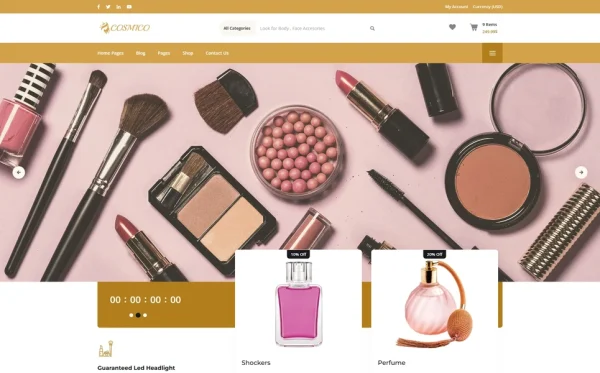
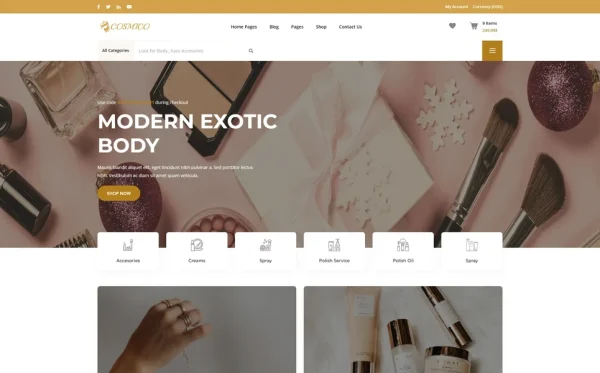
Cosmico is a beauty and cosmetics e-commerce HTML5 template designed to meet every dropshipping business requirement outlined in this guide. Built for dropshipping stores, direct-to-consumer brands, beauty retailers, skincare businesses, and online product stores, it delivers the most comprehensive e-commerce web presence — with 22 pages, three homepage layouts, four shop archive styles, two product detail page formats, multi-step checkout, price range filtering, countdown timers, wishlist, and a four-format blog section.
What Cosmico Includes
- 22 Fully Designed HTML5 Pages — complete e-commerce storefront from homepage to checkout
- 3 Unique Home Layouts — distinct hero styles for different brand positioning and seasonal campaigns
- 4 Shop Archive Layouts — four distinct product browsing styles for different product categories
- 2 Product Detail Page Styles — gallery-focused and specification-focused product presentation
- Multi-Step Checkout — jQuery Steps powered guided purchase flow for maximum completion rates
- Price Range Slider — ion.rangeSlider for budget-based product filtering
- jQuery Zoom — hover-to-magnify product images for detailed quality inspection
- Countdown Timer — flash sale, limited-time promotion, and new arrival urgency displays
- Wishlist Page — customer product saving for return-visit purchasing
- Blog Module (4 Formats) — grid, list, masonry, and single post for content marketing
- Legal Page — terms, privacy, and compliance information ready for your policies
- Isotope Grid Filtering — animated category-based product discovery and browsing
- Slick Carousel — featured product, testimonial, and promotional sliders
- Authentication Module — login and registration for customer accounts
- Custom 404 Error Page — branded error handling for broken links and mistyped URLs
Technical Foundation
Cosmico is built on Bootstrap 4 with Slick Carousel for featured product and promotional rotations, Isotope grid filtering for animated product category browsing, ion.rangeSlider for interactive price range filtering, jQuery Steps for multi-step checkout flow, jQuery Zoom for hover-to-magnify product image inspection, Countdown timer for flash sale and promotional urgency, Magnific Popup lightbox for full-screen product photo viewing, and Mean Menu for clean mobile navigation. The combination of four shop layouts, two product detail styles, and built-in conversion tools — multi-step checkout, price filtering, countdown urgency, and wishlist retention — provides the optimised e-commerce platform that turns casual browsers into paying customers.
The Conversion Optimisation Advantage: Cosmico is one of the most conversion-focused e-commerce templates available. The multi-step checkout reduces cart abandonment with guided progress, four shop layouts optimise browsing for different product categories, two product detail styles match presentation to product type, price range filtering accelerates discovery for budget-conscious shoppers, countdown timers create flash sale urgency, and wishlist functionality drives return visits. At 22 pages with four blog formats for organic content marketing, a legal page for compliance, and branded error handling, Cosmico provides enterprise-level e-commerce functionality at a one-time cost — eliminating the monthly platform fees and transaction percentages that eat into the thin margins that dropshipping businesses depend on.
Customisation Roadmap for Dropshipping Stores
Week One — Brand Identity and Store Setup: Define your store brand — name, logo, colour palette, typography, and brand voice. Select the homepage layout that best positions your store for your target demographic. Replace all placeholder content, configure the colour scheme to match your brand identity, and set up product categories with the shop archive layout that works best for each category. Source high-quality product photography or create consistent lifestyle shots for your hero product images.
Week Two — Product Pages and Checkout: Build product detail pages using the product page style that best suits each product type. Ensure all product images are high-resolution enough for jQuery Zoom inspection. Configure the multi-step checkout flow with your payment processor information, shipping options, and order confirmation messaging. Set up price range filtering with appropriate price boundaries for your product catalogue. Create your first flash sale with the countdown timer to drive early traffic.
Week Three — Content, Legal, and Launch: Write your legal page with privacy policy, terms of service, return policy, and shipping information. Create your first three blog posts — a product buying guide for your top category, a comparison article for your bestsellers, and a trend report for your niche. Configure Google Analytics 4 with e-commerce tracking for conversion data. Set up Facebook Pixel for retargeting campaigns. Test the entire purchase flow across all devices — especially mobile checkout. Deploy and submit to Google Search Console.
Frequently Asked Questions
Need Help Launching Your Dropshipping Store?
MetropolitanHost provides professional web development services for HTML template deployments. Our team understands e-commerce website requirements and delivers clean, conversion-optimised implementations that protect your margins.
- WordPress Theme Installation — live in under 24 hours
- Full Website Package — complete front-to-back deployment
- Colour Customisation — match your store brand across all pages
- Website Speed Optimisation — Core Web Vitals improvements
- Accessibility Compliance — WCAG audit and remediation