What Is a Rock Climbing Gym Website Template?
A rock climbing gym website template is a pre-designed, fully coded website built specifically for indoor climbing facilities, bouldering gyms, outdoor adventure clubs, climbing instruction schools, and extreme sports businesses. It includes every page a climbing gym needs — homepage with dynamic hero imagery and membership highlights, route and wall portfolio with filterable gallery, class and event schedules, instructor and guide profiles with skill certifications, membership pricing tiers, guided tour and adventure service pages, client testimonials with animated statistics, blog for climbing tips and safety content, and contact page with booking enquiry forms — all designed, responsive, and ready for your brand.
For climbing gyms that need a professional web presence without paying $8,000 to $20,000 for a custom build or $100 to $300 per month for a managed gym platform subscription, a template delivers the most practical path to a member-generating online presence. But climbing gym websites face a unique challenge: prospective climbers need to trust both the facility and the instruction before they walk through the door. First-time climbers especially are evaluating safety, professionalism, and community culture from your website alone. This guide covers what climbing gym members expect from your website, what technical features drive memberships, and how to choose the right template for your facility.
Template vs Gym Platform vs Custom Build
Climbing gym operators typically face three options when establishing their online presence:
| Factor | Gym Platform (Mindbody, RockGym Pro) | Rock Climbing Gym Website Template | Custom Website Build |
|---|---|---|---|
| Upfront Cost | $0–500 | $29–69 | $8,000–20,000 |
| Monthly Cost | $129–399/month | $3–10/month (hosting only) | $75–200/month |
| 3-Year Total Cost | $4,644–14,864 | $137–429 | $10,700–27,200 |
| Code Ownership | No — you rent it | Yes — you own it forever | Yes — you own it |
| Design Uniqueness | Same as every competitor gym | Fully customisable source code | Fully custom |
| Route Portfolio | Basic or none | Isotope-filtered gallery with multiple layouts | Any format |
| Instructor Profiles | Basic listing | Full team detail pages with skill charts | Any format |
| Animated Statistics | None | CountTo counters + EasyPieChart skill rings | Custom development |
| Vendor Lock-in | High — member data at risk | None | None |
Gym management platforms like Mindbody and RockGym Pro offer scheduling and member management tools but charge monthly fees that compound into significant overhead. A $249/month platform costs $8,964 over three years — funds that could upgrade route-setting equipment, add bouldering walls, or invest in marketing. A template provides the client-facing website that generates walk-ins and builds community trust, while allowing integration with any booking or management tool through embedded forms or API links.
What Climbers Expect From Your Gym Website
The climbing gym market has grown to $682 million in the United States alone in 2026, with over 1,800 facilities competing across North America. With 10 million individuals now engaging in gym-based climbing annually, the competition for new members is fierce. Your website is typically the first interaction a prospective climber has with your facility — and first impressions determine whether they book a day pass or visit a competitor instead. Here is what climbers evaluate:
Visual Proof of Facility Quality
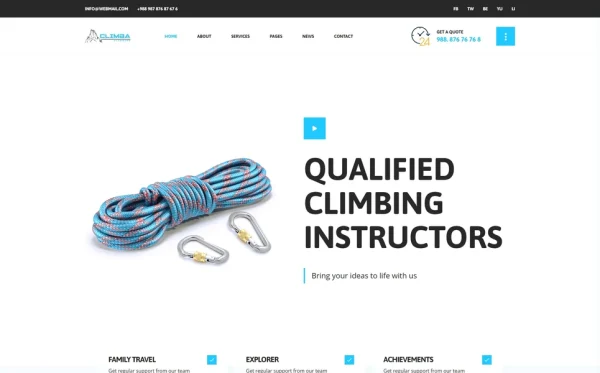
Climbing is a visually dramatic sport, and climbers expect your website to reflect that energy. High-quality photography showing the scale of your walls, the variety of your routes, the quality of your equipment, and the atmosphere of your community is non-negotiable. Generic stock photos of people on outdoor cliffs will not convince a prospective indoor climber that your facility is worth visiting. Climbers want to see your actual walls, your actual holds, your actual community. A filterable portfolio gallery — organised by wall type, difficulty grade, or climbing style — lets visitors explore your facility before they arrive, building excitement and reducing the anxiety that first-time climbers feel about visiting an unfamiliar space.
Route and Wall Information
Experienced climbers want to know what your gym offers before they drive across town. How many walls? What height? Top rope, lead, bouldering, or all three? What grades are available? How often are routes reset? A portfolio section organised by climbing style with detailed information about each area gives experienced climbers the technical information they need to decide your gym is worth their membership. For first-time visitors, a simpler overview page explaining what climbing styles you offer and what the experience looks like reduces intimidation and increases walk-in rates.
Instructor Credentials and Team Profiles
Safety is the number one concern for first-time climbers and for parents considering climbing programmes for their children. Team profiles showcasing instructor certifications — AMGA certification, first aid training, years of experience, climbing specialisations — transform anonymous staff into trusted professionals. Detailed team pages with individual instructor profiles, skill charts showing expertise areas, and personal climbing backgrounds build the credibility that converts nervous first-timers into confident members. EasyPieChart skill ring displays provide a visually engaging way to showcase each instructor’s technical proficiency across different climbing disciplines.
Membership Pricing Transparency
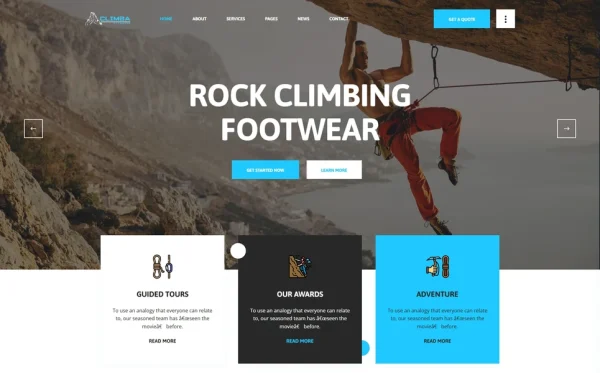
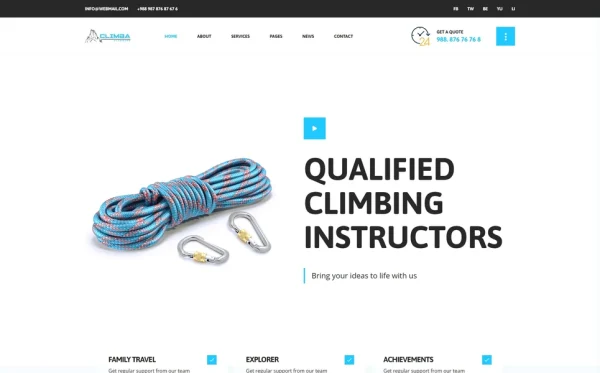
Climbing gym pricing varies significantly — from $15–25 for day passes to $60–150 for monthly memberships. Prospective members want to understand your pricing structure before calling or visiting. Clear pricing sections that show day pass rates, monthly membership tiers (individual, couple, family, student), annual membership discounts, and class package pricing eliminate the friction that hidden pricing creates. Services pages with detailed descriptions of what each membership tier includes — unlimited climbing, gear rental, guest passes, class access, locker use — help visitors self-select the right option for their needs.
Class Schedules and Event Listings
Climbing gyms are community hubs. Classes, competitions, social climbs, youth programmes, and special events drive recurring visits and build the community culture that retains members. Your website needs clear scheduling information — what classes are offered, when they run, who instructs them, what skill level they target, and how to register. A blog section provides the editorial space for event announcements, competition results, member spotlights, and climbing tips that keep your community engaged between visits.
First-Timer Welcome Experience
The climbing gym industry grows by converting curious non-climbers into regular members. Your website must explicitly address first-time visitors — what to expect, what to wear, whether equipment is provided, whether instruction is included with a day pass, how to get started. A dedicated “Why Choose Us” or “Getting Started” page that walks newcomers through the experience from arrival to first climb reduces the intimidation factor that prevents most people from trying indoor climbing. Animated statistics showing how many first-timers you have welcomed, how many members you serve, and how many years you have been operating provide the social proof that newcomers need to take the first step.
Mobile Experience for Local Discovery
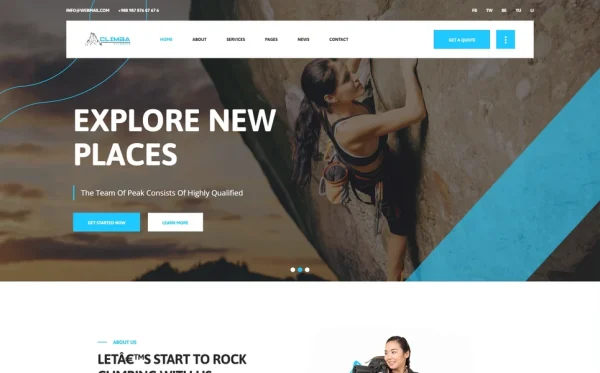
Climbing gym searches are overwhelmingly local and mobile. “Climbing gym near me,” “bouldering gym [city],” “rock climbing classes [neighbourhood]” — these searches happen on phones, often during spontaneous decision-making moments. Your website must load fast, look professional, and provide clear call-to-action buttons on mobile. Click-to-call phone numbers, mobile-optimised booking forms, and fast-loading portfolio galleries are essential for converting the mobile local search traffic that drives climbing gym revenue.
Technical Features That Drive Climbing Gym Memberships
Beyond visual design, certain technical features specifically enhance climbing gym websites and improve member acquisition.
Isotope Filterable Route Portfolio
Isotope provides animated, category-based filtering for route and wall portfolio galleries. Visitors click climbing categories — Bouldering, Top Rope, Lead Climbing, Speed Wall, Kids Zone — and the gallery rearranges to show only matching wall photos and route details. This targeted viewing helps experienced climbers evaluate your specific offerings, while giving first-timers a visual tour of the facility organised by climbing type. Multiple portfolio layouts — grid, slider, and masonry — provide flexibility in how you present different types of climbing content.
EasyPieChart Instructor Skill Displays
EasyPieChart creates animated circular progress indicators that are perfect for showcasing instructor skills. Display each instructor’s proficiency in bouldering, lead climbing, route setting, belay certification, and youth instruction as visual skill rings that animate when scrolling into view. This data visualisation makes instructor credentials immediately understandable — visitors can see at a glance which instructors specialise in the climbing style they are interested in.
CountTo Animated Business Statistics
CountTo triggers animated number counting when business statistics scroll into view — members served, routes available, years operating, first-timers welcomed. For climbing gyms competing against other facilities in their area, these animated credibility metrics differentiate established gyms from new competitors. A gym showing “15,000+ climbers served” and “200+ routes available” communicates scale and variety that a new facility’s website simply cannot match.
Slick Carousel for Testimonials and Showcases
Slick Carousel provides responsive, touch-enabled carousels for member testimonials, event highlights, and facility showcases. For climbing gyms, carousel testimonials keep social proof rotating through member stories without consuming excessive page space. Touch-swipe support makes carousel browsing natural on mobile devices where climbing gym searches predominantly occur. Feature your most compelling member transformation stories, competition highlights, and community events in rotating showcases that keep the homepage dynamic.
Magnific Popup for Full-Screen Gallery Viewing
Magnific Popup enables full-screen lightbox viewing of climbing wall photos, route details, and event imagery. When prospective members browse your portfolio gallery, clicking any image opens a full-screen view that showcases the detail and scale of your facility. This immersive viewing experience is particularly important for climbing gyms because wall height, route complexity, and facility atmosphere are best appreciated at full screen resolution.
Cost Breakdown: Climbing Gym Website Options
Climbing gyms operate on tight margins, particularly during their first few years. Understanding the true cost of each website approach helps gym owners make informed investments:
| Cost Component | HTML Template | Gym Platform (Mindbody) | Custom Build |
|---|---|---|---|
| Template / License | $29–69 (one-time) | $0 | N/A |
| Hosting | $36–120/year | Included | $120–600/year |
| Platform Fee | None | $1,548–4,788/year | None |
| Portfolio Gallery | Built-in Isotope filtering | Basic or none | $1,500–4,000 custom |
| Skill Charts | Built-in EasyPieChart | None | $800–2,000 custom |
| Design Customisation | $0–500 | $0–200 | $5,000–12,000 |
| Total Year One | $65–689 | $1,548–5,288 | $7,420–18,600 |
| 3-Year Total | $137–929 | $4,644–14,864 | $7,660–19,800 |
Revenue Per Dollar Invested: A climbing gym spending $249/month on a website platform spends $2,988 per year. At an average day pass price of $20, that platform fee equals 149 lost day passes annually — revenue that could fund new route-setting equipment, wall expansions, or marketing campaigns. An HTML template at $29–69 preserves that budget for the physical facility improvements that actually drive membership growth. With 18 pages including portfolio showcasing, instructor skill displays, and animated statistics, the template delivers more features than most platforms at a fraction of the cost.
How to Choose the Right Climbing Gym Template
Not all templates serve the climbing industry effectively. Here is what to evaluate specifically for climbing gym use:
Check for a Portfolio Module
This is the single most important differentiator. A climbing gym template with a built-in filterable portfolio gallery immediately outperforms any template without one. The portfolio is how you showcase your walls, routes, and facility — it is the climbing gym equivalent of a restaurant’s food photography. If the template does not include multiple portfolio layout options with Isotope category filtering, you will need custom development to add one — which can cost $1,500–4,000 and defeat the purpose of buying a template.
Evaluate Team Profile Depth
Navigate to the team section. Does it include individual instructor detail pages beyond a basic grid? Are there skill charts or progress indicators for showcasing certifications? Climbing gym credibility depends heavily on instructor qualifications — templates with shallow team sections that only show names and photos miss the safety credibility that drives first-timer conversions.
Count the Page Depth
A comprehensive climbing gym template should include: multiple homepage layouts for different seasonal campaigns, portfolio pages in multiple formats, services overview and detail pages for classes and programmes, team overview and individual instructor pages, a why choose us or getting started page, blog for community content, FAQ, and contact page. Templates with 15+ pages provide the structural depth needed to present a full climbing gym without custom development. Templates under 10 pages often leave critical programme pages missing.
Test the Services Page Structure
Check whether service pages provide enough structure for detailed programme descriptions with pricing, schedules, and booking calls to action. Climbing gyms offer multiple programmes — adult climbing, youth programmes, lead climbing courses, belay certification, team building events, birthday parties — and each needs its own detailed service page with clear pricing and registration information.
Common Mistakes When Building a Climbing Gym Website
Using Generic Adventure Stock Photography
The most common climbing gym website mistake is using stock photos of outdoor rock climbing on cliff faces to represent an indoor climbing facility. Prospective members are evaluating your specific facility — they want to see your walls, your holds, your community. Stock photos of someone climbing El Capitan does not tell them anything about your 30-foot bouldering wall in a warehouse. Invest in professional photography of your actual facility, or at minimum use a template that showcases the portfolio gallery prominently so your real photos get the attention they deserve.
Ignoring the First-Timer Journey
Most climbing gym websites are designed for existing climbers — they assume visitors already understand climbing terminology, equipment, and etiquette. But the growth market is non-climbers. Every prospective member who has never climbed before is asking fundamental questions: “Is it safe?” “Do I need to be fit?” “What do I wear?” “Do I need to bring equipment?” A website that fails to address these questions loses the exact demographic that drives gym growth. A dedicated “Getting Started” or “Why Choose Us” page that walks newcomers through the experience eliminates the intimidation that prevents first visits.
Hiding Pricing Behind Phone Calls
Climbing gym pricing is straightforward — day passes, memberships, class packages. There is no reason to hide it. Prospective members comparing gyms will skip any facility that requires a phone call to learn basic pricing. Display your rates clearly with descriptions of what each tier includes. The gyms that win members are the ones that make the comparison easy and confident.
No Blog or Community Content
Climbing gyms thrive on community. A website without blog content — competition results, member spotlights, climbing tips, route-setting updates, event announcements — is a static brochure that gives members no reason to return. Blog content also drives organic search traffic from local climbing-related queries, bringing your gym to the attention of climbers who did not know you existed. Regular content signals to both search engines and prospective members that your gym is active, engaged, and growing.
Climba — A Climbing Gym Template Built for the Adventure Sports Market
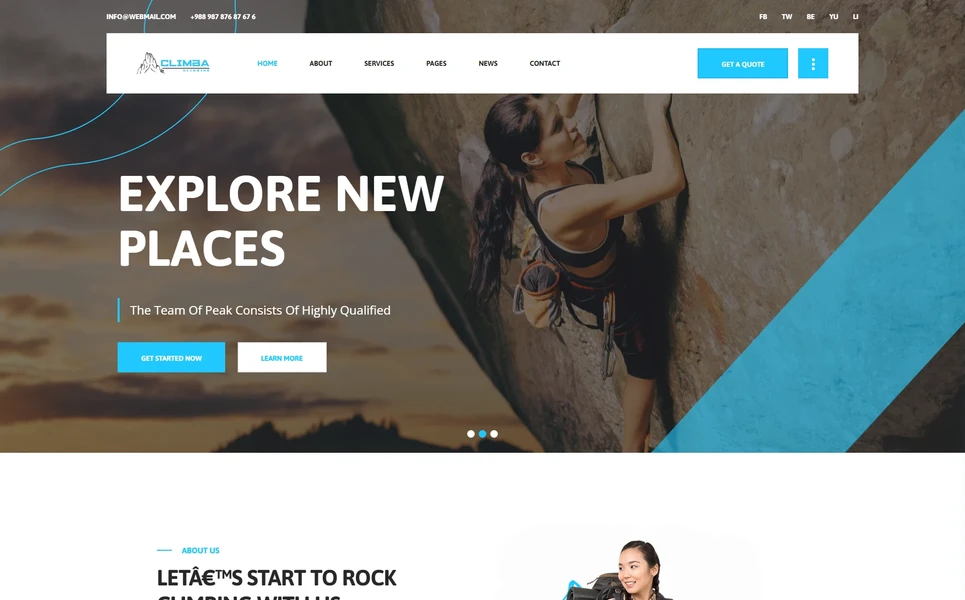
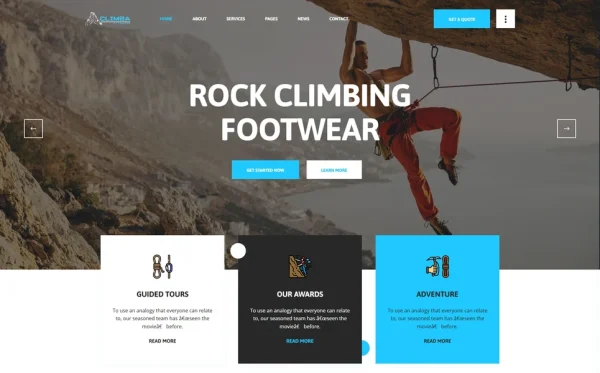
Climba is a rock climbing and adventure sports HTML5 template designed to meet every requirement outlined in this guide. Built for indoor climbing gyms, bouldering facilities, adventure sports clubs, outdoor tour operators, and extreme sports businesses, it delivers a comprehensive climbing gym web presence — with 18 pages, three homepage layouts, a multi-format portfolio gallery, instructor team profiles with skill charts, animated statistics, services module, and a full blog section.
What Climba Includes
- 18 Fully Designed HTML5 Pages — complete climbing gym web presence from homepage to contact
- 3 Unique Home Layouts — distinct hero styles for seasonal campaigns and different gym personalities
- Portfolio Module (4 Formats) — grid, slider, masonry, and detail page layouts for showcasing walls, routes, and events
- Isotope Grid Filtering — visitors filter portfolio items by climbing type, difficulty, or wall area
- Services Module — services overview plus individual service detail pages for classes and programmes
- Team Profiles — instructor overview grid plus individual team detail pages with credentials
- EasyPieChart Skill Rings — animated circular progress indicators for instructor skill showcasing
- CountTo Animated Statistics — climbers served, routes available, years operating, first-timers welcomed
- Why Choose Us Page — dedicated value proposition and differentiators showcase for first-timers
- Blog Module (3 Formats) — standard, grid, and full-article detail formats for community content
- Slick Carousel — rotating testimonials, event highlights, and facility showcases
- Magnific Popup Lightbox — full-screen wall and route photo viewing
- Mean Menu Mobile Navigation — clean, functional mobile menu for local search traffic
- FAQ Page — common climber and visitor questions pre-structured and ready for your answers
Technical Foundation
Climba is built on Bootstrap 4 with Slick Carousel for testimonial and showcase rotations, Isotope grid filtering for portfolio browsing by climbing category, Magnific Popup lightbox for full-screen facility photo viewing, CountTo for animated business statistics, EasyPieChart for instructor skill ring displays, Mean Menu for clean mobile navigation, and Chart.js for data visualisation. The four-format portfolio module — grid, slider, masonry, and individual detail pages — provides the visual showcasing flexibility that climbing gyms need to present walls, routes, events, and facility areas in the format that best tells each story.
The Portfolio Advantage: Climba is one of the most complete climbing gym templates available, featuring a four-format portfolio module with Isotope category filtering. Prospective members can browse your walls, routes, and events by climbing type — bouldering, top rope, lead climbing, kids zone — seeing exactly the facilities that match their interests. Combined with EasyPieChart instructor skill displays, CountTo animated statistics, and three homepage layouts for seasonal flexibility, Climba provides the visual storytelling tools that convert website visitors into gym members. At 18 pages with dedicated service detail pages, team profiles, and a why choose us section for first-timers, it covers every aspect of climbing gym web presence without custom development.
Customisation Roadmap for Climbing Gyms
Week One — Photography and Core Content: Photograph every wall, route area, and community space in your facility. Capture action shots of climbers on your walls — with permission — that show the energy and community atmosphere. Replace all placeholder content, adjust brand colours to match your gym’s identity, and populate the portfolio gallery with your strongest facility photos organised by climbing type.
Week Two — Services, Team, and Pricing: Set up individual service pages for each programme — day climbing, monthly membership, youth programmes, lead climbing courses, belay certification, team building, birthday parties. Create instructor profile pages with certifications, experience, and specialisation details. Configure the EasyPieChart skill rings with accurate instructor proficiency data. Populate pricing sections with your current rate structure across all membership tiers.
Week Three — Community Content and Launch: Write the “Why Choose Us” page content addressing first-time visitor concerns. Create your first three blog posts — a facility tour article, a beginner’s guide to indoor climbing, and an upcoming events preview. Set up Google Business Profile and link to your website. Configure Google Analytics 4 and conversion tracking on booking forms and membership enquiry pages. Test across all devices with emphasis on mobile performance. Deploy and submit to Google Search Console.
Frequently Asked Questions
Need Help Launching Your Climbing Gym Website?
MetropolitanHost provides professional web development services for HTML template deployments. Our team understands fitness and recreation industry website requirements and delivers clean, conversion-optimised implementations.
- WordPress Theme Installation — live in under 24 hours
- Full Website Package — complete front-to-back deployment
- Colour Customisation — match your climbing brand across all pages
- Website Speed Optimisation — Core Web Vitals improvements
- Accessibility Compliance — WCAG audit and remediation