 Residential real estate has undergone a digital transformation that would have been unrecognizable a decade ago. Today, over 97 percent of homebuyers begin their search online, and the quality of a real estate website directly correlates with lead generation, agent credibility, and transaction volume. Whether you are an independent real estate agent, a boutique agency, a property developer, or a listing portal operator, your website is the first showing every potential client sees, and first impressions in real estate determine whether someone picks up the phone or clicks away to a competitor.
The stakes are high. The average residential real estate commission on a single transaction runs into the thousands of dollars. Every lead your website fails to capture represents significant lost revenue. Yet many real estate professionals operate with outdated websites that lack the search functionality, visual quality, and mobile experience that today’s buyers expect after years of using Zillow, Realtor.com, and Redfin as their baseline standard.
This guide provides a comprehensive roadmap for choosing and deploying a residential real estate website template. You will learn which features drive conversions, how to structure your listings for maximum search visibility, what technology decisions matter most, and how to evaluate templates before making a purchase.
Residential real estate has undergone a digital transformation that would have been unrecognizable a decade ago. Today, over 97 percent of homebuyers begin their search online, and the quality of a real estate website directly correlates with lead generation, agent credibility, and transaction volume. Whether you are an independent real estate agent, a boutique agency, a property developer, or a listing portal operator, your website is the first showing every potential client sees, and first impressions in real estate determine whether someone picks up the phone or clicks away to a competitor.
The stakes are high. The average residential real estate commission on a single transaction runs into the thousands of dollars. Every lead your website fails to capture represents significant lost revenue. Yet many real estate professionals operate with outdated websites that lack the search functionality, visual quality, and mobile experience that today’s buyers expect after years of using Zillow, Realtor.com, and Redfin as their baseline standard.
This guide provides a comprehensive roadmap for choosing and deploying a residential real estate website template. You will learn which features drive conversions, how to structure your listings for maximum search visibility, what technology decisions matter most, and how to evaluate templates before making a purchase.
How Homebuyers Actually Use Real Estate Websites
Understanding buyer behavior is the foundation of every design decision your website should make. Modern homebuyers do not browse real estate websites the way they browsed five years ago. The typical homebuyer visits a real estate website with a specific intent: they want to search for properties in a specific area, within a specific price range, with specific bedroom and bathroom counts. They expect results instantly. They expect to view high-quality photos without waiting for slow page loads. They expect to compare multiple properties side by side. And they expect to do all of this on their phone while sitting on the couch after dinner.The average homebuyer spends 10 weeks searching for a home and visits an average of 4 different real estate websites during that period. The sites that retain users are the ones with the best search functionality, fastest load times, and most comprehensive listing detail pages.
Essential Pages for a Residential Real Estate Website
A competitive real estate website requires significantly more pages than a typical business site. The depth and breadth of your page structure directly affects both user experience and search engine visibility. Property Listing Pages in Multiple Views You need at least three viewing options: a card grid view for quick browsing, a list view with more detail per listing, and a map view for location-based search. Each view should support filtering by price range, bedrooms, bathrooms, property type (house, condo, townhouse, land), and square footage. Property Detail Pages Each listing needs a dedicated page with a full photo gallery, property specifications table, description, location map, nearby amenities, virtual tour embed (if available), and a prominent contact form or scheduling CTA. Multiple detail page layouts give you flexibility to showcase different property types appropriately. Agent and Dealer Directory Pages If your website represents multiple agents or offices, agent archive and detail pages are essential. Each agent profile should include a headshot, bio, active listings, sold history, specializations, and contact information. Dealer or office pages serve the same function for multi-location brokerages. Property Comparison Page Allow users to add multiple listings to a comparison view that displays key metrics side by side. This feature reduces the back-and-forth between individual listing pages and accelerates the decision-making process. Submit Listing Form If your platform accepts listings from third-party agents or homeowners, a structured submission form with fields for property details, photos, pricing, and contact information streamlines the intake process and ensures data consistency. Blog and Content Pages Market reports, neighborhood guides, homebuyer tips, mortgage calculators, and moving checklists drive organic search traffic and position your brand as a trusted resource. A blog module with grid, list, and single post layouts gives you the flexibility to present different content types effectively. Account Management Pages Login, registration, and profile pages let users save favorite listings, set up search alerts, and manage their preferences. These features dramatically increase return visits and time on site.Design Principles That Sell Properties
Real estate website design must serve a singular purpose: making properties look their absolute best while keeping the search and inquiry process effortless. Photography is everything. Your template must support large, high-resolution hero images on listing pages. Lightbox functionality that allows full-screen photo viewing is mandatory. If your template constrains images to small thumbnails, you are undermining the single most important selling tool in real estate. White space and clean typography create the premium feel that sellers expect from their listing agent’s website and that buyers associate with quality properties. Cramped layouts with cluttered sidebars and competing visual elements make properties look less valuable by association. Navigation should prioritize the property search function. Many successful real estate websites place a search form directly in the homepage hero section, allowing visitors to begin their search within seconds of arriving. Dedicated navigation links to featured listings, recently added properties, and open houses keep the most time-sensitive content easily accessible. Mobile responsiveness is non-negotiable. Real estate browsing happens everywhere: during commutes, at open houses (comparing to other listings), at dinner conversations, and late at night. Your template must deliver a complete, fully functional experience on screens of every size.Technology Stack for Real Estate Templates
The right technology stack ensures your real estate website performs well, scales with your listing volume, and remains maintainable as your business grows.| Technology | Purpose | Real Estate Application |
|---|---|---|
| Bootstrap 5 | Responsive grid and UI components | Property cards, agent profiles, search forms |
| Isotope | Filterable grid layouts | Filter listings by type, price, location |
| Slick Carousel | Image and content sliders | Property photo galleries, featured listings |
| Magnific Popup | Full-screen lightbox | High-res property photo viewing |
| Select2 | Enhanced dropdown filters | Location, property type, agent selection |
| Masonry | Dynamic grid layouts | Gallery pages, mixed-size listing cards |
| Countdown | Timer functionality | Open house countdowns, offer deadlines |
| jQuery Steps | Multi-step forms | Property submission wizard |
SEO Strategy for Real Estate Websites
Real estate SEO is hyper-local by nature. Your organic search strategy should target the specific neighborhoods, cities, and counties where you operate. Every property listing page should target location-specific long-tail keywords: “3 bedroom house for sale in [neighborhood],” “condos under $300,000 in [city],” “waterfront homes [county].” Your template needs to support unique page titles, meta descriptions, and heading structures for each listing to capture this granular search traffic.Neighborhood landing pages are the highest-ROI content type for real estate SEO. A page dedicated to each neighborhood you serve, with market statistics, school information, lifestyle descriptions, and current listings, can rank for dozens of local search queries and generate qualified leads for years.
Cost of Building a Real Estate Website
Real estate websites range from simple agent portfolio sites to complex listing portals with thousands of pages. Your costs will scale accordingly.| Approach | Cost Range | Timeline | Best For |
|---|---|---|---|
| Premium HTML5 Template | $19 – $59 | 1 – 3 weeks | Agents and small agencies |
| WordPress + IDX Plugin | $200 – $800 | 3 – 6 weeks | MLS-integrated agency sites |
| Custom Freelance Build | $5,000 – $15,000 | 6 – 12 weeks | Branded agency portals |
| Full Portal Development | $25,000 – $100,000+ | 3 – 6 months | Multi-agent listing platforms |
| SaaS Real Estate Platform | $50 – $300/mo | 1 – 2 weeks | Quick launch, limited control |
Casita: The Most Complete Real Estate Website Template
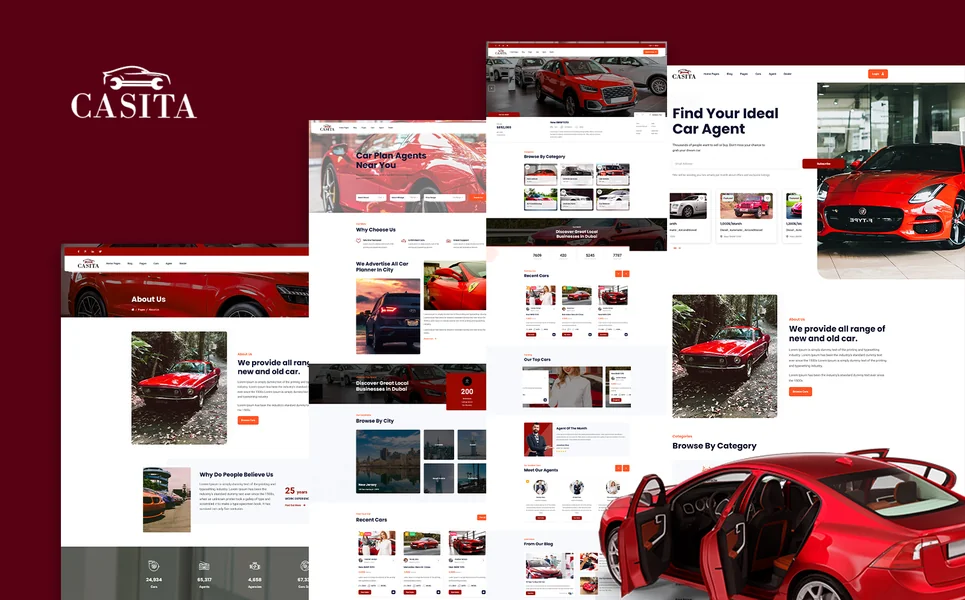
Casita is a polished, feature-complete HTML5 template built specifically for real estate agencies, property listing portals, estate agents, and property developers. With over 30 fully crafted HTML pages and 3 unique home layouts, it delivers one of the most comprehensive real estate web presences available in a single template. What sets Casita apart from simpler real estate templates is its depth. The template includes property listings in three viewing modes (grid, list, and interactive map view), three distinct property detail page styles, a property comparison tool, and a submit listing form for third-party contributions. This level of listing functionality is typically only found in custom-built portals costing tens of thousands of dollars. The agent and dealer directory system provides archive pages and individual profile pages for both agents and dealers, making Casita suitable for multi-agent brokerages and franchise operations. Two services page layouts and two pricing plan layouts add commercial flexibility, while the gallery page showcases properties and developments with visual impact. Built on Bootstrap 5 with Slick carousels, Isotope filtering, Magnific Popup lightbox, jQuery Steps, Countdown timer, Select2 enhanced dropdowns, and Masonry grid layouts, Casita’s technology stack covers every functional requirement a serious real estate website demands. The complete account management system (login, register, and user profile pages) supports the saved listings and search alert functionality that drives repeat engagement.Implementation Guide: From Template to Live Real Estate Site
Launching a real estate website requires careful attention to content quality and data structure. Here is the step-by-step process. Week One: Setup and Branding Deploy the template on your hosting, customize colors and typography to match your brand, upload your logo, and configure the navigation structure. Replace all placeholder images and text with your actual content. Week Two: Listing Data Population Create your property listings with high-quality photography, accurate specifications, compelling descriptions, and proper categorization. Set up the filtering system with your specific property types, neighborhoods, and price ranges. Configure the map view with correct locations. Week Three: Agent Profiles and Content Build out agent and dealer profile pages with professional headshots, bios, and credentials. Write and publish initial blog content targeting your primary local keywords. Create neighborhood guide pages for your top markets. Week Four: Testing and Launch Test all functionality across devices: property search, filtering, comparison, contact forms, and account registration. Verify page load speeds and optimize images if needed. Submit your sitemap to Google Search Console, configure analytics, and launch.Frequently Asked Questions
The three features with the highest impact on conversion are property search with robust filtering, high-quality photo galleries with lightbox viewing, and mobile responsiveness. Secondary features that significantly improve engagement include map-based search, property comparison, and agent profile pages with direct contact forms.
IDX (Internet Data Exchange) integration is valuable if you want to display MLS listings on your website automatically. However, IDX requires a separate subscription ($50-$100/month) and works best with WordPress or custom platforms. An HTML5 template can still be effective without IDX if you manually manage your listing pages, which many boutique agencies and independent agents prefer for quality control.
At minimum, your template should offer grid view and list view. A map view is increasingly expected and significantly improves user engagement. The most comprehensive templates also offer multiple detail page styles to accommodate different property types, from compact condo listings to sprawling estate showcases.

Yes. Property comparison reduces the friction in the decision-making process by letting buyers see key metrics side by side without switching between tabs or taking notes. Sites with comparison features report longer session durations and higher contact form submission rates.
A premium HTML5 template ($19-$59) with hosting ($5-$20/month) and a domain ($10-$15/year) delivers a professional site for under $300 in the first year. This is the most cost-effective option for independent agents and small agencies. Multi-agent portals with MLS integration typically require $5,000-$15,000 for custom development.


Bootstrap 5 is the standard framework for professional real estate templates. It provides the responsive grid system needed for property cards, the form components required for search and inquiry forms, and the modal and lightbox infrastructure essential for property photo galleries. Combined with Isotope for filtering and Select2 for enhanced search dropdowns, Bootstrap 5 covers every functional need.
SaaS platforms offer speed and convenience but limit your design control, charge monthly fees, and make it difficult to migrate later. A custom template gives you complete ownership, unlimited customization, and no recurring platform fees. For agents and agencies who want a unique brand presence rather than a cookie-cutter site, templates provide significantly better long-term value.