What Is a Legal Services Website Template?
A legal services website template is a pre-designed, fully coded website built specifically for legal service providers — including paralegal agencies, legal consultancies, document preparation services, mediation firms, compliance advisory practices, notary publics, and solo legal practitioners. It includes every page a legal services business needs — homepage with service overview and trust credentials, detailed practice area pages with individual specialisation breakdowns, attorney and consultant profiles, client testimonial pages, consultation booking with date selection, blog for legal insights and regulatory updates, shop for legal products and resources, and contact page with appointment request forms — all designed, responsive, and ready for your brand.
For legal services providers that need a professional web presence without paying $8,000 to $25,000 for a custom build or $100 to $400 per month for a managed legal platform, a template delivers the most practical path to a client-generating online presence. But legal services websites carry a unique burden: they must communicate authority, trustworthiness, and competence from the first impression. Potential clients evaluating legal services are often stressed, confused, or facing time-sensitive situations — your website must instantly signal that your firm can handle their matter with professionalism and discretion. This guide covers what legal services clients expect from your website, what technical features drive consultations, and how to choose the right template for your practice.
Legal Services vs Law Firm: An Important Distinction
The legal services sector extends far beyond traditional law firms. While law firms focus on courtroom litigation and legal representation, legal services encompass a broader ecosystem of professionals who help individuals and businesses navigate legal processes without necessarily appearing in court. Paralegal services, legal document preparation, contract review, compliance consulting, immigration assistance, intellectual property filing, real estate closings, mediation, arbitration, and notarial services all fall under the legal services umbrella. Your website template must reflect this broader professional scope — not just the courtroom drama that traditional law firm templates emphasise.
Template vs Legal Platform vs Custom Build
| Factor | Legal Platform (LawLytics, Clio) | Legal Services Website Template | Custom Website Build |
|---|---|---|---|
| Upfront Cost | $0–500 | $29–69 | $8,000–25,000 |
| Monthly Cost | $100–400/month | $3–10/month (hosting only) | $100–300/month |
| 3-Year Total Cost | $3,600–14,900 | $137–429 | $11,600–35,800 |
| Code Ownership | No — you rent it | Yes — you own it forever | Yes — you own it |
| Design Uniqueness | Same as every competitor | Fully customisable source code | Fully custom |
| Practice Area Pages | Template-based within platform | Dedicated module with detail pages | Any format |
| Consultation Booking | Platform-integrated | DatePicker appointment selection | Custom development required |
| Attorney Profiles | Basic listing format | Team pages with full profiles | Any format |
| Vendor Lock-in | High — content migration difficult | None | None |
Legal platforms like LawLytics and Clio Sites offer practice management integration but charge monthly fees that compound into substantial overhead. A $200/month platform costs $7,200 over three years — funds that could hire a part-time paralegal, invest in continuing education, or fund client outreach. A template provides the client-facing website that generates consultations and builds credibility, while allowing integration with any practice management tool through embedded forms or API connections.
What Legal Services Clients Expect From Your Website
People seeking legal services are making one of the highest-trust purchasing decisions of their lives. Whether they need help with a contract dispute, immigration paperwork, estate planning documents, or compliance review, they are entrusting sensitive personal and financial information to your practice. Your website must overcome scepticism and build confidence before the first consultation. Here is what legal services clients evaluate:

Clear Practice Area Definitions
The single most important element on any legal services website is clear, detailed practice area descriptions. Generic statements like “we provide legal services” communicate nothing meaningful. Clients searching for help with employment disputes need to see that you handle wrongful termination claims, workplace discrimination, severance negotiation, non-compete agreement review, and whistleblower protection. Clients needing immigration assistance want to verify you handle H-1B petitions, family-based green cards, DACA renewals, and naturalisation applications.
Each practice area deserves its own dedicated page with a thorough explanation of what the service involves, who typically needs it, what the process looks like from initial consultation to resolution, approximate timelines, and what documents or information the client should prepare. This level of detail pre-qualifies visitors — those who read your practice area pages and then request a consultation already understand what you offer and are ready to engage. Individual practice area detail pages also serve as landing pages for specific search queries, dramatically expanding your organic search footprint beyond your homepage.
Professional Credentials and Team Authority
Legal services clients scrutinise credentials more than clients in almost any other industry. Bar admissions, years of experience, notable case outcomes, professional affiliations, published articles, speaking engagements, awards, and educational background all influence the trust decision. Team profile pages that present each attorney, paralegal, or consultant with their full professional history transform your website from an anonymous business listing into a credible professional practice.
Beyond individual profiles, animated statistics displaying years of combined experience, cases handled, client satisfaction rates, and jurisdictions served provide instant credibility signals that visitors absorb in seconds. A firm showing “500+ cases handled, 25 years combined experience, 98% client satisfaction” communicates competence faster than paragraphs of marketing copy.
Consultation Booking Accessibility
Legal services clients often face time-sensitive situations — a contract deadline approaching, a compliance audit pending, an immigration filing window closing. Your website must make booking a consultation effortless. DatePicker functionality that allows visitors to select preferred consultation dates directly from your website removes the friction of phone tag and email exchanges. When a stressed client can choose an available date, provide their contact details and a brief description of their legal matter, and receive confirmation — all from their phone at midnight — you capture consultations that competitors with “call during business hours” lose entirely.
Prominent consultation request forms on practice area pages, team profile pages, and the contact page ensure that no matter where a visitor is in their decision journey, the path to engagement is always one click away. Multiple consultation touchpoints — header bar, practice area sidebar, footer — capture both decisive visitors who know what they need and cautious visitors who have been reading your content and building confidence gradually.
Client Testimonials and Case Results
In legal services, social proof carries extraordinary weight. A dedicated testimonials page that showcases client reviews, case outcomes, and satisfaction metrics provides the reassurance that anxious clients need. Unlike restaurant reviews or product ratings, legal testimonials often describe high-stakes situations where the client felt vulnerable — their words carry deep emotional resonance with visitors in similar circumstances. Presenting testimonials with context (the type of legal matter, the challenge faced, and the outcome achieved) makes them far more persuasive than generic five-star ratings.
Educational Blog Content
Legal services clients frequently search for information before searching for providers. “How to prepare for a contract dispute,” “what documents do I need for a green card application,” “understanding non-compete clauses in employment contracts” — these searches represent people in the research phase who have not yet committed to hiring a legal services provider. A blog that answers these questions positions your practice as an authority, captures organic search traffic, and nurtures visitors from information-seeking to consultation-booking.
Blog formats that support multiple content types — standard articles for detailed legal guides, grid layouts for practice area news roundups, and sidebar-enabled posts for articles with table of contents and related reading — provide editorial flexibility. Legal content is inherently detailed and technical, so blog templates must accommodate long-form articles with clear heading hierarchy, bulleted lists for procedural steps, and embedded consultation CTAs within the content flow.
Essential Features for a Legal Services Website
Legal services websites require specific technical features that general business templates cannot provide. Here are the features that directly impact client acquisition and professional credibility:

Practice Areas Module With Detail Pages
A dedicated practice areas module — an overview page listing all specialisations with a grid or list layout, plus individual detail pages for each practice area — is the foundation of an effective legal services website. The overview page serves as a directory that visitors scan to find their specific need, while detail pages provide the depth required to demonstrate expertise. Each detail page should accommodate a comprehensive service description, relevant legal context, step-by-step process explanation, key considerations, and a consultation request CTA.
Multi-Layout Shop for Legal Products
Modern legal services firms generate revenue beyond consultations through legal products — document template packages, compliance checklists, self-help legal guides, contract templates, estate planning workbooks, and business formation kits. A shop module with multiple layout options (left sidebar for category filtering, right sidebar for featured items, full-width for maximum product visibility, and individual product detail pages) provides the e-commerce capability to monetise legal knowledge products alongside service revenue.
Animated Hero Effects and Visual Authority
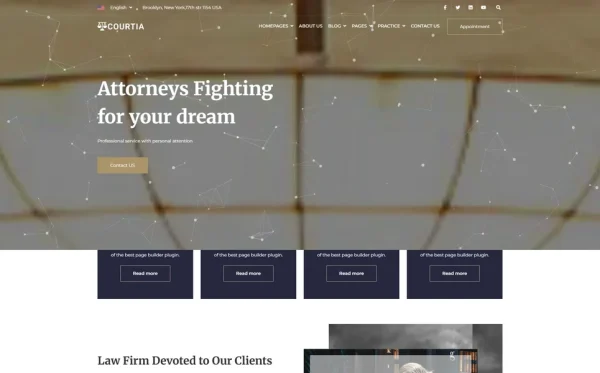
First impressions in legal services are disproportionately important. Particles.js animated backgrounds create a modern, sophisticated hero section that immediately differentiates your practice from competitors using static images or generic stock photography. Combined with WOW.js scroll animations that reveal content sections with smooth entrance effects, these visual elements communicate technological competence and attention to detail — qualities clients associate with thorough, professional legal work.
Mobile-First Responsive Design
Legal service searches increasingly originate from mobile devices, especially for urgent matters. A responsive framework ensures that practice area pages, attorney profiles, consultation booking forms, and contact information are fully accessible on smartphones and tablets. Touch-friendly navigation, click-to-call phone numbers, and mobile-optimised forms capture consultations from clients who discover your practice during commutes, lunch breaks, or late-night research sessions.
How Much Does a Legal Services Website Cost?
Understanding the full cost landscape helps legal services providers make informed budget decisions. Here is a detailed breakdown of all costs involved in establishing and maintaining a legal services website:
| Cost Component | Template Approach | Custom Build |
|---|---|---|
| Website Template / Design | $29–69 (one-time) | $8,000–25,000 |
| Domain Name (.com) | $10–15/year | $10–15/year |
| Web Hosting | $3–10/month | $20–80/month |
| SSL Certificate | Free (Let’s Encrypt) | Free–$200/year |
| Professional Email | $6/user/month (Google) | $6/user/month |
| Consultation Booking Tool | $0–15/month (Calendly) | Custom built into project |
| Legal CRM Integration | $30–80/month (Clio, PracticePanther) | $30–80/month + API work |
| Content Writing (10 pages) | $500–2,000 | Often included |
| Logo & Branding | $0–500 | $500–3,000 |
| Year 1 Total | $610–2,850 | $9,500–30,000 |
| Annual Maintenance (Year 2+) | $150–500 | $1,200–5,000 |
The template approach delivers Year 1 savings of $7,000 to $27,000 compared to a custom build. Over three years, the cumulative savings reach $9,000 to $36,000 — enough to hire a junior paralegal for six months, fund a substantial advertising campaign, or invest in practice management software that directly impacts service delivery. For solo practitioners, small firms, and legal services startups, these savings can mean the difference between a sustainable launch and an overextended budget.
Common Mistakes in Legal Services Web Design
Legal services websites fail most often not because of technical shortcomings but because of strategic missteps. Avoid these common errors:
Using Stock Courtroom Photography
Generic stock images of gavels, courthouse columns, balanced scales, and handshakes in suits have become so overused in legal web design that they now signal laziness rather than professionalism. Every competing legal services website uses the same imagery from the same stock libraries. Your website should use original photography of your team, your office, your actual work environment — or abstract, modern visual treatments like animated particle effects that avoid cliched legal imagery entirely.
Burying Contact Information
A surprising number of legal services websites hide their phone number, email, and consultation booking behind multiple clicks. Your primary contact information and consultation booking CTA should be visible on every page — in the header bar, within practice area content, and in the footer. Clients in urgent legal situations will not search your website for a contact page; if the phone number is not immediately visible, they will click the back button and contact the next firm in search results.
Neglecting Practice Area SEO
Many legal services websites create a single page listing all practice areas in bullet points. This approach wastes the most valuable SEO opportunity available to legal services providers. Each practice area — contract law, immigration services, estate planning, business formation, employment law, intellectual property — represents a distinct search query with its own audience. Individual practice area detail pages with comprehensive content rank for specific queries that a summary page never will, multiplying your organic traffic by the number of practice areas you serve.
How to Evaluate a Legal Services Template
Not every website template labelled “legal” actually serves legal services providers well. Here is a practical evaluation framework:
Practice Area Architecture
Does the template include a dedicated practice areas module with both an overview page and individual detail pages? A template that only offers a single services page with icons and descriptions falls short of what legal services SEO and client education require. Individual detail pages are non-negotiable for a legal services website that needs to rank for specific practice area queries and provide the depth that prospective clients expect.
Appointment Scheduling Integration
Does the template support date selection for consultation booking? DatePicker functionality, embedded scheduling widgets, or prominently placed consultation request forms are essential. A template without consultation booking infrastructure requires significant custom development to add — development time that negates the cost savings of using a template in the first place.
Professional Presentation Quality
Legal services demand a higher visual standard than most industries. Dark, authoritative colour palettes, serif or modern typefaces, generous whitespace, and refined typography signal the professionalism that legal clients expect. Templates with garish colours, playful fonts, or crowded layouts immediately undermine legal credibility regardless of content quality.
Blog and Content Flexibility
Legal content publishing requires multiple blog formats — standard articles for detailed legal guides, grid layouts for news digests, and sidebar-enabled posts for long-form content with navigation. A template with only a single blog style limits your content marketing capabilities and reduces editorial versatility. Multiple blog formats ensure your legal insights, regulatory updates, and educational content are presented in the format best suited to each piece.
Courtia: A Legal Services Website Template Built for Client Acquisition
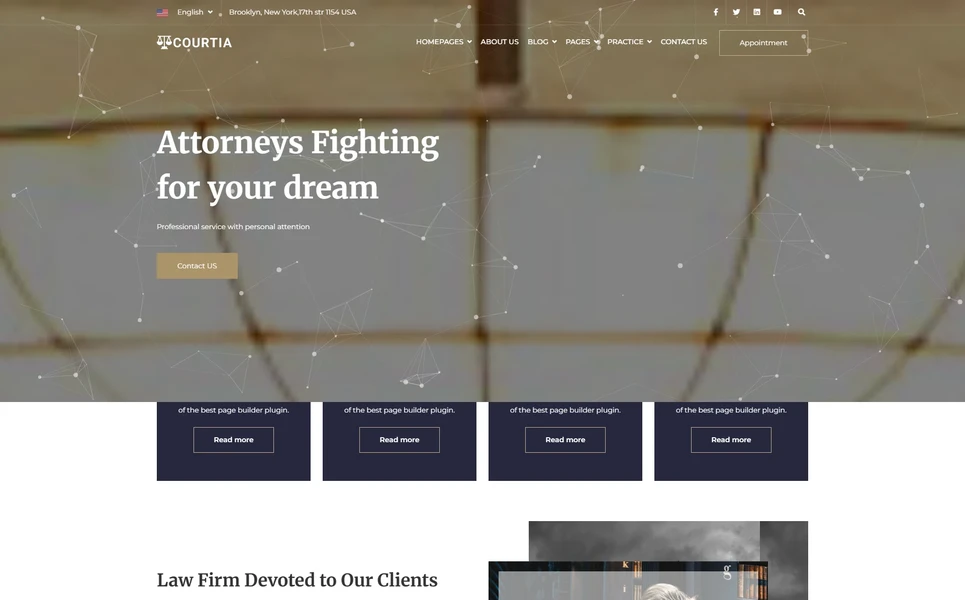
Courtia is an 18-page HTML5 template designed specifically for legal services providers, paralegal agencies, compliance consultancies, and professional legal practices. Built on Bootstrap 4 with Particles.js animated hero effects, WOW.js scroll animations, DatePicker consultation scheduling, and Isotope-filtered content, Courtia provides the authoritative foundation that legal services websites demand.
The template centres on a dedicated practice areas module — an overview page presenting all legal specialisations in a scannable grid, plus individual practice area detail pages where each service receives comprehensive treatment. Corporate law, international law, employment law, dispute resolution, contract services, immigration assistance, estate planning, compliance advisory — each area gets its own fully designed page with space for detailed descriptions, process explanations, and embedded consultation CTAs.
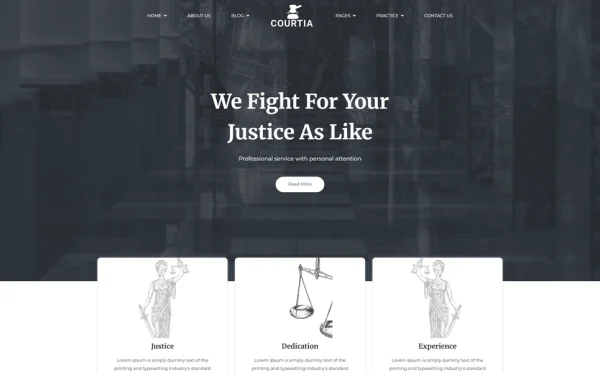
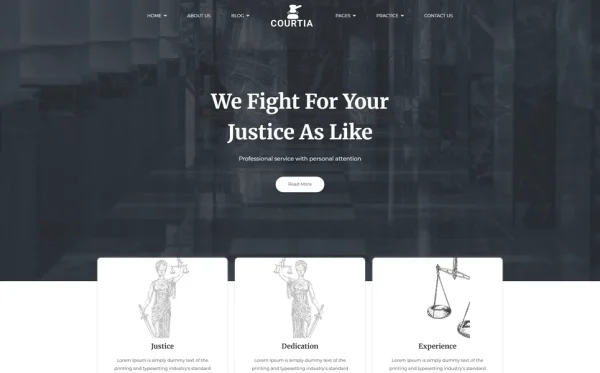
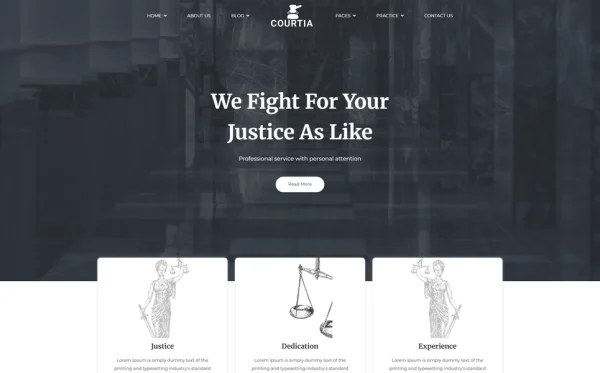
Three homepage layouts offer distinct approaches to legal services presentation. The first homepage leads with a Particles.js animated hero that creates a modern, technology-forward first impression — immediately distinguishing your practice from competitors using static courtroom stock photography. The second and third homepage variants offer alternative hero treatments suited to different brand personalities, from corporate conservatism to approachable warmth.
- 18 HTML pages across practice areas, shop, blog, team, and utility pages
- 3 unique homepage layouts with Particles.js animated hero backgrounds
- Practice areas module — overview grid + individual specialisation detail pages
- Legal products shop in 4 layouts: left sidebar, right sidebar, full-width, and product detail
- Attorney and staff team profiles grid page
- Dedicated client testimonials page with case results
- DatePicker for consultation appointment scheduling
- Blog in 3 formats: archive, sidebar, and single article detail
- WOW.js scroll animations + Isotope grid filtering
- Coming soon and 404 branded pages
- Bootstrap 4 responsive mobile-first framework
- Cross-browser compatible: Chrome, Firefox, Safari, Edge, Opera
How Courtia Serves Different Legal Practices
Paralegal Agencies and Legal Document Services
Paralegal agencies preparing wills, contracts, business formation documents, and real estate closing packages use Courtia’s practice area module to present each document service as an individual specialisation with its own detail page. The shop module sells document template packages and self-service legal kits, creating passive revenue alongside service fees. DatePicker scheduling allows clients to book document review appointments directly from the website, eliminating phone tag.
Compliance Consultancies
Compliance advisory firms serving businesses in regulated industries use practice area pages to detail each compliance domain — GDPR, HIPAA, SOX, AML, employment law compliance, environmental regulations. The blog module publishes regulatory updates and compliance guides that position the firm as a thought leader. Team profiles highlight consultants’ industry-specific credentials and certification history, building trust with corporate clients making significant compliance investments.
Mediation and Dispute Resolution Practices
Mediation firms use practice area detail pages to explain each dispute type they handle — commercial disputes, workplace conflicts, family mediation, construction disputes, neighbour boundary issues. The testimonials page showcases resolution outcomes and client satisfaction. The shop module can offer conflict resolution guides and mediation preparation workbooks, while the blog publishes case studies and dispute prevention strategies that attract clients earlier in their conflict lifecycle.
Immigration and Visa Services
Immigration service providers use individual practice area pages to detail each visa category and process — H-1B petitions, family-based green cards, DACA renewals, asylum applications, naturalisation, employment-based immigration. The blog publishes policy updates and procedural guides that capture organic search traffic from immigrants researching their options. DatePicker scheduling accommodates clients in different time zones who need to book consultations around work schedules.
Frequently Asked Questions
Need Help Launching Your Legal Services Website?
MetropolitanHost provides professional web development services for HTML template deployments. Our team understands legal industry website requirements and delivers authoritative, client-focused implementations.
- Template Installation — live in under 24 hours
- Full Website Package — complete front-to-back deployment
- Colour Customisation — match your legal brand across all pages
- Website Speed Optimisation — Core Web Vitals improvements
- Accessibility Compliance — WCAG audit and remediation