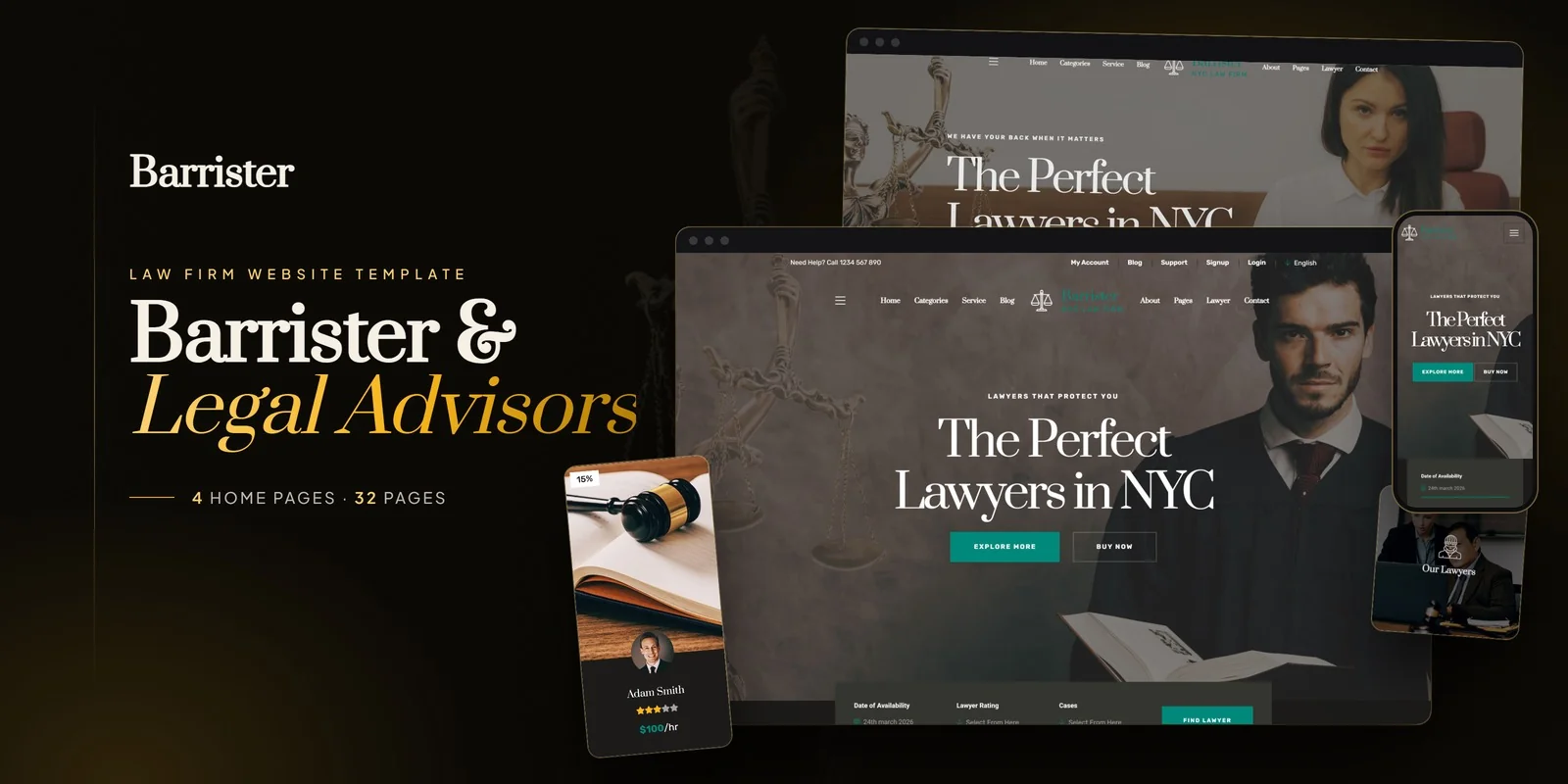
What Is a Law Firm Website Template?
A law firm website template is a pre-designed, fully coded website built specifically for law firms, solo attorneys, barristers, solicitors, and legal consultancies. It includes every page a modern legal practice needs — homepage with authority-building hero section, practice area overview with individual detail pages, attorney profiles with biography pages, client testimonials, consultation booking with date picker, blog for legal content marketing, and contact page with office location maps — already designed, responsive, and ready for your firm’s content.
For attorneys who need a professional web presence without spending $10,000 to $20,000 on a legal-specific web design agency, a template is the most direct path to a website that earns client trust on first impression. But legal websites carry requirements that other industries do not face. Bar compliance disclaimers, attorney advertising rules, confidentiality notices on contact forms, and ADA accessibility standards all apply. This guide covers everything a law firm needs from its website, what compliance requirements affect your design choices, and how to evaluate templates before committing.
Template vs Legal Website Agency vs DIY Platform
Law firm owners and managing partners typically face three options for building their practice website. Each carries distinct trade-offs:
| Factor | DIY Platform (Wix, Squarespace) | Law Firm Website Template | Legal Web Design Agency |
|---|---|---|---|
| Upfront Cost | $0–200 | $29–69 | $5,000–20,000 |
| Monthly Cost | $16–50/month | $3–10/month (hosting only) | $200–500/month |
| 3-Year Total Cost | $576–2,000 | $137–429 | $12,200–38,000 |
| Code Ownership | No — you rent it | Yes — you own it forever | Varies by contract |
| Practice Area Pages | Basic pages only | Purpose-built archive + detail pages | Custom designed |
| Attorney Profiles | Generic team section | Multiple profile layouts | Custom designed |
| Bar Compliance | Manual — no guidance | Disclaimer-ready layouts | Usually included |
| Time to Launch | 1–3 weeks | 3–7 days | 8–16 weeks |
| Portability | Cannot export | Move to any host | Depends on contract |
| Vendor Lock-in | High | None | Varies |
For solo practitioners and small firms that need a professional website without the overhead of a specialised legal agency, a template delivers the highest return on investment. You get purpose-built pages for practice areas, attorney profiles, and consultation booking at a fraction of the cost — and you own the code outright.
What Prospective Clients Expect From a Law Firm Website
People searching for a lawyer are often in stressful situations. They have been injured, accused, served with papers, or face a business dispute. When they land on your website, they are not browsing casually — they are evaluating whether you are competent, trustworthy, and accessible enough to handle their problem. Your website has approximately five to ten seconds to pass that evaluation before they click back to search results and try the next firm.
Here is what legal clients look for and what drives them away:
Immediate Authority and Professionalism
A law firm website must communicate authority from the first second. This means a clean, professional design with a conservative colour palette that projects reliability. Dark navies, charcoals, and muted golds convey legal seriousness. Bright colours, playful fonts, or cluttered layouts undermine the trust that legal clients need to feel before they share sensitive details about their situation. Your hero section should state who you are, what practice areas you cover, your location, and how to contact you — all without scrolling.

Practice Area Pages That Answer Specific Legal Questions
A prospect who needs a family law attorney does not want to read through a generic services list to find out whether you handle custody disputes. Each practice area needs its own dedicated page that explains what the area covers, common situations where clients need this representation, your firm’s approach and experience in this area, and a clear call to action to schedule a consultation. Templates that list all practice areas as bullet points on a single page fail this requirement entirely.
The practice area page is often the entry point for organic search traffic. A well-optimised page targeting “personal injury attorney [city]” or “business litigation lawyer [city]” drives qualified leads directly to the most relevant content on your site.
Attorney Profiles That Build Personal Confidence
Hiring a lawyer is one of the most personal professional decisions a person makes. Clients want to see who will represent them. An attorney profile page should include a professional headshot, areas of specialisation, education and bar admissions, years of experience, notable cases or achievements, professional memberships, and a brief personal note that makes the attorney relatable. For multi-attorney firms, a team directory page with sidebar or grid layout and filtering by practice area allows prospects to find the right attorney for their specific legal matter.
Consultation Booking Without Phone Tag
Many prospective legal clients are calling during business hours when they are at work, dealing with a crisis, or researching late at night. An online consultation booking form with a date picker removes the friction of phone tag. The form should collect the prospect’s name, phone number, email, preferred date and time, and a brief case description. The date picker ensures that the prospect selects from available slots, reducing scheduling conflicts. Firms that rely solely on “call us” lose prospects who cannot or prefer not to call during office hours.
Trust Signals That Overcome Scepticism
Legal clients are inherently sceptical. They have heard stories about lawyers who overpromise and underdeliver. Your website must counter this scepticism with concrete trust signals: client testimonials with specific outcomes, peer recognition and awards, bar association memberships and certifications, years in practice, number of cases handled, and community involvement. Animated statistics showing “500+ Cases Won” or “25 Years of Experience” create immediate credibility when placed strategically on the homepage or about page.
Blog Content That Demonstrates Legal Knowledge
A legal blog serves two purposes: it drives organic search traffic for questions like “what to do after a car accident” or “how divorce mediation works,” and it positions your attorneys as knowledgeable authorities. The blog should be regularly updated, categorised by practice area, and written in plain language that clients can understand. Each post should include a call to action encouraging readers to schedule a consultation if their situation matches the topic.
Bar Compliance Requirements for Legal Websites
Unlike most industries, law firm websites operate under professional conduct rules established by state bar associations. Failing to comply can result in disciplinary action. While specific rules vary by state, several requirements are nearly universal:
Attorney Advertising Disclaimers
Most state bars require websites to include disclaimers stating that the site content is for informational purposes only and does not constitute legal advice. This disclaimer should appear in the footer of every page and on any page that discusses specific legal topics. Some states require the disclaimer to appear prominently, not just in small footer text.
No Attorney-Client Relationship Notice
Your contact forms and consultation booking pages must clearly state that submitting information through the website does not create an attorney-client relationship. This protects both the firm and the prospect. The notice should appear directly above or below the form submission button, not buried in a terms of service page that nobody reads.
Results Disclaimers
If your website mentions case results, verdicts, or settlements, most bars require a disclaimer stating that prior results do not guarantee a similar outcome. This applies to case study pages, testimonial sections, and any statistical claims about your firm’s track record.
Compliance Note: Bar compliance requirements vary by state and jurisdiction. Always verify your website content with your state bar association before publishing. A template provides the structural elements where disclaimers belong — headers, footers, form pages — but the specific language must come from your jurisdiction’s rules of professional conduct.
Technical Requirements for a Legal Website Template
Beyond design and compliance, your law firm website must meet technical standards that affect client experience, search visibility, and accessibility.
Mobile-First Responsive Design
Over 60% of legal service searches happen on mobile devices. A person in a stressful legal situation is often searching from their phone — in a hospital waiting room, outside a courthouse, or during a break at work. Your website must work flawlessly on mobile: navigation must be thumb-friendly, phone numbers must be click-to-call, forms must be easy to fill on a small screen, and content must be readable without pinching to zoom. A template built on Bootstrap 5 or a comparable modern framework handles responsive design structurally.
ADA Accessibility Compliance
Law firms face particular irony when their own websites fail accessibility standards. ADA-compliant websites include proper alt text on all images, keyboard-navigable menus, sufficient colour contrast ratios, ARIA labels on interactive elements, and form fields with associated labels. Beyond the ethical obligation, accessible websites also perform better in search rankings, since many accessibility best practices align with SEO best practices.
Interactive Maps for Office Locations
Legal clients want to know where your office is located before they visit. An interactive map powered by Leaflet with Mapbox GL or Google Maps integration shows your office location, surrounding landmarks, and provides directions. For firms with multiple office locations, the map should display all locations with clickable markers that show address, phone number, and office hours for each branch.
SSL Security and Data Protection
Legal websites collect sensitive personal information through contact forms and consultation booking. SSL encryption is mandatory — not optional. Every form submission must be encrypted in transit. Your hosting must support HTTPS on all pages. Beyond SSL, ensure that form submissions are stored securely and that your website’s privacy policy clearly explains how client data is handled.
SEO Strategy for Law Firm Websites
Legal services is one of the most competitive search categories online. A single click on a Google ad for “personal injury lawyer” can cost $100 or more. Organic search traffic through a well-optimised website represents enormous value for law firms — but only if your website is built to compete. Your template choice directly impacts your SEO potential.
Local SEO for Law Firms
Legal services are inherently local. Clients search for “divorce attorney in [city]” or “criminal defence lawyer near me.” Your website must be optimised for local search from the ground up. This means consistent Name, Address, and Phone number information on every page. A Google Business Profile linked to your website. Schema markup using LocalBusiness and Attorney types. Individual pages for each office location if you have multiple offices. And landing pages targeting the specific cities and counties you serve. A template that supports clean heading structures and geographic keyword placement in page titles, headings, and body content gives you the foundation for effective local SEO.
Practice Area Pages as SEO Landing Pages
Each practice area page should target a specific search query — “estate planning attorney [city],” “DUI lawyer [city],” “business litigation law firm [city].” These pages are your primary organic search landing pages for potential clients. A page that is thin on content, generic in language, or lacking in structure will not rank for these competitive terms. Each practice area page needs 800 to 1,200 words minimum, covering what the practice area encompasses, common client situations, your firm’s specific experience and approach, relevant legal considerations, and a clear call to action for a consultation.
Legal Blog Content as a Client Acquisition Channel
People facing legal issues search for answers before they search for attorneys. “What happens after a DUI arrest” leads to “DUI lawyer near me.” “How does child custody work in [state]” leads to “family law attorney [city].” A legal blog that answers these pre-hire questions captures potential clients at the earliest stage of their search journey. Each blog post should address a specific legal question that your target clients frequently ask, provide genuinely helpful information without constituting legal advice, and include a natural call to action encouraging readers to schedule a consultation for their specific situation.
Client Intake and Lead Management
Generating website traffic is only half the equation. Converting that traffic into consultations and signed clients requires a structured approach to client intake.
Contact Form Strategy
Your primary contact form should collect enough information to qualify the lead without asking so many questions that the prospect abandons the form. The optimal fields for a legal intake form are: full name, phone number, email address, practice area of interest (dropdown), brief case description (text area), and preferred contact method. This gives your intake team enough information to prepare for a return call while keeping the form completion time under two minutes. Place the contact form on every practice area page and the contact page — not just the homepage.
Response Time Expectations
Legal clients in crisis situations expect rapid responses. Studies show that law firms that respond to web inquiries within five minutes are dramatically more likely to retain the client compared to firms that respond within an hour. Your website should set clear response time expectations — “We respond to all inquiries within one business hour” — and your intake process should meet or exceed that promise. The consultation booking form with date picker accelerates this by letting prospects self-schedule, removing the waiting period entirely.
Trust Architecture Across the Entire Site
Trust signals should not be confined to a single testimonials page. The most effective legal websites weave trust elements throughout the entire site. The homepage features a headline credential — “Serving Brooklyn Families Since 1995.” Each practice area page includes a relevant case outcome or client testimonial. The about page tells the firm’s founding story. The attorney profiles show real credentials and personal details that humanise the lawyers. Even the footer includes trust badges — bar association logos, Avvo ratings, Super Lawyers designations. This distributed trust architecture means that no matter which page a prospect enters through, they encounter credibility signals immediately.
Response Time Matters: Law firms that respond to website inquiries within five minutes convert leads at significantly higher rates than those responding within an hour. Your website should make this speed possible through clear intake forms, instant notifications, and — ideally — a consultation booking system that lets prospects self-schedule without waiting for a callback.
How to Evaluate a Law Firm Template Before You Buy
Applying a practical evaluation process saves you from purchasing a template that looks impressive in a demo but falls short in real-world legal practice deployment:
Count the Pages and Check the Structure
A comprehensive law firm template should include multiple homepage options, practice area overview with individual detail pages, attorney directory with individual profile pages, about the firm page, case results or testimonials section, blog archive with individual post pages, contact page with map integration, FAQ page, and legal/privacy pages. Templates with fewer than twenty pages likely need significant custom development.
Inspect the Attorney Profile Layouts
Open the demo and check how attorney profiles are displayed. Does the template offer multiple layout options — left sidebar, right sidebar, different style variants? Is there a dedicated individual profile page for each attorney? Can each profile accommodate education, bar admissions, practice areas, and a professional photo? A template with only a basic team grid and no individual profile pages is insufficient for a law firm.
Test the Consultation Booking Flow
Navigate to the consultation or appointment page. Does it include a date picker for scheduling? Does the form collect relevant case information? Is the form structured in a way that feels professional and secure? Check that the form includes space for the “no attorney-client relationship” disclaimer required by most bar associations.
Barrister — A Law Firm Template Built for Client Trust
Barrister is a law firm and legal services HTML5 template designed to meet every requirement outlined in this guide. Built for law firms, barristers, solicitors, and legal consultancies, it ships thirty-two fully crafted HTML pages across four unique homepage layouts — delivering the most comprehensive legal web presence available in a single template package.
What Barrister Includes
The template covers the complete client acquisition journey for legal practices:
- Four Homepage Layouts — four distinct hero styles and content arrangements for different firm personalities
- Six Lawyer Profile Layouts — left sidebar, right sidebar, and two style variants per side for attorney presentations
- Individual Lawyer Profile Pages — full attorney biography, specialities, education, and contact details
- Services Module — two service overview layouts plus individual practice area detail pages
- Legal Classification Page — browse practice areas and case categories with organised taxonomy
- Gallery Pages — office and event photography with lightbox viewing
- Blog Archive — legal content marketing with individual post pages
- Appointment Booking — Bootstrap DatePicker integration for consultation scheduling
- Interactive Maps — Leaflet with Mapbox GL maps showing office locations
- Full Account Management — login, registration, and client dashboard pages
Technical Foundation
Barrister is built on Bootstrap 5 with jQuery 1.12.4, Slick carousels for testimonials and firm highlights, Isotope filtering for practice area and case archives, Magnific Popup lightbox for gallery viewing, WOW.js scroll animations for visual engagement, CountTo animated statistics for credibility metrics, ion.rangeSlider for case filtering, Bootstrap DatePicker for appointment scheduling, and Leaflet with Mapbox GL maps for office location display. Every page is fully responsive and built with clean, semantic HTML that supports both search engine visibility and accessibility compliance.
32 Pages, Four Homepage Styles: Barrister is one of the most comprehensive law firm templates available — covering six attorney profile layouts, dedicated practice area pages, consultation booking with date picker, interactive office maps, and full account management. No placeholder pages. Every page is designed for legal practice deployment.
Customisation Roadmap for Law Firms
Deploying a law firm template follows a structured process. Here is the workflow for getting from download to live site:
Week One — Content and Compliance: Gather attorney headshots, biographies, practice area descriptions, office photos, and client testimonials. Draft all required legal disclaimers per your state bar’s rules. Replace placeholder content across all pages. Update navigation structure to match your firm’s practice areas.
Week Two — Functional Setup and Launch: Configure the consultation booking form with your scheduling system. Set up the interactive map with your office address. Connect contact forms to your email or case management system. Add your legal disclaimers to the footer, contact page, and form pages. Test on all devices and browsers, then deploy.
Frequently Asked Questions
Related guide: Need an attorney listings portal? Start with our complete business directory website template guide.
Need Help Launching Your Law Firm Website?
MetropolitanHost provides professional web development services for HTML template deployments. Our team understands legal website requirements and delivers clean, compliant implementations.
- WordPress Theme Installation — live in under 24 hours
- Full Website Package — complete front-to-back deployment
- Colour Customisation — match your firm’s branding across all pages
- Website Speed Optimisation — Core Web Vitals improvements
- Accessibility Compliance — WCAG audit and remediation



