What Is a Synagogue Website Template?
A synagogue website template is a pre-designed, fully coded website built specifically for synagogues, Jewish community centres, Torah learning institutions, religious congregations, volunteer organisations, and faith-based nonprofits serving Jewish communities. It includes every page a synagogue needs — homepage with community highlights and service schedule announcements, broadcast and learning sections for sermons and classes, a Derasha teachings archive for Torah study content, volunteer management pages for recruiting and coordinating community help, a Judaica shop for religious items and community merchandise, community statistics that demonstrate congregation impact, countdown timers for upcoming holidays and events, blog for community news and Torah insights, and complete member account management — all designed, responsive, and ready for your congregation.
For synagogues and Jewish community organisations that need a professional web presence without paying $8,000 to $25,000 for a custom build or $100 to $400 per month for a managed synagogue platform like ShulCloud or Shul Works, a template delivers the most practical path to a comprehensive community website that you fully own and control. But synagogue websites face a unique community challenge: they must serve as a digital home for a diverse congregation — from young families checking service times to elderly members accessing Torah teachings to prospective members evaluating the community. Your website must balance warmth with functionality, tradition with modern design. This guide covers what congregation members expect, what features drive community engagement, and how to choose the right template for your synagogue.
Template vs Synagogue Platform vs Custom Build
Synagogues and Jewish community organisations typically face three options when establishing their online presence:
| Factor | Synagogue Platform (ShulCloud, Shul Works) | Synagogue Website Template | Custom Website Build |
|---|---|---|---|
| Upfront Cost | $0–500 | $29–69 | $8,000–25,000 |
| Monthly Cost | $100–350/month | $3–10/month (hosting only) | $75–250/month |
| 3-Year Total Cost | $3,600–13,100 | $137–429 | $10,700–34,000 |
| Code Ownership | No — you rent it | Yes — you own it forever | Yes — you own it |
| Design Uniqueness | Same framework as other shuls | Fully customisable source code | Fully custom |
| Volunteer Management | Plugin or add-on | Built-in (3 dedicated pages) | Custom development |
| Teachings Archive | Basic media library | Dedicated Derasha module | Custom development |
| Judaica Shop | Varies by platform | Built-in (3 shop layouts) | Custom development |
| Vendor Lock-in | High — member data trapped | None | None |
Synagogue platforms like ShulCloud offer member management and payment processing but charge monthly fees that strain community budgets already stretched by facility maintenance, programming, and clergy compensation. A $200/month platform costs $7,200 over three years — funds that could support youth programmes, community outreach, or building improvements. A template provides the complete public-facing community website while allowing integration with any member management, donation processing, or communication tool through standard web development.
What Congregation Members Expect From Your Website
Congregation members visit your synagogue website with specific needs that vary by age, observance level, and relationship to the community. Your website must serve all of these groups through clear navigation and accessible content. Here is what members evaluate:
Service Times and Holiday Schedule
The most fundamental function of a synagogue website is communicating when services occur. Shabbat service times, weekday minyan schedule, High Holiday service details, and special event dates must be immediately visible from the homepage — not buried in a PDF calendar or community newsletter archive. Members checking your website on Friday afternoon need to confirm Kabbalat Shabbat time instantly. A countdown timer to the next major holiday or community event creates anticipation while communicating that your synagogue is active and well-organised.
Torah Learning and Derasha Content
Synagogues are centres of learning. A dedicated Derasha module that archives the rabbi’s Torah teachings, weekly parsha commentaries, class recordings, and study materials creates an ongoing educational resource that extends your synagogue’s reach beyond physical walls. Members who miss a Shabbat can access the week’s teaching online. Prospective members can evaluate the rabbi’s scholarly approach before visiting. A well-maintained teachings archive demonstrates intellectual vitality and positions your synagogue as a learning community, not just a prayer service location.
Community Broadcasts and Media
Live streaming transformed synagogue engagement during the pandemic, and communities have continued to expect digital access to services, classes, and events. A broadcast section that organises live streams, recorded services, class recordings, and community announcements provides a central media hub for members who cannot attend in person — whether due to illness, travel, distance, or physical limitations. This section serves homebound elderly members, families with young children, out-of-town relatives during lifecycle events, and prospective members exploring your community remotely.
Volunteer Opportunities and Registration
Jewish communal life depends on volunteer engagement. A volunteer management section with three dedicated pages — volunteer directory, individual volunteer profiles, and volunteer registration — transforms occasional helpers into organised community contributors. Members can browse current volunteer needs, read about existing volunteer programmes, and sign up for opportunities that match their availability and skills. This system is particularly valuable for High Holiday operations, community meals, building maintenance, youth programming, and chesed committees that require coordinated volunteer effort.
Community Statistics and Impact
Numbers communicate vitality. CounterUp animated statistics — members served, events hosted, years of community service, Torah classes delivered, meals provided — create an immediate impression of a thriving, impactful community. These metrics serve multiple audiences: prospective members evaluate community size and activity, donors see measurable impact for their contributions, and board members have public evidence of institutional health. Animated counter displays that increment as visitors scroll create a dynamic, engaging presentation of community achievements.
Judaica Shop for Community Goods
Many synagogues operate gift shops selling Judaica items — mezuzot, kiddush cups, candleholders, Shabbat supplies, children’s books, and synagogue-branded merchandise. An online shop with three layout variants (left sidebar, right sidebar, and full-width), price range filtering, and product zoom magnification extends the gift shop beyond physical hours and walls. Members can purchase Judaica online for convenience, families can shop for Jewish holiday gifts year-round, and the synagogue generates supplementary revenue that supports programming and operations.
Mobile Experience for Quick Access
Members check your website on their phones for service times, holiday schedules, and event details — often while already in transit. The mobile experience must deliver essential information instantly: What time is Shabbat services? Is there a minyan tonight? What time does the Purim carnival start? If your website requires zooming, scrolling through long pages, or multiple taps to find basic scheduling information on a phone, you are failing the most common member interaction with your digital presence.
What Prospective Members Evaluate on Your Website
Beyond serving existing members, your website is the primary first impression for families and individuals exploring your community. Prospective members make decisions about visiting based entirely on your website — it is the modern equivalent of driving past a building and looking through the window:
Warmth and Welcoming Design
A prospective member visiting your website should immediately feel that your community is welcoming and accessible. Warm colour palettes, genuine community photos (not stock images), and language that invites rather than assumes membership create a digital welcome experience. Cold, corporate design or overly formal language signals exclusivity rather than community. Your homepage should communicate “you belong here” within three seconds of loading — through imagery, tone, and clear calls to action like “Join Us This Shabbat” or “Visit Our Community.”
Rabbi and Leadership Presence
Prospective members are choosing a rabbi as much as a synagogue. Your team section with rabbi biography, educational background, rabbinic approach, and community philosophy helps families evaluate whether your spiritual leadership aligns with their values. Service pages that describe your denomination, prayer style, and programming philosophy provide the context prospective members need to determine fit before their first visit. A synagogue website without clear leadership presence leaves the most important question unanswered.
Technical Features That Drive Community Engagement
Beyond content and design, specific technical components determine whether a synagogue website strengthens community bonds and attracts new members. These features transform a static information page into an interactive community hub:
CounterUp Animated Statistics
CounterUp creates animated number displays that count upward as visitors scroll to the statistics section — community members served, events hosted per year, years of community service, Torah classes offered. This animation transforms static numbers into an engaging visual experience that communicates growth and vitality. The psychological impact of watching numbers increment is substantially stronger than reading a static text line. For synagogues competing for congregants in areas with multiple shuls, animated community metrics provide an immediate, data-driven impression of institutional health.
ion.rangeSlider Price Filtering
For the Judaica shop, ion.rangeSlider provides a visual price range filter that lets visitors slide handles to set minimum and maximum price bounds. This interactive pricing control is especially useful for Jewish gift shopping — a visitor looking for Hanukkah gifts under $50 can instantly filter the shop to show only items within their budget. The visual slider is more intuitive than typing price values into input boxes and creates a smooth browsing experience that encourages exploration across the product range.
jQuery Zoom Product Magnification
Judaica items are often handcrafted with intricate details that customers want to examine before purchasing — silver filigree on a kiddush cup, calligraphy on a mezuzah scroll case, embroidery on a challah cover. jQuery Zoom enables hover-to-magnify functionality on product images, letting visitors inspect craftsmanship details at high resolution. This tactile inspection experience is particularly important for Judaica, where artistry and quality justify premium pricing. Customers who can examine details purchase with greater confidence.
Countdown Timer for Holidays
The Jewish calendar revolves around holidays and lifecycle events. A countdown timer on the homepage building toward the next major holiday — Rosh Hashanah, Yom Kippur, Sukkot, Hanukkah, Purim, Pesach, Shavuot — creates anticipation and communicates that your synagogue is actively preparing. For the High Holidays, when synagogue attendance peaks and prospective members are most likely to visit, a countdown timer combined with service schedule information and registration links converts casual interest into confirmed attendance.
Cost Breakdown: Synagogue Website Options
Synagogues operate on community-funded budgets. Understanding the true cost of each website approach helps boards and committees make responsible financial decisions:
| Cost Component | HTML Template | Synagogue Platform (ShulCloud) | Custom Build |
|---|---|---|---|
| Template / License | $29–69 (one-time) | $0–500 | N/A |
| Hosting | $36–120/year | Included | $120–600/year |
| Platform Fee | None | $1,200–4,200/year | None |
| Volunteer Management | Built-in (3 pages) | Add-on or basic | $2,000–5,000 custom |
| Teachings Archive | Built-in (Derasha module) | Basic media library | $1,500–4,000 custom |
| Judaica Shop | Built-in (3 layouts) | Varies | $2,000–6,000 custom |
| Design Customisation | $0–500 | $0–200 | $5,000–15,000 |
| Total Year One | $65–689 | $1,200–4,900 | $10,620–30,600 |
| 3-Year Total | $137–929 | $3,600–13,100 | $10,860–31,800 |
Community Budget Impact: A synagogue paying $200/month for a website platform spends $2,400 per year — funds drawn from dues that members expect to support programming, education, and facility maintenance. Over three years, that is $7,200 diverted from community services to website rental. An HTML template at $29–69 eliminates that ongoing expense, freeing budget for a scholar-in-residence programme, youth group activities, community meals, or building improvements. With 26 pages including built-in volunteer management, a Derasha teachings archive, and a Judaica shop, the template delivers more community-specific features than most synagogue platforms at a one-time cost.
How to Choose the Right Synagogue Template
Not all templates serve religious communities effectively. Here is what to evaluate specifically for synagogue use:
Check for Community-Specific Sections
A generic religious template repurposed for a synagogue will lack critical community sections. Look specifically for Torah learning and teachings modules, volunteer management pages, community broadcast sections, and Judaica shop integration. These features reflect the specific rhythms of Jewish communal life — weekly Torah study, volunteer-driven chesed, service broadcasting, and Judaica gifting — that generic “church” templates do not address. A template designed for Jewish community use saves months of custom adaptation.
Evaluate the Volunteer System
Synagogues run on volunteer power. Look for dedicated volunteer management pages — not just a volunteer page, but an archive showing current opportunities, individual volunteer profiles that recognise service, and a registration form that converts interest into action. A single “Volunteer” page with a paragraph of text does not drive volunteer sign-ups. A three-page volunteer system with directory, profiles, and registration creates a visible, accessible pathway for community members to contribute.
Count the Page Depth
A synagogue website needs more than a homepage, about page, and contact page. You need a teachings archive, broadcast section, volunteer management pages, Judaica shop with product detail pages, services descriptions, community statistics, blog, account management, and pricing pages for event registrations or membership tiers. A template with 10 pages will leave you building critical community sections from scratch. A template with 26+ pages covers the complete synagogue web presence without additional design work.
Test the Mobile Experience
Members checking service times or holiday schedules on their phones represent your most frequent website interaction. Open the template demo on your phone and try to find a service time within five seconds. Can you do it? Is the navigation clear? Do community statistics display correctly? Does the countdown timer render on mobile? The mobile experience for a synagogue website is not about visual design — it is about delivering essential scheduling information to members who need it right now.
Common Mistakes When Building a Synagogue Website
Treating the Website as a Bulletin Board
Many synagogue websites are digital bulletin boards — disorganised collections of PDFs, email newsletter archives, and event announcements with no visual hierarchy or information architecture. This approach overwhelms visitors, especially prospective members who are encountering your community for the first time. Your website needs structured navigation, dedicated sections for different content types, and a clear visual hierarchy that guides visitors to the information most relevant to their needs. A template provides this structure by design.
No Teachings or Learning Content
A synagogue website without Torah content is a community centre website. The Derasha archive, class recordings, and parsha commentary are what distinguish a house of learning from a generic event venue. This content also provides enormous SEO value — people searching for specific parsha interpretations, Jewish holiday explanations, or Torah commentary topics can discover your synagogue through its educational content. A well-maintained teachings archive drives organic traffic from exactly the audience most likely to value your community.
Ignoring the Prospective Member Experience
Many synagogue websites are designed exclusively for existing members who already know the community. Navigation assumes familiarity: “Sisterhood,” “Brotherhood,” “Committee Reports.” A prospective member does not know what your Sisterhood does. They want to know: What denomination are you? What are services like? What programming do you offer for families with young children? Is the community welcoming? Design your website for the visitor who has never set foot in your building — because that person is the next member you are trying to attract.
Stock Photos Instead of Community Photos
Generic stock images of menorahs and Torah scrolls communicate nothing about your specific community. Your website should feature your actual sanctuary, your congregants at community events, your rabbi teaching, your youth group activities, and your building. Authentic community photos build the emotional connection that convinces prospective members to visit. A synagogue website filled with stock photography signals that the community either does not photograph its events or is not proud enough of its spaces to display them.
Dreidel — A Synagogue Template Built for Jewish Community Life
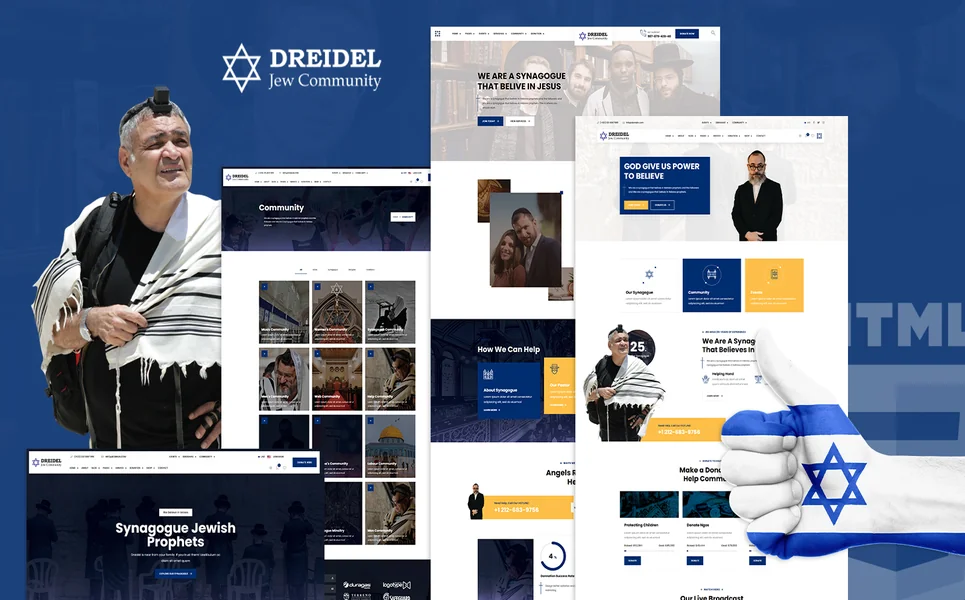
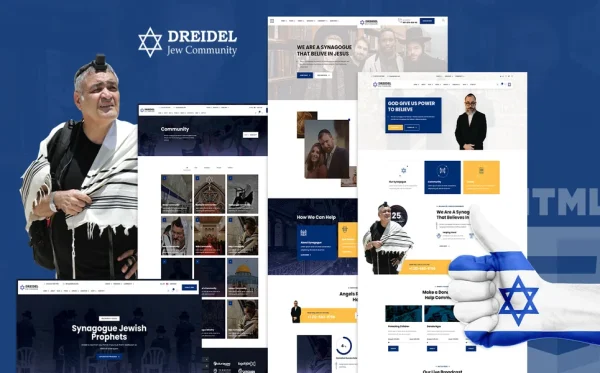
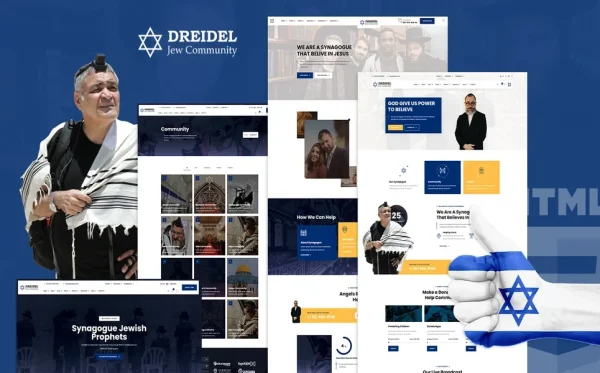
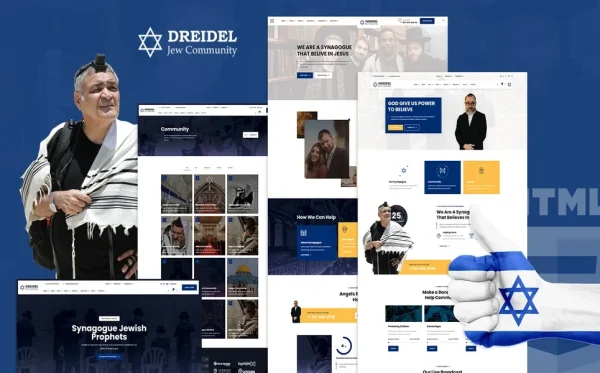
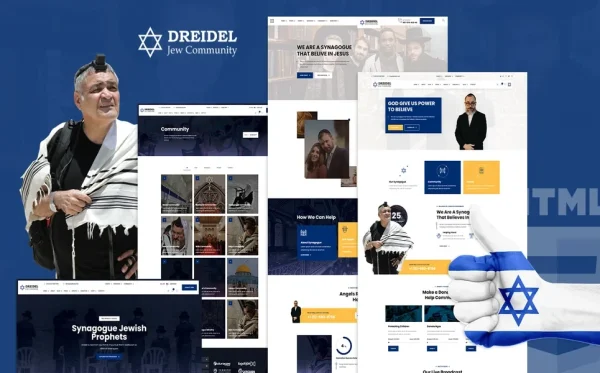
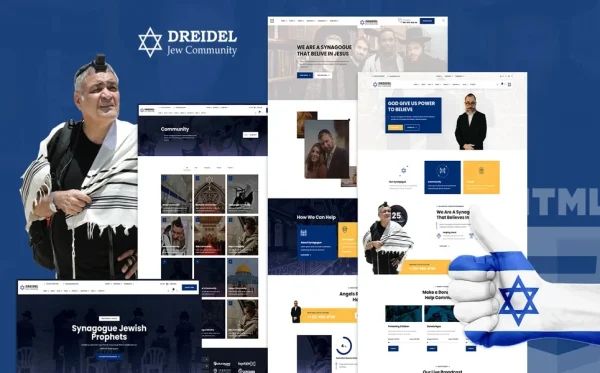
Every feature discussed in this guide exists in a single template. Dreidel is a Bootstrap 5 HTML5 template with 26 fully designed pages built specifically for Jewish communities — not a generic religious template with a Star of David added, but designed from the ground up for the rhythms and needs of synagogue life.
What Dreidel Includes
- 3 unique home layouts — three distinct hero styles and community showcase arrangements
- Broadcast section — community learning broadcasts and media archive for services and classes
- Community hub — community activities and engagement centre
- Derasha module — Torah teachings and lecture archive for ongoing learning
- Volunteer management — volunteer directory, individual volunteer profiles, and registration form (3 dedicated pages)
- E-commerce Judaica shop — religious items and community merchandise in left sidebar, right sidebar, and full-width layouts
- Price range slider — ion.rangeSlider for filtering shop items by price
- jQuery Zoom — product image magnification for Judaica craftsmanship details
- Services module — community services in two layout variants
- CounterUp animated statistics — community members, events hosted, years of service
- Countdown timer — for upcoming High Holiday events and community gatherings
- Blog module — community news and Torah insights archive
- Authentication module — community member login and registration
Technical Foundation
- Bootstrap 5 — responsive grid with mobile-first breakpoints
- CounterUp — animated community statistics displays
- ion.rangeSlider — visual price filtering for Judaica shop
- jQuery Zoom — hover-to-magnify product inspection
- Countdown Timer — holiday and event anticipation builder
- Cross-browser tested — Chrome, Firefox, Safari, Edge, Opera
Customisation Roadmap for Synagogues
After purchasing Dreidel, follow this implementation sequence to launch your synagogue website:
- Gather community photos — photograph your sanctuary, community events, leadership, and building for authentic visual content
- Brand the template — update colours, typography, and imagery to reflect your synagogue’s personality and denomination
- Set up the teachings archive — populate the Derasha module with the rabbi’s recent teachings, parsha commentaries, and class recordings
- Configure community statistics — set CounterUp values for members, events, years of service, and other impact metrics
- Build volunteer pages — list current volunteer needs, create volunteer profiles, and configure the registration form
- Stock the Judaica shop — add product photos, descriptions, and prices for your gift shop items
- Set the countdown timer — configure for the next High Holiday, community event, or programme launch
Frequently Asked Questions
Need Help Launching Your Synagogue Website?
MetropolitanHost provides professional web development services for HTML template deployments. Our team understands religious community website requirements and delivers clean, community-focused implementations.
- WordPress Theme Installation — live in under 24 hours
- Full Website Package — complete front-to-back deployment
- Colour Customisation — match your community brand across all pages
- Website Speed Optimisation — Core Web Vitals improvements
- Accessibility Compliance — WCAG audit and remediation