
What Is an Anime Fan Community Website Template?
An anime fan community website template is a pre-designed, fully coded website built specifically for anime clubs, fan communities, cosplay groups, manga discussion hubs, and otaku collectives. It includes every page a community leader needs — homepage with visual impact, portfolio gallery with filterable categories for fan art and cosplay photography, team profiles for community moderators and contributors, animated statistics showcasing community growth, blog for reviews and episode discussions, services section for event listings and commissions, and contact page — all designed, responsive, and ready for your community brand.
For anime community organisers who need a website that captures the energy of their fandom without paying $3,000 to $10,000 for a custom build or $30 to $100 per month for a community-specific platform, a template delivers the most practical path to a professional online presence. But anime and fan community websites have unique requirements. Your gallery must showcase fan art, cosplay, and event photography through filterable categories. Your member profiles must communicate roles and expertise. Your discussion sections must feel welcoming to newcomers while rewarding long-time members. This guide covers what anime fans expect from a community website, what technical features make the difference, and how to choose the right template for your fandom.
Template vs Community Platform vs Custom Build
Anime community builders typically face three options when establishing their online presence:
| Factor | Community Platform (Discord, Fandom) | Anime Community Website Template | Custom Website Build |
|---|---|---|---|
| Upfront Cost | $0 | $29–69 | $3,000–10,000 |
| Monthly Cost | $0–10/month | $3–10/month (hosting only) | $50–150/month |
| 3-Year Total Cost | $0–360 | $137–429 | $4,800–15,400 |
| Code Ownership | No — you rent the space | Yes — you own it forever | Yes — you own it |
| Design Uniqueness | Same layout as every other server | Fully customisable | Fully custom |
| Portfolio Gallery | Image channels only | Filterable Isotope gallery | Any format |
| SEO Visibility | Zero — content is locked behind login | Full — Google indexes everything | Full |
| Time to Launch | 1 day | 3–7 days | 4–12 weeks |
| Vendor Lock-in | High — your content disappears if banned | None | None |
Community platforms like Discord and Fandom offer instant setup, but your content lives on their servers, their algorithms control visibility, and your community identity is constrained to their design system. A website template gives you full creative control over your community brand while still allowing you to integrate Discord widgets, forum embeds, and social feeds. For community leaders who want to build something that outlasts any single platform, the template path provides permanence and creative freedom that hosted platforms cannot match.
What Anime Fans Expect From a Community Website
People visiting an anime fan community website are looking for belonging, inspiration, and content they cannot find on mainstream platforms. They want to connect with others who share their specific interests — whether that is a particular series, a genre, cosplay, fan art, or Japanese culture broadly. Your website must satisfy that search for connection by showcasing the community’s identity, displaying member-created content, and making participation feel natural. Here is what anime fans look for:
Visual Identity That Reflects the Fandom
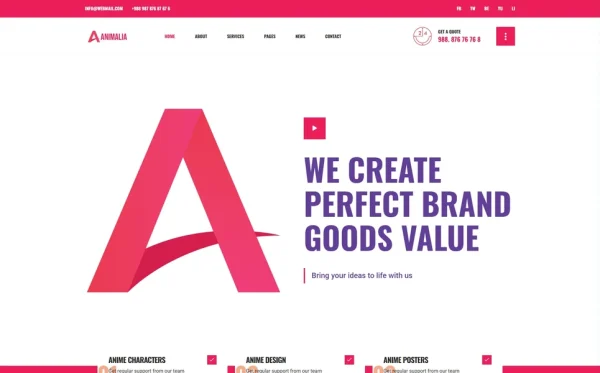
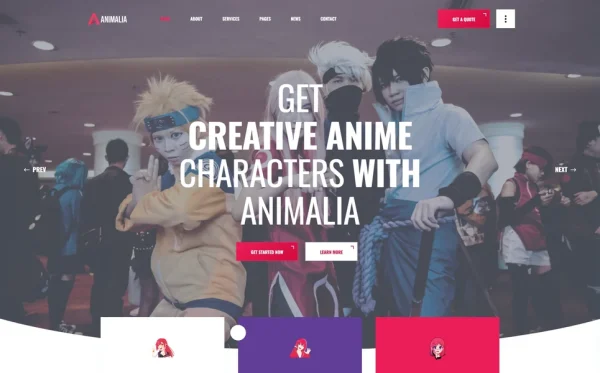
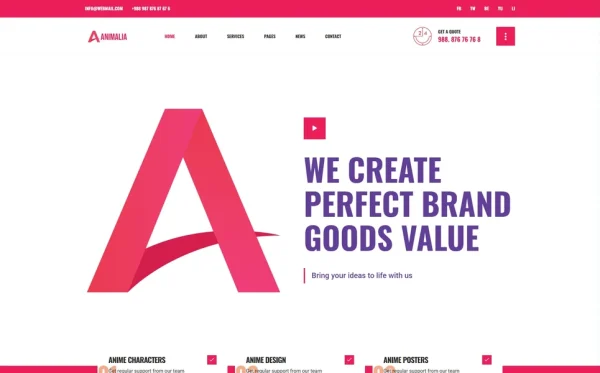
Anime fans judge a website in seconds. The visual design must immediately communicate what the community is about — its personality, its aesthetic, its energy. A community centred around shonen action series needs bold colours and dynamic layouts. A community focused on slice-of-life and josei needs softer palettes and editorial typography. The homepage hero section must grab attention with the same visual intensity that anime itself delivers. Multiple homepage layouts allow community leaders to match the template’s personality to their specific fandom rather than forcing every community into the same visual box.
Gallery That Showcases Member Creativity
Fan art, cosplay photography, convention photos, and digital illustrations are the lifeblood of anime communities. A community website needs more than a basic image upload — it needs a curated gallery with filterable categories. A visitor interested in cosplay should filter to see only cosplay photography. Someone looking for digital fan art should filter to that category. Someone browsing convention event photos should find them in one click. Isotope grid filtering provides this category-based navigation, transforming a static image dump into an organised, explorable collection of community creativity.
Member Profiles That Build Community Identity
Every anime community has its leaders, its prolific contributors, its artists, its writers, and its event organisers. Team profile pages serve as member spotlights — showcasing key contributors with profile photos, bios, areas of expertise, and their role within the community. For cosplay-focused communities, these profiles can display skill visualisations showing proficiency in costume construction, prop making, makeup artistry, and performance. These visual skill charts add a professional credibility layer that elevates the community beyond a casual gathering.
Content Hub for Reviews, Discussions, and News
Anime fans consume enormous amounts of content — episode reviews, season previews, character analyses, tier lists, news about upcoming releases, and convention coverage. A blog module with both grid and list layouts gives community editors the publishing tools they need. Individual post pages with rich formatting support long-form reviews and analysis pieces. The blog becomes the SEO engine of the entire community website, attracting organic search traffic from fans searching for reviews, recommendations, and analysis of specific series.
Event and Convention Coverage
From local anime club meetups to major conventions like Anime Expo, Comic-Con, and Anime NYC, events are central to anime community culture. Your website needs dedicated pages for event information — upcoming events with dates and locations, past event galleries with photo collections, and event recaps. A services module repurposed as an event listing section provides structured, visually consistent pages for each event your community organises or attends.
Mobile Experience for On-the-Go Fans
Anime fans browse community websites from their phones — during commutes, between classes, while waiting in convention lines. The entire website must work flawlessly on mobile with touch-friendly navigation, swipeable galleries, and readable typography. Portfolio lightboxes must support swipe gestures for browsing fan art collections. Navigation must be thumb-friendly. Any friction on mobile — slow loading, hard-to-tap buttons, galleries that break on small screens — sends fans back to Instagram or Twitter where the mobile experience is already optimised.
Technical Features That Elevate Anime Community Websites
Beyond visual design, certain technical features specifically enhance anime fan community websites and distinguish a professional presence from an amateur page.

Filterable Portfolio Gallery
Isotope grid filtering transforms a static image gallery into an interactive portfolio that visitors can navigate by content type. Instead of scrolling through hundreds of images, a visitor clicks “Fan Art” and sees only fan art. Clicks “Cosplay” and sees only cosplay photography. Clicks “Events” and sees convention coverage. This filtering serves two purposes: it helps visitors find the specific content they are interested in, and it demonstrates the depth and diversity of the community’s creative output across multiple categories.
Animated Skill Charts for Member Spotlights
EasyPieChart provides animated circular skill visualisations that bring member profiles to life. A chart that fills to 95% for “Digital Illustration” or 90% for “Costume Construction” or 85% for “Video Editing” communicates contributor expertise in a format that is visually engaging and instantly understandable. For communities that run workshops, commissions, or mentorship programmes, these charts help new members identify who to learn from and what expertise exists within the community.
Animated Community Statistics
CounterUp animated statistics display your community’s scale and activity in an attention-grabbing format. Numbers that animate from zero to “5,000 Members” or “1,200 Fan Art Pieces” or “48 Events Hosted” or “15 Active Series Covered” create immediate credibility as visitors scroll down the page. For communities seeking sponsorships, partnerships, or convention booth allocations, these animated statistics communicate reach and engagement in a format that partners understand.
Scroll Animations for Visual Polish
WOW.js scroll animations add subtle visual polish as visitors scroll through pages. Elements that fade in, slide in, or scale up as they enter the viewport create a sense of energy that mirrors the dynamic visual language of anime itself. The key is matching animation intensity to the community’s personality — shonen-inspired communities can use bolder, more dramatic animations, while communities focused on atmospheric genres benefit from subtler, more refined transitions.
SEO Advantage: Unlike Discord servers and Fandom wikis where content is locked behind logins or buried under platform branding, a community website with its own domain is fully indexable by Google. Episode reviews, fan art galleries, and event recaps all become organic search entry points. A community website with 50 indexed blog posts attracts more new members per month through Google than a Discord server with 10,000 messages — because search engines can find and rank your content.
How to Build an Anime Community Website That Grows
Content Strategy for Organic Growth
Every anime season brings a new wave of search queries — fans looking for reviews of newly aired episodes, analysis of plot developments, character breakdowns, and recommendations for what to watch next. Publishing timely content around each anime season — spring, summer, fall, and winter — creates a steady flow of organic traffic. Target long-tail keywords like “best isekai anime spring 2026” or “new shonen anime reviews” to attract fans actively searching for recommendations. Each review becomes a permanent traffic asset that continues driving visitors months and years after publication.
Community Feature Integration
Your website does not need to replace Discord — it needs to complement it. Embed a Discord widget on your homepage or contact page to funnel website visitors into your real-time chat community. Use your website for permanent, searchable content — portfolio galleries, reviews, event archives, member spotlights — and use Discord for real-time discussion. This dual-platform strategy gives your community both the discoverability of a website and the immediacy of a chat platform, each reinforcing the other.
Monetisation Pathways
Anime community websites monetise through multiple channels: affiliate links to streaming services (Crunchyroll, Funimation), anime merchandise partnerships, convention sponsorship pages, Patreon or membership integration for premium content, and display advertising through anime-focused ad networks. A professional website with clear traffic statistics and engaged community metrics is the foundation for every monetisation conversation — sponsors and partners need a URL they can evaluate, not a Discord invite link.
How to Evaluate an Anime Community Template Before You Buy
Inspect the Gallery System
Open the template demo and navigate to the portfolio or gallery section. Does it support category-based filtering? Can you envision organising fan art, cosplay, convention photos, and digital illustrations into separate filterable categories? Does each item open in a lightbox for detailed viewing? A gallery system without filtering forces visitors to scroll through all content to find what interests them — that friction kills engagement.
Check the Member Profile Depth
Review how team or member profiles are presented. Does each profile have enough space for a bio, role description, social links, and photo? Are there skill visualisation components like animated charts? Community members want recognition for their contributions — the profile section must facilitate that spotlight system.
Test the Blog Module
Navigate to the blog section. Does it support both grid and list layouts for browsing posts? Does the individual post page provide enough formatting options for long-form reviews with images, headings, and pull quotes? The blog is your primary content and SEO engine — a weak blog module undermines the entire community website strategy.
Evaluate Homepage Variety
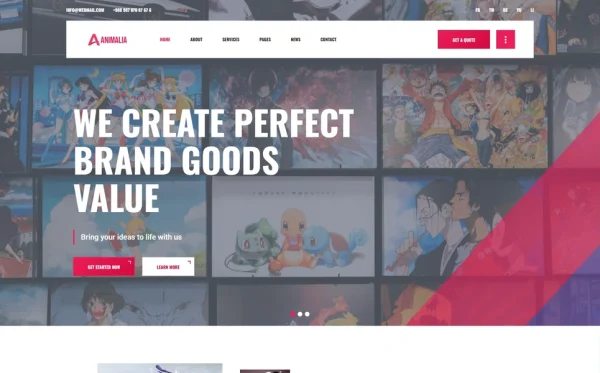
Multiple homepage layouts let you match the template’s visual personality to your community’s identity. A single homepage design that does not match your community’s aesthetic forces uncomfortable compromises. Three or more homepage options give you the flexibility to choose the one that best represents your fandom’s energy and personality.
Cost Breakdown: Building an Anime Fan Community Website
| Component | DIY with Template | Freelancer Build | Agency Custom Build |
|---|---|---|---|
| Design/Template | $29–69 (one-time) | $800–2,500 | $3,000–10,000 |
| Hosting | $3–10/month | $10–30/month | $30–100/month |
| Domain | $10–15/year | $10–15/year | $10–15/year |
| Forum Integration | Free (Discord embed) | $200–500 | $1,000–3,000 |
| Year 1 Total | $85–264 | $1,130–3,375 | $4,370–14,215 |
| Year 2+ Annual | $46–135 | $130–375 | $370–1,215 |
The template path delivers the lowest total cost of ownership while providing the highest design flexibility. Community platforms like Discord cost nothing upfront but offer zero SEO visibility, zero design control, and zero ownership — your community exists at the platform’s discretion. A website template gives you a permanent, searchable, fully branded home for your community at a fraction of what a custom build costs.
Animalia — A Template Built for Fan Communities
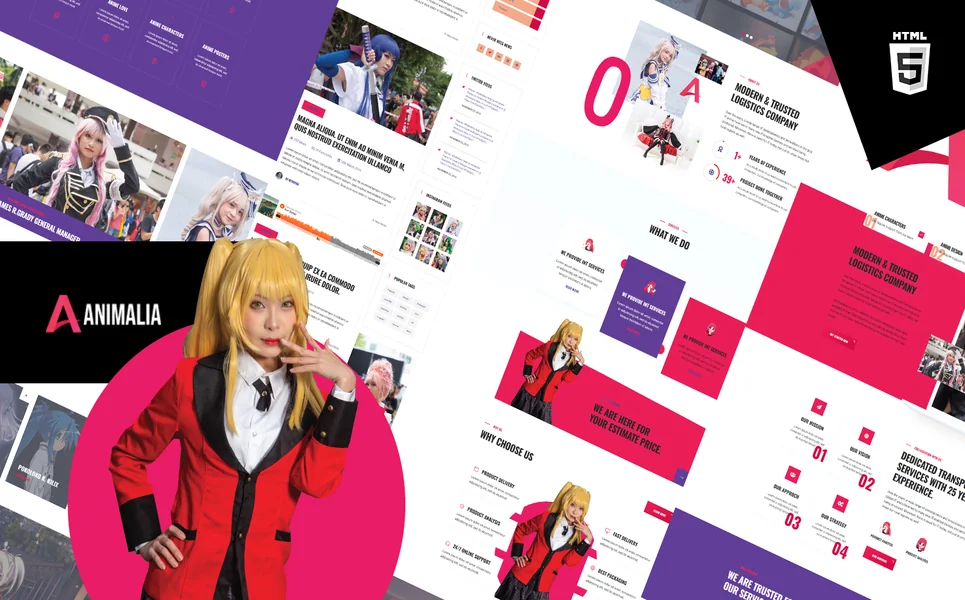
Animalia is a creative agency and portfolio HTML5 template that maps perfectly to anime fan community requirements. Built with 18 fully designed pages, 3 unique homepage layouts, and a comprehensive portfolio system, it delivers the essential building blocks for a professional fan community website — with unique skill visualisation features that no generic community platform includes.
What Animalia Includes
- 18 Fully Designed HTML5 Pages — homepage, gallery, member profiles, blog, events, and more
- 3 Unique Homepage Layouts — match the template’s energy to your community’s personality and fandom aesthetic
- 3 Portfolio Gallery Styles — Grid, Masonry, and Slider views for showcasing fan art, cosplay, and event photography
- Isotope Filtering — category-based navigation for browsing community content by type
- EasyPieChart Skill Charts — animated circular visualisations for member expertise in illustration, cosplay construction, editing, and more
- CounterUp Animated Statistics — community size, content pieces, events hosted, and series covered in animated format
- Magnific Popup Lightbox — full-screen viewing for fan art and photography collections
- Slick Carousels — featured content and testimonial showcases
- Services Module — repurpose as event listings, commission services, or workshop schedules
- Team Pages — member spotlights with individual profile pages and skill charts
- Blog Section — episode reviews, news, analysis, and community updates
- Contact Page — community enquiries, partnership proposals, and membership information
Technical Foundation
Animalia is built on Bootstrap 4 with jQuery, Slick carousels for featured content showcases, Isotope grid filtering for portfolio browsing by content category, EasyPieChart for animated skill visualisations on member profiles, CounterUp for animated community statistics, Magnific Popup lightbox for full-screen image viewing, and responsive design across all pages. Every component is structured for the visual richness that anime and fan communities demand.
Community Spotlight Feature: Animalia is one of the few templates that includes EasyPieChart animated skill charts alongside CounterUp animated statistics. For an anime fan community, this means each member spotlight page can display expertise levels — 95% Digital Illustration, 88% Costume Design, 92% Video Editing — while the homepage showcases community-wide statistics that animate as visitors scroll. This combination of individual expertise visualisation and collective achievement metrics creates a community website that feels professional, credible, and worth joining.
Customisation Roadmap for Community Leaders
Week One — Content and Identity: Define your community’s visual identity — colour palette, typography preferences, and hero imagery that reflects your fandom. Gather fan art for the portfolio gallery, write member bios for profile pages, and prepare your first three blog posts (a welcome post, a seasonal anime preview, and a fan art spotlight). Replace all placeholder content and configure the homepage layout that best matches your community personality.
Week Two — Integration and Launch: Organise the portfolio gallery with categories — Fan Art, Cosplay, Events, Digital Art. Set up EasyPieChart skill levels for key member profiles. Embed your Discord widget for real-time community chat integration. Configure contact forms for partnership and membership enquiries. Set up analytics to track which content drives the most traffic. Test across all devices and browsers, then deploy and announce to your existing community.
Frequently Asked Questions
Need Help Launching Your Community Website?
MetropolitanHost provides professional web development services for HTML template deployments. Our team understands community website requirements and delivers clean, well-structured implementations.
- WordPress Theme Installation — live in under 24 hours
- Full Website Package — complete front-to-back deployment
- Colour Customisation — match your community branding across all pages
- Website Speed Optimisation — Core Web Vitals improvements
- Accessibility Compliance — WCAG audit and remediation