What Is a Car Dealership Website Template?
A car dealership website template is a pre-designed, ready-to-launch website built specifically for automotive businesses that sell, list, or lease vehicles. It includes all the pages a dealership needs — vehicle inventory listings, individual car detail pages, search and filter systems, financing information, trade-in forms, and contact pages — already designed, coded, and tested across devices. You add your own vehicle photos, inventory data, and dealership branding, connect it to your inventory management system, and launch.
For independent dealers and used car lot owners who need a professional web presence without a $2,000-per-month DMS contract, a template is the most practical path to a high-quality dealership website. But templates vary enormously in quality, and choosing the wrong one means a website that frustrates car shoppers, buries your inventory, and sends buyers to your competitor down the street. This guide breaks down exactly what modern car buyers expect from a dealer website, what features your template must include, and how to evaluate your options before you spend a dollar.
Template vs Dealer Platform vs Custom Build
Dealership owners typically face three options when building a website. Each has distinct trade-offs in cost, control, and long-term value:
| Factor | Dealer Platform (DealerSocket, Dealer.com) | Car Dealership Website Template | Custom Agency Build |
|---|---|---|---|
| Upfront Cost | $0–500 setup | $29–69 | $5,000–25,000 |
| Monthly Cost | $500–2,000/month | $3–10/month (hosting only) | $100–500/month (hosting + maintenance) |
| 3-Year Total Cost | $18,000–72,000 | $157–429 | $8,600–43,000 |
| Code Ownership | No — you rent it | Yes — you own it forever | Yes — you own it |
| SEO Control | Limited by vendor | Full control | Full control |
| Inventory System | Built-in (vendor-managed) | Connect any DMS or manual | Any system |
| Time to Launch | 2–4 weeks | 3–7 days | 6–16 weeks |
| Portability | Cannot leave without rebuilding | Move anywhere | Move anywhere |
| Vendor Lock-in | High — your site disappears if you cancel | None | None |
The template sits in the sweet spot: you get a website that looks custom-built, loads faster than any hosted platform, gives you full ownership of the code, and costs less than a single month of most dealer website subscriptions. For independent dealers and small lot owners who need a professional online presence without ongoing platform fees, a template is the highest-ROI option available in 2026.
What Modern Car Buyers Expect From Your Dealership Website
Before you evaluate any template, you need to understand what your customers expect when they land on your site. Car buying behaviour has fundamentally shifted online. Over 90% of car buyers research online before visiting a dealership, and more than 60% of that research happens on a mobile device. Your website is not a digital brochure — it is the first test drive of your dealership’s professionalism.
Here is what car shoppers are looking for and what makes them leave:
Instant Inventory Access
The single most important action a car buyer takes on a dealership website is searching your inventory. They arrive with a make, model, or budget already in mind, and they want to see matching vehicles within seconds. If your inventory page loads slowly, lacks filters, or shows an unorganized wall of cars, buyers leave. A dealer website must have robust search and filter functionality — by make, model, year, price range, mileage, body type, and fuel type — so that a buyer with a specific need finds their match in three clicks or fewer.
Detailed Vehicle Pages That Build Confidence
When a buyer clicks on a vehicle, they expect a Vehicle Detail Page (VDP) that answers every question they would ask on the lot. That means a multi-photo gallery showing exterior, interior, engine bay, and any imperfections. A structured specifications table covering year, make, model, trim, mileage, engine size, transmission, drivetrain, exterior colour, and VIN. A pricing section that is clear and prominent — not hidden behind a “call for price” link that kills trust. And a contact or inquiry form connected specifically to that vehicle, so they can ask about it without navigating away from the page.
Financing Information Up Front
One of the biggest anxiety points for car buyers is financing. They want to know if they can afford the monthly payment before they call or visit. A dealership website that includes a financing calculator — even a basic monthly payment estimator — removes a major friction point. A visible financing application section signals that you work with different credit situations and makes your dealership more approachable. Dealers who hide financing information lose buyers to competitors who put it front and centre.
Trade-In Value Estimation
Many car buyers are also car sellers. They want to know what their current vehicle is worth before committing to a new purchase. A trade-in form or value estimator on your website captures these high-intent leads. Even a simple form that collects the vehicle details and requests a call-back is better than nothing — it gives the buyer a reason to engage with your dealership specifically, rather than checking three other dealers who offer trade-in tools.
Mobile-First Experience
More than 60% of car shopping happens on mobile devices, and that number climbs higher for buyers under 40. Your dealership website must work flawlessly on a phone — not as a shrunken desktop layout, but as a mobile-first design where inventory browsing, vehicle detail viewing, and form submission are all optimised for thumbs and small screens. Click-to-call buttons, sticky contact bars, and swipeable image galleries are not extras — they are requirements. A template that is not built mobile-first in 2026 is not worth considering.
Trust Signals That Close Sales
Car purchases are high-stakes decisions. Buyers are wary of being ripped off, especially at independent dealerships. Your website must project trust through customer testimonials, Google review integration, dealership certifications, warranty information, and a professional about page that tells your story. A press or media mentions section adds another layer of credibility. Dealers who invest in trust-building pages on their website convert more visitors to lot visits than those who rely on inventory pages alone.
The 3-Second Rule
If a car buyer lands on your website and cannot find your inventory, get a price on a vehicle, or tap a phone number within three seconds on their phone, they are gone. Websites that load in under two seconds convert 40% more leads than slower sites. Every second of load time and every extra click between the buyer and your inventory is costing you sales.
8 Features Every Car Dealership Website Template Must Have
Not every template labelled “car dealership” is actually built for the automotive industry. Many are generic business templates with a car photo on the homepage. Before evaluating any template, check it against these eight requirements. If it is missing more than one, move on.
1. Multiple Inventory Listing Layouts
Your inventory is the core of your dealership website. A quality template must offer multiple listing views — grid for visual browsing, list for detailed comparison, sidebar-filtered for large inventories, and full-width for boutique collections. Different inventory sizes and customer segments respond to different presentations. A dealer with 500 vehicles needs sidebar filters. A dealer with 20 curated luxury cars needs a full-width visual layout. Your template should accommodate both without custom development.
2. Comprehensive Vehicle Detail Page
The VDP is where buying decisions happen. It must include a multi-image carousel with thumbnail navigation, a structured specifications table, a financing section (calculator or placeholder for one), and a vehicle-specific inquiry form. A related vehicles section that shows similar inventory keeps buyers on your site when the current vehicle is not quite right. Templates that give you a single-image car page with a paragraph of text are not built for serious dealerships.
3. Mobile-First Responsive Framework
The template must be built on a modern responsive framework like Bootstrap 5 with a mobile-first grid system. Test the demo on your phone. Browse the inventory. Tap on a vehicle. Fill out the contact form. If any of those steps feel clunky, slow, or broken, the template is not ready for your buyers. With over 60% of car shopping on mobile, a poor phone experience is a dealership-level problem.
4. Search and Filter System
Once your inventory exceeds ten vehicles, search filters become essential. Your template should include filters for make, model, year, price, mileage, body type, and fuel type at minimum. Drop-down selectors, range sliders, and checkbox filters are all acceptable approaches. The key requirement is that the filtering interface is built into the template’s listing pages — not something you have to build from scratch.
5. User Account and Dashboard System
If you are building a marketplace where multiple sellers list vehicles — or if you want customers to save favourites, track inquiries, or manage their listings — the template needs a pre-built user dashboard with login, registration, and profile management pages. This is the difference between a brochure site and a platform. Most car dealer templates skip this entirely, leaving you to build it yourself or hire a developer.
6. Blog and Content System
A blog is one of the most underused SEO tools in the automotive industry. Dealers who publish content about vehicle comparisons, maintenance tips, buying guides, and local automotive news consistently outrank competitors who rely solely on inventory pages. Your template must include blog listing and detail page templates with multiple layout options so you can publish diverse content types — video reviews, photo galleries, comparison articles — without redesigning pages.
7. SEO-Optimized Semantic Markup
Behind the visual design, the HTML structure determines your Google rankings. Your template should use semantic HTML5 elements — proper heading hierarchy, descriptive image alt text placeholders, clean URL-friendly page naming, and structured navigation. This is what allows Google to understand that your website is a car dealership in a specific location selling specific vehicle types. Templates with poor HTML structure are invisible to search engines no matter how good they look.
8. Professional Trust Pages
Beyond inventory, your template needs an about page for your dealership story, a contact page with embedded maps and phone numbers, a pricing or services page if you offer maintenance or financing packages, and ideally a press or media section for credibility. These pages turn a vehicle listing into a dealership website — and they are the pages Google indexes for branded and local searches.
Quick Checklist Before You Buy
Open the template’s live demo on your phone. Search the inventory. Click on a vehicle listing. Check the VDP for a specs table and image gallery. Fill out the contact form. If any of those steps feel clunky, slow, or broken — the template is not ready for your buyers. A demo that frustrates you will frustrate your customers even more.
How to Choose the Right Template for Your Dealership Type
Different automotive businesses have different website priorities. A multi-brand franchise showroom serves a fundamentally different customer than a five-car used lot on a county road. Here is a decision matrix to help you match the right template features to your dealership type:
| Dealership Type | Must-Have Features | Homepage Style | Primary Conversion Goal |
|---|---|---|---|
| Independent Used Car Lot | Inventory search filters, VDP with image gallery, financing info, trade-in form | Search-first hero with featured inventory | Phone calls and test drive requests |
| Multi-Brand Franchise | Brand/category navigation, large inventory grid, multiple listing views, service pages | Category-led with manufacturer logos | Inventory browsing and lead forms |
| Luxury / Premium Pre-Owned | Full-width image layouts, editorial content, lifestyle photography, appointment booking | Visual-first with lifestyle editorial | Appointment scheduling |
| Vehicle Marketplace | User accounts, add listing page, seller dashboard, pricing tiers, search system | Marketplace landing with registration CTA | Seller sign-ups and buyer engagement |
| Car Rental / Fleet | Availability calendar, vehicle specs, booking form, location pages | Search with date/location picker | Online reservations |
The most versatile car dealership website templates include all of these features in a single package, with multiple homepage layouts so you can select the style that matches your business model. An independent dealer with 40 used cars and a franchise showroom with 400 new vehicles both need inventory pages and contact forms — but they need completely different approaches to homepage design and inventory navigation.
The Inventory Management Question
This is where most dealership owners get confused — and where the wrong decision costs the most time. Let us be clear about how inventory works with a website template.
What the Template Provides
A car dealership website template provides the front-end user interface — the inventory listing pages your buyers browse, the vehicle detail pages they click into, the search and filter system they use to narrow results, and the inquiry forms they submit. This is the design layer. It controls what your dealership looks like online and how buyers experience your inventory on their screen.
What You Connect to It
Behind the listing pages, you need an inventory management system — the software that stores your vehicle data, photos, pricing, and availability status. This can be as simple as manually updating HTML files for a small lot, or as sophisticated as a Dealer Management System (DMS) that feeds inventory data to your website through an API. The template provides the pages; your inventory system provides the data.
Inventory Integration Options
There are three common approaches, depending on your lot size and technical comfort:
- Manual updates: For dealers with fewer than 30 vehicles, you can update inventory directly in the template’s HTML files. Add a vehicle by duplicating a listing card and changing the details. Remove it when sold. This takes 5–10 minutes per vehicle and works well for small operations with low turnover.
- Spreadsheet-to-site: A developer connects a Google Sheet or CSV file to your template so that updating a spreadsheet automatically updates your website inventory. This middle-ground approach costs $200–500 to set up and works for dealers with 30–200 vehicles.
- DMS API integration: For larger operations, your developer connects the template to your DMS (DealerSocket, vAuto, or similar) through its API. Inventory updates in the DMS automatically reflect on your website. This is the most automated approach and the standard for dealerships with 200+ vehicles.
The Direct Lead Math
Third-party listing sites like AutoTrader and Cars.com charge $1,000–3,000 per month for dealer subscriptions. Every lead that comes through your own website instead of a third-party site is a lead you did not pay per-click or per-listing fees for. A dealership website template that generates even five additional direct leads per month pays for itself in the first week. Every lead after that is pure savings on your advertising budget.
What the Template Costs — And What the Full Website Costs
Dealership owners often ask about the “real cost” of going the template route. The template itself is only one line item. Here is an honest breakdown of every cost involved in launching a dealership website from a template in 2026:
| Cost Item | One-Time | Annual | Notes |
|---|---|---|---|
| Car dealership website template | $29–69 | — | One-time purchase, you own it forever |
| Domain name | — | $12–18 | yourdealershipname.com |
| Web hosting | — | $36–120 | Shared hosting handles most dealer sites |
| SSL certificate | — | $0 | Free with most hosting (Let’s Encrypt) |
| Vehicle photography | $0–500 | — | Phone camera works; professional photos are better |
| Setup by freelancer (optional) | $100–500 | — | Install, customise, connect inventory |
| Total Year 1 | $177–1,207 | ||
| Total Year 2+ | $48–138 (hosting and domain only) |
Compare that to the alternatives:
- Dealer platform (DealerSocket, Dealer.com, DealerInspire): $500–2,000/month = $6,000–24,000/year. Over three years, you will spend $18,000–72,000 — and the moment you cancel, your website disappears. You never own it.
- Custom agency build: $5,000–25,000 for design and development, plus $100–500/month for maintenance. Over three years, that is $8,600–43,000.
- Wix or Squarespace: $17–45/month = $204–540/year. Cheaper than a platform, but you are still renting, you have limited inventory management tools, and you cannot customise the code to match automotive-specific needs.
How Your Template Choice Affects Google Rankings and Lead Generation
The template you choose directly impacts how many buyers find your dealership through Google and how many of them submit an inquiry or pick up the phone. Here is how:
Page Speed and Core Web Vitals
Google uses Core Web Vitals as a ranking factor for all websites, including dealerships. Templates built on bloated frameworks or loaded with unnecessary animations score poorly on Largest Contentful Paint and Cumulative Layout Shift — pushing your dealership down in local search results. A template built on Bootstrap with clean, minimal JavaScript gives you the foundation to score in the green zone on Google PageSpeed Insights, which directly improves your visibility when buyers search for dealers in your area.
Semantic Markup and Local SEO
When a buyer searches “used cars in [your city]” or “Honda dealership near me,” Google examines your website’s HTML structure to determine relevance. Templates with proper heading hierarchy, semantic HTML5 elements, and structured data support make it easier for Google to understand that your website is a dealership in a specific location selling specific vehicle makes and types. This is the foundation of local SEO — and it is built into the template’s code, not something you can bolt on later.
Mobile UX and Lead Abandonment
Industry data shows that mobile form abandonment rates on automotive websites exceed 70%. The primary causes are slow load times, awkward forms that require pinching and zooming, and confusing navigation on small screens. Your template’s mobile experience directly determines whether buyers who find you on Google actually submit an inquiry or bounce to the next dealer in the results. This is not an aesthetic concern — it is a revenue concern measured in lost leads per day.
Content Marketing and Organic Traffic
Dealerships that publish regular blog content — vehicle comparisons, buying guides, maintenance tips, industry news — capture search traffic from buyers at every stage of the purchase journey. A buyer who reads your “best SUVs for families in 2026” article today may visit your lot next month. But you can only execute a content marketing strategy if your template includes a comprehensive blog system with multiple layout options. Templates that skip the blog leave your most powerful organic traffic channel completely unused.
36 Pages Built for Every Stage of the Car Buying Journey
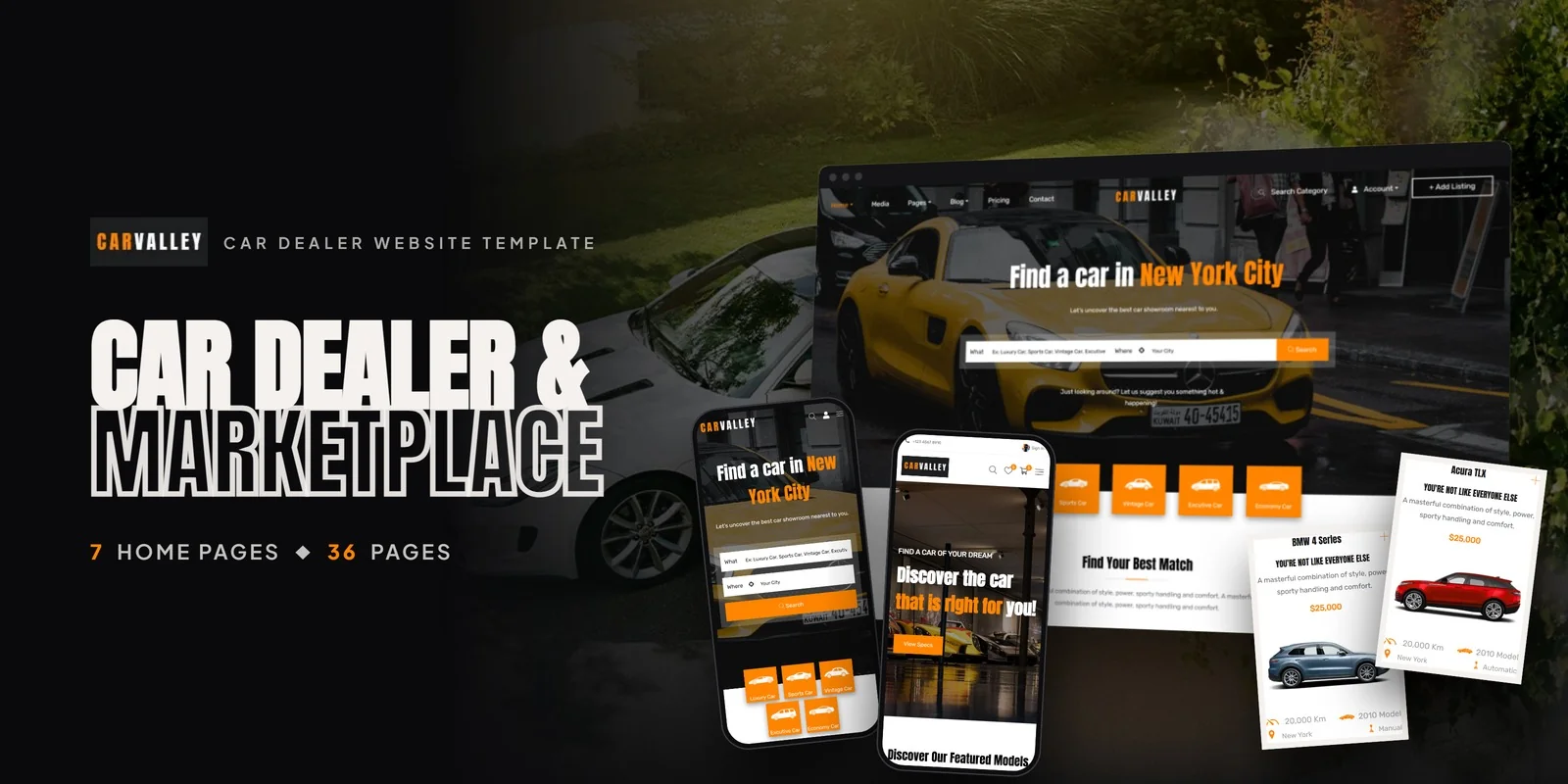
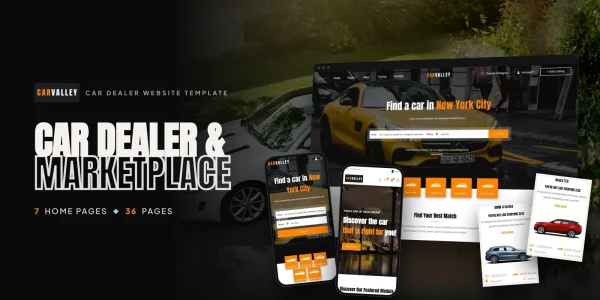
With the evaluation criteria established, one car dealership website template stands out for its depth and automotive-specific design: Carvalley. Where most dealer templates give you a homepage, a listing page, and a contact form, Carvalley delivers 36 fully designed pages that cover every stage of the car buying journey — from first impression to invoice. Here is why that page count matters.
Carvalley ships with 7 distinct homepage variants, each designed around a different automotive business strategy. A search-first hero for large inventory dealers. A featured inventory grid for dealers pushing premium vehicles. A category-led layout for multi-brand showrooms. A brand showcase for authorised manufacturer partners. A lifestyle editorial for luxury pre-owned dealers. A map-centred layout for multi-location groups. And a marketplace landing page for peer-to-peer vehicle platforms. You choose the layout that fits your business model — no custom design work required.
The listing pages are where Carvalley truly separates itself. Eight distinct inventory display layouts — four base layouts (grid, list, sidebar-filtered, full-width) in two style variants each — give you complete control over how vehicles appear to buyers. A dealer with 500 vehicles benefits from the sidebar-filtered layout. A boutique dealer with 20 hand-picked cars gets more value from the full-width visual grid. This level of listing flexibility simply does not exist in other car dealership website templates at this price point.
The vehicle detail page demonstrates Carvalley’s automotive-specific design thinking. Every element serves the buying decision: a full-width image carousel with thumbnail navigation for interior, exterior, and detail shots. A structured specifications table for make, model, year, mileage, engine, transmission, fuel type, drivetrain, and VIN. A financing calculator placeholder ready for your payment estimator. A vehicle-specific dealer contact form that reduces friction between interest and inquiry. And a similar vehicles carousel that keeps buyers on-site when the current car is not the right fit.
Full Feature Breakdown
| Feature | Detail |
|---|---|
| Total Pages | 36 fully designed pages |
| Homepage Layouts | 7 unique variants (search-first, inventory grid, category-led, brand showcase, editorial, map-centred, marketplace) |
| Vehicle Listing Layouts | 8 variants (4 base layouts x 2 style variants) |
| Vehicle Detail Page | Image carousel, specs table, financing placeholder, dealer contact form, similar vehicles |
| User Dashboard | Login, registration, member portal for managing listings |
| Add Listing Page | Seller submission form for peer-to-peer marketplaces |
| Invoice Template | Professional printable transaction records |
| Blog System | 6 detail variations + 3 listing layouts (9 total) |
| Pricing Page | Membership tier comparison table |
| In Media Section | Press mentions and media coverage showcase |
| CSS Framework | Bootstrap (responsive, mobile-first) |
| Animations | CSS3 scroll-triggered transitions and hover effects |
| SEO Markup | Semantic HTML5 with proper heading hierarchy |
| Price | $49 per format |
Marketplace Features That Most Templates Ignore
The feature that makes Carvalley fundamentally different from every other car dealership website template is its marketplace architecture. Most templates assume a single dealership listing its own inventory. Carvalley is built for that — and also for platforms where multiple sellers operate through a single website.
The Add Listing page provides a structured submission form where sellers enter vehicle details — make, model, year, condition, pricing, photos, and description. The User Dashboard gives sellers a portal to manage their listed vehicles. Login and registration pages handle member accounts. And the Pricing page displays membership tiers or service packages for a multi-seller platform’s business model.
This is not a contact form with extra fields. It is a proper listing submission interface designed for platforms where independent sellers, small dealers, or private owners list their vehicles alongside your own inventory. Combined with the Invoice template for generating printable transaction records, Carvalley provides the complete front-end architecture for a vehicle marketplace business — not just a dealership brochure.
Marketplace-Ready Architecture
If you are building a platform where multiple sellers list vehicles — think a regional used car classifieds site or a dealer group with multiple independent lots — Carvalley provides the front-end seller infrastructure from day one. The Add Listing page, User Dashboard, and Invoice template transform a standard dealership site into a multi-vendor vehicle marketplace without custom page builds.
9 Blog Layouts for Automotive Content Marketing
Carvalley’s blog system is more comprehensive than what you will find in most full-featured WordPress themes, let alone HTML templates. Six blog detail variations — gallery, left sidebar, quote, right sidebar, video, and standard — give you the flexibility to publish vehicle reviews, comparison articles, maintenance guides, and industry news in the format that best suits each piece of content. Three blog listing layouts let you organise your content archive to match your editorial strategy.
For dealerships serious about organic traffic, this blog infrastructure is a major competitive advantage. Automotive content marketing drives high-intent search traffic — people searching for vehicle comparisons, maintenance schedules, and buying guides are exactly the audience a dealership wants to capture. Here are content ideas that drive traffic to dealer websites:
- Vehicle comparisons: “2026 Toyota RAV4 vs Honda CR-V” — captures buyers comparing models
- Buying guides: “First-time car buyer checklist” — captures early-funnel buyers
- Maintenance tips: “When to change your transmission fluid” — builds trust with existing customers
- Local content: “Best scenic drives near [your city]” — captures local SEO traffic
- Market updates: “Used car prices in 2026: what to expect” — positions you as an authority
Most dealer websites have zero blog content. The few that do usually have a single blog layout that makes every post look the same. Carvalley’s nine blog layouts let you match the content type to the presentation — a video review gets a video-focused layout, a photo comparison gets a gallery layout, an opinion piece gets a quote-highlighted layout. This publishing flexibility is what separates a dealership that ranks on Google from one that does not.
Who Should Use This Template?
Carvalley is not a one-size-fits-all automotive template. It is specifically engineered for businesses that need more than a brochure site. Here is who gets the most value:
- Independent Used Car Dealers: The 8 listing variants and search-first homepage handle inventories from 20 to 2,000 vehicles. The financing placeholder and trade-in-ready contact forms address the specific needs of used car buyers shopping on trust and budget.
- Multi-Brand Showrooms: The category-led and brand showcase homepage layouts handle diverse inventories where buyers filter by make, model, body type, and price. Seven homepage variants mean you find a layout that matches your showroom’s positioning.
- Vehicle Marketplace Startups: The Add Listing page, User Dashboard, Pricing page, and Invoice template provide the seller-facing infrastructure for multi-vendor platforms. This is front-end marketplace architecture that would cost thousands to build custom.
- Automotive Agencies: The Developer Bundle with all six technology formats (HTML5, React, Angular, Vue.js, PHP, WordPress) lets agencies match the client’s tech stack without repurchasing. One $49 bundle covers every client project.
- Car Rental and Fleet Businesses: The listing pages, vehicle detail pages, and search system adapt to any vehicle type — cars, trucks, motorcycles, RVs, boats — making Carvalley flexible beyond traditional dealership use cases.
Frequently Asked Questions
Need Help Launching Your Dealership Website?
MetropolitanHost provides professional web development services for HTML template deployments. Our team understands automotive platform requirements and delivers clean, well-structured implementations.
- WordPress Theme Installation — live in under 24 hours
- Full Website Package — complete front-to-back deployment
- Colour Customisation — match your dealership branding across all pages
- Website Speed Optimisation — Core Web Vitals improvements
- Accessibility Compliance — WCAG audit and remediation



