What Is a Landing Page Template?
A landing page template is a pre-designed, fully coded website built specifically for product launches, service promotions, lead generation campaigns, startup introductions, SaaS product showcases, and high-conversion marketing campaigns. It includes every page a conversion-focused web presence needs — multiple homepage layouts with premium animated hero sliders, product and service showcase pages, an e-commerce shop with model comparison tools, blog for content marketing, and utility pages — all designed, responsive, and optimised for driving visitors toward a single action.
For businesses launching products, running campaigns, or establishing a focused web presence without paying $3,000 to $12,000 for a custom landing page design or $50 to $200 per month for a managed landing page builder like Unbounce or Leadpages, a template delivers the most practical path to a high-impact web presence. But landing pages face a unique conversion challenge: unlike full websites where visitors browse freely, a landing page must guide every visitor toward a single desired action — whether that is purchasing a product, requesting a demo, signing up for a trial, or submitting a contact form. Every design element must serve conversion. This guide covers what makes landing pages convert, what technical features drive results, and how to choose the right template for your campaign.
Template vs Landing Page Builder vs Custom Build
Businesses creating landing pages typically face three options:
| Factor | Landing Page Builder (Unbounce, Leadpages) | Landing Page Template | Custom Build |
|---|---|---|---|
| Upfront Cost | $0 | $29–69 | $3,000–12,000 |
| Monthly Cost | $74–300/month | $3–10/month (hosting only) | $50–200/month |
| 3-Year Total Cost | $2,664–10,800 | $137–429 | $4,800–19,200 |
| Code Ownership | No — you rent it | Yes — you own it forever | Yes — you own it |
| Design Uniqueness | Drag-and-drop sameness | Fully customisable source code | Fully custom |
| Premium Hero Slider | None or basic | Revolution Slider included | Custom development |
| Product Comparison | Not available | Built-in comparison tool | Custom development |
| E-Commerce Integration | Limited | Built-in shop module | Any format |
| Vendor Lock-in | High — pages disappear if you cancel | None | None |
Landing page builders like Unbounce charge $74 to $300 per month for drag-and-drop editors that produce pages looking identical to thousands of other campaigns. An $99/month plan costs $3,564 over three years — and the moment you cancel, every page you built disappears. An HTML template gives you permanent ownership of polished, high-conversion pages with premium components like Revolution Slider that landing page builders do not offer. Your pages live on your hosting, under your control, for as long as you need them.
What Makes a Landing Page Convert
Conversion is the single metric that defines landing page success. Every element on the page either moves a visitor closer to action or creates friction that pushes them away. Understanding these principles helps you evaluate templates through a conversion lens rather than an aesthetic one. Here is what drives landing page performance:
Immediate Visual Impact Above the Fold
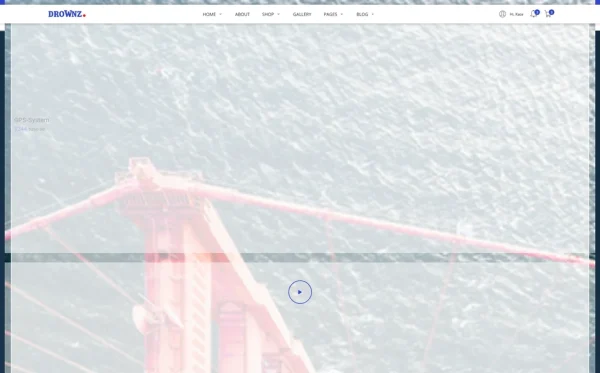
The hero section determines whether visitors stay or bounce. You have approximately three seconds to communicate what you offer, why it matters, and what the visitor should do next. A static image with text overlay competes with thousands of identical landing pages. A premium animated hero slider — with layered animations, transition effects, and cinematic presentation — creates the visual authority that stops the scroll and commands attention. Revolution Slider provides this premium hero experience with advanced animation timelines, responsive layers, and performance optimisation that basic CSS animations cannot match.

Clear Value Proposition Without Ambiguity
Visitors arriving from an ad, email, or social media link have a specific expectation. Your landing page headline must immediately confirm they are in the right place by restating the promise that brought them there. Ambiguous headlines like “The Future of Innovation” tell visitors nothing. Specific headlines like “Drone Aerial Photography — 4K Footage From $299” tell them exactly what they will get and what it costs. Every word above the fold must serve clarity — remove anything that does not directly communicate your offer’s core benefit.
Social Proof and Trust Indicators
Visitors arriving on a landing page are inherently sceptical — they clicked an ad and now they are evaluating whether your offer is legitimate. Client logos, customer testimonials, review counts, case study statistics, and industry certifications provide the evidence that overcomes scepticism. A Swiper carousel rotating through client testimonials or partner logos maintains social proof visibility without consuming excessive page space. Trust indicators must be visible without scrolling on both desktop and mobile — they are not supporting content, they are conversion-critical content.
Product Showcase With Comparison
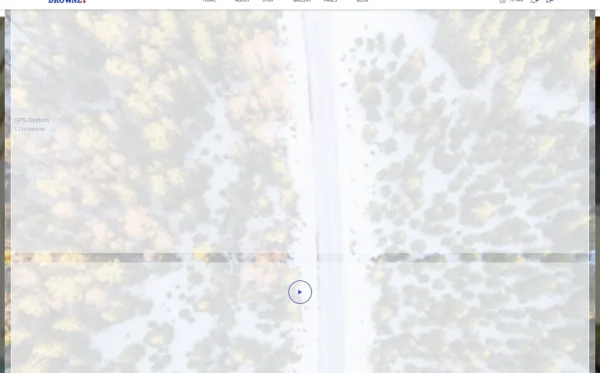
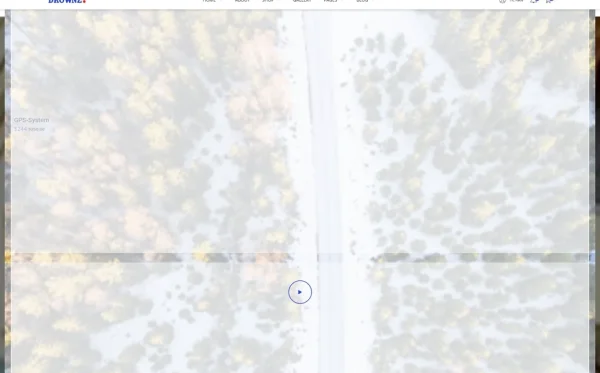
For product-focused landing pages, visitors need to evaluate options and understand differences between models, plans, or service tiers. A product comparison tool that displays features, specifications, and pricing side by side eliminates the guesswork that causes visitors to leave and research elsewhere. Whether you are comparing drone models, software tiers, service packages, or equipment options, built-in comparison functionality keeps the evaluation process on your page rather than sending prospects to competitor sites for research.
Minimal Navigation and Focused Flow
Research consistently shows that removing navigation menus from landing pages increases conversion rates. Every link that leads away from your conversion goal is a leak in your funnel. A focused landing page guides visitors through a deliberate sequence — hero statement, benefit explanation, social proof, product details, pricing, and call-to-action — without offering escape routes to blog posts, about pages, or company history. The template’s multiple homepage layouts let you test different flow sequences to find the arrangement that converts best for your specific audience.
Mobile Conversion Experience
Over 60 percent of landing page traffic arrives on mobile devices. If your landing page form is difficult to fill on a phone, your call-to-action button is too small to tap accurately, or your hero content requires horizontal scrolling, you are losing the majority of your potential conversions. Mobile landing page optimisation is not about making the desktop page smaller — it is about designing a conversion flow that works naturally with thumb-based navigation, smaller screens, and impatient mobile users who make snap decisions.
Landing Page Types and When to Use Each
Different campaigns require different landing page structures. Understanding which type matches your goal ensures you choose a template with the right page layouts:
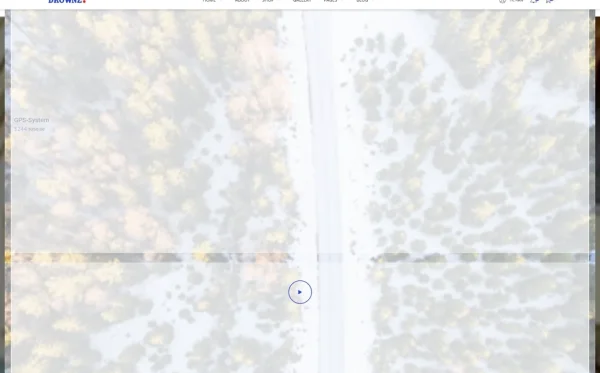
Product Launch Pages
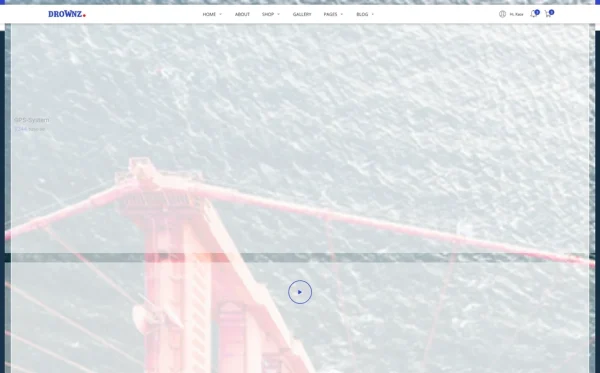
A product launch landing page showcases a new product or service with visual emphasis on features, specifications, and purchase or pre-order action. This page type needs a premium hero presentation that creates excitement, product image galleries with detail views, specification comparison tools for model variants, pricing information, and a prominent purchase or enquiry button. Four unique homepage layouts allow you to test different launch page approaches — hero-led, feature-led, testimonial-led, or pricing-led — to find the format that drives the most conversions for your specific product.
Lead Generation Pages
Lead generation landing pages focus on capturing visitor information through a form — email for newsletters, contact details for sales follow-up, or qualification questions for consultation requests. These pages must minimise distractions and maximise form completion rates. The key elements are a compelling headline, clear benefit statement, trust signals, and a short form with minimal required fields. Blog content supporting the landing page provides SEO-driven traffic that feeds the lead generation funnel over time.
E-Commerce and Direct Sales Pages
Direct sales landing pages combine product showcase with immediate purchase capability. These pages need product image galleries with zoom functionality, model comparison tools for multi-product offerings, pricing displays, and a streamlined order process. An integrated shop module with product archive, detail pages, and order confirmation provides the complete purchase flow within a single cohesive experience — no redirects to third-party checkout pages that break trust and increase abandonment.
Technical Features That Drive Landing Page Conversions
Beyond design principles, specific technical components determine whether a landing page captures attention and converts visitors. These features create the premium experience that differentiates high-performing pages from generic alternatives:
Revolution Slider Premium Hero
Revolution Slider is a premium component that creates cinematic hero sections with layered animations, advanced transition effects, video backgrounds, and responsive content layers. Unlike basic CSS sliders that offer simple fade or slide transitions, Revolution Slider provides timeline-based animation control where individual elements — headlines, images, buttons, overlays — animate independently with precise timing. This creates a broadcast-quality hero presentation that communicates premium brand positioning from the first moment of page load. The slider is responsive, touch-enabled, and performance-optimised for mobile devices.
Swiper Carousel for Content Sections
Swiper provides modern, touch-enabled carousels for rotating through testimonials, client logos, product features, portfolio items, and service highlights. On landing pages, carousels serve a specific conversion function: they present multiple pieces of social proof or product benefits within a compact space, maintaining page flow without requiring visitors to scroll past long static sections. Touch-swipe support on mobile devices makes carousel interaction feel native, keeping mobile visitors engaged with content that supports the conversion goal.
Isotope Grid Filtering
For landing pages showcasing multiple products, portfolio items, or service categories, Isotope provides animated grid filtering that lets visitors select categories and watch the grid smoothly rearrange to show matching items. This interactive filtering creates an engaging, app-like browsing experience without page reloads. On product-focused landing pages, Isotope filtering lets visitors quickly narrow from a full product range to the specific category that matches their interest — reducing decision fatigue and accelerating the path to purchase.
ion.rangeSlider Price Filtering
For landing pages with shop integration or multiple pricing tiers, ion.rangeSlider provides visual price range selection through a draggable slider interface. Visitors set their budget range and instantly see products or plans within that range. This interactive pricing control is more intuitive than dropdown price selects or manual input fields, creating a smooth product discovery experience that helps budget-conscious visitors find options that match their spending capacity without scrolling through irrelevant premium or budget items.
Cost Breakdown: Landing Page Options
Landing pages are marketing investments. Understanding the true cost of each approach helps marketers calculate return on ad spend accurately:
| Cost Component | HTML Template | Landing Page Builder (Unbounce) | Custom Build |
|---|---|---|---|
| Template / License | $29–69 (one-time) | $0 | N/A |
| Hosting | $36–120/year | Included | $120–600/year |
| Platform Fee | None | $888–3,600/year | None |
| Revolution Slider | Included | Not available | $500–2,000 custom |
| Product Comparison | Built-in | Not available | $1,000–3,000 custom |
| Design Customisation | $0–500 | $0 (drag-and-drop) | $3,000–10,000 |
| Total Year One | $65–689 | $888–3,600 | $4,620–15,600 |
| 3-Year Total | $137–929 | $2,664–10,800 | $4,860–16,800 |
Revenue Per Dollar Invested: A business paying $99/month for Unbounce spends $1,188 per year on landing page hosting — and if they cancel, every page disappears. At a cost-per-lead of $25, that platform fee equals 48 leads lost annually to overhead. An HTML template at $29–69 provides a more visually impressive landing page with Revolution Slider premium hero animations, product comparison tools, and a full shop module at a one-time cost. Four unique homepage layouts let you A/B test different conversion approaches without per-page or per-variant fees that platforms charge for multivariate testing.
How to Choose the Right Landing Page Template
Not all templates serve conversion-focused campaigns effectively. Here is what to evaluate specifically for landing page use:
Check the Hero Section Quality
The hero section is the most conversion-critical element on any landing page. Open the template demo and evaluate the first three seconds of experience. Does the hero create visual impact that commands attention? Are there animated elements that add dynamism? Does it include Revolution Slider or just a basic image carousel? A template with a premium animated hero slider delivers broadcast-quality first impressions that basic CSS sliders cannot match. The hero section is where templates differentiate themselves most from landing page builders.
Count the Homepage Variants
Conversion optimisation requires testing. A template with a single homepage layout forces you to accept one conversion flow without the ability to test alternatives. Multiple homepage variants — four or more — let you A/B test different approaches: hero-led versus feature-led, long-form versus concise, testimonial-prominent versus pricing-prominent. Each variant represents a different conversion hypothesis you can test with real traffic data. Templates with four or more unique homepage layouts provide the testing foundation that drives continuous conversion improvement.
Evaluate the Shop and Product Experience
If your landing page involves product sales, the shop module quality directly affects revenue. Open the template demo and browse the shop pages. Are there multiple layout options? Does product comparison work smoothly? Is there price filtering for multi-product catalogues? A landing page template with robust e-commerce integration — product archive, detail pages, comparison tools, and order flow — provides a complete sales experience without redirecting visitors to external checkout pages that increase abandonment rates.
Test Mobile Performance
Open the template demo on your phone. Does the hero slider perform smoothly with touch gestures? Are call-to-action buttons easily tappable? Does the page load quickly on a cellular connection? With over 60 percent of landing page traffic on mobile, the mobile experience is not a secondary concern — it is the primary conversion environment. A template that looks premium on desktop but performs poorly on mobile will underperform on the traffic source where most of your paid visitors arrive.
Common Mistakes When Building a Landing Page
Too Many Competing Calls-to-Action
A landing page should have one primary action. Multiple competing CTAs — “Buy Now,” “Learn More,” “Download Guide,” “Subscribe,” “Contact Us” — create decision paralysis that reduces conversion rates. Every additional option dilutes the primary action. Choose one conversion goal per page and design every element to support that single goal. Secondary CTAs can exist for visitors who are not ready for the primary action, but they should be visually subordinate to the main conversion button.
Slow Loading Hero Sections
Premium hero animations that take five seconds to load defeat their purpose — visitors bounce before seeing them. Revolution Slider provides performance-optimised animations with lazy loading, compressed assets, and efficient rendering that maintains visual impact without sacrificing load time. If your hero section delays page interactivity by more than two seconds, you are losing visitors at a rate of approximately 10 percent per additional second of load time. Premium visual impact must be balanced with loading performance.
No Social Proof Above the Fold
Placing testimonials and trust indicators at the bottom of a long landing page means most visitors never see them. Social proof must be visible within the initial viewport — either integrated into the hero section or immediately below it. A Swiper carousel rotating through client logos or testimonial snippets provides compact social proof that occupies minimal vertical space while delivering continuous trust signals. Visitors who see proof of other customers’ satisfaction before encountering the call-to-action convert at significantly higher rates.
Using the Template Without Customisation
A template is a starting point, not a finished landing page. Launching with placeholder text, stock images, and demo content communicates that you invested $29 in your web presence and nothing more. Replace every image with your actual product photography, rewrite every heading to match your specific offer, update testimonials with real customer quotes, and configure the Revolution Slider hero to tell your brand’s story. The template provides the structure and technical foundation; your content and customisation provide the conversion power.
Drownz — A Landing Page Template Built for Premium Conversions
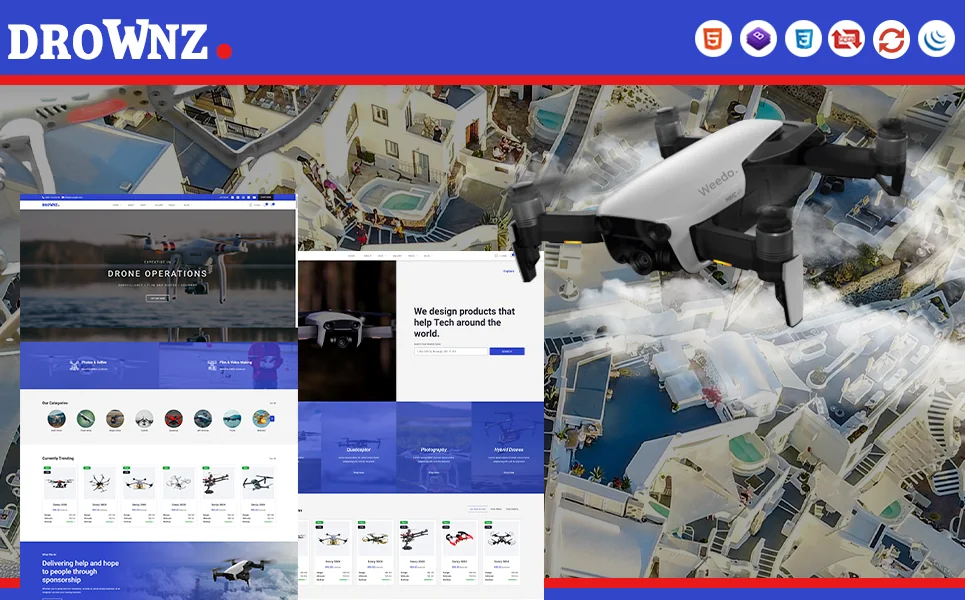
Every feature discussed in this guide exists in a single template. Drownz is a Bootstrap HTML5 template with 19 fully designed pages and 4 unique homepage layouts — built for product launches, service promotions, and conversion-focused campaigns that demand premium visual impact.
What Drownz Includes
- 4 unique home layouts — four distinct hero styles including a premium Revolution Slider hero for A/B testing different conversion flows
- E-commerce shop — product archive in left sidebar, right sidebar, and full-width layouts
- Model comparison — compare products or service tiers side-by-side on key attributes
- Order details page — order confirmation and purchase detail for completed transactions
- Price range slider — ion.rangeSlider for filtering products by budget
- Blog module — content marketing support in three formats for SEO-driven traffic
- Isotope grid filtering — animated category filtering for portfolio and product sections
Technical Foundation
- Bootstrap 4 — responsive grid with mobile-first breakpoints
- Revolution Slider — premium animated hero slider with advanced transitions and timeline control
- Swiper Carousel — touch-enabled content and testimonial sliders
- Isotope Filtering — animated grid filtering for product and portfolio sections
- ion.rangeSlider — visual price range selection
- Cross-browser tested — Chrome, Firefox, Safari, Edge, Opera
Customisation Roadmap for Conversion Campaigns
After purchasing Drownz, follow this implementation sequence to launch your landing page:
- Define your conversion goal — identify the single primary action you want every visitor to take (purchase, sign up, request demo, submit enquiry)
- Choose your homepage layout — select the layout variant that best matches your conversion flow, then customise the hero with your headline, images, and CTA
- Configure Revolution Slider — create a cinematic hero presentation with your product imagery, brand messaging, and animated elements
- Add your products or services — populate shop pages with your offerings, configure comparison attributes, and set up pricing
- Build social proof — add real client testimonials, partner logos, and customer statistics to the Swiper carousel sections
- Launch and test — deploy your primary homepage variant, drive traffic, measure conversions, and then test alternative homepage layouts to optimise
- Support with content — publish blog posts that drive organic traffic to your landing page through relevant keyword targeting
Frequently Asked Questions
Need Help Launching Your Landing Page?
MetropolitanHost provides professional web development services for HTML template deployments. Our team understands conversion-focused website requirements and delivers clean, high-performance implementations.
- WordPress Theme Installation — live in under 24 hours
- Full Website Package — complete front-to-back deployment
- Colour Customisation — match your brand across all pages
- Website Speed Optimisation — Core Web Vitals improvements
- Accessibility Compliance — WCAG audit and remediation