What Is a Digital Agency Website Template?
A digital agency website template is a pre-designed, fully coded website built specifically for digital marketing agencies, creative studios, IT consultancies, and professional service firms. It ships with every page a modern agency needs — homepage with hero section, services overview with individual service detail pages, a portfolio or case study archive, team directory, appointment booking form, blog, and contact page — already designed, responsive, and ready for your content.
For agency owners who want a polished web presence without diverting $10,000 or more from client acquisition budgets, a template is the most practical path to a website that communicates competence on first impression. But not every agency template is built the same way. Some are glorified landing pages with a contact form. Others ship thirty or more pages covering every touchpoint an agency prospect encounters during their buying journey. This guide breaks down what your agency website actually needs to win clients, what separates a production-ready template from a decorative demo, and how to evaluate your options before you commit.
Template vs Custom Build vs DIY Platform
Agency founders typically weigh three options when building their website. Each carries distinct trade-offs in cost, timeline, and long-term control:
| Factor | DIY Platform (Wix, Squarespace) | Digital Agency Website Template | Custom Agency Build |
|---|---|---|---|
| Upfront Cost | $0–200 | $29–69 | $5,000–25,000 |
| Monthly Cost | $16–50/month | $3–10/month (hosting only) | $100–500/month |
| 3-Year Total Cost | $576–2,000 | $137–429 | $8,600–43,000 |
| Code Ownership | No — you rent it | Yes — you own it forever | Yes — you own it |
| Design Flexibility | Limited to platform | Full HTML/CSS/JS control | Unlimited |
| SEO Control | Platform-limited | Full control | Full control |
| Case Study Pages | Basic blog posts only | Purpose-built archive + detail pages | Any format |
| Time to Launch | 1–3 weeks | 3–7 days | 6–16 weeks |
| Portability | Cannot export | Move to any host | Move to any host |
| Vendor Lock-in | High | None | None |
The template occupies the practical middle ground. You get a website that looks custom-built, loads faster than any hosted platform, gives you full ownership of the source code, and costs less than a single month of most custom development retainers. For agencies that need to redirect budget toward actual client work rather than their own website, a template delivers the highest return on investment available in 2026.
What Clients Expect When They Land on Your Agency Website
Before you evaluate any template, you need to understand what happens in the first ten seconds after a prospect clicks through to your site. Agency buyers are not casual browsers. They are business owners, marketing directors, and project managers evaluating whether your firm is credible enough to handle their brand. Your website is your first pitch — and prospects make that judgment fast.
Immediate Proof of Competence
An agency that designs websites for clients must have an exceptional website itself. This is the single most common failure point for small and mid-sized agencies. If your hero section looks generic, your typography is inconsistent, or your layout feels template-ish in the worst sense, the prospect closes the tab. Your website must demonstrate the exact level of craft you promise to deliver for clients. A strong agency homepage communicates three things within five seconds: what you do, who you do it for, and evidence that you do it well.
Case Studies That Tell a Business Story
The case study section is where agencies win or lose the deal. Prospects do not care about your process diagrams or methodology jargon. They care about outcomes. A well-structured case study page shows the client’s challenge, the approach your team took, the measurable results, and a visual before-and-after when applicable. The archive page should allow prospects to filter cases by industry, service type, or technology — so a SaaS company evaluating your firm can immediately see relevant work.
A template that only offers a basic image gallery labelled “portfolio” is not built for agencies. You need a case study archive with individual detail pages that accommodate narrative content, metrics, testimonials, and project imagery.
Services Pages With Enough Depth to Qualify Leads
Your services overview page introduces what your agency offers. But the real conversion happens on the individual service detail pages. A prospect evaluating whether you handle SEO, paid media, or web development needs a dedicated page for each service that explains your approach, outlines deliverables, mentions the types of clients you serve, and includes a clear call to action. Templates that combine all services onto a single page with three or four icon boxes are designed for freelancers, not agencies.
Team Pages That Build Personal Trust
Agency work is relationship-driven. Clients want to know who they will be working with before they sign. A team directory with professional headshots, role titles, short bios, and contact information transforms your website from a corporate facade into a team of real people. For agencies with ten or more team members, a filterable team grid with individual profile pages allows prospects to learn about the specific people who would handle their account.
Appointment Booking That Removes Friction
The fastest way to convert a prospect into a conversation is to let them book a call directly from your website. An appointment booking form integrated into the template — not a third-party link that opens in a new tab — keeps the prospect inside your funnel. The form should collect the prospect’s name, company, email, phone number, preferred date and time, and a brief description of their project. Templates that include a multi-step wizard-style booking process reduce abandonment compared to single long-form layouts.
Blog Content That Demonstrates Expertise
A blog is not optional for a digital agency. Prospects evaluate your expertise partly through the content you publish. Industry analyses, campaign breakdowns, and technical how-to articles signal that your team stays current and thinks strategically. Your template must include a blog section with archive page, grid or list layout options, and individual post pages with author attribution, categories, and related posts.
Technical Requirements for a Production-Ready Agency Template
Beyond visual design, your template must meet specific technical standards that affect performance, search visibility, and long-term maintainability.
Responsive Design Built for Mobile and Tablet
Over 60% of business-related web browsing happens on mobile devices. Your agency template must render correctly across desktop monitors, tablets in both orientations, and smartphones down to 320px width. Responsive design is not just about elements resizing — navigation must convert to a mobile-friendly format, images must scale without horizontal scrolling, and interactive elements like carousels and filters must work with touch input. A template built on Bootstrap or a comparable responsive framework handles these requirements structurally rather than through afterthought media queries.
Clean, Semantic HTML for Search Engine Visibility
Google rewards websites that use proper heading hierarchy, semantic HTML5 elements, descriptive alt attributes on images, and structured data where applicable. Your template should use proper semantic elements correctly. Heading tags should follow a logical H1 through H4 hierarchy on every page. Image placeholders should include alt text that you can customise with your own descriptions. A template that wraps everything in generic div tags with meaningless class names is a liability for search rankings.
Fast Loading Without Bloated Dependencies
Page speed directly impacts both search rankings and visitor behaviour. Your template should load within two to three seconds on a standard connection. This means optimised image formats, minified CSS and JavaScript, efficient use of libraries, and no unnecessary third-party scripts loading on every page. Be cautious of templates that load five or six JavaScript libraries on every page when only one or two are actually used. Every unused library adds weight that slows your site and frustrates visitors on mobile connections.
Performance Benchmark: Agency websites that load in under 2 seconds see 15% higher engagement rates and lower bounce rates compared to sites loading in 4+ seconds. When your website itself is a demonstration of your technical competence, speed is not negotiable.
Interactive Components That Serve a Purpose
Modern agency templates include JavaScript-powered components like Isotope grid filtering for portfolios, Slick carousels for testimonials and project showcases, animated counters for business statistics, lightbox galleries for detailed image viewing, and countdown timers for promotional campaigns. These components add polish and functionality — but only when they serve a clear user purpose. Filtering a portfolio by category helps prospects find relevant work. An animated counter showing years in business or projects completed reinforces credibility. A carousel that auto-scrolls testimonials too fast to read is decoration, not function.
Cross-Browser and Cross-Device Testing
Your agency website will be viewed by prospects using Chrome on a MacBook, Safari on an iPhone, Firefox on a Linux workstation, and Edge on a Windows desktop. Every page, animation, filter interaction, and form submission must function identically across all major browsers and operating systems. Templates built on well-maintained frameworks like Bootstrap include cross-browser testing as part of their development process. Before launching, test every page on at least four browsers and three device types. Pay particular attention to interactive elements — portfolio filters, carousels, and lightbox galleries — as these are the components most likely to break across different browser engines. A portfolio filter that works in Chrome but fails in Safari embarrasses an agency that claims to build professional websites.
How to Evaluate an Agency Template Before You Buy
Knowing what features to look for is only half the equation. Here is a practical checklist for evaluating any digital agency template before purchase:
Count the Pages
A serious agency template should include at minimum: two homepage variants, services overview, individual service detail, case study or portfolio archive, individual case study detail, team directory, individual team member profile, about page, blog archive, individual blog post, contact page, and FAQ. Templates with fewer than fifteen pages are likely to require significant custom development to fill the gaps.
Check the Case Study Structure
Open the demo and navigate to the case study or portfolio section. Does it have an archive page with filtering? Does each project have its own detail page with space for narrative content, metrics, and multiple images? Or is it just a lightbox gallery? Agencies need story-driven case study pages, not photo grids.
Test the Mobile Experience
Open the template demo on your phone. Navigate through every page. Check that the navigation is accessible, images scale properly, text is readable without zooming, forms are usable, and carousels respond to swipe gestures. If the mobile experience feels like an afterthought, find a different template.
Review the Code Quality
If you or your developer will be customising the template, view the source code. Check for consistent indentation, meaningful class names, comments on major sections, and separation of concerns between HTML structure, CSS styling, and JavaScript behaviour. Well-organised code reduces customisation time and future maintenance costs.
Verify the JavaScript Libraries
Check which JavaScript libraries the template loads. Common production-quality choices include jQuery for DOM manipulation, Bootstrap for responsive layout, Slick or Swiper for carousels, Isotope or Masonry for grid filtering, Magnific Popup or Fancybox for lightboxes, and CounterUp or CountTo for animated statistics. If the template loads more than six or seven libraries, check whether they are all actually used on the pages where they load.
SEO Foundations for Agency Websites
A beautiful agency website that nobody finds in search results is an expensive digital brochure. Search engine optimisation for agency websites goes beyond installing a plugin and filling in meta descriptions. Your template choice directly affects your SEO ceiling — and most agency owners do not realise this until months after launch.
URL Structure and Site Architecture
Search engines reward websites with clear, logical URL structures. Your agency website should follow a predictable pattern: domain.com/services/seo, domain.com/case-studies/client-name, domain.com/team/person-name. This flat hierarchy makes it easy for search crawlers to understand your content organisation and index every page. Templates that generate long, nested, or parameter-heavy URLs create unnecessary barriers to crawling and indexing. Before purchasing a template, review the URL structure in the demo to ensure it supports clean, human-readable paths.
Page Speed as a Ranking Factor
Google has confirmed that page speed is a direct ranking factor, and Core Web Vitals — Largest Contentful Paint, Interaction to Next Paint, and Cumulative Layout Shift — are measured for every page on your site. A template that loads unnecessary JavaScript libraries, uses uncompressed images as defaults, or renders custom fonts in a way that causes layout shifts will hurt your rankings before you publish a single word of content. Run Google PageSpeed Insights against the template demo before you buy. If the demo scores below 80 on mobile, the template has structural performance issues that will follow you to production.
Schema Markup for Agency Services
Structured data helps search engines understand the nature of your business and can generate rich results in search listings. For agencies, the most relevant schema types include Organization (your business details, logo, social profiles), ProfessionalService (your service offerings), and Article (your blog posts). A well-built template includes or easily accommodates JSON-LD schema markup. You add your agency-specific details and publish structured data that helps Google present your site more prominently in relevant searches.
Content Strategy for Agency Lead Generation
Your website content serves two distinct purposes: attracting visitors through search and converting those visitors into leads. Understanding how to structure content for both goals determines whether your agency website generates business or simply exists.
Service Pages as Conversion Hubs
Each service page must work simultaneously as a search landing page and a conversion page. The page should open with a clear statement of what the service is and who it is for — this captures the search intent. The middle section should explain your approach, deliverables, and what differentiates your agency from competitors — this builds confidence. The final section should include a compelling call to action with a low-friction contact method — this converts interest into action. Service pages that are thin on content rank poorly and convert even worse. Aim for 500 to 800 words per service page minimum, with specific examples and outcomes where possible.
Case Studies as Search-Driven Sales Tools
Case study pages serve dual duty as SEO content and sales tools. A case study titled “How We Increased E-Commerce Revenue 340% for a Fashion Brand” targets long-tail search queries while simultaneously demonstrating your capabilities to prospects who discover it. Structure each case study with the client’s industry and challenge (captures search intent), your strategic approach (demonstrates expertise), measurable results with specific numbers (provides proof), and a client testimonial (adds social validation). Case studies built this way accumulate search traffic over time and serve as your most powerful sales collateral in prospect meetings.
Blog Content That Attracts Decision-Makers
The most effective agency blogs do not target generic marketing keywords. They target the specific questions that business owners and marketing directors ask before hiring an agency. Articles like “How to Brief a Digital Agency” or “What to Expect From an SEO Audit” attract exactly the audience that is likely to become a client. Each blog post should relate to a service you offer, demonstrate the kind of strategic thinking your agency provides, and include a natural pathway to your service or contact page. Publish consistently — even twice monthly — and you build a library of content that compounds in search traffic and lead generation over time.
Content Compounds: An agency that publishes two case studies and four blog posts per month for twelve months will have 72 pieces of searchable, credibility-building content. Each piece targets different keywords, serves different prospect questions, and creates more pathways for potential clients to discover your agency. Your template must support this content velocity with a well-structured blog and case study architecture.
Agencia — A Digital Agency Template Built for Client Acquisition
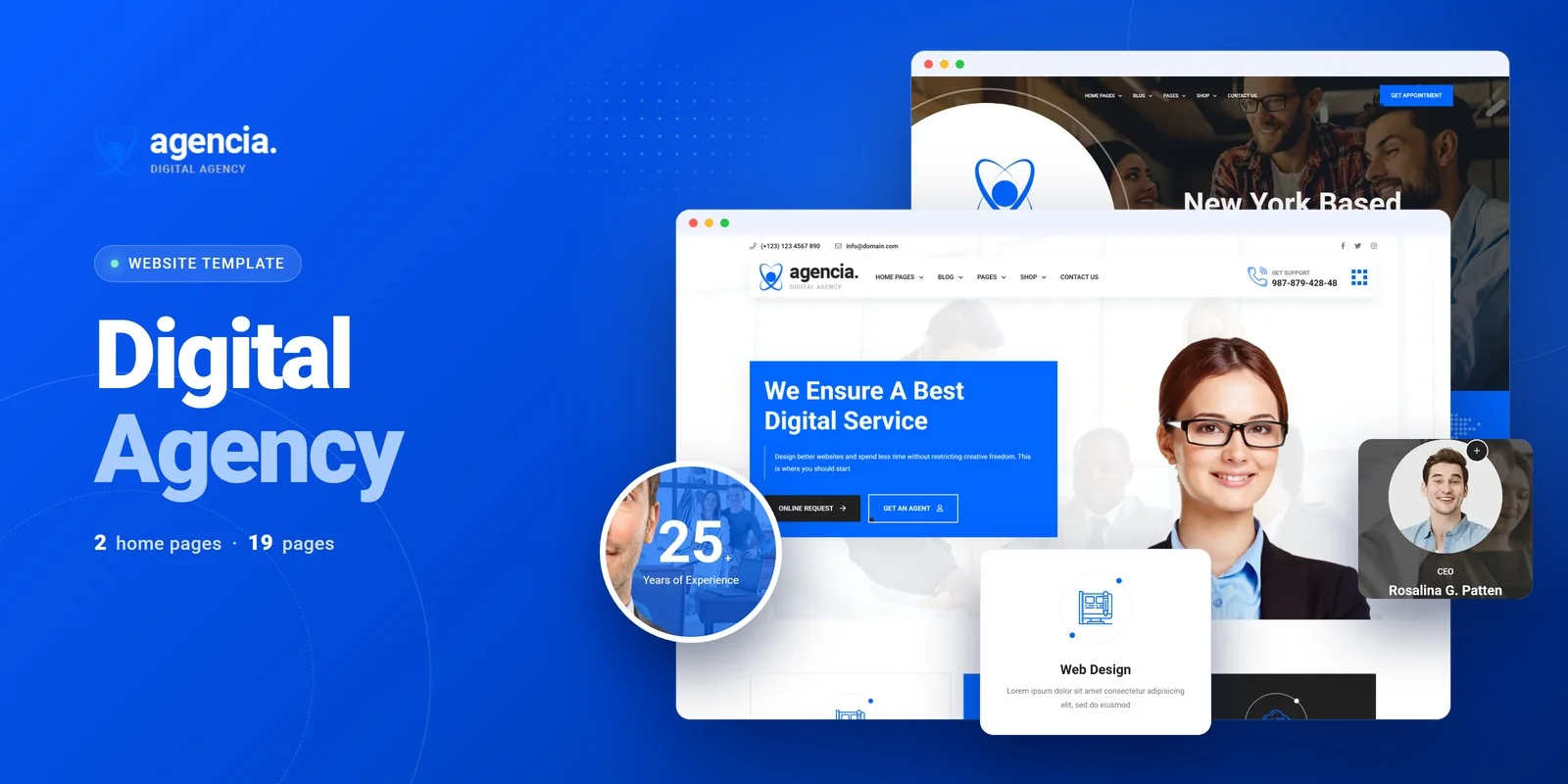
Agencia is a digital agency and services HTML5 template designed to address every requirement outlined in this guide. Built for digital agencies, marketing consultancies, IT service providers, and multi-service business brands, it ships twenty fully crafted HTML pages across two unique homepage layouts — giving you a complete, production-ready agency web presence.
What Agencia Includes
The template delivers a structured website architecture that covers the full agency prospect journey:
- Two Homepage Layouts — distinct hero styles and agency showcase arrangements for A/B testing or brand differentiation
- Case Studies Archive with Detail Pages — individual case study pages for project narratives, client challenges, solutions, and results
- Services Module with Detail Views — overview plus dedicated pages for each service offering
- Team Directory — staff showcase with professional profiles
- Appointment Booking Form — multi-step wizard that guides prospects through scheduling a consultation
- Full Shop Section — product pages, cart, checkout, and wishlist for agencies selling digital products
- Blog in Three Formats — grid layout, list layout, and individual post pages
- FAQ Page — structured answers to common client questions
- Contact Page — comprehensive contact form with location details
Technical Foundation
Agencia is built on Bootstrap with Slick carousels for testimonials and project showcases, Isotope grid filtering for case study and portfolio archives, jQuery Steps for the multi-step appointment booking form, Countdown timers for promotional sections, Magnific Popup lightbox for image galleries, and the Flaticon icon set for consistent visual language across all pages. Every page is fully responsive and built with clean, maintainable code that any developer can customise without reverse-engineering the structure.
20 Pages, Zero Gaps: Agencia covers every page an agency website needs — from dual homepages and filterable case studies to a multi-step appointment form and full e-commerce section. No placeholder pages, no “coming soon” stubs. Every page is fully designed and production-ready.
Customisation Roadmap After Purchase
Launching an agency website from a template follows a predictable sequence that gets you from download to live site in two weeks or less:
Week One — Content Preparation and Structure: Gather your agency logo, brand colours, team headshots, case study content, and service descriptions. Replace placeholder text on every page. Update navigation to match your site structure. Swap hero images with your branded photography. Adjust the colour scheme through CSS variables or Bootstrap colour classes.
Week Two — Functional Setup and Launch: Connect contact and appointment forms to your email service or CRM. Configure case study pages with client work. Set up blog posts. Test every page across Chrome, Safari, Firefox, and Edge on both desktop and mobile. Run Google PageSpeed Insights and address any flagged issues. Validate all forms and links, then deploy to production.
Frequently Asked Questions
Related guide: Browse the wider shortlist of best business website templates for agencies and service brands.
Need Help Launching Your Agency Website?
MetropolitanHost provides professional web development services for HTML template deployments. Our team understands agency platform requirements and delivers clean, well-structured implementations.
- WordPress Theme Installation — live in under 24 hours
- Full Website Package — complete front-to-back deployment
- Colour Customisation — match your agency branding across all pages
- Website Speed Optimisation — Core Web Vitals improvements
- Accessibility Compliance — WCAG audit and remediation



