Every creative professional reaches the same crossroads. You have the skills, the work samples, and the ambition — but you are presenting your portfolio on a platform you do not control, in a format you did not choose, surrounded by other creatives competing for the same attention. Behance, Dribbble, Instagram — these platforms serve their own business objectives, not yours. They control the layout, the algorithm decides who sees your work, and every visitor is one click away from a competitor’s portfolio. Your work deserves better than being a content commodity on someone else’s platform.
The alternative — a custom portfolio website built from scratch — solves the control problem but creates cost and time problems that most independent creatives and small studios cannot justify. Custom development costs thousands, takes weeks, and requires ongoing maintenance that diverts energy from the creative work that actually pays the bills. The result is that a large majority of creative professionals either have no dedicated portfolio website or have one they built years ago and never updated.
This guide covers everything creative professionals need to know about building a portfolio website in 2026: the features that clients and employers actually evaluate, the costs at every budget level, the design principles that let your work shine without competing with the website itself, and how to choose a template that showcases your creative output professionally without consuming the time and budget you need for actual creative work.
Why Creative Professionals Need a Dedicated Portfolio Website
A portfolio website is not a vanity project — it is a business tool that directly affects your income. Whether you are a freelance designer pitching potential clients, a photographer booking commercial shoots, an illustrator seeking licensing opportunities, or a creative director interviewing at agencies, your portfolio is the primary evidence that decision-makers evaluate before hiring you.
Platform profiles on Behance or Dribbble serve a discovery function, but they are not a substitute for a dedicated portfolio. Clients who receive your portfolio link expect a professional, self-contained presentation of your work — not a profile on a social platform where they will be distracted by other designers’ work, where the layout is standardized rather than curated, and where the platform’s branding competes with yours.
The hiring process has also changed. Creative directors and hiring managers now evaluate candidates primarily through their online portfolio before scheduling interviews. A portfolio website that loads slowly, displays work poorly on mobile, or lacks the organizational structure to showcase range and depth eliminates candidates before they are ever considered. Your portfolio website is your first interview — and it happens without you being present to explain or qualify anything.
For freelancers and studio owners, the website also serves as a client acquisition engine. Organic search traffic for terms related to your services and location drives inbound leads that do not require networking events, cold emails, or platform algorithms. A well-optimized portfolio website with strong content continues generating opportunities around the clock.
The 10 Must-Have Features for Portfolio Websites
Portfolio websites have specific requirements that generic business templates cannot satisfy. The template you choose must be built around visual presentation and creative showcase rather than text-heavy corporate communication.
1. Multiple Portfolio Layout Styles
Different types of creative work demand different presentation formats. Graphic design and branding projects look best in a clean grid. Photography benefits from masonry layouts that accommodate different aspect ratios. UI/UX projects need larger preview sizes that show interface detail. Illustration work thrives in gallery formats with full-bleed images. A template with multiple portfolio layout styles — four or more — lets you choose the presentation that best serves each body of work.
2. Isotope Grid Filtering
Creative professionals often work across multiple disciplines or serve multiple industries. A portfolio that mixes branding projects with website designs, print layouts, and illustration creates a confusing experience for visitors looking for specific capabilities. Isotope filtering lets visitors dynamically filter your portfolio by project type, industry, skill, or medium — showing only the work relevant to their needs without page reloads or navigation away from the portfolio section.
3. Services Module With Detail Pages
Portfolio websites that only show work without explaining services miss conversion opportunities. A services section with overview and individual detail pages lets you articulate what you offer, how you work, what each service includes, and what clients can expect. This structure converts portfolio admirers into paying clients by bridging the gap between “nice work” and “I want to hire you.”
4. Team Section
For studios and agencies, a team page humanizes the business and showcases the talent behind the work. Individual profiles with photos, roles, specializations, and brief bios build personal connections that influence hiring decisions. Even solo freelancers benefit from a professional “about” presentation that includes credentials, specializations, and a personal photo that puts a face to the work.
5. Animated Skill Charts
Visual representations of skill levels — through animated circular progress charts or bar graphs — communicate capabilities at a glance. Design proficiency, software expertise, service area strengths, and technical skill levels presented visually give potential clients or employers a quick read on your capabilities without requiring them to infer skills from project descriptions alone.
6. Gallery and Lightbox
Creative work needs to be experienced at full resolution. A gallery page combined with full-screen lightbox functionality lets visitors immerse themselves in your work — examining details, appreciating color choices, and evaluating craftsmanship at the level that creative professionals and informed clients demand. Magnific Popup or equivalent lightbox with navigation between images creates a gallery-like viewing experience.
7. Impact Statistics
Numbers speak louder than adjectives. Animated counter statistics that display projects completed, clients served, years of experience, and awards received provide immediate credibility signals. These metrics are especially important for freelancers and small studios competing against larger agencies — quantifiable evidence of track record levels the playing field.
8. Blog for Process and Industry Content
A blog module serves dual purposes for creative professionals. First, it drives organic search traffic for creative service keywords in your market. Second, process-focused content — behind-the-scenes looks at project development, design thinking articles, tool and workflow reviews — demonstrates the depth of expertise that portfolio images alone cannot communicate. Clients hire creative professionals for their process and thinking, not just their visual output.
9. Multiple Homepage Options
The homepage is the most important page on a portfolio website because it creates the first impression that determines whether visitors explore further. Multiple homepage layouts let you test different approaches — a full-screen hero image showcasing your best project, a portfolio grid that immediately displays range, or a mixed layout that balances personal branding with work samples. The ability to choose and change your homepage approach without rebuilding the site is valuable as your career and work evolve.
10. Responsive Mobile Design
Creative directors review portfolios on tablets during commutes. Art buyers browse portfolios on phones between meetings. Your portfolio images must render beautifully on every screen size without cropping, distortion, or layout breakage. A portfolio that looks stunning on desktop but falls apart on mobile eliminates you from consideration by any evaluator using a mobile device — which is increasingly all of them.
How Much Does a Portfolio Website Cost?
Creative professionals at every career stage face the same budgeting question. Here is what each option actually costs and delivers.
Platform-Based Portfolios: $0 to $20 Per Month
Behance and Dribbble are free but limit your control over presentation and surround your work with competitors. Squarespace and Wix portfolio templates run $12 to $20 per month — affordable individually but accumulating to $720 to $1,200 over five years. These platforms offer limited design customization and standardized layouts that make every portfolio look similar.
Custom Portfolio Development: $3,000 to $15,000
Hiring a developer to build a custom portfolio delivers a unique result but at a cost that most independent creatives cannot justify. This range includes custom design, development, responsive implementation, and CMS setup. Updates and redesigns as your work evolves require additional investment. Many creatives in this range end up with a beautiful portfolio that becomes outdated because updating it requires developer involvement.
Agency or Studio Website: $15,000 to $50,000+
Creative agencies investing in their own web presence at this level get custom interactions, case study systems, motion graphics, and bespoke design that reflects their creative capabilities. Annual maintenance and content updates add $3,000 to $10,000. This investment makes sense for established agencies where the website itself serves as a portfolio piece demonstrating the firm’s creative abilities.
Premium HTML Templates: $14 to $59 One-Time
A single purchase delivers a complete portfolio website with multiple homepage layouts, portfolio in multiple display styles, services module, team page, gallery, blog, animated statistics, skill charts, and contact page. No recurring fees. Full code ownership. The most cost-effective path for freelancers, independent creatives, and small studios who need professional presentation without custom development costs. Combined with hosting and a domain, you can launch a professional portfolio for under $150.
Design Principles for Portfolio Websites
Portfolio website design faces a unique challenge: the website itself must be well-designed enough to demonstrate taste and skill, but it must not compete with the work it showcases. The template is the frame, not the painting.
Let the Work Speak
The most effective portfolio websites use neutral, minimal frameworks that put maximum visual emphasis on the work samples. Dark backgrounds make colorful design work pop. Clean white backgrounds create gallery-like presentations. What never works is a heavily themed, visually busy template that fights the portfolio images for attention. Your template should elevate your work, not distract from it.
Create Intentional Hierarchy
Not all portfolio pieces are equal. Your strongest work should appear first and largest. Supporting pieces provide range and depth. The template should support this hierarchy through layout options that let you feature hero projects prominently while organizing secondary work in grid or list formats below.
Balance Personal Brand With Professional Polish
Your portfolio website should feel like you — reflecting your aesthetic sensibility, personality, and creative identity — while maintaining the professional polish that commercial clients expect. The template should provide enough customization flexibility to express your brand without requiring you to build from scratch.
Optimize for Quick Scanning
Creative directors reviewing portfolios scan quickly — evaluating dozens of candidates in a single session. Your portfolio must communicate quality and range within seconds. Large, well-curated thumbnail grids with clear project titles let evaluators quickly assess whether your work is relevant before drilling into detail pages. If the first impression does not compel further exploration, the detail pages never get seen.
Portfolio Content Strategy
A portfolio is more than a gallery of finished work. The most effective portfolios tell stories about the work — and those stories are what convert admirers into clients.
Case study presentations. Transform portfolio pieces from simple image displays into narrative case studies. Describe the client’s challenge, your strategic approach, the creative decisions you made, and the results achieved. This narrative structure demonstrates thinking and process — the qualities that distinguish a hired creative from a commodity designer.
Process documentation. Blog posts that show work in progress — from initial sketches and mood boards through iterations to final execution — give potential clients confidence in your process. They can see how you think, how you respond to challenges, and how you refine ideas. This transparency builds trust that portfolio galleries alone cannot achieve.
Industry-specific collections. If you serve multiple industries, create filtered portfolio views or dedicated pages for each industry focus. A restaurant chain looking for branding should see your food and hospitality work prominently, not buried among tech startup projects. Industry-specific curation shows relevance and reduces the work of evaluating fit.
Regular updates. A portfolio that has not been updated in two years raises questions about whether the creative is still active, still growing, and still producing quality work. Add new projects regularly, retire older work that no longer represents your current capabilities, and refresh the overall presentation to signal that you are an active, evolving professional.
Common Portfolio Website Mistakes
Creative professionals make predictable mistakes with their portfolio websites. Avoiding these pitfalls gives you an immediate advantage over competitors who fall into them.
Showing everything. A portfolio with fifty projects communicates nothing. Curate ruthlessly. Show your ten to fifteen best pieces that represent the work you want to continue doing. Quality always beats quantity in portfolio presentation.
No context or narrative. Images without explanation leave viewers guessing about the brief, the constraints, and your contribution. Even brief descriptions that explain the project’s purpose and your role add context that elevates the work from pretty pictures to professional capability demonstration.
Choosing a template that competes with the work. A heavily styled, animation-heavy template with bold colors and decorative elements fights your portfolio images for attention. Choose a template that provides structure and navigation while keeping the visual focus on your actual work.
Missing contact information. A stunning portfolio without a clear, easy-to-find way to get in touch is a locked showcase. Include contact information on every page and make the path from admiration to inquiry as short as possible.
Ignoring performance. Portfolio websites are image-heavy by nature, and unoptimized images create slow load times that drive visitors away before they see your first project. Compress images, use appropriate formats, and choose a template built with performance in mind.
Why Dizien Fits the Creative Portfolio Niche
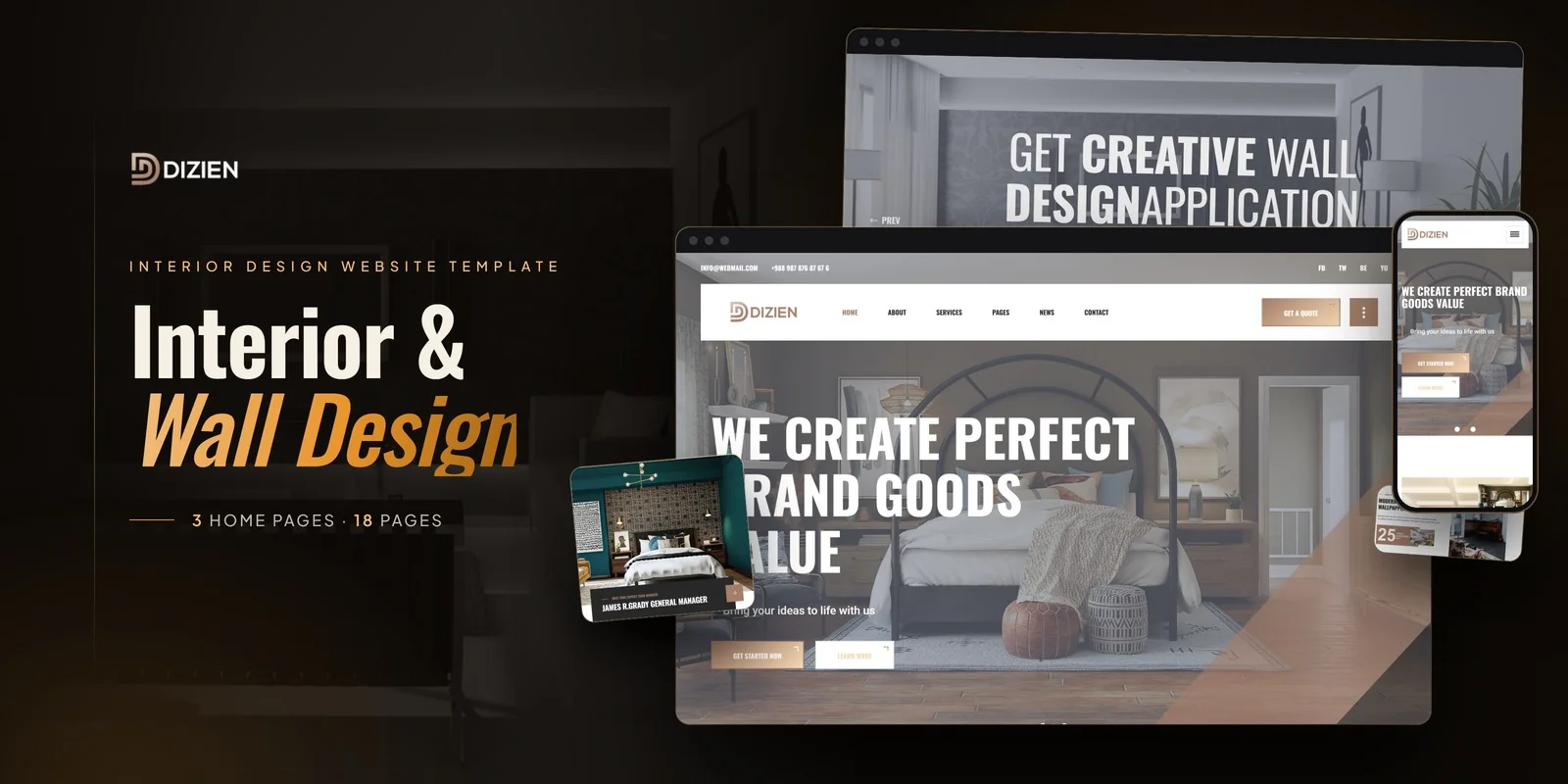
Dizien is a professionally designed HTML5 template that ships with 18 fully crafted HTML pages built specifically for creative professionals, design agencies, and portfolio showcase. The template includes three unique home layouts — letting creatives choose between a bold hero image approach, a portfolio-first grid layout, or a blended presentation that combines personal branding with work samples.
The four distinct portfolio layout styles are the template’s standout feature for creative showcase. Grid, masonry, filtered, and gallery layouts let you present different types of work in the format that best serves each — clean grids for branding projects, masonry layouts for photography, filtered views for multi-discipline portfolios, and gallery formats for illustration or fine art. Isotope grid filtering enables dynamic category switching without page reloads.
The services module with overview and individual detail pages bridges the gap between portfolio admiration and client conversion. Each service page lets you articulate what you offer, how you work, and what clients can expect — transforming your website from a passive gallery into an active business development tool. The team page showcases studio members or collaborators with professional profiles.
EasyPieChart animated circular progress charts display skill levels and capabilities visually, while CountTo animated statistics present project counts, client numbers, and experience metrics with impact. The gallery page with Magnific Popup lightbox provides immersive full-screen viewing for detailed work examination.
The blog module in grid, sidebar, and detail formats supports process documentation, industry content, and creative insights that drive organic traffic and demonstrate depth of expertise. Built on Bootstrap 4 with Slick carousels, MeanMenu responsive navigation, and cross-browser compatibility, Dizien delivers a production-ready creative portfolio website at a fraction of custom development cost.
Frequently Asked Questions
What should a creative portfolio website include?
A creative portfolio website should include multiple portfolio layout styles for different work types, isotope filtering for category-based browsing, a services module explaining what you offer and how you work, team profiles, animated skill charts, impact statistics, a gallery with full-screen lightbox viewing, a blog for process content and industry insights, multiple homepage options, and responsive mobile design that displays work beautifully on every device.
How much does a portfolio website cost?
Platform-based portfolios on Behance or Dribbble are free but limit control. Squarespace and Wix run $12 to $20 per month. Custom portfolio development costs $3,000 to $15,000. Agency-level sites exceed $15,000. Premium HTML templates offer the most cost-effective option at $14 to $59 one-time, delivering complete portfolio websites with multiple layout styles, services pages, team, gallery, blog, and all supporting pages — no recurring fees.
Why should creatives have their own website instead of using Behance or Dribbble?
Platform profiles limit your control over presentation, surround your work with competitors, and depend on algorithms for visibility. Your own portfolio website lets you control the layout, curate the experience, build your brand without platform branding interference, capture leads directly, rank in search engines for your services, and create a professional presentation that clients and employers expect when evaluating creative professionals for hire.
How many portfolio pieces should I show?
Quality always beats quantity. Show 10 to 15 of your strongest pieces that represent the type of work you want to continue doing. Curate ruthlessly — remove older work that no longer reflects your current capabilities. Use portfolio filtering to organize work by category, industry, or medium so visitors can quickly find relevant examples. A focused, high-quality selection communicates confidence and editorial judgment that potential clients value.
What design style works best for portfolio websites?
The best portfolio websites use neutral, minimal frameworks that maximize visual emphasis on the work itself. The template should be the frame, not the painting. Dark backgrounds make colorful work pop. Clean white backgrounds create gallery-like presentations. Avoid heavily themed or visually busy templates that fight your portfolio images for attention. The design should demonstrate taste and professionalism while keeping the focus squarely on your creative output.
How do I drive traffic to my portfolio website?
Combine multiple channels for best results. Publish process-focused blog content and creative insights that rank in search engines. Maintain profiles on Behance, Dribbble, and LinkedIn that link to your website. Share work on social media with links back to case studies on your site. Optimize portfolio pages for local creative service keywords. The blog is particularly powerful for long-term organic growth, driving traffic from potential clients searching for creative services in your specialization and market.
Should my portfolio website include a services page?
Absolutely. A portfolio without services information leaves visitors admiring your work without a clear path to hiring you. A services module with overview and individual detail pages explains what you offer, your process, typical engagement structures, and what clients can expect. This transforms your portfolio from a passive gallery into an active business development tool that converts portfolio admirers into paying clients by bridging the gap between appreciation and action.
The creative industry runs on visual evidence. Your portfolio is the primary tool that wins or loses client relationships, job offers, and career opportunities. The investment in a professional portfolio website is not an expense — it is career infrastructure that pays dividends with every new client acquired, every job landed, and every opportunity that your online presence makes possible. The creatives who invest in their digital presentation consistently outperform equally talented peers whose work sits hidden on platform profiles or outdated personal sites.
Final Verdict
Creative professionals who present their work through a purpose-built portfolio website with multiple display styles, services architecture, skill visualization, and content marketing capability command higher rates, attract better clients, and build more sustainable careers than those who rely on platform profiles alone. The template investment is negligible. The career impact is not. Every week without a professional portfolio website is a week of missed opportunities, lost client inquiries, and competitive ground surrendered to peers who understood that presentation is not vanity — it is professional necessity.



