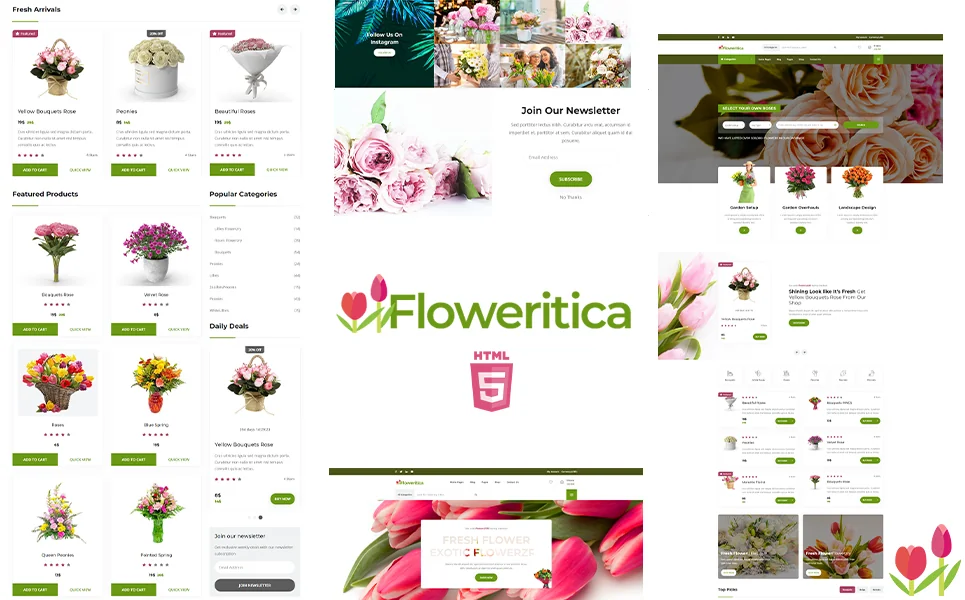
What Is a Plant Nursery Website Template?
A plant nursery website template is a pre-designed, fully coded website built specifically for florists, plant nurseries, garden centres, bouquet delivery services, and botanical lifestyle brands. It includes every page a floral business needs — homepage with bloom-forward hero imagery, multiple shop archive layouts for different product presentations, individual product detail pages, price range filtering, countdown promotions for seasonal sales, wishlist functionality, blog for gardening content, and full cart-to-checkout flow — all designed, responsive, and ready for your catalogue.
For florists and nursery owners who need a beautiful online store without subscribing to floral-specific e-commerce platforms that charge $50 to $150 per month, a template delivers the most cost-effective path to a shop that showcases arrangements as beautifully online as they appear in your cooler. But floral e-commerce has unique demands that generic shop templates cannot address. Seasonal inventory rotates constantly. Same-day delivery requires clear ordering deadlines. Product photography carries more weight here than in almost any other retail category. This guide covers what your floral business website needs, how the right template handles seasonal commerce, and what to evaluate before you purchase.
Template vs Floral Platform vs Custom Build
Florists and nursery owners typically weigh three options for their online presence:
| Factor | Floral Platform (Hana POS, BloomNation) | Plant Nursery Website Template | Custom Website Build |
|---|---|---|---|
| Upfront Cost | $0–500 | $29–69 | $3,000–12,000 |
| Monthly Cost | $50–150/month | $3–10/month (hosting only) | $50–200/month |
| 3-Year Total Cost | $1,800–5,900 | $137–429 | $4,800–19,200 |
| Code Ownership | No — you rent it | Yes — you own it forever | Yes — you own it |
| Shop Layouts | 1 platform layout | Multiple archive layouts | Custom designed |
| Design Flexibility | Limited to platform | Full HTML/CSS/JS control | Unlimited |
| Seasonal Promotions | Platform tools | Built-in countdown timers | Custom built |
| Time to Launch | 1–2 weeks | 3–7 days | 6–12 weeks |
| Vendor Lock-in | High — your shop disappears if you leave | None | None |
The template path is particularly powerful for floral businesses because visual presentation is everything. Floral platforms offer a single, standardised layout — every florist using the same platform looks the same. A template gives you full control over how your arrangements are displayed, how your brand personality comes through, and how your shop differs visually from every other florist online.
What Flower Buyers Expect From Your Website
People buying flowers are almost always buying for an occasion — a birthday, anniversary, sympathy, wedding, or holiday. They are often on a deadline, emotionally invested, and willing to pay for quality if they can see it. Your website must make the selection process effortless and the buying experience fast. Here is what flower buyers need:
Stunning Product Photography Front and Centre
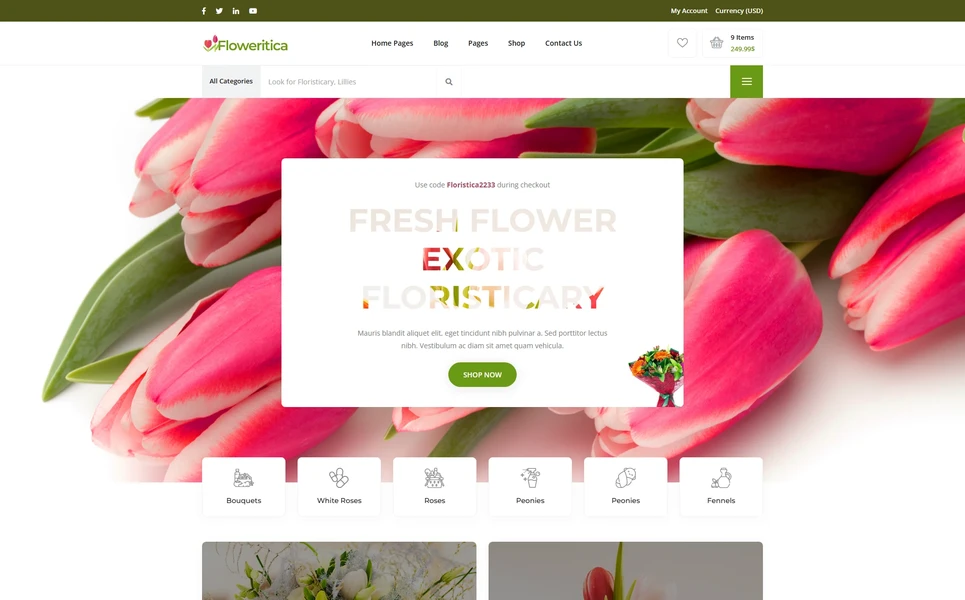
Flowers sell on visuals more than any other retail product. A blurry photo of a bouquet kills the sale instantly. Your homepage hero must feature your best arrangements in high-resolution, full-width imagery. Product pages need multiple angles — front view, side view, close-up of individual blooms, and scale reference. The template must support large images without layout breaks and provide lightbox functionality so shoppers can examine arrangements in detail before purchasing.
Multiple Ways to Browse the Shop
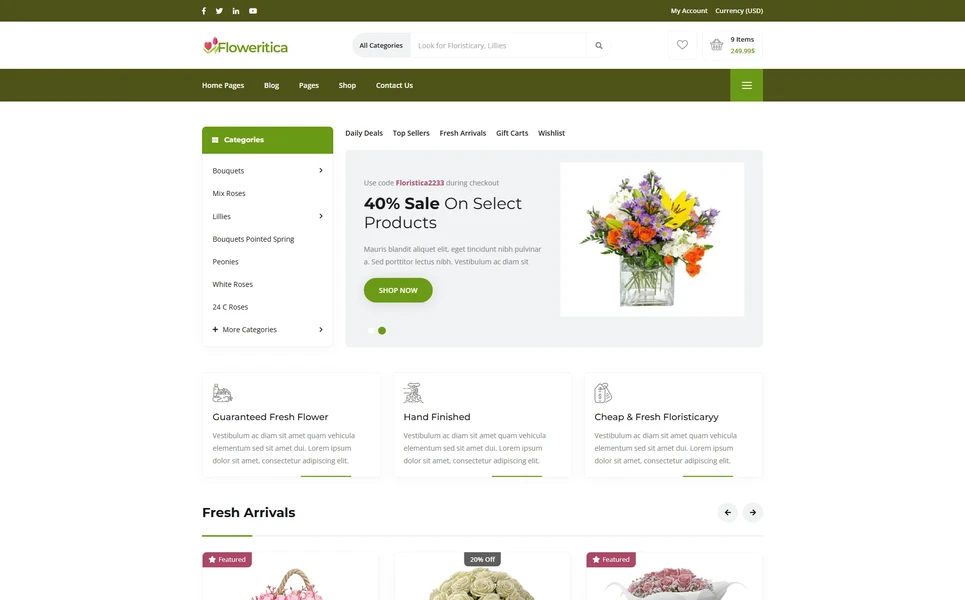
Flower shoppers browse differently depending on their need. Some know they want roses. Others are shopping by occasion — sympathy arrangements, birthday bouquets, wedding centrepieces. Others browse by price range. Your shop needs multiple archive layout options that let you present products in different visual formats — grid views for quick browsing, list views for detailed comparison, and featured layouts for premium arrangements. A template with four distinct shop archive layouts gives you the flexibility to present seasonal collections, everyday arrangements, and premium offerings in the format that best suits each category.
Seasonal Promotions That Create Urgency
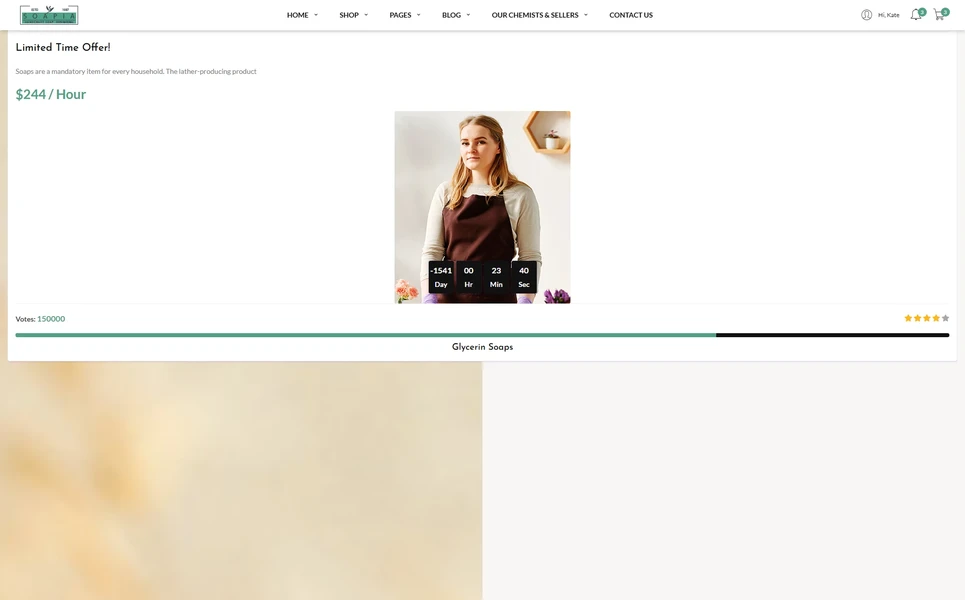
The floral business runs on seasonal peaks — Valentine’s Day, Mother’s Day, Easter, Christmas, and prom season can account for 40% or more of annual revenue. Your website must support promotional campaigns with countdown timers that create urgency. A countdown showing “Valentine’s Day delivery orders close in 2 days, 14 hours” drives immediate purchases. Templates with built-in countdown timer components let you launch seasonal promotions without custom development for each holiday.
Price Range Filtering for Budget-Conscious Shoppers
Flower prices range widely — from $25 grab-and-go bunches to $200 luxury arrangements. Budget-conscious shoppers want to see what is available within their range without scrolling past premium options they cannot afford. A price range slider lets shoppers set their minimum and maximum budget and instantly see matching products. This filtering reduces browsing friction and helps shoppers find arrangements that match their expectations.
Wishlist for Planning and Gifting
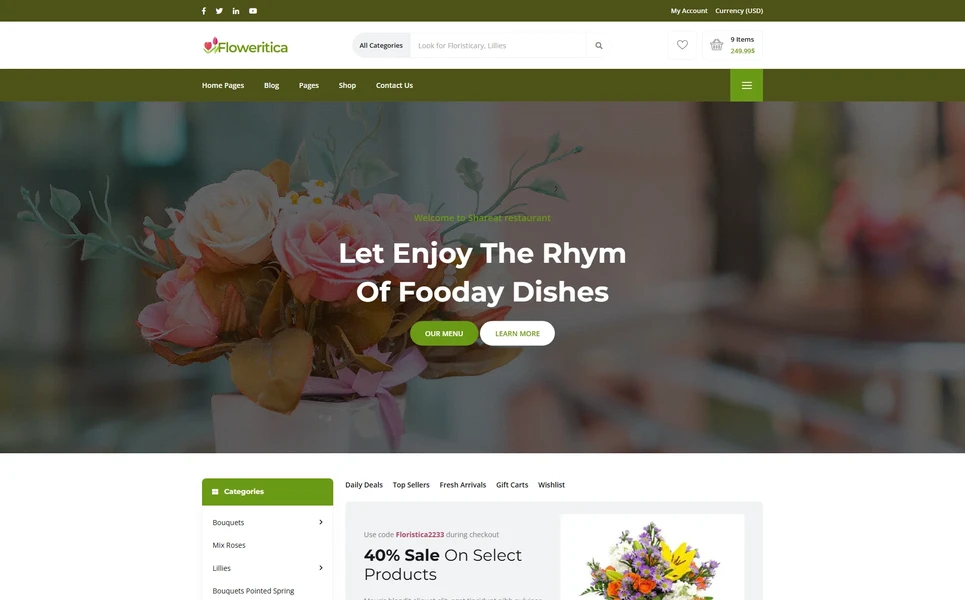
Flower buyers often plan purchases in advance — bookmarking arrangements for an upcoming anniversary or saving options for a wedding consultation. Wishlist functionality lets shoppers save favourite bouquets and return to them when they are ready to order. For wedding clients especially, the wishlist becomes a collaborative tool for narrowing down arrangement choices with partners or event planners.
Blog Content for Seasonal Engagement
A floral blog drives organic traffic for searches like “best flowers for Mother’s Day,” “how to care for fresh-cut roses,” or “wedding flower trends 2026.” Beyond SEO, the blog positions your shop as an authority on floral design and care. Posts about seasonal availability, care guides, and arrangement inspiration keep customers engaged between purchases and build the kind of trust that turns one-time buyers into repeat clients.
Technical Requirements for Floral E-Commerce Websites
Image-First Performance
Floral websites live and die on image quality, but high-quality images slow down page loads. Your template must handle this tension well — supporting large, high-resolution product photos while maintaining fast page speeds through lazy loading, optimised image compression, and efficient asset management. The product detail page should support multi-image galleries without requiring full page reloads between images.
Responsive Design for Mobile Ordering
A significant portion of flower orders come from mobile devices — often from someone who just remembered a birthday or needs same-day delivery. Your shop must work flawlessly on phones: product grids must be browsable with one hand, the price range slider must work with touch, checkout must be streamlined for small screens, and call-to-action buttons must be prominent and easy to tap. A template built on Bootstrap 5 ensures this mobile-first approach is structural.
Multiple Product Detail Page Styles
Different products benefit from different presentation styles. A simple everyday bouquet might need a clean, single-image layout with quick ordering. A premium wedding arrangement package deserves a more elaborate layout with multiple images, detailed descriptions, and customisation options. A template that offers two or more product detail page styles gives you the flexibility to match the presentation to the product tier.
Seasonal Commerce Tip: The countdown timer is the single most important conversion tool for floral peak seasons. A visible countdown to the Valentine’s Day or Mother’s Day ordering deadline creates urgency that drives immediate purchases. Without it, shoppers bookmark your site and forget — then order from the first florist who reminds them the deadline is approaching.
Seasonal Marketing Strategy for Floral Businesses
The floral industry is uniquely seasonal. Valentine’s Day, Mother’s Day, Easter, graduation season, and the winter holidays create predictable demand spikes that can represent 40% or more of annual revenue. Your website must be structured to capitalise on these peaks — and a smart content and promotional strategy ensures that you capture maximum revenue during every seasonal window.
Pre-Season Content Publishing
Flower buyers start searching one to three weeks before major occasions. Your content must be indexed and ranking before the search volume spikes. Publish Valentine’s Day content by mid-January. Mother’s Day guides should be live by late March. Wedding season content should be published in early spring. Each seasonal page should feature your relevant arrangements, pricing, delivery options, and ordering deadlines. The countdown timer on your website creates urgency when the holiday approaches, but the content itself must be live and ranking well before the buying window opens.
Email Marketing Integration
Your website’s blog and account system feed your email marketing strategy. Customers who create accounts and subscribe to your mailing list receive seasonal reminders — “Valentine’s Day arrangements now available, order by February 12 for guaranteed delivery.” Blog subscribers receive flower care tips and seasonal inspiration that keep your shop top of mind between purchase occasions. The account management pages in your template support this customer relationship by providing order history, saved addresses, and wishlisted arrangements that make repeat purchasing effortless.
Search Optimisation for Floral Products
Floral searches combine product type with occasion and geography. “Valentine’s roses delivery [city],” “sympathy flowers [neighbourhood],” and “wedding centrepieces [region]” are high-intent queries that drive immediate orders. Each shop category page and individual product page should target specific keyword combinations. Your category pages should target broad terms like “birthday flowers” or “sympathy arrangements.” Individual product pages should target specific descriptors like “pink rose and lily bouquet” or “white orchid sympathy spray.” The template’s shop architecture must support clean URLs, proper heading structures, and product-level keyword optimisation.
Building a Wedding Floral Business Online
Wedding flowers represent the highest-value orders for most florists — often $2,000 to $10,000 per event. Your website plays a critical role in attracting and converting wedding clients, and the requirements differ significantly from everyday retail flower sales.
Wedding Portfolio and Inspiration Gallery
Brides and event planners browse florist websites specifically to evaluate wedding work. A dedicated section showcasing your best wedding arrangements — ceremony arches, reception centrepieces, bridal bouquets, boutonnieres, and venue installations — provides the visual proof that earns consultation bookings. Organise wedding work by style (rustic, modern, classic, bohemian) and by element (ceremony, reception, personal flowers) so planners can quickly find inspiration relevant to their vision. The wishlist feature in your template lets brides save favourite arrangements during planning, creating engagement that builds toward a consultation.
Consultation and Custom Order Process
Wedding clients expect a personalised experience. Your website should clearly explain your consultation process — what happens during the meeting, what information the couple should prepare, typical timelines from consultation to event, and your minimum order requirements if applicable. A dedicated wedding page or landing page that outlines this process, shows pricing ranges, and includes a consultation request form converts wedding inquiries more effectively than a generic contact form. The contact page in your template should support detailed inquiry forms that collect event date, venue, style preferences, and budget range.
Social Media Integration for Floral Brands
Floral businesses thrive on visual social media — particularly Instagram and Pinterest. Your website should serve as the hub that social media traffic flows to. Blog posts about seasonal flowers, arrangement tutorials, and behind-the-scenes florist content provide shareable material. Product pages with strong photography get pinned to Pinterest wedding boards. Your shop links convert Instagram followers into paying customers. The blog and account management features in your template support this social-to-website pipeline by providing content that is worth sharing and a shopping experience that converts social traffic.
Wedding Revenue Insight: A single wedding client can spend more than 50 everyday retail customers combined. Your website’s wedding portfolio and consultation process are the gateway to this high-value segment. Invest in professional photography of your wedding work, create a dedicated wedding page, and make the consultation booking process seamless. This one section of your website can generate a disproportionate share of your annual revenue.
Flower Care Content That Drives Repeat Purchases
The average flower arrangement lasts five to ten days. That means your customers are potential repeat buyers every two weeks. The key to turning one-time purchases into recurring orders is ongoing engagement through helpful content — and your website blog is the primary vehicle.
Care Guide Library
Build a library of flower care guides on your blog. How to make fresh-cut roses last longer. How to care for succulents. When and how to prune garden roses. What flowers are safe for homes with cats. Each guide targets a specific search query that brings new visitors to your site, and each guide positions your shop as a knowledgeable authority on floral care. Include product recommendations within care guides — “our preservation spray extends arrangement life by three to five days” — as natural, helpful upsells rather than hard sales pitches. Over time, this care guide library becomes your most valuable content asset, driving consistent organic traffic year-round.
Seasonal Flower Availability Guides
Publish quarterly guides to seasonal flower availability. Spring blooms — tulips, daffodils, peonies, ranunculus. Summer flowers — dahlias, sunflowers, zinnias, hydrangeas. Autumn arrangements — chrysanthemums, marigolds, dried flowers. Winter options — amaryllis, poinsettias, evergreen arrangements. These guides serve dual purposes: they educate customers about what is available in each season, and they rank for search queries like “what flowers are in season in March” or “best summer wedding flowers.” Each guide naturally links to your shop categories where customers can purchase the seasonal arrangements you are highlighting.
Gift-Giving Guides by Occasion
Create comprehensive gift-giving guides for every major flower-buying occasion: Valentine’s Day, Mother’s Day, birthdays, anniversaries, sympathy, congratulations, thank you, new baby, and get well. Each guide explains the traditional flower meanings for that occasion, suggests arrangement styles and price ranges, and links directly to relevant products in your shop. These guides rank for high-intent searches like “best flowers for Mother’s Day” or “sympathy arrangement etiquette” and provide a direct pathway from search to purchase. Update these guides annually with new arrangement options and current pricing to keep them fresh and relevant.
Behind-the-Scenes Content
Customers love seeing the artistry behind floral design. Blog posts and gallery content showing your florists at work — receiving a fresh flower shipment, designing a wedding centrepiece, preparing a Valentine’s Day rush order — humanise your brand and demonstrate the care that goes into every arrangement. This behind-the-scenes content performs exceptionally well on social media and drives traffic back to your website. Use your blog’s multiple format options to present these stories in the layout that best suits the content — photo-heavy posts in a gallery format, narrative stories in a full-width layout.
Subscription and Recurring Order Opportunities
Flower subscription services represent the fastest-growing segment of the floral retail market. Weekly office arrangements, bi-weekly home deliveries, and monthly seasonal bouquets create predictable recurring revenue that smooths out the feast-and-famine cycle of holiday-driven sales. Your website can promote subscription options through a dedicated page that explains available plans, delivery frequencies, price points, and the flexibility to skip or modify deliveries. The account management pages in your template support this subscription relationship by giving customers a dashboard to manage their preferences, delivery schedule, and payment information. Even if you launch your shop without subscriptions initially, building the page structure into your website from the start positions you to add this revenue stream when your business is ready.
How to Evaluate a Plant Nursery Template Before You Buy
Count the Shop Layout Options
Open the template demo and navigate through the shop section. How many different archive layout options are available? Can you display products in a grid, list, and featured format? Templates with only one shop layout limit how you can present different product categories. For a floral business with everyday bouquets, premium arrangements, and seasonal collections, multiple display options are not a luxury — they are a practical necessity.
Verify the Price Range Slider
Test the price range filtering in the demo shop. Does it use a smooth slider control? Does it update the product display in real time? Is it usable on mobile touchscreens? A price range slider that is clunky or non-functional on mobile defeats its purpose for the significant portion of flower buyers who shop from their phones.
Check the Countdown Timer Integration
Look for a countdown timer component in the demo. Is it integrated naturally into the promotional sections? Can it be placed on the homepage, shop pages, and individual product pages? A countdown timer that only works in one location limits your ability to create urgency across the entire shopping experience during peak seasons.
Floristica — A Floral E-Commerce Template Built for Seasonal Success
Floristica is a flower shop and floral e-commerce HTML5 template designed to address every requirement outlined in this guide. Built for flower shops, plant nurseries, florists, bouquet delivery services, and botanical lifestyle brands, it ships twenty-five fully crafted HTML pages across five unique homepage layouts — making it one of the most comprehensive floral templates available.
What Floristica Includes
- Five Homepage Layouts — five distinct hero styles and floral showcase arrangements for brand differentiation
- Four Shop Archive Layouts — four distinct product archive presentation styles for different browsing experiences
- Two Product Detail Page Styles — two individual product page layout variants for everyday and premium products
- Price Range Slider — ion.rangeSlider for filtering flowers and bouquets by budget
- Countdown Promotions — built-in countdown timer for seasonal sales urgency
- Wishlist Functionality — save favourite arrangements for later purchase
- Cart and Checkout — complete shopping flow from browse to purchase
- Four Blog Formats — grid, list, sidebar, and full-width post layouts
- Legal Page — privacy policy and terms template
- Account Management — login, registration, and customer dashboard
Technical Foundation
Floristica is built on Bootstrap 5 with ion.rangeSlider for price filtering, Slick carousels for featured arrangement showcases, Isotope grid filtering for shop category browsing, Countdown timer for seasonal promotion urgency, and Magnific Popup lightbox for high-resolution arrangement photography. Every page is fully responsive and optimised for the image-rich demands of floral e-commerce.
25 Pages, Five Homepages, Four Shop Layouts: Floristica is the most comprehensive floral e-commerce template available — with five distinct homepage designs, four shop archive layouts, two product page styles, countdown promotions, price filtering, and wishlist. Every page is designed for floral businesses that take their online presentation as seriously as their in-store displays.
Customisation Roadmap for Florists
Week One — Photography and Catalogue: Photograph your best arrangements with consistent lighting and backgrounds. Gather product descriptions, pricing, and category information. Choose which of the five homepage layouts best matches your brand. Replace all placeholder content and adjust the colour palette to match your branding.
Week Two — Shop Setup and Launch: Configure the shop with your product catalogue. Set up the price range slider parameters to match your pricing tiers. Prepare your first seasonal countdown promotion. Connect checkout to your payment processor. Set up the blog with two or three initial posts about seasonal flowers or care guides. Test across devices, then deploy.
Frequently Asked Questions
Need Help Launching Your Floral Website?
MetropolitanHost provides professional web development services for HTML template deployments. Our team understands floral e-commerce requirements and delivers clean, well-structured implementations.
Theme Installation
Full theme install on your server, plugin activation, dummy data import, and initial server config. Delivered in 24 hours.
Full Website Package
Complete website build with essential SEO built in. Best for starters, new sites, or projects that have outgrown basic setups.
Color Scheme Customization
Need your brand colors implemented perfectly across the theme? We apply your design system — every element, every page.
Website Speed Optimization
Core Web Vitals, image compression, caching, and code minification for desktop and mobile. Faster sites rank higher.
Accessibility Compliance
European Accessibility Act (EAA) in force June 2025 plus ADA for the USA. Don't face legal penalties — we implement full compliance.