
What Is a Cannabis News Website Template?
A cannabis news website template is a pre-designed, editorial-focused website built specifically for cannabis news portals, marijuana industry magazines, CBD lifestyle publications, dispensary blogs, and cannabis culture platforms. Unlike dispensary or retail cannabis templates that revolve around product menus and shopping carts, a news template is designed around content publishing — article layouts, category archives, editorial homepages, and the reader engagement features that media properties require. It delivers every page a cannabis publication needs to launch a credible, production-ready media presence from day one.
For cannabis media entrepreneurs, industry journalists, and dispensary marketers who need a professional publication platform without investing $10,000 to $30,000 in a custom media website build — and who understand that content authority drives organic traffic more effectively than any advertising budget — a purpose-built cannabis news template provides the most practical path to launching a legitimate publication. But cannabis media websites have unique editorial requirements. Your homepage must balance multiple content streams across legislation, products, culture, and science. Your category system must support distinct content verticals. Your article pages must keep readers engaged long enough to build authority. This guide covers everything cannabis publishers need to know before choosing a template.
News Template vs Blog Theme vs Custom Media Build
Cannabis content creators face three options when establishing their media presence, and the choice determines both their editorial capabilities and growth potential:
| Factor | Basic Blog Theme | Cannabis News Template | Custom Media Build |
|---|---|---|---|
| Primary Focus | Single-column blog posts | Multi-layout editorial publishing | Fully custom to brief |
| Upfront Cost | $0–59 | $19–69 | $10,000–30,000 |
| Monthly Cost | $3–10/month | $3–10/month | $200–500/month |
| 3-Year Total | $108–419 | $127–429 | $17,200–48,000 |
| Homepage Layouts | 1 (chronological feed) | 3+ editorial hero variants | Unlimited |
| Category Page Styles | 1 (basic list) | 5+ distinct archive layouts | Unlimited |
| Content Authority | Looks like a personal blog | Looks like a professional publication | Fully branded media property |
| SEO Structure | Basic | Category-driven architecture | Custom taxonomy system |
| Time to Launch | 1–3 days | 3–7 days | 8–20 weeks |
The critical difference is editorial credibility. A basic blog theme with cannabis content looks like a personal blog — readers, advertisers, and industry contacts treat it accordingly. A news template with multiple homepage layouts, category archive styles, and professional article pages signals that your publication is a legitimate media property. That perception difference determines whether cannabis brands approach you for advertising, whether industry contacts share exclusive information, and whether readers bookmark your site or scroll past.
Why Cannabis Media Needs Dedicated Templates
Cannabis publishing is not generic blogging. The industry has unique content demands, audience segmentation challenges, and regulatory constraints that require purpose-built editorial architecture.
Multiple Content Verticals Under One Brand
A cannabis news publication typically covers legislation and regulatory updates, product reviews and launches, cultivation science and techniques, business and investment news, culture and lifestyle content, and health and wellness research. Each vertical attracts a distinct reader segment — policymakers read legislation coverage, growers follow cultivation content, investors track business news, and consumers browse product reviews. Your template must support distinct category experiences for each vertical while maintaining cohesive branding across the entire publication.
Multiple category archive layouts solve this challenge. A legislation section might use a clean, text-heavy list layout. A product review section might use a visual grid with featured images. A lifestyle section might use a magazine-style masonry layout. When each content vertical has its own visual identity within your overall brand, readers navigate intuitively to the content that interests them.
Editorial Homepage That Drives Engagement
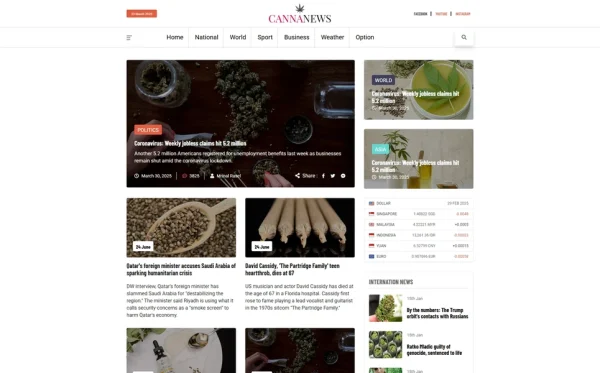
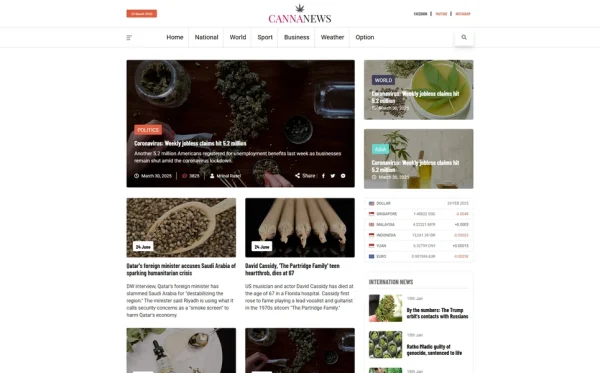
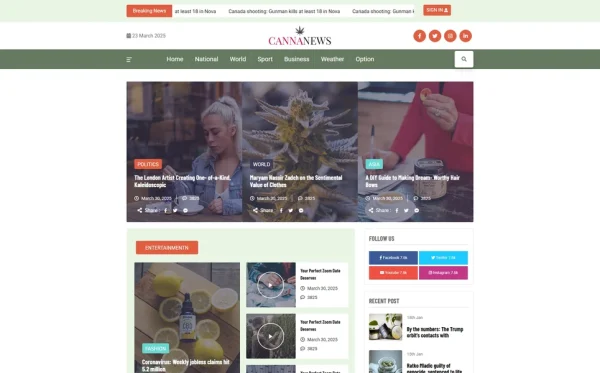
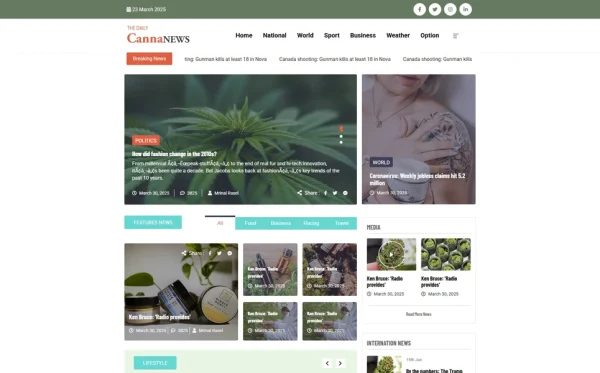
A cannabis news homepage is not a chronological blog feed. It is a curated editorial experience that surfaces the most important stories, balances content across verticals, and encourages deeper site exploration. An effective editorial homepage features a hero article section for the lead story, a secondary article grid for trending pieces, category-specific content blocks, and a sidebar or secondary column for breaking news and popular articles.
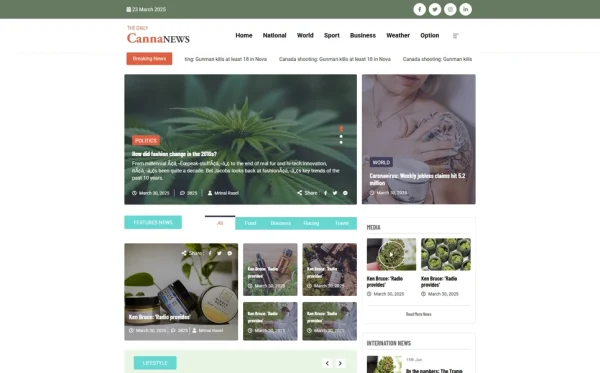
Multiple homepage layout options allow you to test different editorial approaches. A hero-dominant layout works well when you have strong visual stories. A grid-based layout distributes attention more evenly across multiple stories. A sidebar-focused layout keeps navigation persistent while highlighting content. Having three or more homepage variants means you can match your editorial strategy to your content mix rather than forcing your content into a single layout.
SEO-Driven Category Architecture
Cannabis news websites live and die by organic search traffic. Category pages optimised for searches like “cannabis legislation news,” “CBD product reviews,” or “marijuana industry analysis” capture high-intent readers searching for specific content verticals. Each category page must function as a standalone landing page — with its own visual treatment, article listing, and internal linking structure — not just a filtered feed of the same homepage layout.
Five distinct category page styles give you the flexibility to present each content vertical in the format that best serves its audience. A news vertical benefits from a date-sorted list with brief excerpts. A review vertical benefits from a visual grid with ratings. A feature vertical benefits from a magazine-style layout with large images. This category-level customisation is what separates a professional publication from a blog with categories.
Article Pages That Build Reading Depth
Article detail pages determine whether readers consume one piece of content and leave, or explore your publication further. Effective article pages include clear typography optimised for long-form reading, related article suggestions based on category or tag, social sharing buttons for distribution, author bios that build contributor credibility, and visual elements — hero images, pull quotes, inline images — that break up text and maintain engagement.
Multiple article page layout variants allow you to match the format to the content type. A news brief uses a compact layout with minimal visual elements. A long-form investigative piece uses a wide-format layout with hero imagery and pull quotes. A product review uses a structured layout with specifications, ratings, and comparison elements. Layout flexibility at the article level is a hallmark of professional media templates.
Editorial Authority: Cannabis publications built on professional news templates with multiple homepage layouts, distinct category page styles, and polished article pages attract significantly more advertising revenue and industry partnerships than those using basic blog themes. Advertisers evaluate the publication’s visual credibility before reviewing traffic numbers — a template that looks like a legitimate media property opens advertising conversations that a blog-style layout never will.
Essential Features for Cannabis News Websites
Multiple Homepage Layouts
A single homepage layout limits your editorial presentation. Multiple layouts let you experiment with hero article placement, content grid arrangements, sidebar positioning, and featured category blocks. As your content library grows and your editorial strategy evolves, different homepage layouts accommodate different publishing rhythms — a layout that works when you publish three articles per week may not serve you when you scale to three articles per day.
Distinct Category Archive Layouts
Category archives are the backbone of a news website’s information architecture. Each category should have its own visual treatment — a legislation section with dense, text-focused listings; a product section with image-rich grids; a lifestyle section with magazine-style masonry. Five or more category archive styles give you the flexibility to create distinct editorial sections that function as mini-publications within your overall brand.
Responsive Typography for Readability
Cannabis news articles are read on phones during commutes, on tablets during lunch, and on desktops during work hours. Typography must scale smoothly across devices while maintaining the readability that keeps readers engaged through long-form content. Bootstrap’s responsive typography system, properly configured, delivers readable text at every screen width without the reader needing to pinch-zoom or struggle with cramped mobile layouts.
Custom 404 Page
News websites accumulate broken links as articles are reorganised, URLs change, and external sites link to pages that no longer exist. A branded 404 error page that guides lost visitors to your homepage, popular articles, or category pages retains traffic that a generic error message would lose. For a cannabis publication, every retained visitor is a potential subscriber, advertiser lead, or social share.
Monetisation Strategies for Cannabis Publications
Understanding monetisation potential helps justify your investment in a professional publication template:
| Revenue Stream | Requirement | Monthly Potential |
|---|---|---|
| Display Advertising | 50,000+ monthly visitors | $500–5,000 |
| Sponsored Content | Editorial credibility + niche audience | $500–3,000 per piece |
| Affiliate Product Reviews | Product review section + traffic | $200–2,000 |
| Newsletter Sponsorships | Email subscriber list (5,000+) | $300–1,500 |
| Event Listings/Promotion | Industry events section | $100–1,000 |
| Consultation Leads | Industry authority status | Variable |
Each revenue stream requires editorial credibility — and editorial credibility starts with a professional publication design. Cannabis brands will not place sponsored content on a website that looks like a personal blog. Display advertising networks evaluate site quality before approving publishers. A news template that presents your content with magazine-quality layout and navigation directly impacts your monetisation ceiling.
How to Evaluate a Cannabis News Template
Count the Homepage Variants
Open the template demo and navigate through all homepage options. A single homepage layout is a blog theme wearing a news costume. Two or three homepage variants indicate a template designed with editorial flexibility in mind. Look at how each layout handles the lead story, secondary articles, category blocks, and sidebar — these structural differences determine your editorial presentation options.
Inspect the Category Page Styles
Navigate to different category archive pages. If every category looks identical — same layout, same grid, same sidebar — the template offers no editorial differentiation between content verticals. Five distinct category styles indicate a template designed for publications with multiple content sections, each requiring its own visual treatment.
Read an Article Page
Open a full article and evaluate the reading experience. Is the typography comfortable for long-form reading? Are there related article suggestions? Is the layout wide enough for content but not so wide that line lengths become fatiguing? Does the page include social sharing, author attribution, and publication date? Article page quality determines reader retention — and reader retention determines traffic growth.
Check Cross-Browser Compatibility
Cannabis news readers use every browser — Chrome, Firefox, Safari, Edge, and Opera. Test the demo in multiple browsers to ensure consistent rendering. A template that looks perfect in Chrome but breaks in Safari loses a significant portion of your audience. Cross-browser compatibility is a baseline requirement, not a premium feature.
Cannanews — A Template Built for Cannabis Media Properties
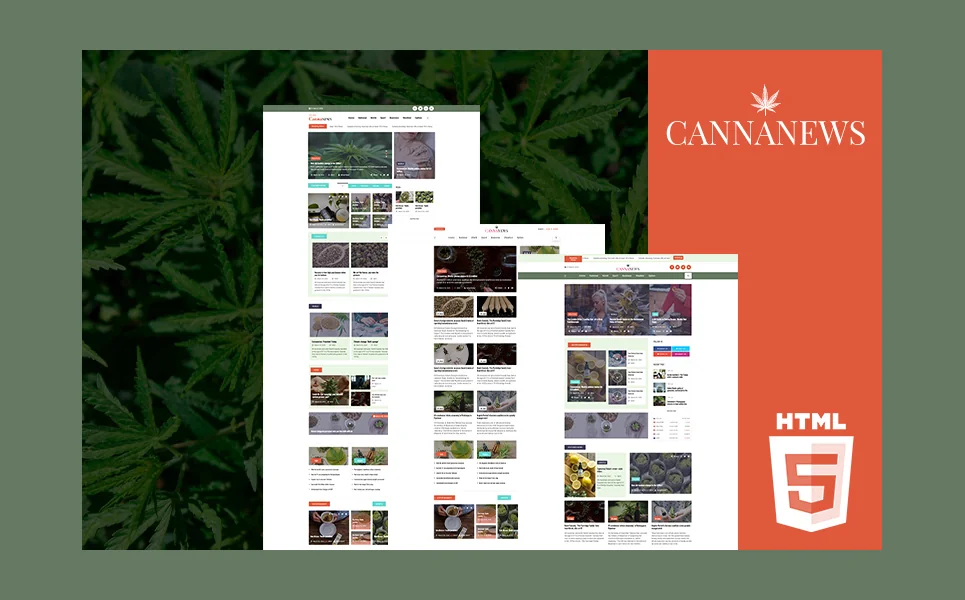
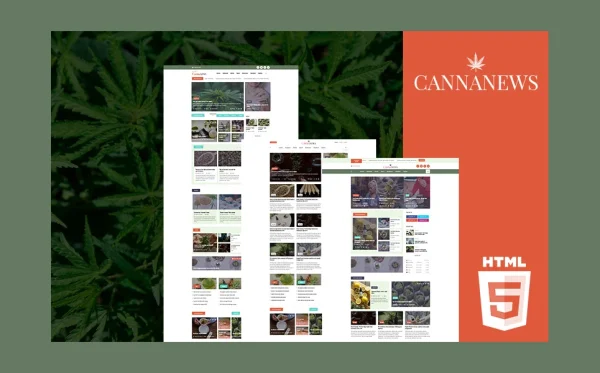
Cannanews is a cannabis news and magazine HTML5 template designed specifically for cannabis news portals, marijuana industry magazines, CBD lifestyle publications, and dispensary blogs. With 13 fully crafted pages, 3 unique homepage layouts, and 5 category archive styles, it delivers the editorial architecture that cannabis media properties require.
What Cannanews Includes
- 3 Unique Homepage Layouts — distinct editorial hero styles and article arrangement variants for different publishing strategies
- 5 Category Archive Layouts — five distinct article category page styles for different content sections and verticals
- Blog Article Detail Pages — two full article page layout variants for different content types
- 13 Fully Designed Pages — complete page set across home, categories, articles, and contact
- Custom 404 Page — branded error page that retains lost visitors and guides them to active content
- Contact Page — editorial contact form for tips, advertising inquiries, and contributor submissions
- Bootstrap 5 Responsive — mobile-first grid system that delivers readable typography across all devices
- Cross-Browser Compatible — tested and consistent across Chrome, Firefox, Safari, Edge, and Opera
- Well Documented — step-by-step documentation for setup and customisation
Why Cannanews Fits the Cannabis Media Niche
Cannanews is the only cannabis template in the MetropolitanHost catalogue designed purely for media and publishing — not commerce, not retail, not delivery. While every other cannabis template in the market focuses on selling products or showcasing dispensaries, Cannanews focuses on publishing editorial content. The three homepage layouts provide genuine editorial flexibility for different publishing strategies. The five category archive styles allow each content vertical — legislation, products, culture, science, business — to have its own visual identity within your publication brand.
The two article detail page variants let you match article format to content type — compact layouts for news briefs, expanded layouts for long-form features. This article-level formatting control is standard in professional media templates but absent from cannabis templates designed for retail or e-commerce use.
Media-First Design: Cannanews is the rare cannabis template designed for publishing rather than selling. With 3 homepage layouts, 5 category archive styles, and 2 article page variants, it gives cannabis publishers the editorial flexibility that professional media properties require. Every layout decision — from hero article placement to category page structure — was made for content consumption, not product commerce.
Customisation Roadmap for Cannabis Publishers
Week One — Editorial Setup and Branding: Define your content verticals — legislation, products, culture, business, science, or whichever categories match your editorial mission. Choose your homepage layout based on your publishing frequency and content mix. Adjust the colour palette and typography to establish your publication brand. Prepare your launch content — at minimum three to five articles per category to give the site editorial density from day one.
Week Two — Content Population and Launch: Assign category archive layouts to each content vertical. Populate articles with proper categorisation, tags, and featured images. Set up your contact page for editorial tips, contributor inquiries, and advertising contacts. Configure social sharing and author attribution. Test across mobile, tablet, and desktop. Deploy and submit your sitemap to search engines to begin building organic visibility.
Frequently Asked Questions
Need Help Launching Your Cannabis Publication?
MetropolitanHost provides professional web development services for HTML template deployments. Our team understands media website requirements and delivers clean, performance-optimised implementations.
- Template Installation Service — live in under 24 hours
- Full Website Package — complete front-to-back deployment with CMS integration
- Colour Customisation — match your publication branding across all pages
- Website Speed Optimisation — Core Web Vitals improvements for faster page loads
- Accessibility Compliance — WCAG audit and remediation