What's in the box.
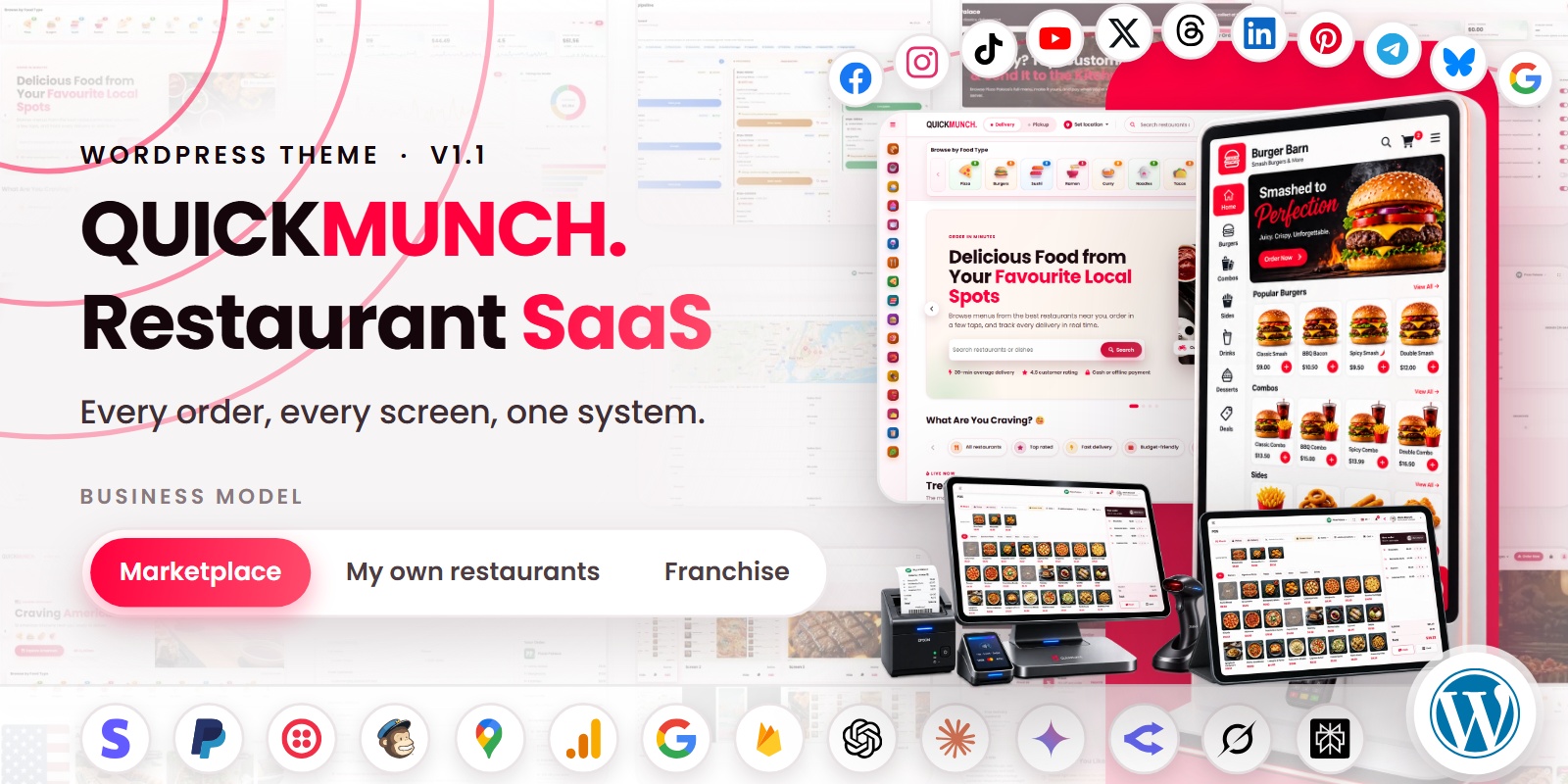
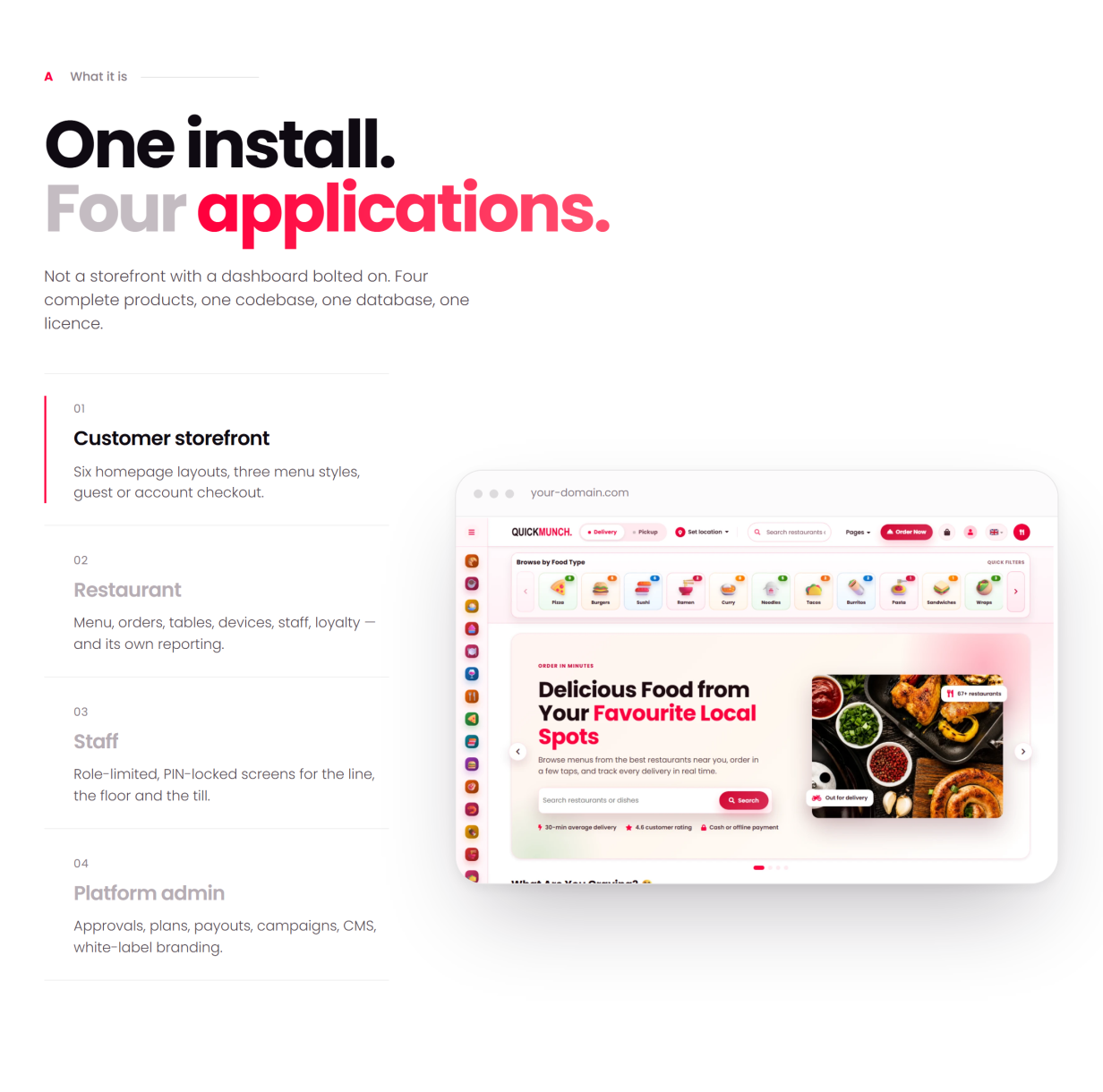
Quickmunch is a complete multi-restaurant food ordering, delivery and point-of-sale platform for WordPress, built on WooCommerce. It gives restaurant groups, food delivery startups, franchise operators and marketplace owners a fully working online ordering business on the platform they already know — installed like any theme, and run from wp-admin and its own dashboards.
A theme and two companion plugins cover the whole ecosystem: vendor management, live order tracking, kitchen and floor operations, self-service ordering and secure checkout through WooCommerce’s payment gateways — with a modern, responsive design for administrators, restaurants, staff, drivers and customers alike.
Run it as a commission marketplace, as the operating system for your own chain of venues, or as a franchise network billing royalties — one install, three business models, switchable from the dashboard. Whether you are launching a single venue or building a delivery marketplace, Quickmunch gives you the tools to manage menus, take orders, coordinate deliveries, watch revenue and grow — without writing code.
Live Demo
Front End Demo: Quickmunch
Online Documentation: Quickmunch documentation
Why Quickmunch Is Different
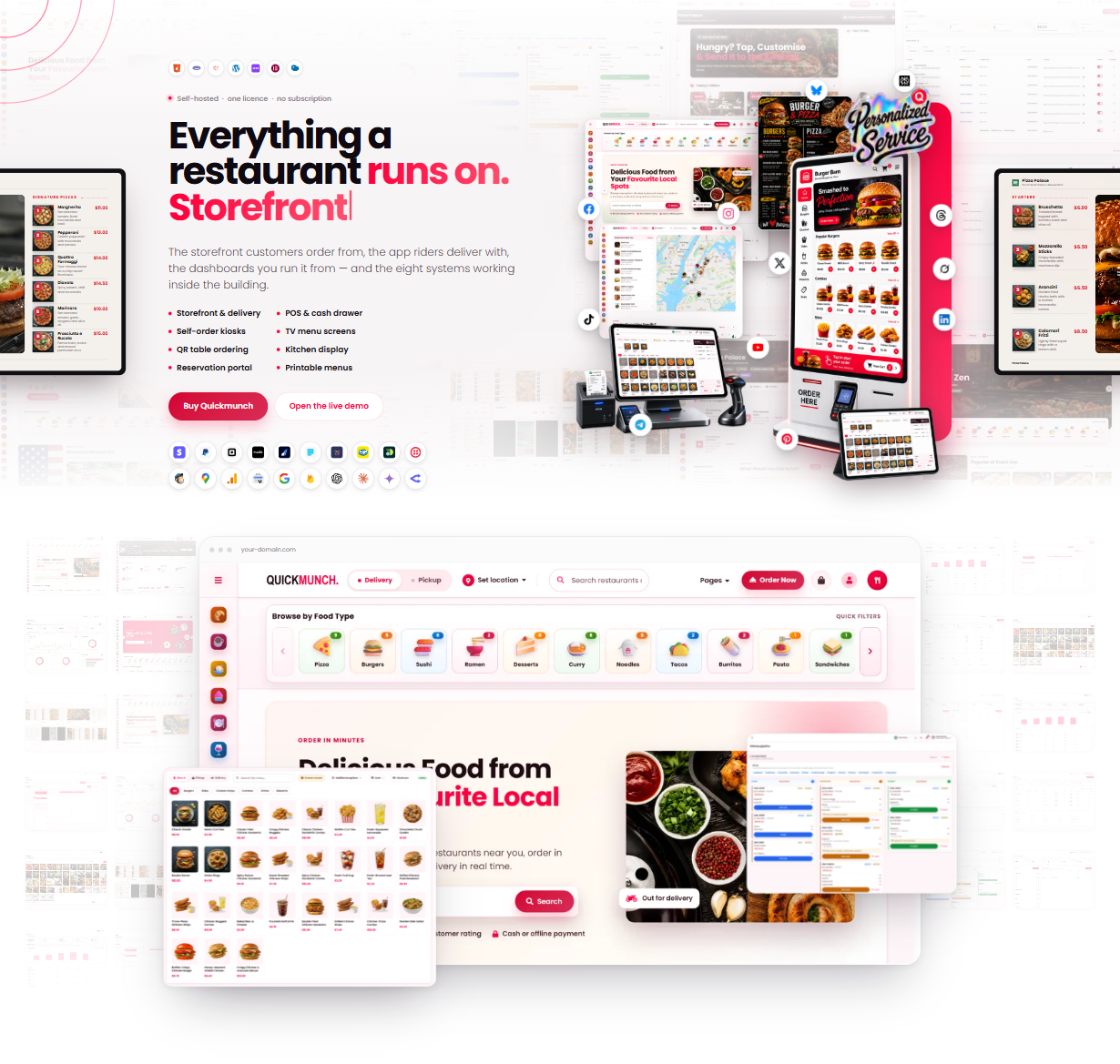
Most restaurant themes are a storefront. Quickmunch is the whole restaurant stack inside WordPress — what would usually be five or six separate plugins, sharing one database, one menu and one set of dashboards:
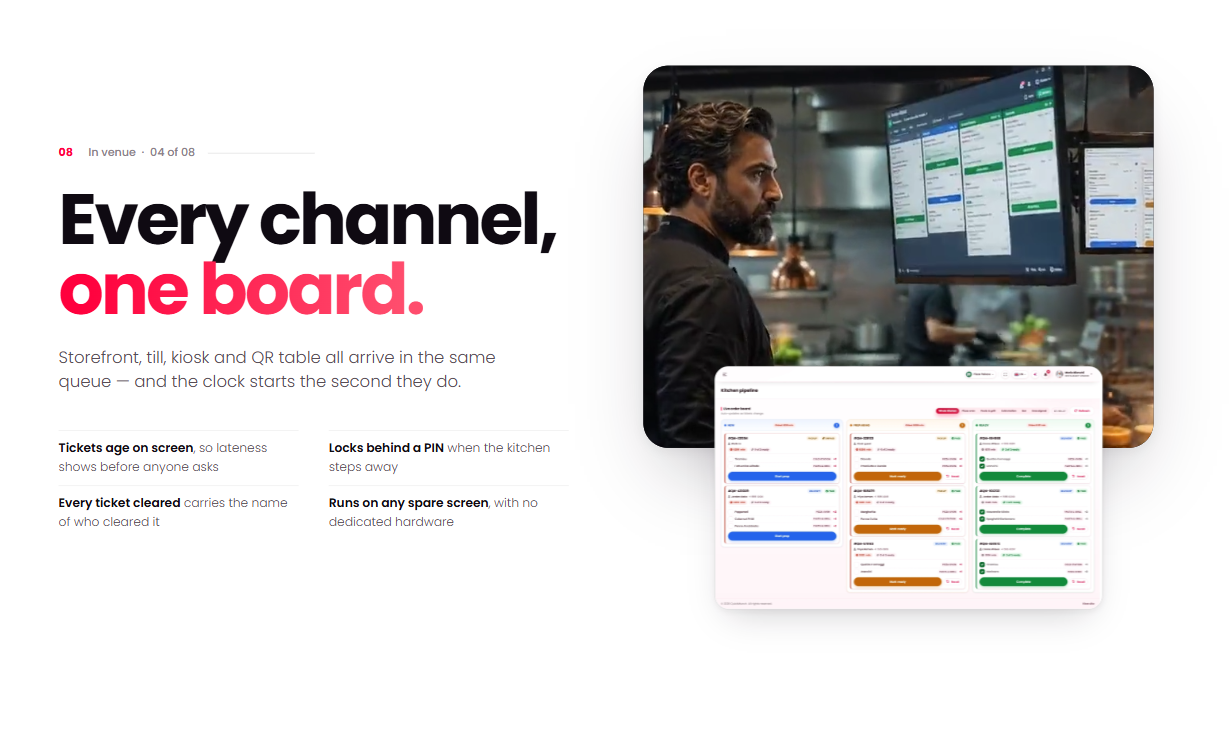
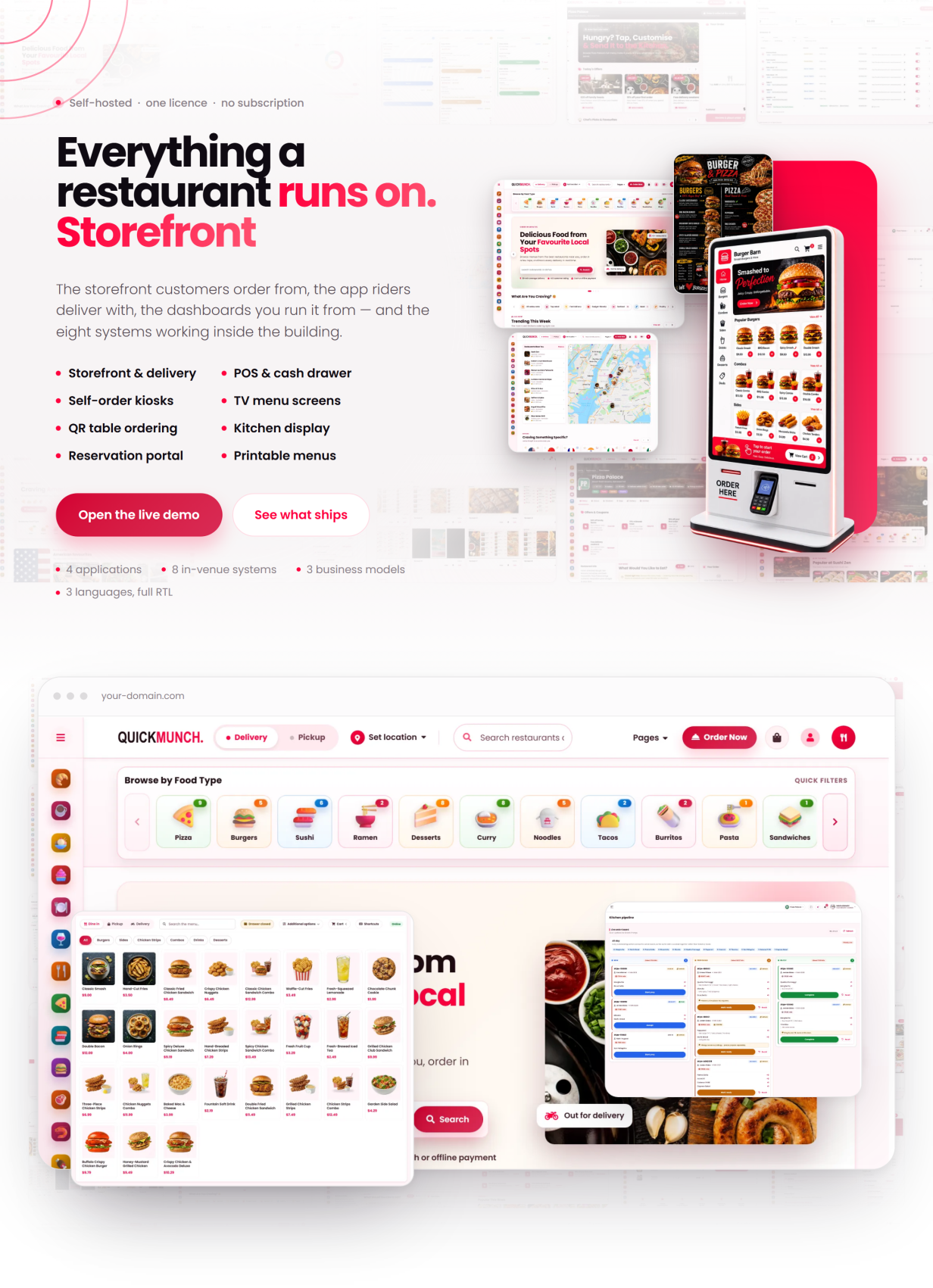
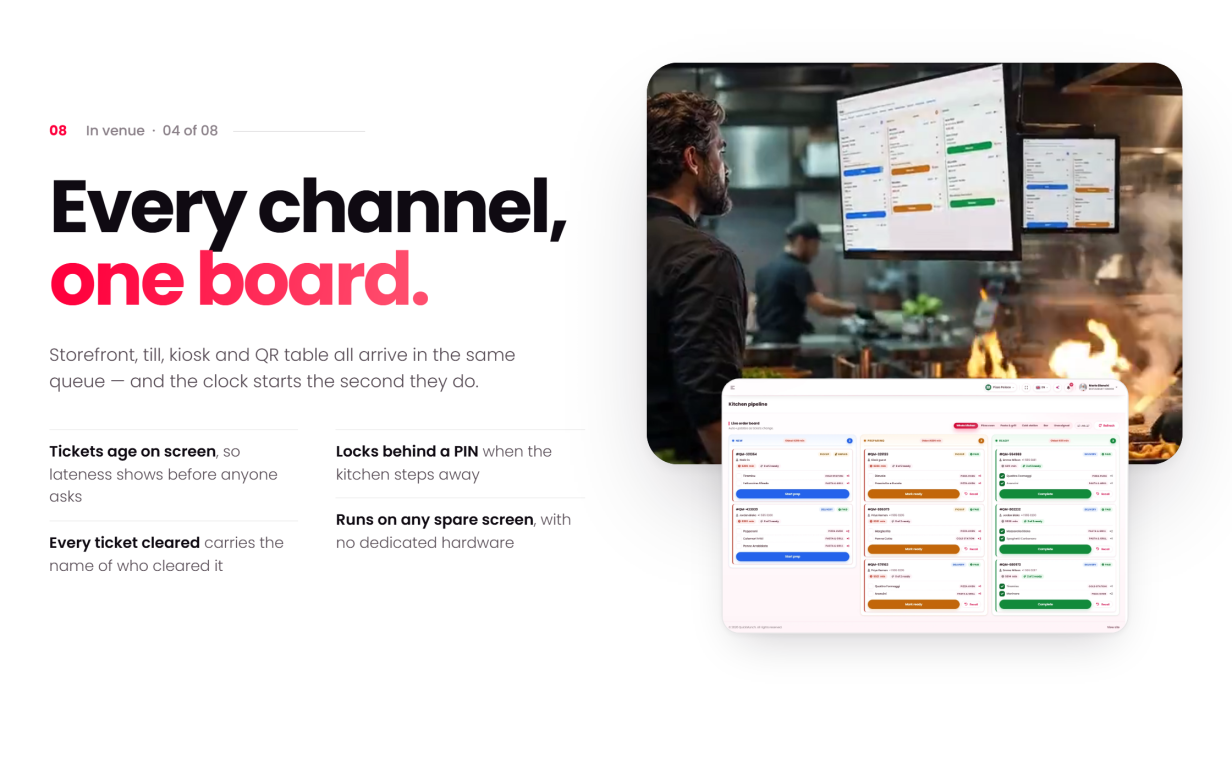
- Kitchen display system — a live order pipeline for the kitchen, fed by every channel: online, POS, kiosk or table QR.
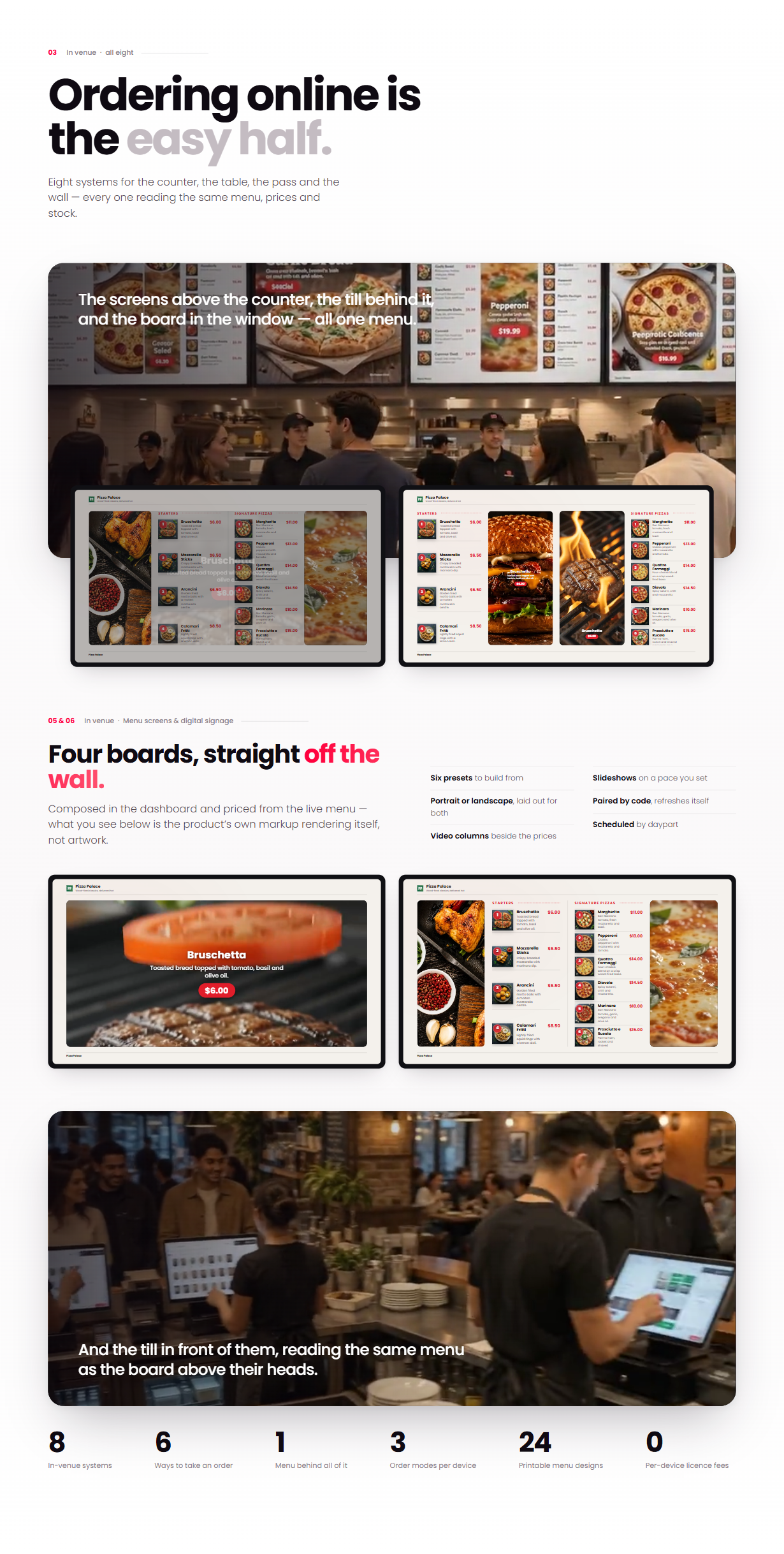
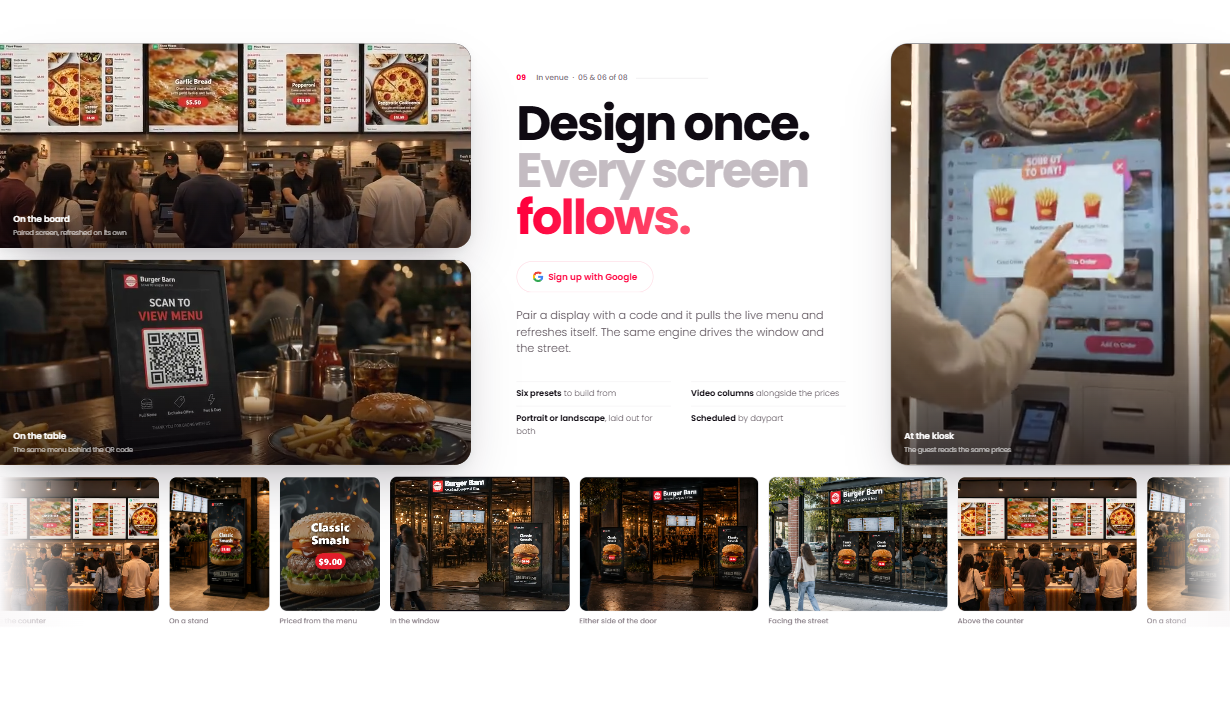
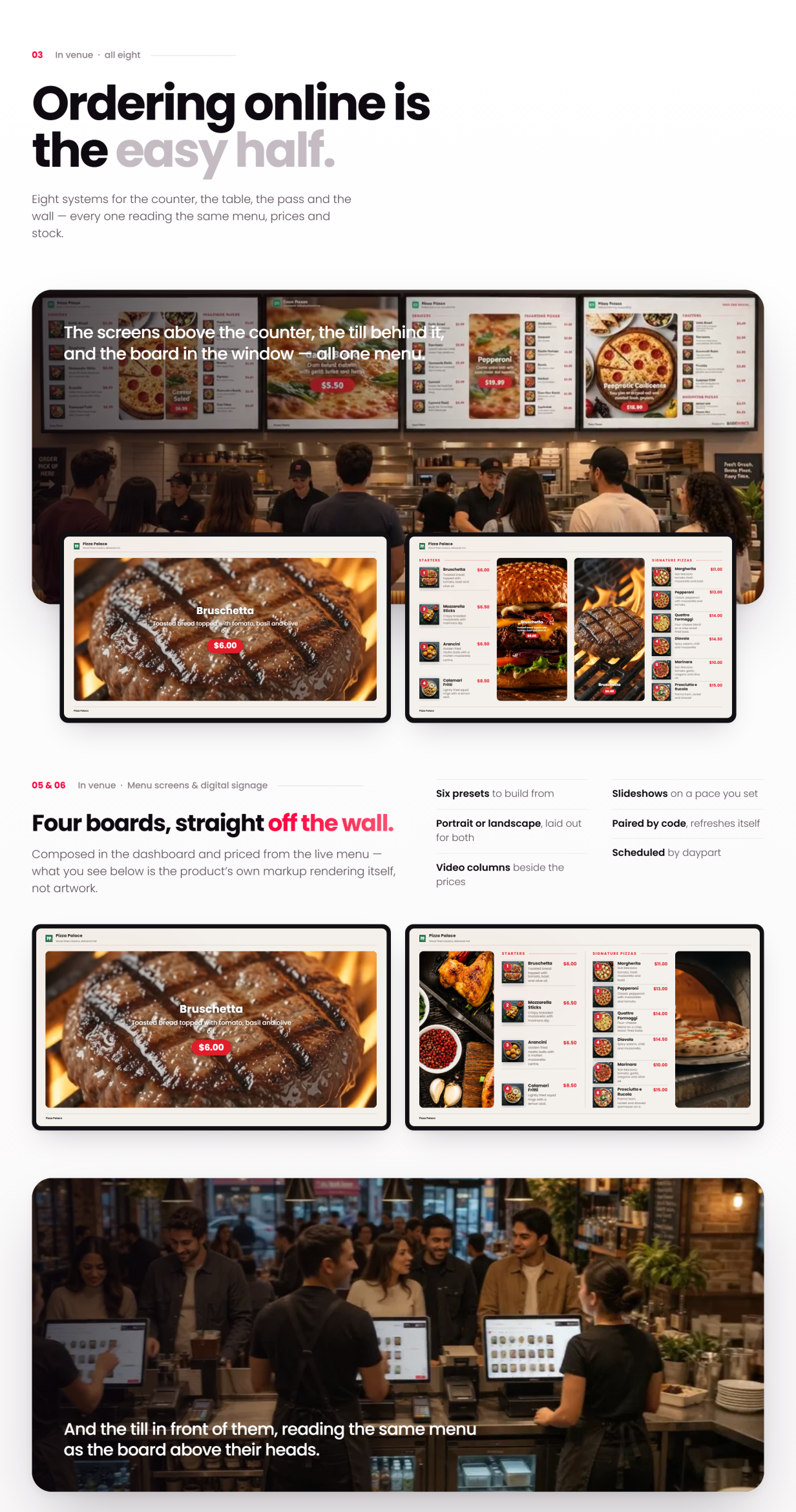
- TV menu screens — digital menu boards drawn from the same menu data, so prices and availability change on the dining-room screens the moment you change them.
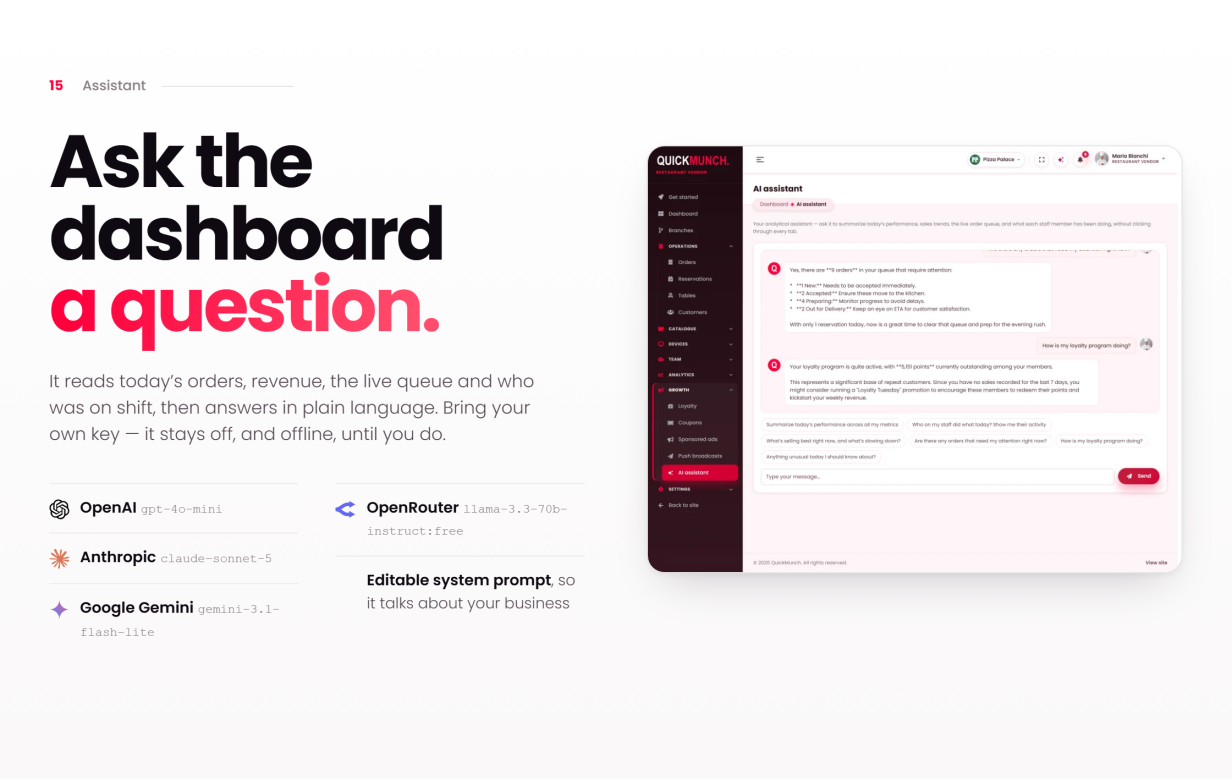
- AI assistant — in-dashboard help that answers from the restaurant’s own data, typed or spoken: the voice orb listens and reads the answer aloud. Bring your own provider key.
- Quick Social — every restaurant posts to Facebook, Instagram, Threads, X, TikTok, YouTube, Pinterest, LinkedIn, Telegram and Bluesky from its own dashboard, starting from a dish, with a calendar and image and video studios.
- Three business models, one install — commission marketplace, your own chain of venues, or a franchise network billing royalties — switched from the dashboard with no code changes.
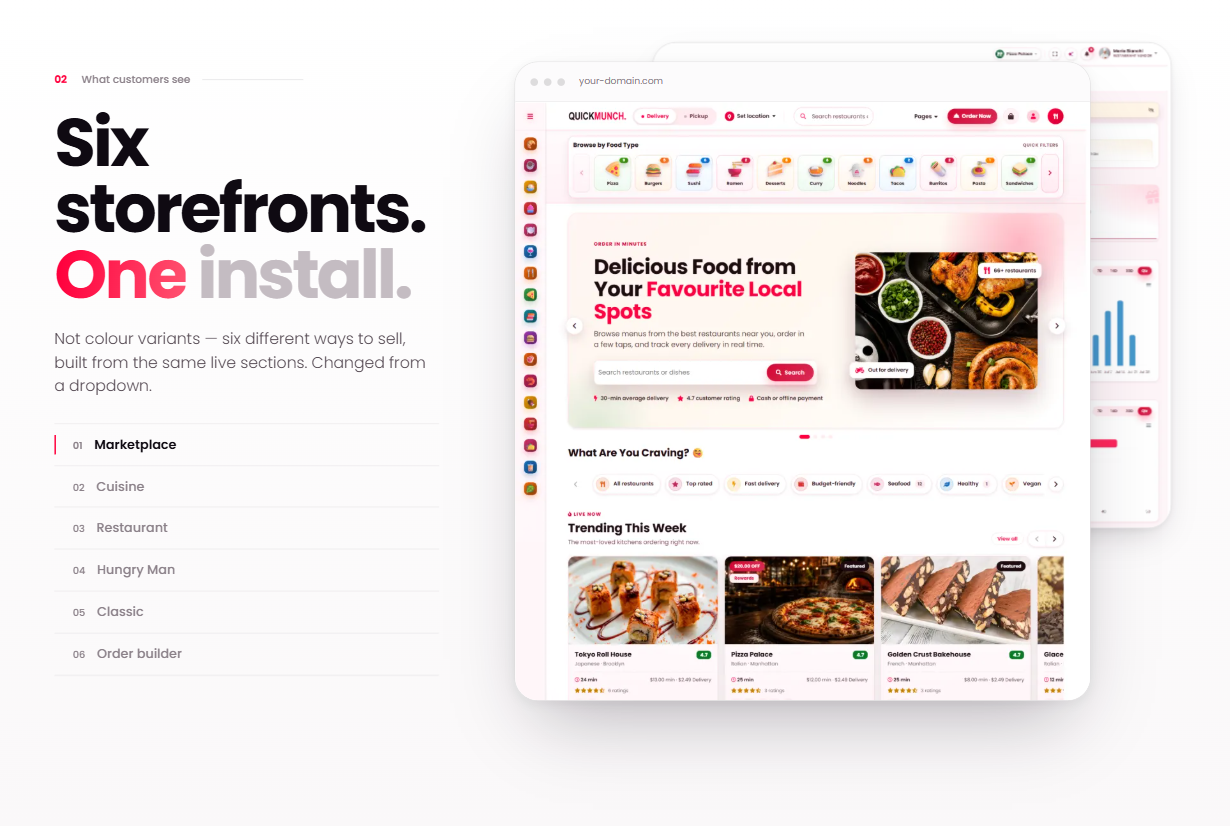
- Complete online storefront — delivery, pickup and dine-in, WooCommerce checkout, deals and loyalty, on a responsive, themable front end.
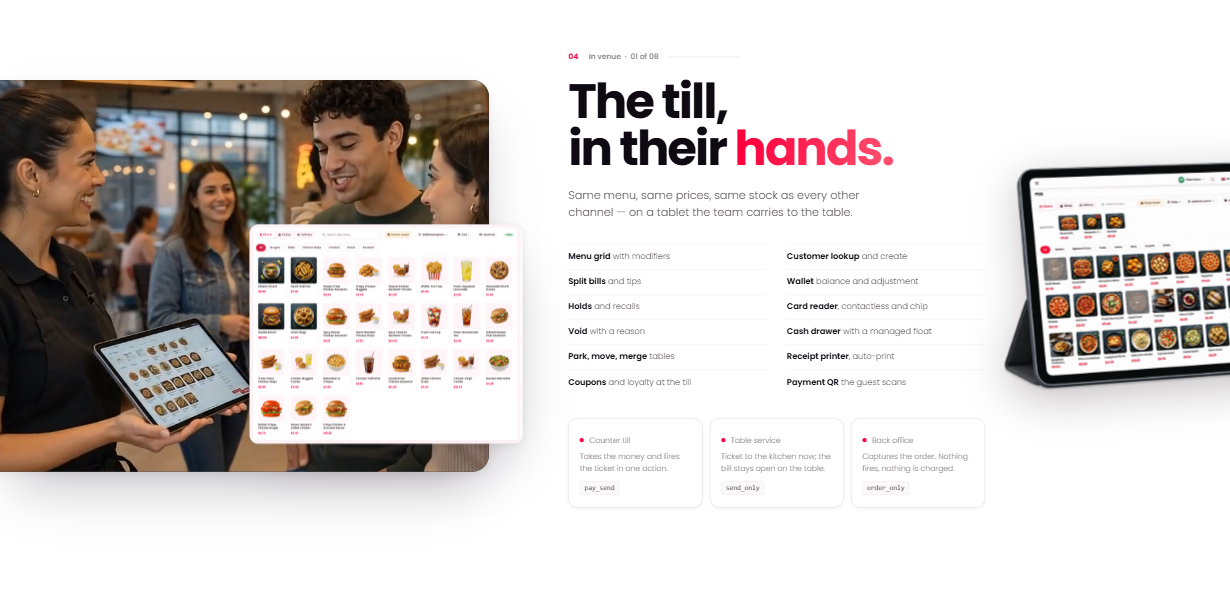
- Full POS — a counter point-of-sale with cash handling, receipt printing and shift reports.
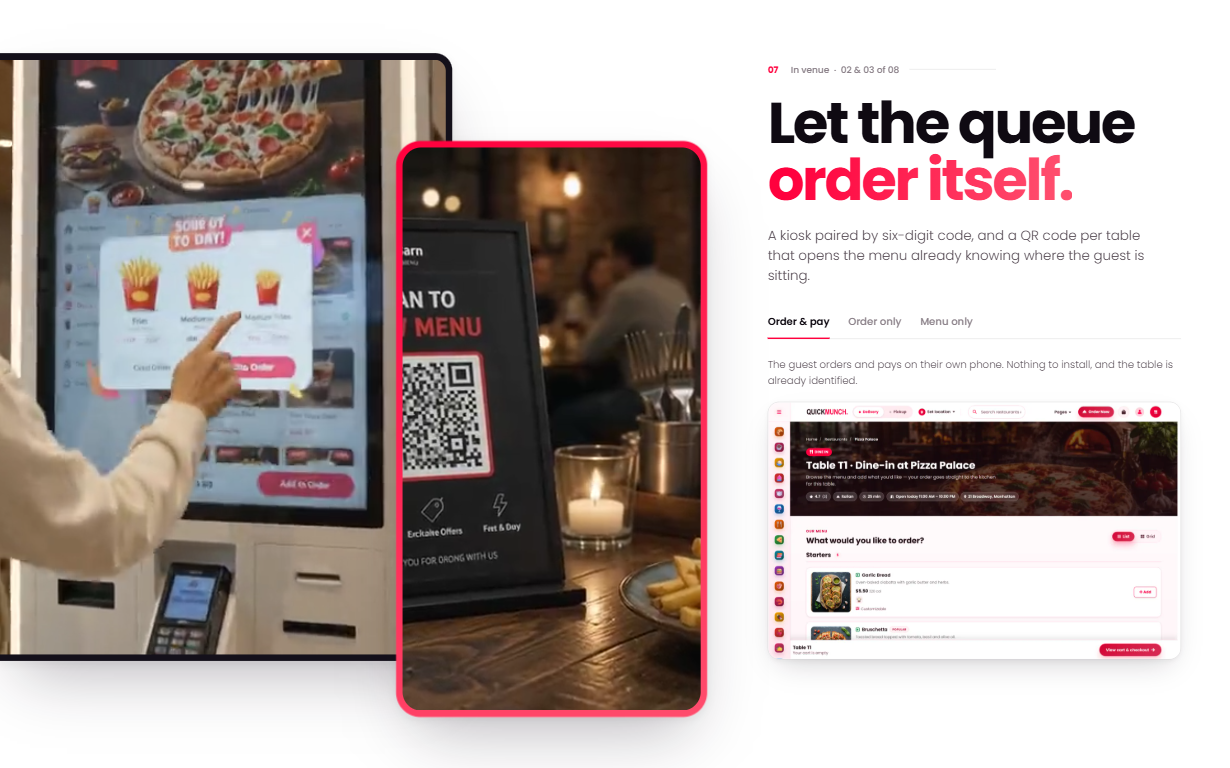
- Self-order kiosks — a touchscreen ordering mode for in-venue kiosks, running from the same install.
- QR table ordering & dine-in — guests scan and order from the table, and the order lands in the same kitchen pipeline as everything else.
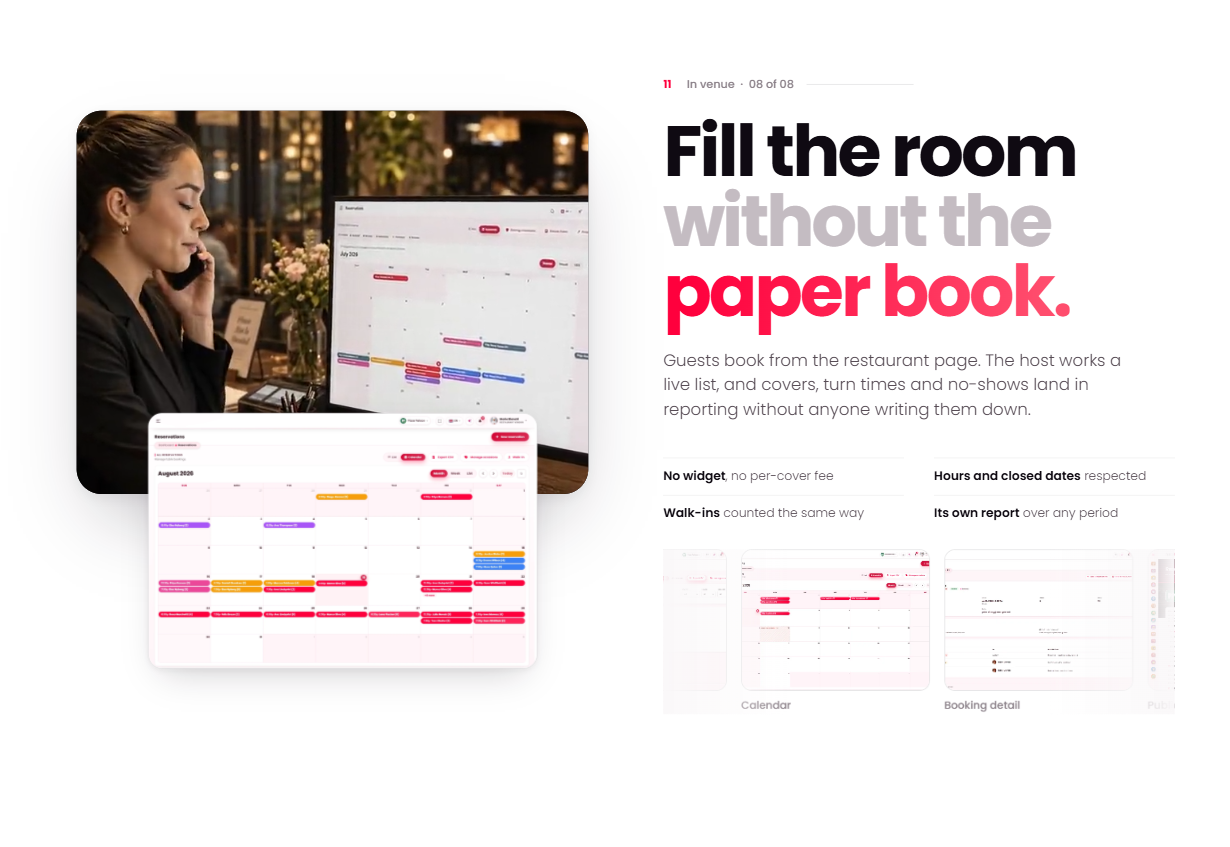
- Reservations & printable menus — table bookings from the storefront, plus print-ready menus generated from the live menu data.
- Three page builders — WPBakery Page Builder bundled, and every one of the 68 section elements also available as a Gutenberg block and an Elementor widget.
Three Business Models, One Product
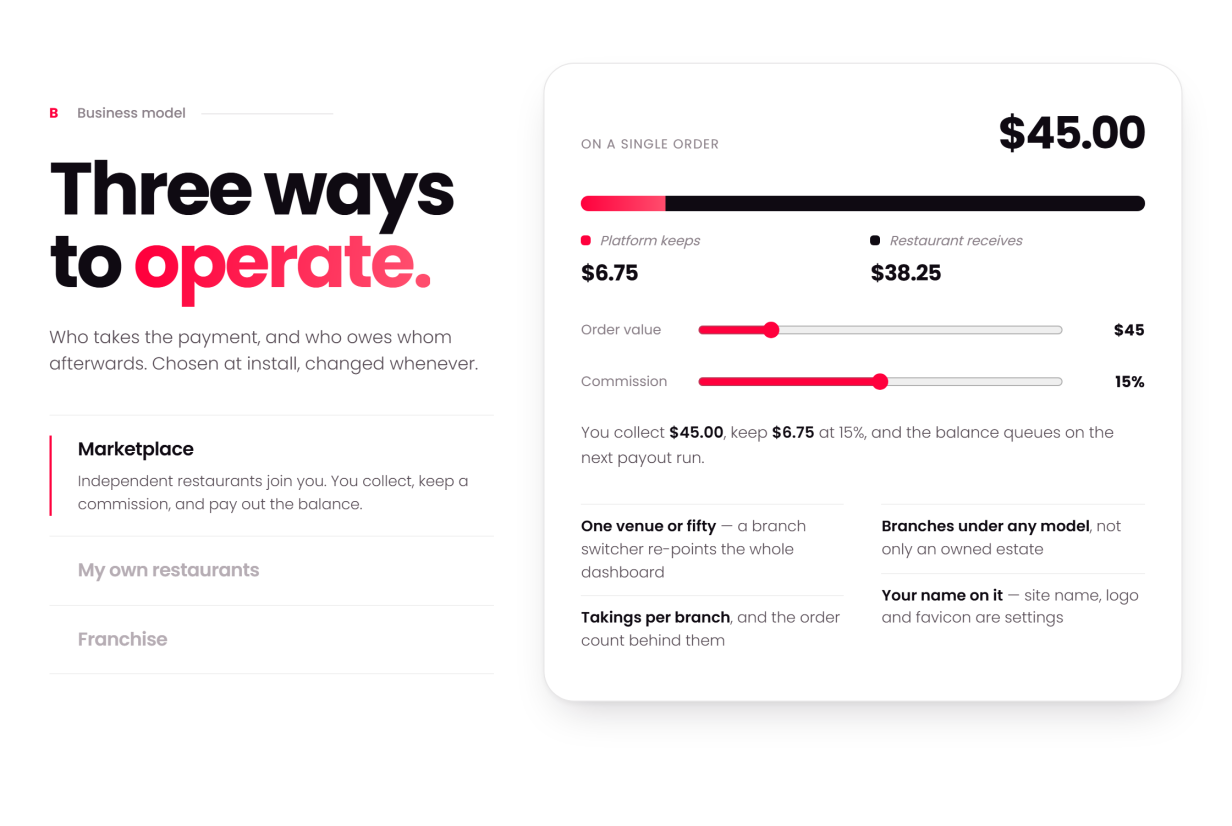
Every install starts as a marketplace and switches whenever you like from the dashboard — every screen adapts to the model you run:
- Marketplace — independent restaurants. You collect payments, pay each restaurant its share and keep a commission, with statements and payouts built in.
- My own restaurants — one owner, many venues. All revenue is yours, consolidated. No payouts, no commission.
- Franchise — each restaurant takes its own payments. You charge a royalty on their sales.
How You Make Money (four income streams)
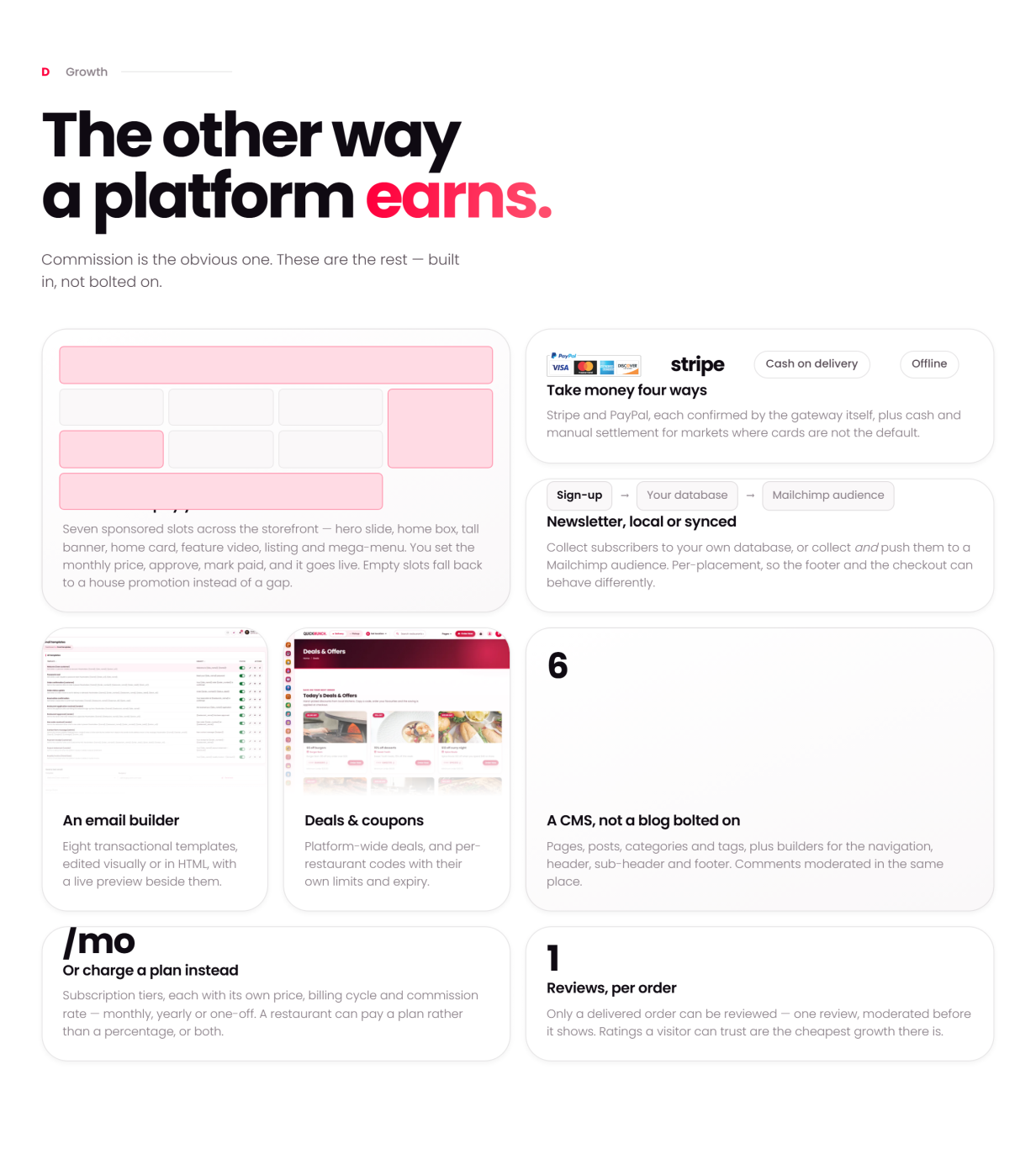
- Commission on every order — set your percentage and the platform takes it off each order automatically; each restaurant’s balance goes to its payouts, with statements for both sides (marketplace model).
- Subscription plans — restaurants pay you monthly or yearly to be on the platform, with free, trial and paid tiers and a feature matrix, paid through your WooCommerce gateways. A restaurant can pay a plan instead of a percentage, or both — your pricing, your rules.
- Sponsored ads — restaurants buy placements across your storefront, pay online through the same gateways, and the placement goes live, with admin pricing and a revenue report.
- Royalty — in the franchise model each restaurant takes its own payments and you invoice a royalty on their sales.
Every stream lands in admin reporting: platform earnings, recurring revenue, ad revenue and payout statements.
White-Label: Your Brand on All of It
- Your logo, site icon and brand colours — set once in Theme Options and carried across the storefront and the dashboards
- Your site name, pages, menus, header and footer — set your own name and footer text, and nothing in the product names Quickmunch to your customers
- Sell only what your market buys — delivery, pickup, dine-in, reservations, loyalty, restaurant sign-up and sponsored ads each have their own switch
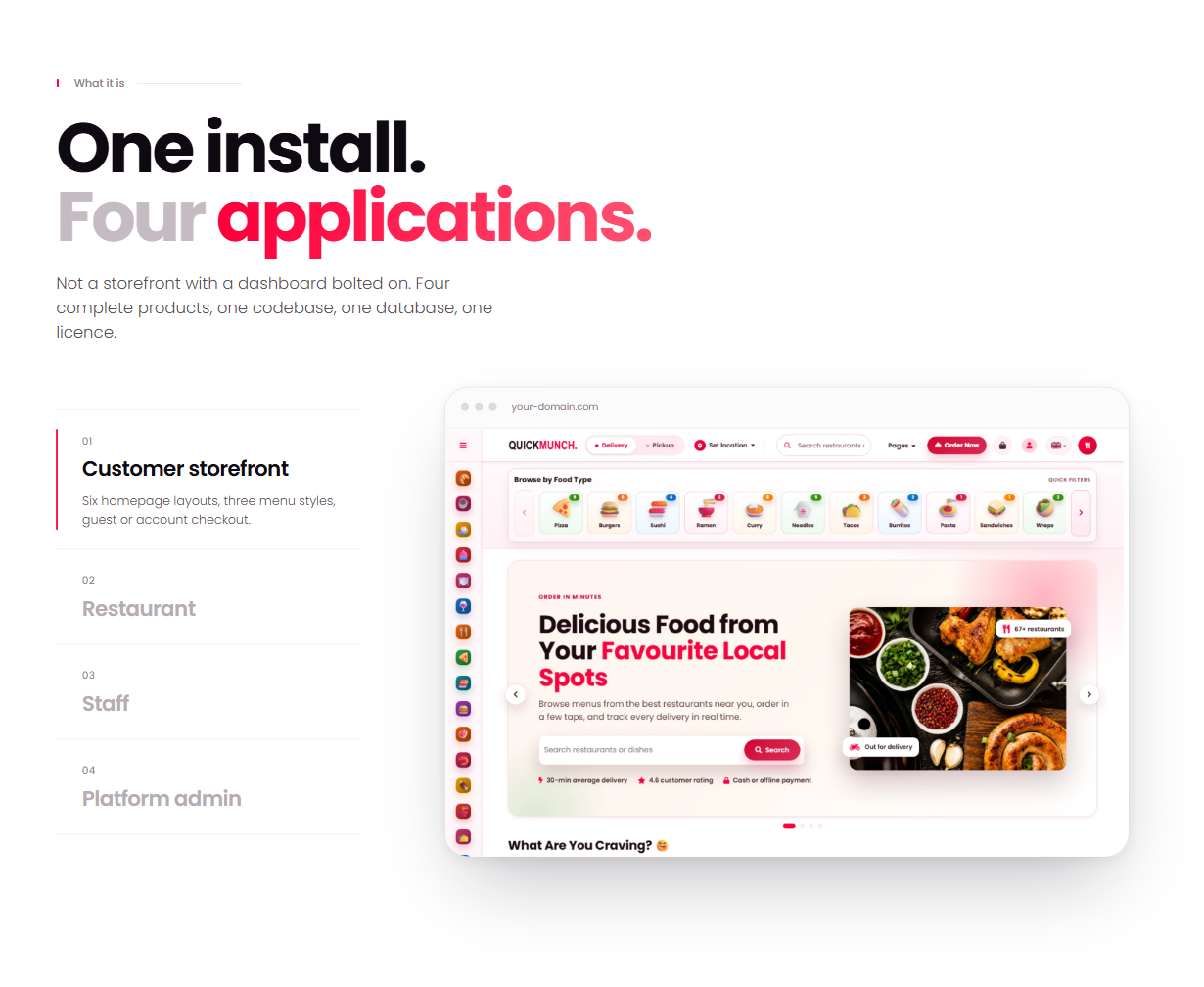
Customer Storefront
- A homepage built from arrangeable sections, cuisine and dietary classifications with their own pages, and search
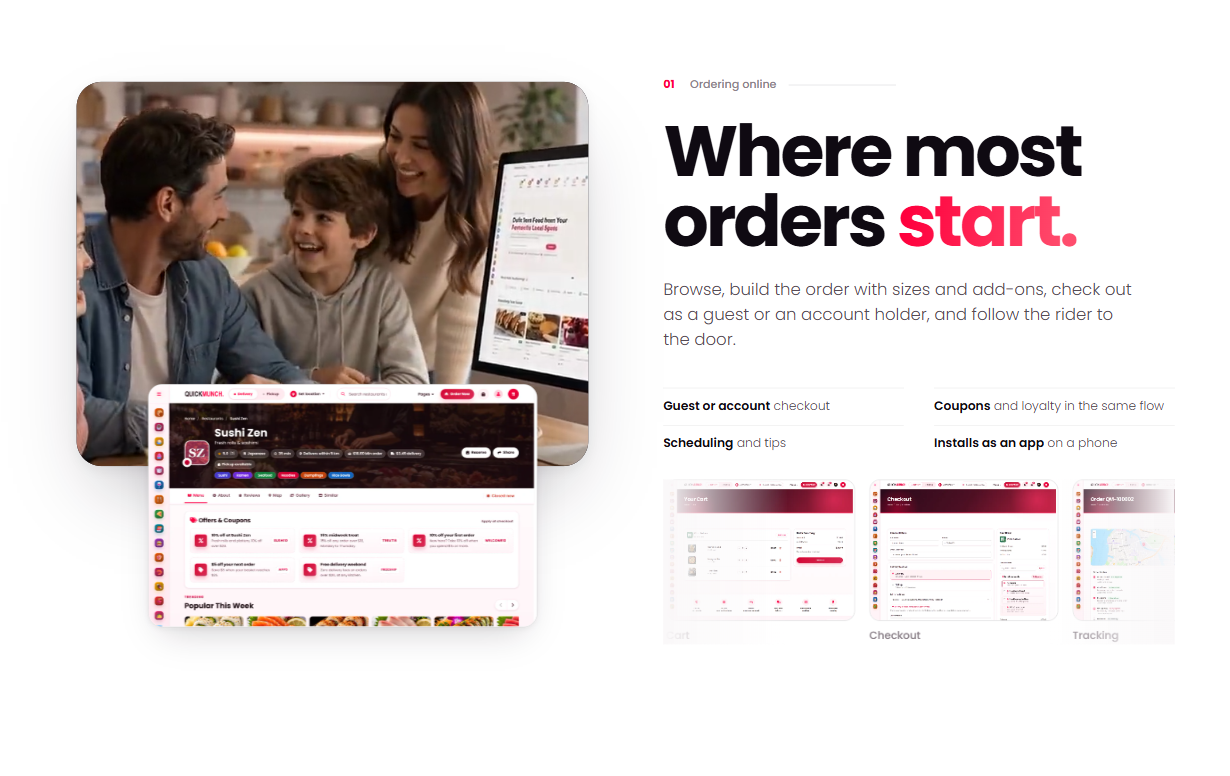
- Full menu with categories, a dish pop-up with options, add-ons and a live total, and a cart that updates without reloading
- WooCommerce checkout — cash on delivery plus Stripe, PayPal, Square, Mollie, Razorpay, Paystack, Flutterwave, Mercado Pago and Payfast gateways
- Tips, delivery zones, coupons and platform-wide deals
- Live order tracking on a map
- Reviews, saved addresses, loyalty points and order history in the customer’s account
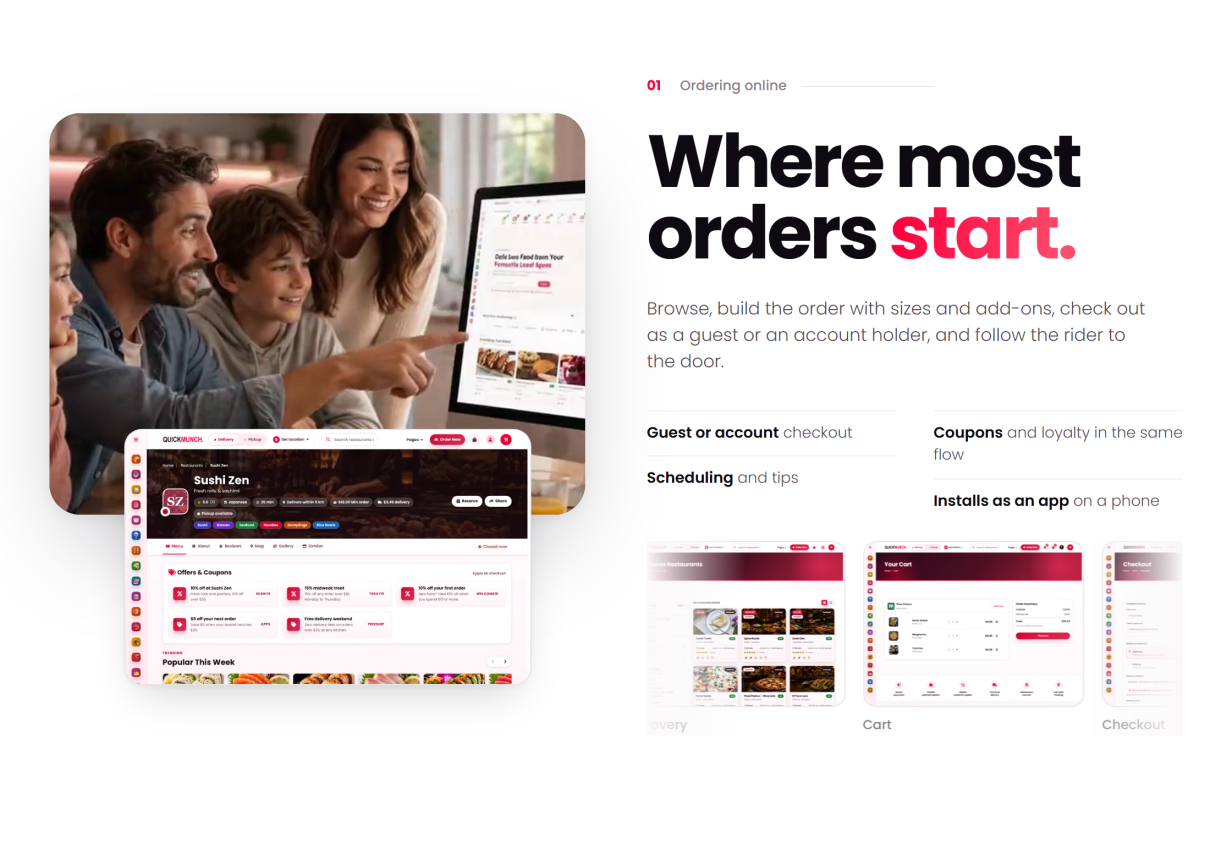
- Table reservations from the storefront
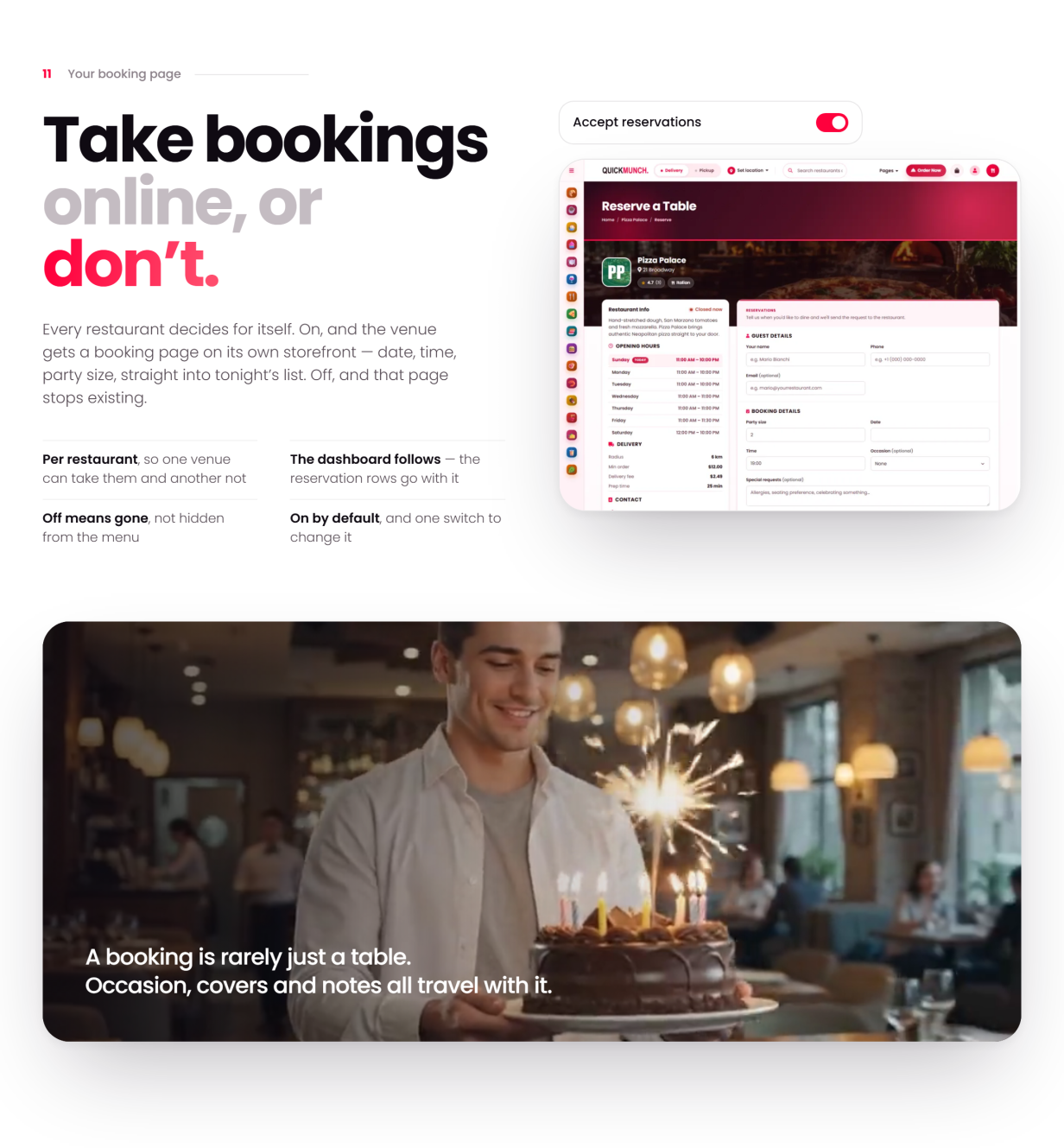
Restaurant Operations
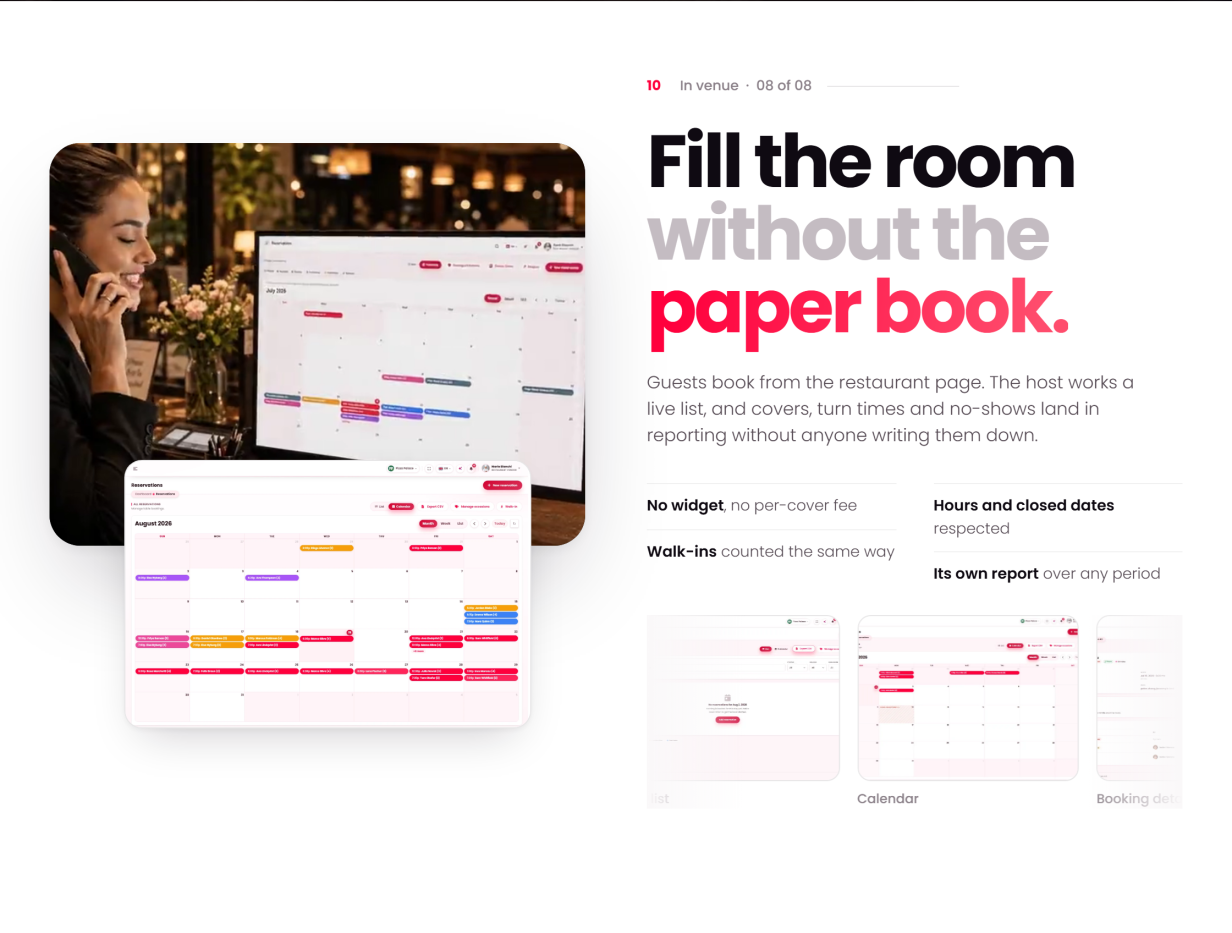
- A dashboard with today’s figures, sales trends and the orders in progress
- Orders with status changes, driver assignment and cancellation reasons
- Reservations, and tables with their own status
- Menu: dishes with options, categories, a menu archive, upsells, and import from a CSV file or from another of your venues
- Inventory with stock levels
- A customer book and a per-restaurant loyalty programme
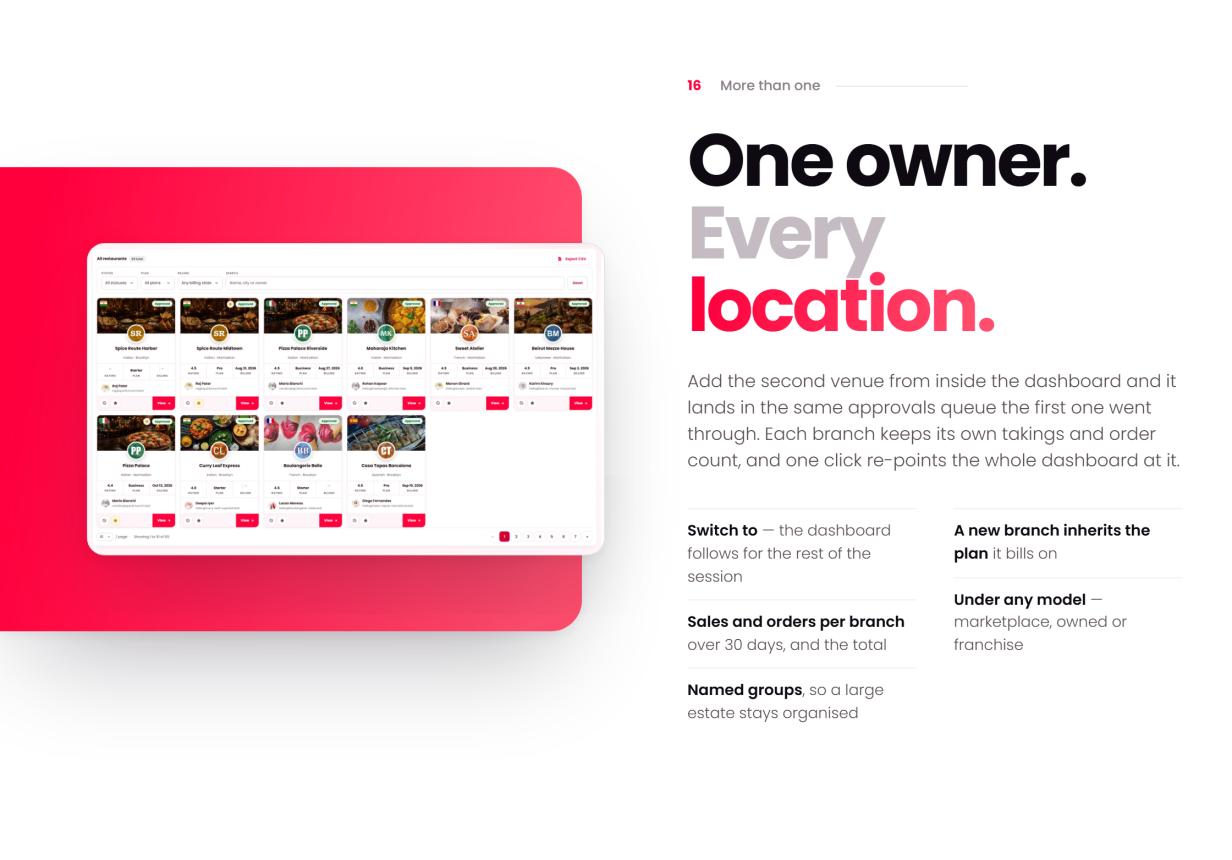
- Branches for multi-venue owners — every venue side by side, and one click to work in any of them
- An AI assistant that answers from the restaurant’s own dashboard data, typed or spoken through the voice orb — bring your own provider key
Quick Social
Every restaurant publishes to its social accounts from the same dashboard it runs the kitchen from — no third-party scheduler, no per-seat fee:
- Ten networks — Facebook, Instagram, Threads, X, TikTok, YouTube, Pinterest, LinkedIn, Telegram and Bluesky, each connected per restaurant on its Channels screen
- Campaigns from a dish — pick a dish and the post is filled: name and price, description, photograph and the restaurant’s page as the link; one preview per channel, its own text per channel if wanted, Write with AI, drafts, scheduling and publish-all
- Native video — YouTube, TikTok, Instagram Reels, Facebook Reels and Pinterest video pins, each with its own settings
- Calendar, archives and logs — day, week and month views with drag to reschedule; record pages that update or take down a post where the network allows; every run channel by channel with retries
- Image studio and Video studio — restaurant templates with the price, moods that keep the food looking like food, text and shape layers; trim, reframe, caption and render video on your own server with FFmpeg
- Yours to run — register each network’s app once, or let every restaurant bring its own; cap channels, monthly sends and AI captions per restaurant
Devices & Printing
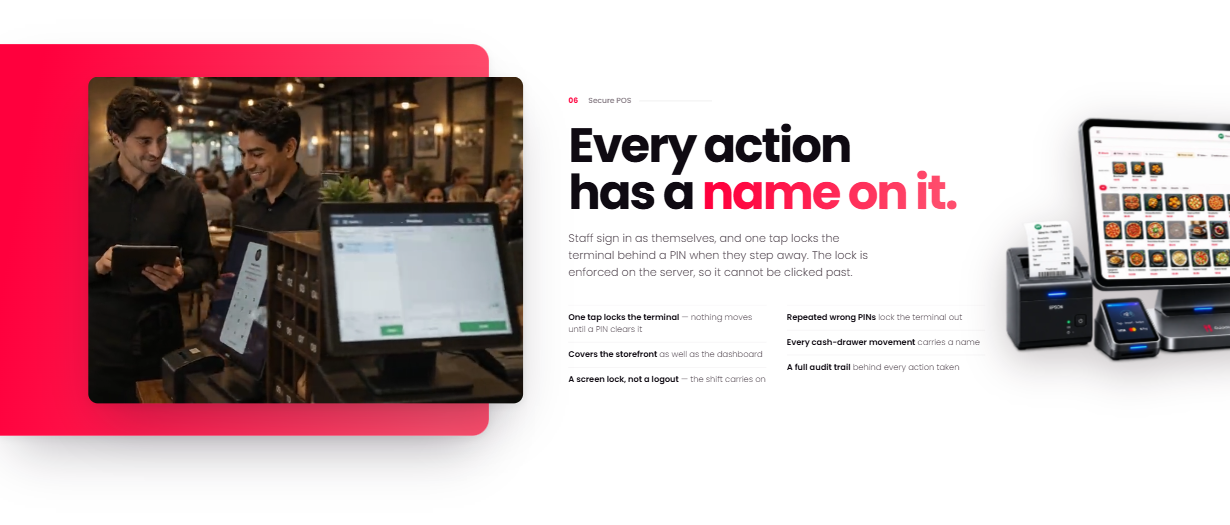
- POS with a table picker, cash handling and shift reports
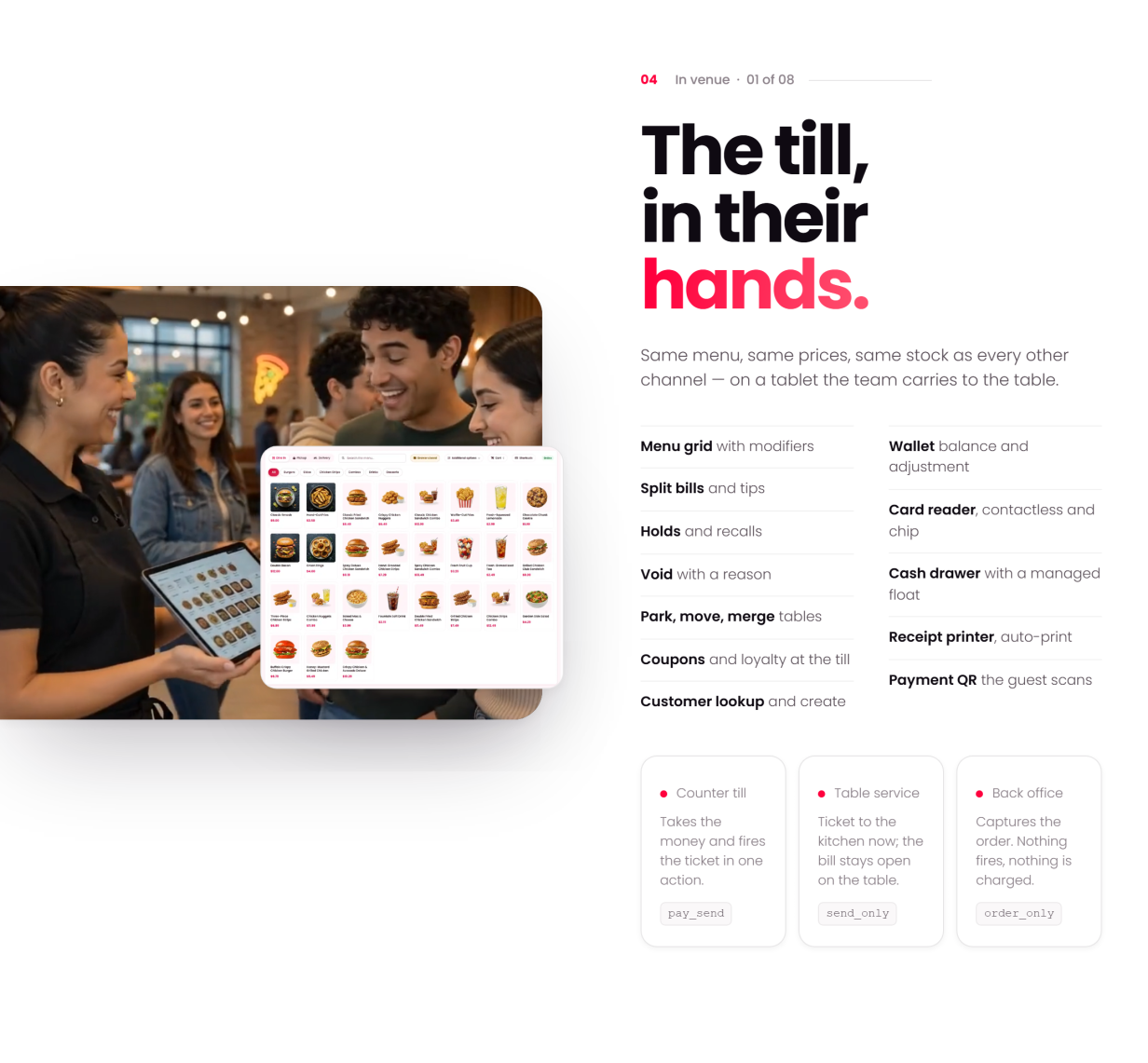
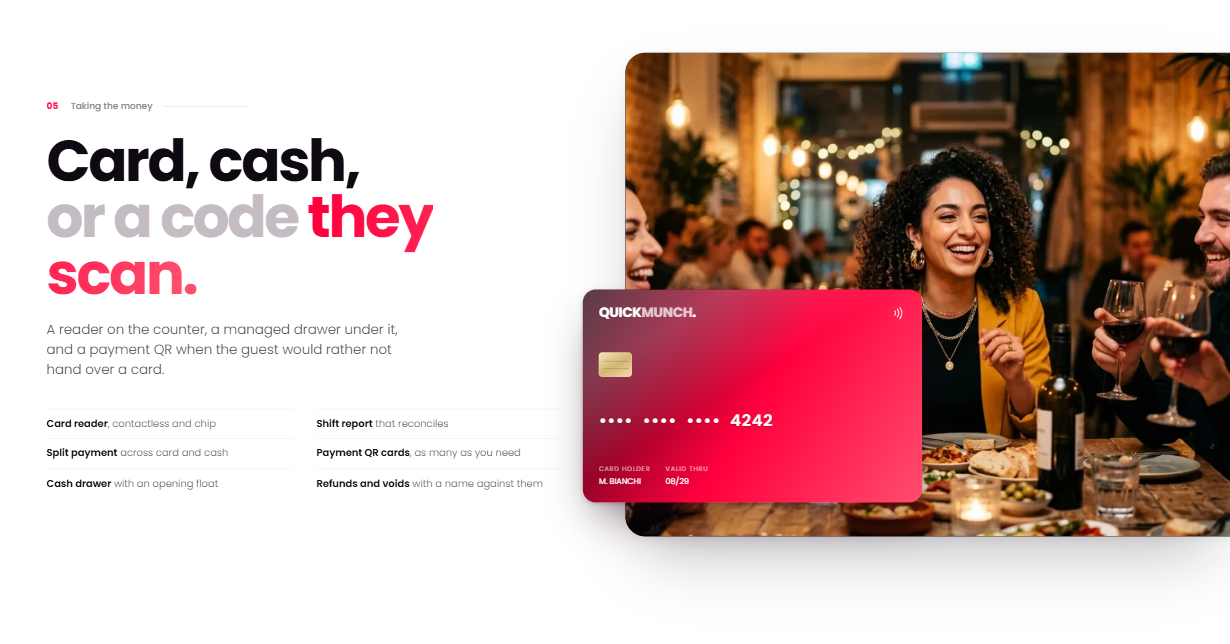
- Card, cash or a payment QR the guest scans — or a payment link sent straight to their phone
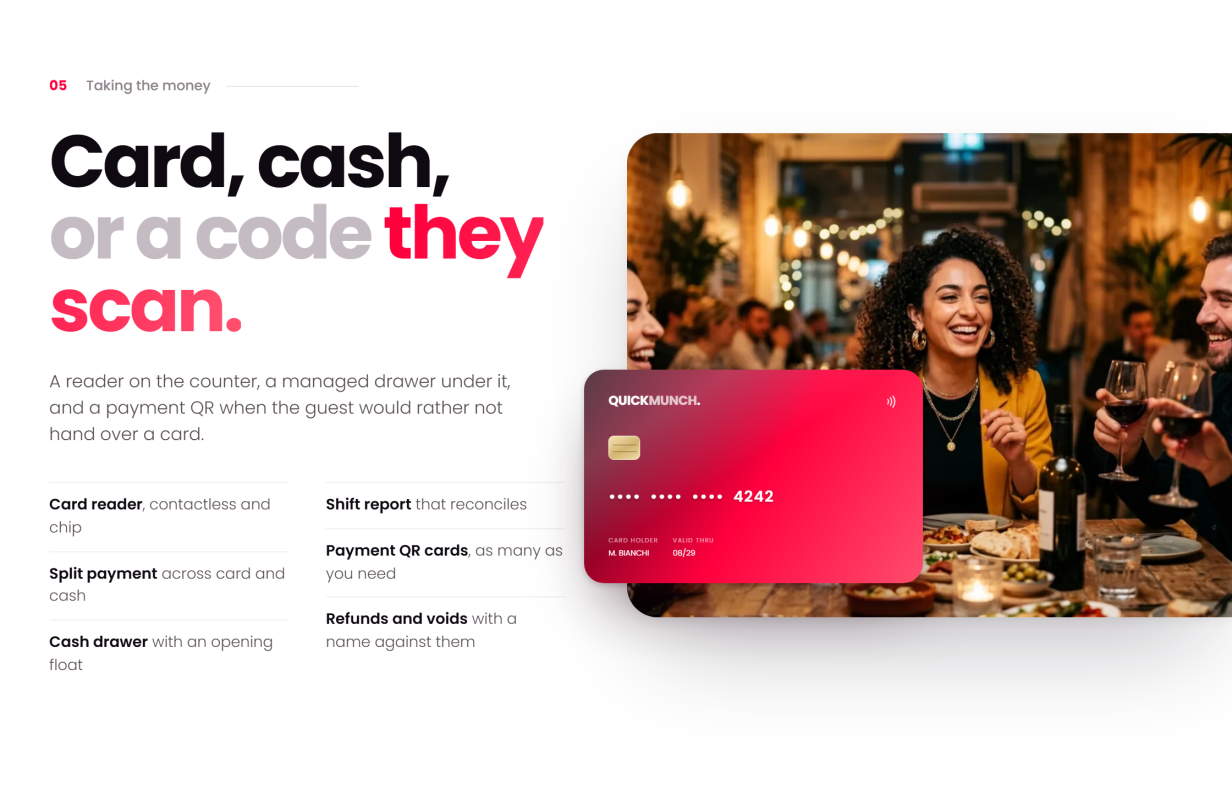
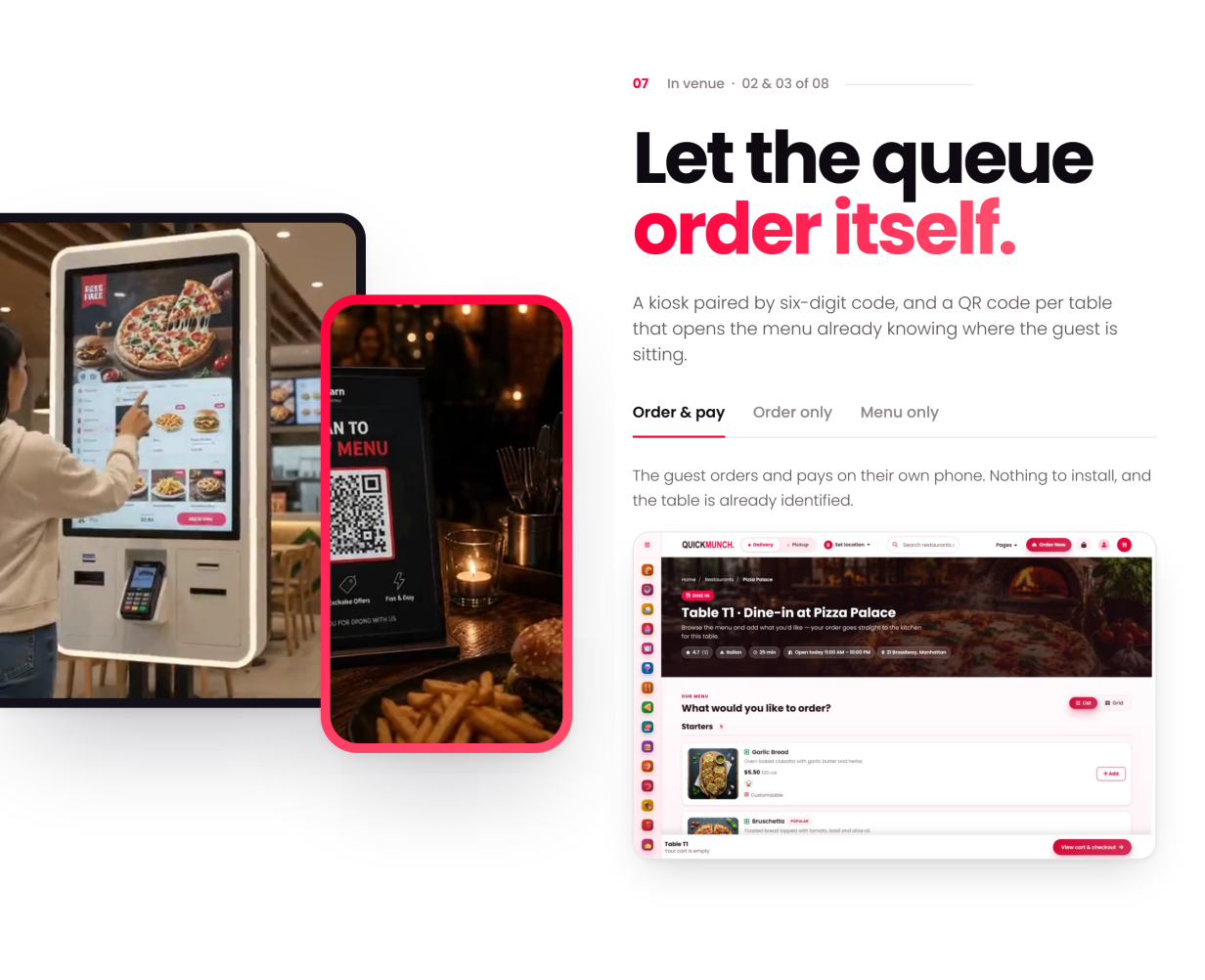
- Kiosks and QR scan-to-order at the table — the guest orders and pays on their own phone, and the order already knows which table it came from
- Kitchen display (KDS): every channel lands on one board
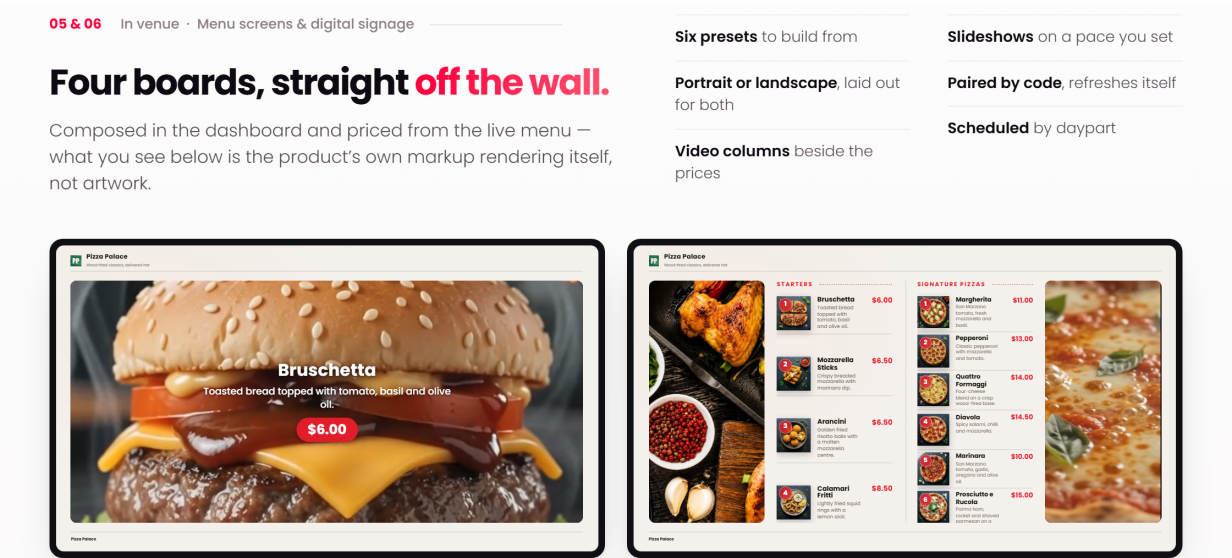
- TV screens (digital menu boards): pair a display and it shows the live menu
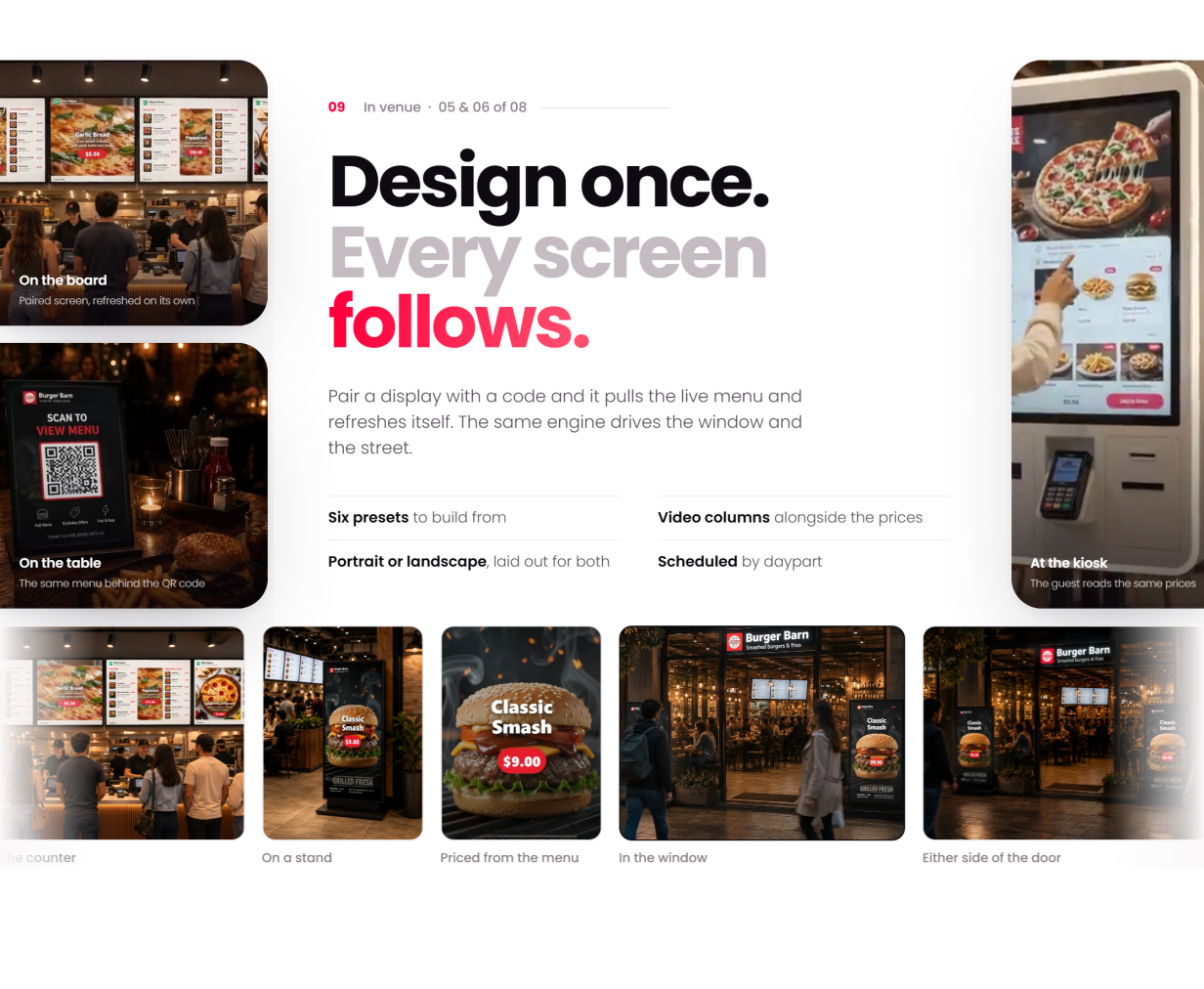
- The boards themselves, composed in the dashboard from the live menu
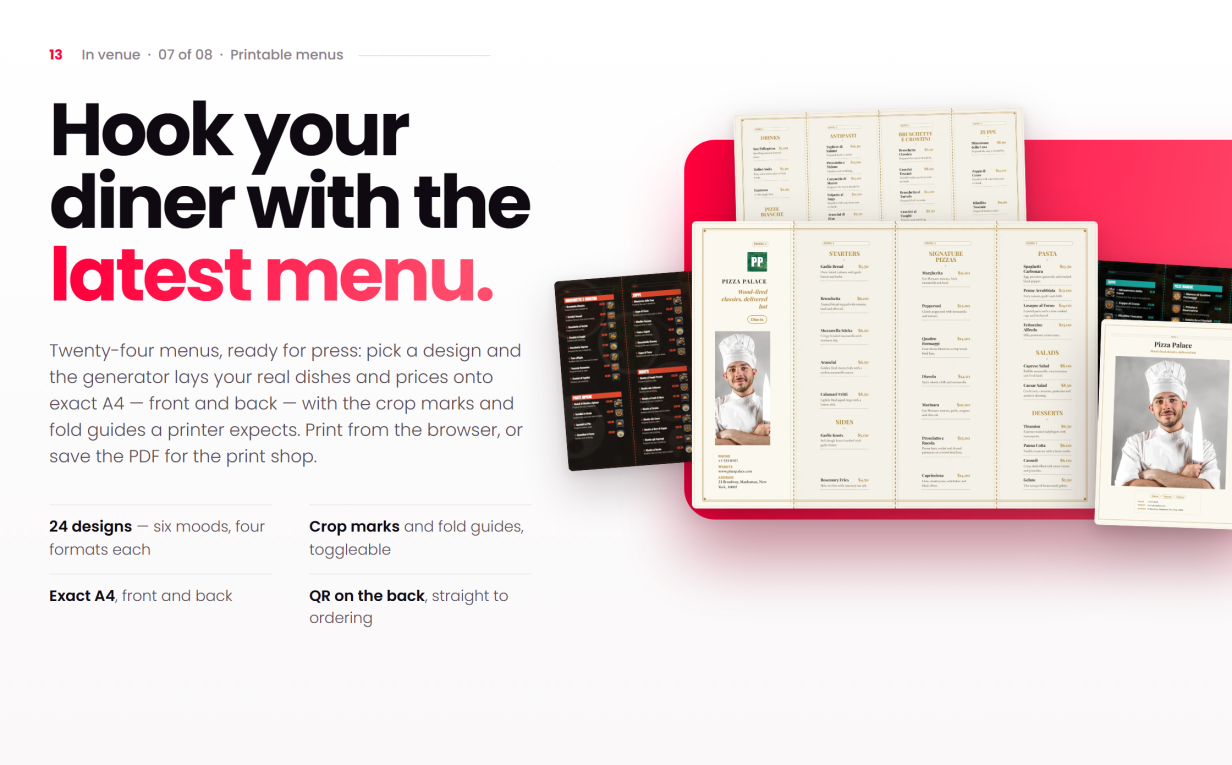
- Printable menus laid out from the live menu, ready for the print shop
- Device settings, and cancellation and refund reasons, per venue
Staff & Reports
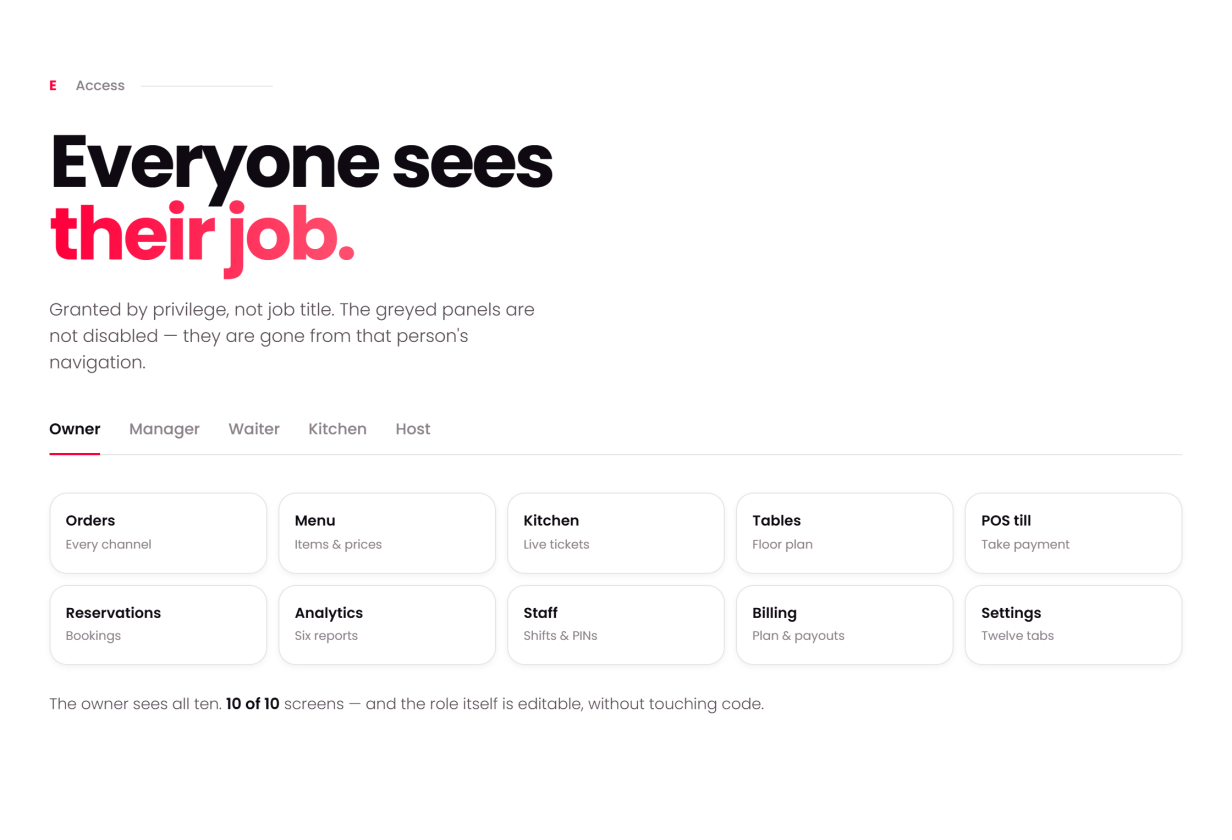
- Scoped staff roles — manager and kitchen — each with their own screen set
- Staff and shift management
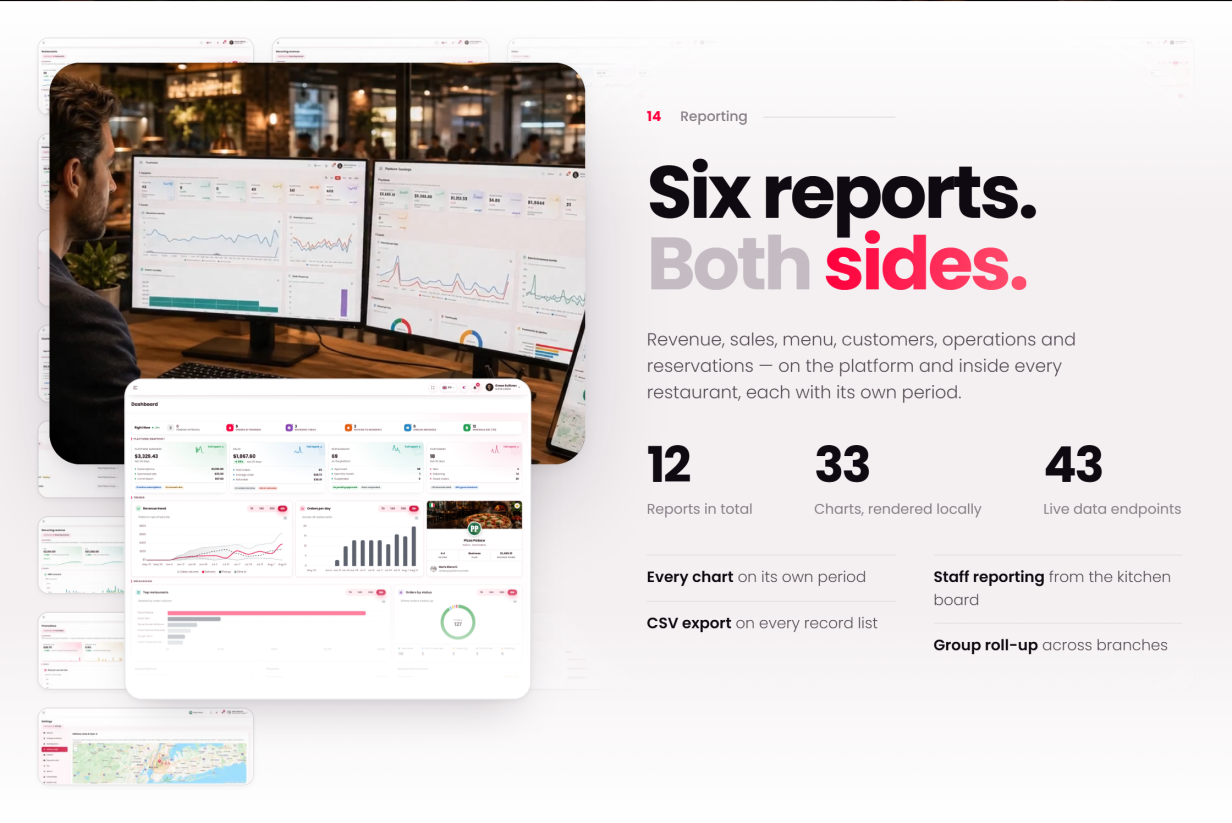
- Six restaurant reports: sales, menu, item, reservations, customers and operations
Driver / Rider
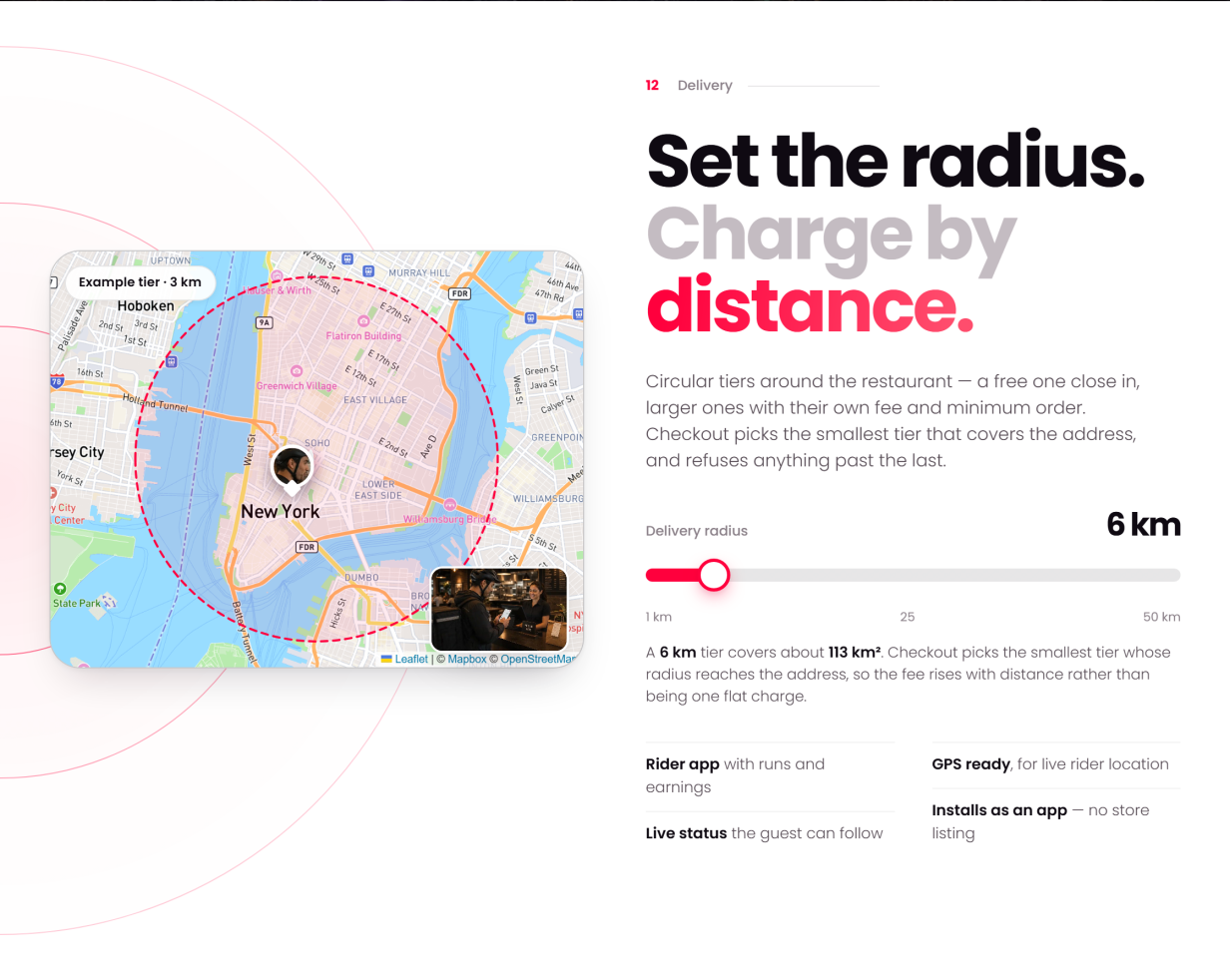
- Delivery zones and delivery fees
- Assigned deliveries and status updates from the driver’s own app
- Live position on the delivery map, shared with the customer tracking the order
Super-Admin
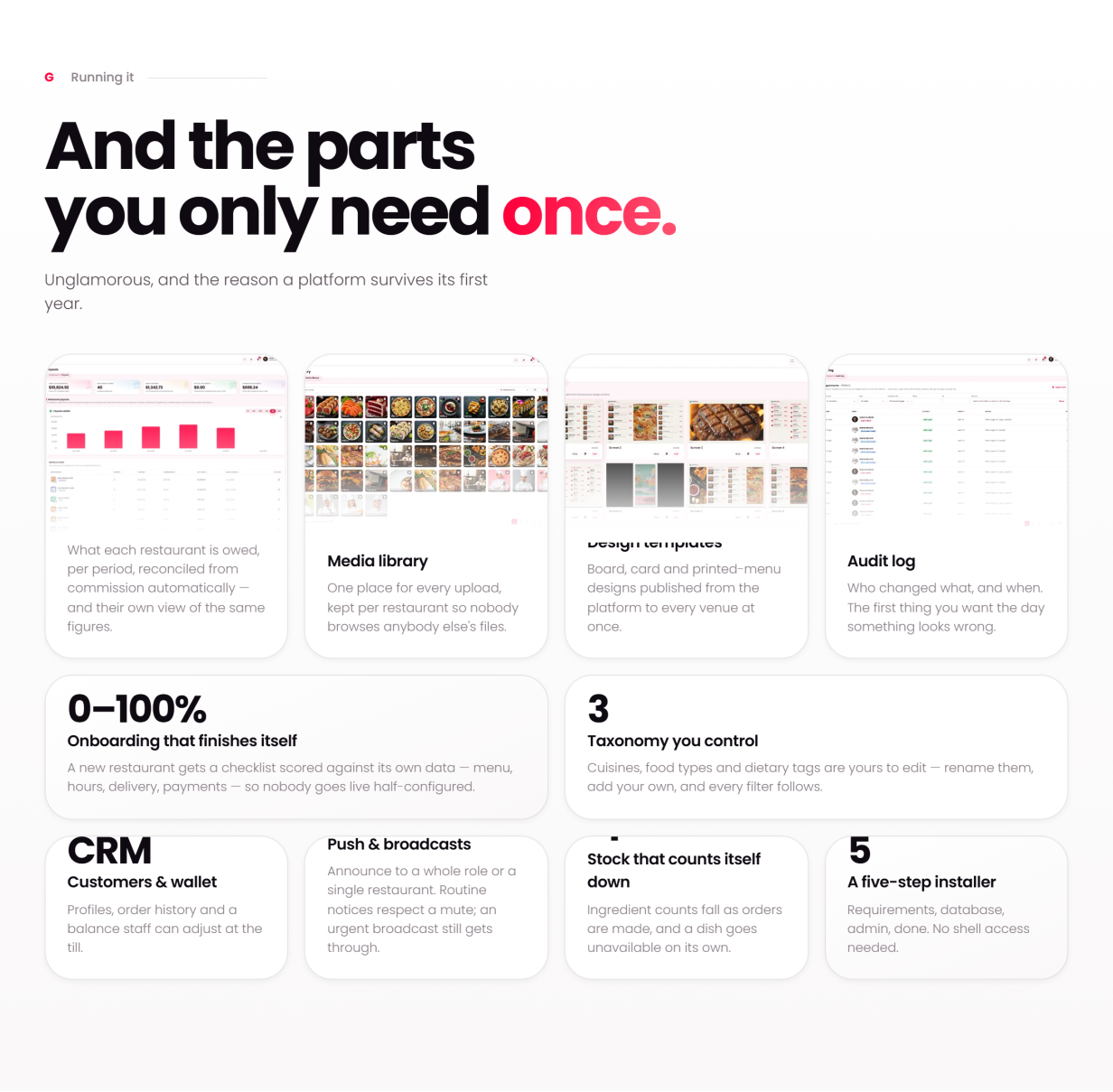
- Restaurants, users, classifications, deals and loyalty, from the operator dashboard
- Money: plans, subscriptions, payouts, sponsored ads, the business model and platform earnings
- Website & content: WordPress pages and blog, Theme Options for header, footer and colours, mega menus and page layouts
- Messaging: branded email templates with a switch each, SMS through Twilio, newsletter sign-ups with Mailchimp, a subscriber list and contact forms
- Maintenance mode with a timed reopen
- Tools: the Quick Social switch, the channels offered, the network apps and the limits per restaurant
What’s Included
- The Quickmunch theme, and a child theme for your own changes
- The Sigma Core and Sigma Restaurant plugins, plus WPBakery Page Builder
- Two one-click demos — one built with WPBakery, one with Elementor
- 68 section elements for WPBakery, Gutenberg and Elementor
- 126-page HTML documentation that filters by reader role and business model — every screen in the product has a page
- Translation-ready —
.potfiles for the theme and both plugins — with right-to-left stylesheets - Fonts, icons and scripts ship with the theme and plugins, served from your own server
Server Requirements
- WordPress 7.0+ and WooCommerce
- PHP 7.4+ (8.2 recommended) with mysqli, GD or Imagick, mbstring, curl and XML
- MySQL 5.7+ / MariaDB 10.4+
- An upload limit of 64 MB for the theme file; Apache (mod_rewrite) or Nginx; HTTPS recommended (card payments want a secure address)
- FFmpeg on the server, for the Video studio only (optional)
Browser Compatibility
- Chrome and Edge 111+, Firefox 113+, Safari 16.4+, and the current Chrome/Safari on Android and iOS
- Responsive from 360 px phones through tablets to desktop
- Right-to-left stylesheets included, so Arabic renders as a proper right-to-left layout rather than a mirror
- Internet Explorer is not supported
Third-Party Integrations (optional, off by default)
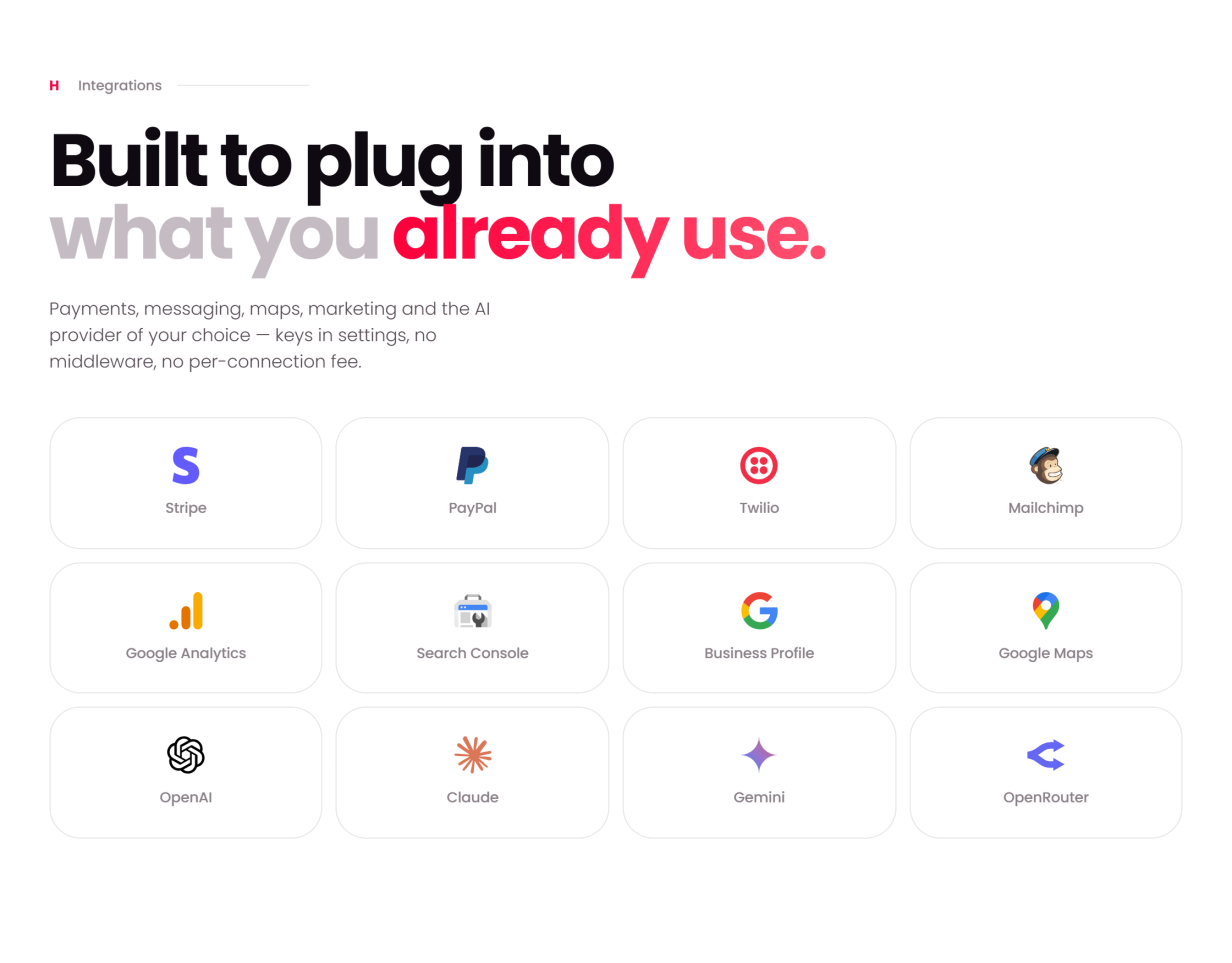
A default install runs with every integration switched off; each one activates only when you add your own key:
- Card payments — through WooCommerce’s payment gateways; cash on delivery works with no keys at all
- SMS — Twilio
- Email marketing — Mailchimp, through MC4WP
- AI — bring your own provider key for the restaurant assistant, its voice and the social captions; you must provide your own privacy notice per your provider’s terms
- Maps — optional map provider keys for location search and delivery maps
- Social networks — Facebook, Instagram, Threads, X, TikTok, YouTube, Pinterest and LinkedIn through your own developer apps (or each restaurant’s); Telegram and Bluesky with a bot token or an app password, no app needed
Support & Updates
- Documentation covers installing, updating, configuration and every screen, with a troubleshooting guide, FAQ and glossary
- Support is provided through the item support form on this page
Credits (all bundled locally, license-compliant)
- Bootstrap, Popper, Slick, Magnific Popup, SweetAlert2, ApexCharts (MIT) and Leaflet (BSD); Isotope (GPLv3)
- Font Awesome 5 Free (CC BY 4.0 / SIL OFL / MIT); Poppins and Noto Sans Arabic (SIL OFL); Anton, Bebas Neue, Cinzel, Oswald and Playfair Display (SIL OFL), bundled for the studios
- WPBakery Page Builder, bundled for use with this theme
- All images are used for demo purposes only. Replace them with your own licensed imagery before going live.
Quickmunch in other formats
The same design, built natively in each stack. Every format is its own product with its own demo, documentation, download and reviews.
-
QuickmunchHTML5
$34
$46View HTML5 → -
QuickmunchReact
$29
$39View React → -
QuickmunchAngular
$29
$39View Angular → -
This page QuickmunchWordPress $104
$139You are viewing it -
QuickmunchPHP
$59
$79View PHP → -
QuickmunchLaravel
$59
$79View Laravel → -
Save 20%
Developer bundleAll 6 code formats
$251.20
$314View bundle →
Need Quickmunch installed or customized?
Fixed prices, done by the developers who built this template. Pick a service and we take it from there.
- Theme installation
- Color scheme customization
- Speed optimization
- 1-hour web development
Reviews
There are no reviews yet.