What's in the box.
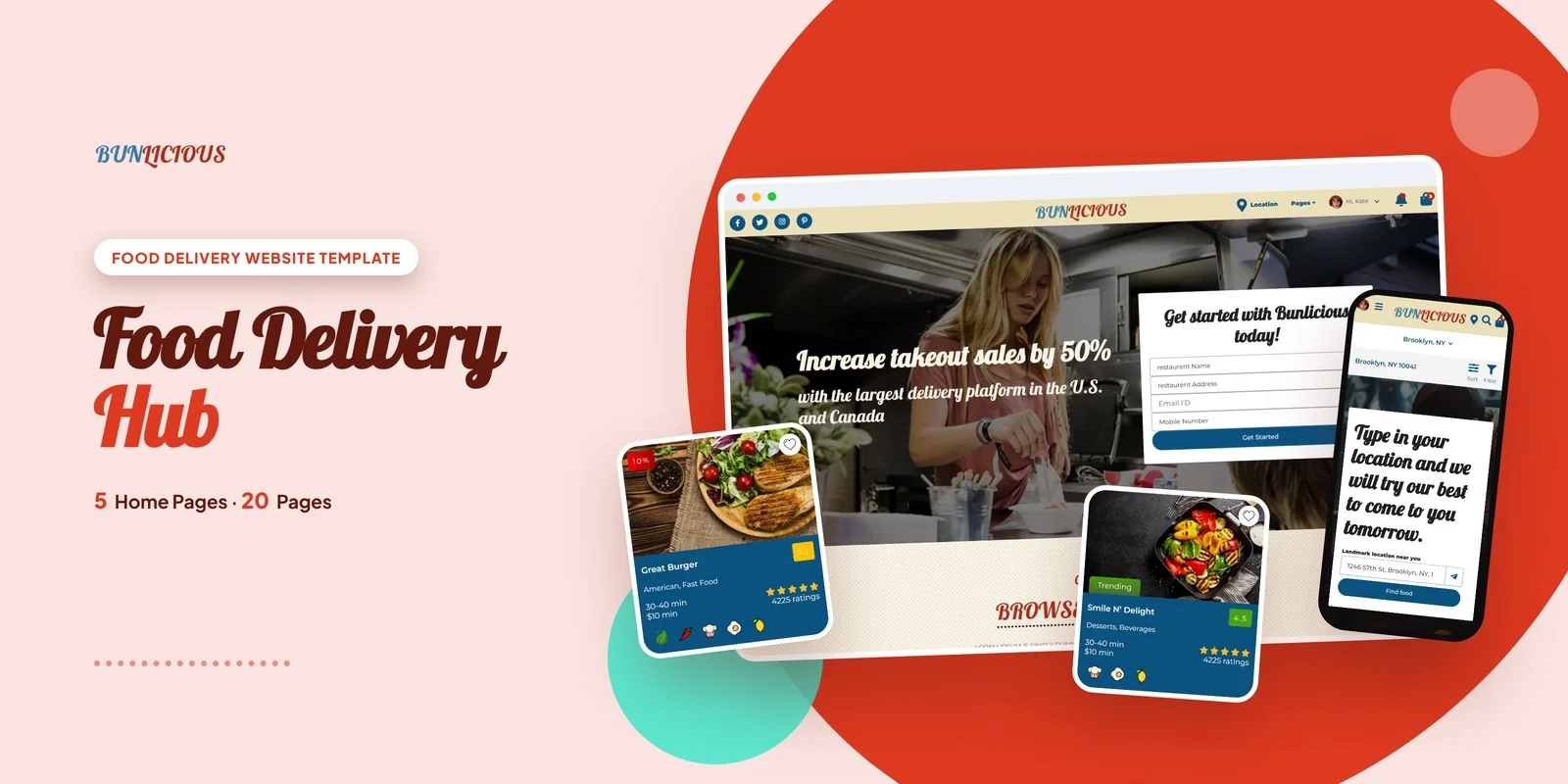
Customers can find a kitchen, pick a meal and pay in one visit, and Bunlicious, made with Tailwind CSS 4, sets that path out as a Tailwind CSS restaurant delivery template with 20 pages. It has four homepage layouts, a location search page, restaurant listings and a full ordering flow.
It suits food delivery startups, restaurant aggregators, single restaurant owners and cloud kitchen operators. Web agencies that build food-tech projects for clients can also use it as a base.
Tailwind CSS Restaurant Delivery Template Pages That Carry the Order
As a Tailwind CSS restaurant delivery template, it suits marketplaces that list many restaurants as well as single kitchens that take their own orders. Some pages matter more than others, so here is the order of importance for this niche.
- Geo-Locator: a visitor enters a location first, so this page starts every search for a nearby restaurant.
- Restaurant, Restaurant Style 1 and Restaurant Style 2: three listing layouts let you show kitchens as cards or as a list, while a separate List View page adds a compact option.
- Checkout and Order Details: these pages hold the payment step and the order summary, because that is where an order is won or lost.
- Exclusive Deals: a place to show offers that bring customers back for another order.
- Add Restaurant: a partner sign-up page, so a marketplace can bring new kitchens on board.
All 20 Pages by Group
- Homepages (5): four layout variations for different delivery models, plus the main home page.
- Restaurants (5): the listing layouts, List View and Add Restaurant.
- Ordering (3): Checkout, Order Details and Exclusive Deals.
- Discovery (1): Geo-Locator.
- Blog (3): two blog layouts and a Blog Details page, so you can publish food content.
- Accounts (2): Login and Register.
- Info (1): About.
Checkout and Listing Styling in Tailwind CSS 4
Styling sits in the markup, so a restaurant card or an order summary block can move to another page and keep its look. Mobile-first breakpoint prefixes adapt the layouts to screen size, which matters because many food orders come from phones. Only the classes the pages use reach the compiled CSS, so unused styles stay out.
Files, Fonts and Icons in the Bunlicious Download
Open the ready pages directly in a browser. The Tailwind source is also in the package, so you can change the styles and compile them again. Font Awesome supplies the icons and Google Fonts supply the type. Neutral placeholders stand in for the preview photos until your own food photos go in.
The template runs in Chrome, Firefox, Safari, Edge and Opera, and the layout is retina ready. The package also contains the Tailwind source, so the styles for all 20 pages can be rebuilt after you change them.
Buyer’s guideBest Food & Beverage Website Designs for Brands & Delivery (2026) — see how Bunlicious compares with the alternatives.
Bunlicious in other formats
The same design, built natively in each stack. Every format is its own product with its own demo, documentation, download and reviews.
-
BunliciousHTML5
$16
$49View HTML5 → -
This page BunliciousTailwind CSS $21
$54You are viewing it -
BunliciousReact
$24
$49View React → -
BunliciousVue.js
$24
$49View Vue.js → -
BunliciousAngular
$23
$49View Angular → -
BunliciousWordPress
$62
$102View WordPress → -
BunliciousPHP
$21
$49View PHP → -
BunliciousAI Smart Website
$2,667
$2,867View AI Smart Website → -
Save 20%
Developer bundleAll 6 code formats
$136
$170View bundle →
What's changed.
- First release of the Tailwind CSS edition with 20 pages.
- Includes 4 homepage layouts, a geo-locator, restaurant listings and a full checkout flow.
- Adds blog, login, register and add-restaurant pages.
Need Bunlicious installed or customized?
Fixed prices, done by the developers who built this template. Pick a service and we take it from there.
- Theme installation
- Color scheme customization
- Speed optimization
- 1-hour web development


Reviews
There are no reviews yet.