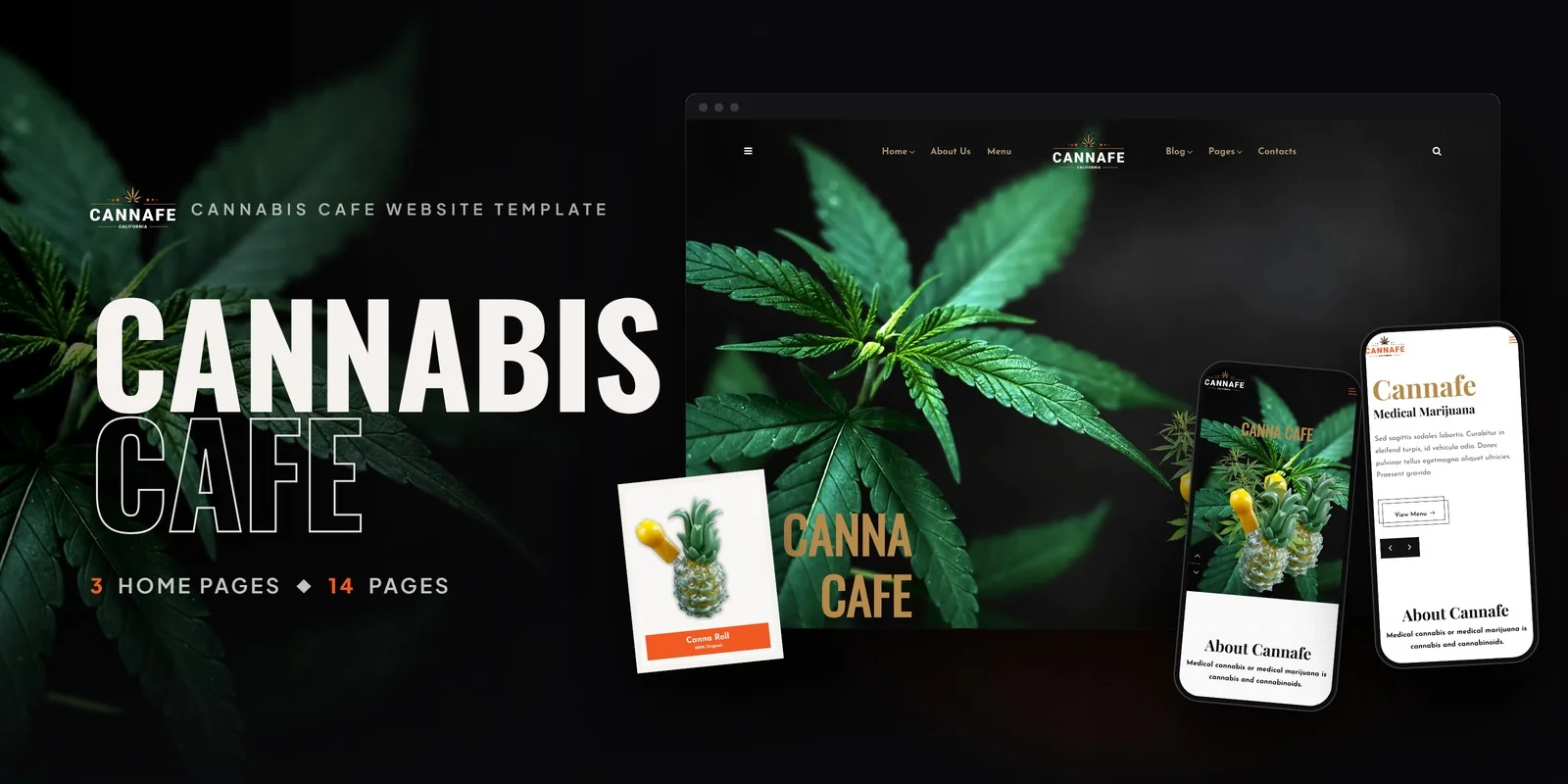
What's in the box.
Cannafe puts a food and drink menu, a table booking form and a blog on 14 pages, so owners only need to add their own content to this Tailwind CSS cannabis cafe template. The styling is written with Tailwind CSS 4.
Inside the Tailwind CSS Cannabis Cafe Template: 14 Pages
The pages fall into three groups, so it is easy to see what to fill in first.
- Homepage: three versions, each with a different cafe mood.
- Cafe: Menu, Book A Table, Gallery, About and Contact.
- Blog: Blog, Blog Archive with left sidebar, Blog Full Width, Blog Grid, Blog Single and Blog Single with left sidebar.
Graphics are retina ready, which helps when food photos appear on high-resolution screens.
Cannabis Cafe Menu, Book A Table and Gallery
The Menu page lists food, drinks and edibles in one place. The Book A Table page holds a reservation form for walk-in and pre-booking guests. Then the Gallery shows your ambiance, dishes and events.
The About page tells the cafe’s story and cannabis philosophy. The Contact page adds location details and an inquiry form. Font Awesome supplies the icons, while Google Fonts supplies the text.
The template suits several kinds of buyer:
- Cannabis cafe owners who want an inviting online presence.
- CBD lounge operators who take table reservations.
- Cannabis-infused coffeehouse brands that show an edible menu.
- Cannabis event spaces that market a venue with a gallery and booking.
- Cafe franchise owners, because each location can use a different homepage in this Tailwind CSS cannabis cafe template.
Blog Layouts for Recipes and Event Announcements
The blog comes in 4 layouts, which gives you room for recipes, event news and cannabis culture posts. The archive has a left sidebar, while the grid and full-width pages suit shorter posts. Single post pages come with and without a left sidebar.
Breakpoints on the Menu and Booking Pages
Tailwind CSS 4 puts each section’s styling in class names on the elements themselves. So you can read how the Menu page is styled and change it on the spot.
Mobile-first prefixes on those classes set how each layout changes at larger widths. The Book A Table form and the menu therefore fit phones as well as desktops. The listed browsers are Opera, Edge, Safari, Firefox and Chrome.
First Edits for a Cannabis Cafe Owner
Start by choosing one of the three homepages for your Tailwind CSS cannabis cafe template. Next, replace the Menu entries with your own food, drinks and edibles. After that, update the Book A Table form and the Contact details so guests find the right location.
The download includes the Tailwind source, so you can change colors and spacing and then rebuild the styles. The finished pages also open as they are. Demo photos from the live preview are not part of the package, so placeholder images fill those spots until you add your own.
Buyer’s guideDispensary Website Design: 12 Best Cannabis Website Templates (2026) — see how Cannafe compares with the alternatives.
Cannafe in other formats
The same design, built natively in each stack. Every format is its own product with its own demo, documentation, download and reviews.
-
CannafeHTML5
$13
$49View HTML5 → -
This page CannafeTailwind CSS $18
$54You are viewing it -
CannafeReact
$21
$49View React → -
CannafeVue.js
$22
$49View Vue.js → -
CannafeAngular
$24
$49View Angular → -
CannafeWordPress
$52
$92View WordPress → -
CannafePHP
$22
$49View PHP → -
CannafeAI Smart Website
$1,631
$1,831View AI Smart Website → -
Save 20%
Developer bundleAll 6 code formats
$123.20
$154View bundle →
What's changed.
- First release with 14 pages: 3 homepages, 5 cafe pages and the blog pages.
- Menu, Book A Table, Gallery, About and Contact pages built with Tailwind CSS 4.
- Tailwind source included, with placeholder images instead of the demo photos.
Need Cannafe installed or customized?
Fixed prices, done by the developers who built this template. Pick a service and we take it from there.
- Theme installation
- Color scheme customization
- Speed optimization
- 1-hour web development

 −56%Sale


Reviews
There are no reviews yet.