What's in the box.
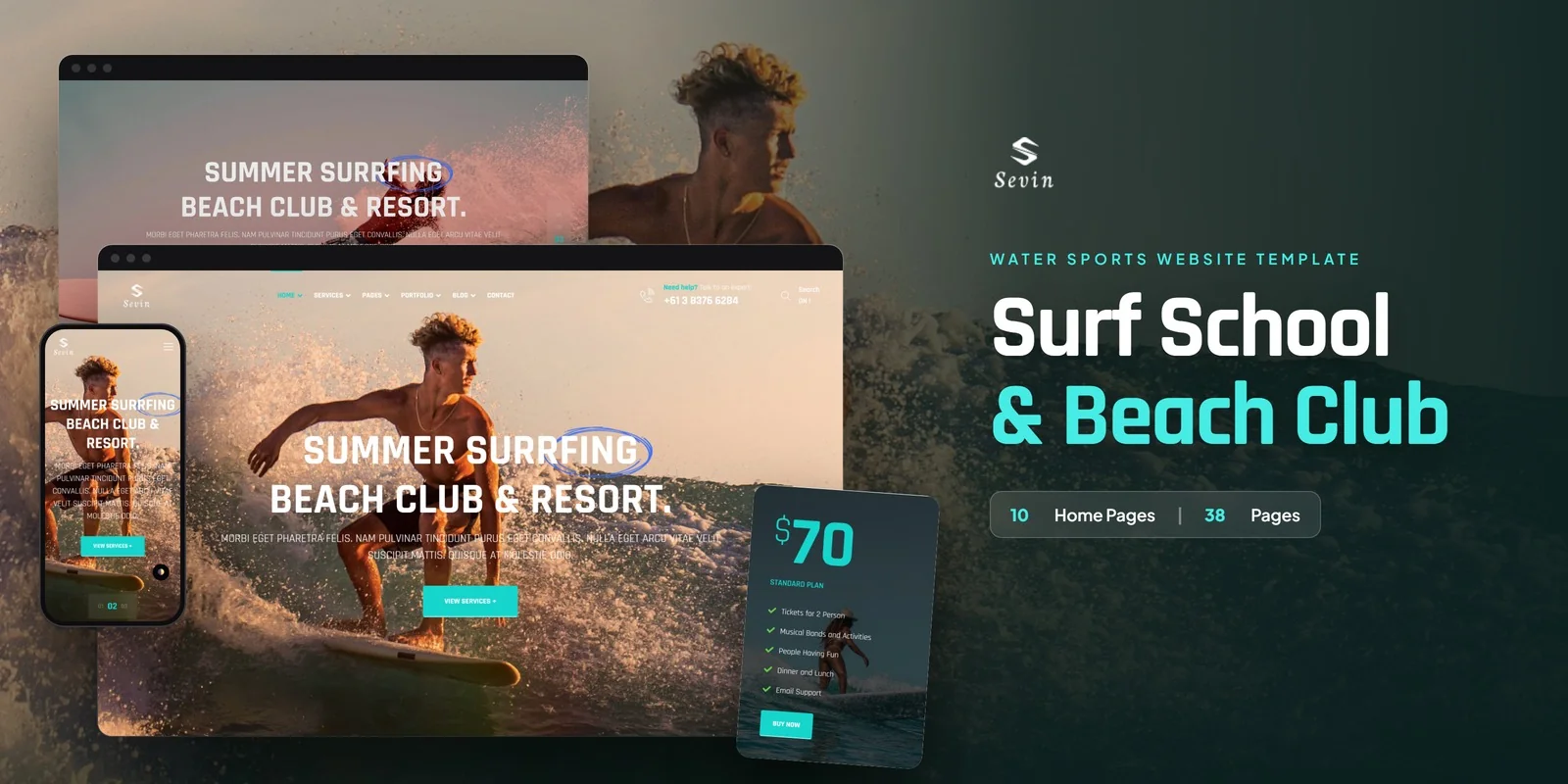
Surf schools, beach clubs and diving operators can start from Sevin, a Tailwind CSS water sports template built on Tailwind CSS 4 with 38 pages. It covers lessons, activities, galleries and news in one site, so you only need to add your own content.
Tailwind CSS Water Sports Template With 10 Home Layouts
Ten home layouts give you ten different ways to open a beach or surf site. Each layout arranges the hero and the showcase sections differently, so you can pick the one that suits your coast and your boards, boats or dive gear.
Each of the 38 pages in this Tailwind CSS water sports template can be edited on its own, so a rafting operator and a surf school can share the same base.
Services, Portfolio and Blog Pages for Surf Schools and Beach Clubs
The page set is grouped around what a water sports business sells and shows:
- Home v1 to v10 for the ten homepage styles.
- About Us for the school story or resort mission.
- Services as a list of activities and things to do, plus Service Details for one activity in full.
- Portfolio for surf and location galleries.
- Blog with the Ride the Wave news section, plus Blog Details for a full article.
- Contact Us with a contact form and a map.
A diving operator can describe each course on its own Service Details page. A beach club can list every activity on Services, then link guests to the detail page before they book.
Swiper Carousels and Fancybox Lightbox for Beach Media
Swiper carousels carry featured locations and guest testimonials, so visitors can swipe through spots and reviews. Fancybox opens gallery images full screen, which suits wave photos and resort shots. FontAwesome supplies the icons, and the typefaces come from Google Fonts.
Editing Sevin’s Pages in Tailwind CSS 4
Every section keeps its styling in its own markup, so a change to how it looks happens right where you read it. On the Services page, for example, you can adjust a card without searching through separate style files. Layouts also adapt to screen size through mobile-first responsive prefixes on each element, so the Portfolio gallery and the home layouts reflow for phones.
What Most Buyers Change First
The home layout is usually the first change, because it is the first thing a guest sees. After that, they swap in their own lesson list on Services, then write real activity text on Service Details. Photos usually come next, since neutral placeholders replace the preview images in the download.
You can open the pages in a browser right away, and the download also holds the Tailwind source for anyone who prefers to change and recompile the styling. The preview photos come from Freepik and Unsplash. It has been checked for Chrome, Firefox, Safari, Edge and Opera, and step-by-step documentation covers setup and customisation.
Buyer’s guideRock Climbing Gym Website Template: Complete Buyer’s Guide (2026) — see how Sevin compares with the alternatives.
Sevin in other formats
The same design, built natively in each stack. Every format is its own product with its own demo, documentation, download and reviews.
-
SevinHTML5
$14
$49View HTML5 → -
This page SevinTailwind CSS $19
$54You are viewing it -
SevinReact
$28
$49View React → -
SevinVue.js
$16
$49View Vue.js → -
SevinAngular
$28
$49View Angular → -
SevinWordPress
$65
$105View WordPress → -
SevinPHP
$21
$49View PHP → -
SevinAI Smart Website
$699
$769View AI Smart Website → -
Save 20%
Developer bundleAll 6 code formats
$137.60
$172View bundle →
What's changed.
- First release of the Tailwind CSS edition with 38 pages.
- Includes 10 home layouts, services with detail pages, portfolio and blog.
- Adds Swiper carousels, Fancybox lightbox and FontAwesome icons.
Need Sevin installed or customized?
Fixed prices, done by the developers who built this template. Pick a service and we take it from there.
- Theme installation
- Color scheme customization
- Speed optimization
- 1-hour web development



Reviews
There are no reviews yet.