What's in the box.
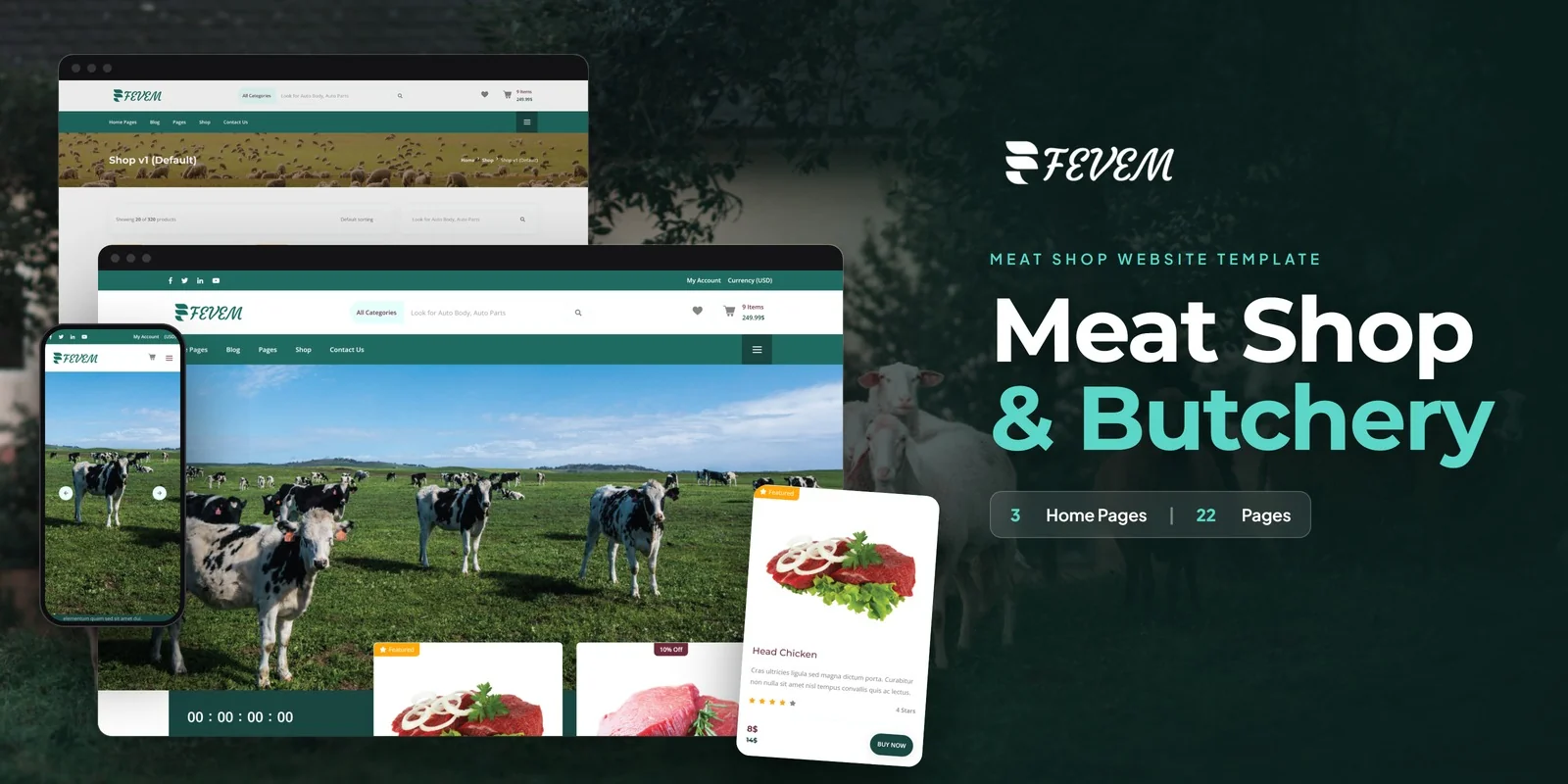
Fevem pairs 22 ready pages for selling cuts online with Tailwind CSS 4 styling. This Tailwind CSS meat store template suits butcher shops, meat markets, farm-to-table retailers, specialty food stores and protein suppliers. Web agencies and freelancers can also build a meat store for a client from it.
Shop Archives, Product Pages and Price Filtering
Customers browse cuts first, so the shop gets the most layouts: four shop archives and two product detail styles. Three home layouts add different hero styles and product showcases, so each counter can choose its own look.
- Isotope filters products by meat type or food category, so a shopper can move between categories quickly.
- ion.rangeSlider filters products by price.
- Slick carousels run the featured product and promotion sliders.
- Magnific Popup opens product images full screen, which helps when a customer wants to inspect a cut.
Wishlist, Cart and Checkout Steps for Meat Orders
The purchase flow starts with a Wishlist, where customers keep favourite meat and food products for later. Then the Cart shows an order summary, and Checkout handles billing and completes the purchase. Login and Register pages cover customer accounts. A custom Error page appears when a link is broken.
Butchery Blog, About Us and Contact Pages
The blog comes in four formats: Blog Grid, Blog List, Blog Masonry and Blog Single. Use them for butchery tips, recipes and food news. The About Us page tells your sourcing story, while Contact Us offers a form and a map. A Legal page holds terms, privacy and compliance text.
Restyling Shop and Cart Pages in a Tailwind CSS Meat Store Template
Each section’s look comes from classes placed directly on its HTML elements. To change a product card on a shop page or the cart summary, find those classes and edit them in place. The compiled CSS keeps just the classes that these pages call, so unused rules never ship.
What to Change First on a Butcher Site
Start with the home layout you choose. Replace the hero text, the featured cuts and the category names with your own. Next, rewrite the About Us story, then the terms on the Legal page. After that, adjust the product detail page for your own cuts.
Open the pages in a browser right away, since nothing needs to be built first. The folder also holds the Tailwind source, which you run again after changing styles. Plain placeholder images stand where the preview photos appeared, so add your own meat photography. This Tailwind CSS meat store template uses FontAwesome and Flaticon for icons, and it loads Google Fonts for type. Step-by-step documentation covers setup and customisation.
Buyer’s guideCoffee Shop Website Template: Complete Buyer’s Guide (2026) — see how Fevem compares with the alternatives.
Fevem in other formats
The same design, built natively in each stack. Every format is its own product with its own demo, documentation, download and reviews.
-
FevemHTML5
$19
$49View HTML5 → -
This page FevemTailwind CSS $24
$54You are viewing it -
FevemReact
$19
$49View React → -
FevemVue.js
$24
$49View Vue.js → -
FevemAngular
$25
$49View Angular → -
FevemWordPress
$79
$119View WordPress → -
FevemPHP
$16
$49View PHP → -
FevemAI Smart Website
$399
$439View AI Smart Website → -
Save 20%
Developer bundleAll 6 code formats
$145.60
$182View bundle →
What's changed.
- First release of Fevem in the HTML with Tailwind CSS edition, with 22 pages.
- Includes 3 home layouts, 4 shop layouts and 2 product detail styles.
- Adds cart, checkout, wishlist, a price range slider and four blog formats.
Need Fevem installed or customized?
Fixed prices, done by the developers who built this template. Pick a service and we take it from there.
- Theme installation
- Color scheme customization
- Speed optimization
- 1-hour web development


Reviews
There are no reviews yet.