What Is a Creative Agency Website Template?
A creative agency website template is a pre-designed, fully coded website built specifically for design studios, branding agencies, creative consultancies, advertising firms, and visual production houses. It includes every page a creative business needs — homepage with visual impact, portfolio showcase with filterable project galleries, services presentation with pricing tiers, team profiles, client logos, case study layouts, blog section, and contact page — all designed, responsive, and ready for your brand identity.
For creative agencies and design studios that need a website reflecting their own design standards without paying $8,000 to $25,000 for a custom build or $50 to $300 per month for a managed platform, a template delivers the most practical path to a portfolio-grade online presence. But creative agency websites carry a unique burden: your website is your portfolio. A mediocre website tells prospective clients that your design work is mediocre. This guide covers what creative clients expect from your agency website, what technical features separate amateur templates from professional ones, and how to choose the right template for your creative business.
Template vs Agency Platform vs Custom Build
Creative agencies typically face three options when establishing their online presence:
| Factor | Agency Platform (Squarespace, Webflow) | Creative Agency Website Template | Custom Website Build |
|---|---|---|---|
| Upfront Cost | $0–200 | $29–69 | $8,000–25,000 |
| Monthly Cost | $33–79/month | $3–10/month (hosting only) | $50–200/month |
| 3-Year Total Cost | $1,188–3,044 | $137–429 | $9,800–32,200 |
| Code Ownership | No — you rent it | Yes — you own it forever | Yes — you own it |
| Design Uniqueness | Limited to platform constraints | Fully customisable source code | Fully custom |
| Portfolio Gallery | Platform grid only | Isotope filterable gallery | Any format |
| E-commerce | Platform-dependent | Full shop included | Any system |
| Time to Launch | 1–3 days | 3–7 days | 6–16 weeks |
| Vendor Lock-in | High — your site disappears if you cancel | None | None |
Agency platforms like Squarespace and Webflow offer polished design tools but constrain you within their design system. Every Squarespace agency site shares the same underlying framework. A template gives you full source code ownership — you can modify every pixel, every animation, every interaction without platform limitations. For creative agencies whose reputation depends on design originality, template ownership provides the creative freedom that platforms fundamentally cannot.
What Creative Clients Expect From Your Agency Website
Creative agency clients are evaluating your design taste, strategic thinking, and professional standards from the moment they land on your homepage. Unlike most industries where the website is a marketing tool, for a creative agency the website is the product demonstration. Here is what creative decision-makers look for:
Portfolio That Demonstrates Range and Depth
Your portfolio is the single most important element on your creative agency website. It must demonstrate both range — showing you can handle branding, web design, print, packaging, video, and social media — and depth — showing you can execute complex, multi-deliverable projects. A flat grid of random screenshots is not a portfolio. An effective creative portfolio organises work by category using filterable navigation, allowing prospects to browse by discipline (branding, web, print, motion), by industry (tech, healthcare, retail, hospitality), or by project type (full rebrand, campaign, one-off deliverable).
Isotope filtering provides this category-based browsing experience. Instead of scrolling through every project you have ever completed, a prospect evaluating you for a healthcare branding project can filter directly to healthcare work and branding work, evaluating your specific expertise in the intersection they care about.
Services With Clear Positioning and Pricing
Creative agencies often make the mistake of listing vague service descriptions — “we do branding” — without explaining what that actually includes, how the process works, or what it costs. Prospective clients want specificity. They want to see your service packages broken down clearly: what is included in a brand identity package versus a full rebrand? What does your web design process look like from discovery to launch? Do you offer retainer arrangements for ongoing creative support?
Pricing transparency is increasingly expected. While custom project pricing varies, showing starting prices or package tiers — a brand identity package starting at $5,000, a website redesign starting at $8,000, a monthly creative retainer starting at $2,500 — builds trust and pre-qualifies leads. Clients who cannot afford your rates self-select out, saving your team hours of discovery calls with unqualified prospects.
Dark Design That Commands Premium Perception
Dark-themed websites have become the standard for creative agencies, tech companies, and premium brands. There is a psychological reason: dark backgrounds make visual work pop. Portfolio images, brand colour palettes, and design mockups all look dramatically better against dark backgrounds than against white. A dark theme also communicates premium positioning — luxury brands, high-end studios, and award-winning agencies overwhelmingly use dark design languages.
For a creative agency, choosing a dark-themed template is not just an aesthetic preference — it is a strategic positioning decision. Light-themed agency websites risk looking like small freelancer portfolios or generic corporate sites. Dark themes instantly communicate “creative studio” and “premium quality” before a single word of copy is read.
Case Studies That Show Process, Not Just Output
Sophisticated creative buyers — marketing directors, brand managers, startup founders — do not just want to see the final logo or the launched website. They want to understand your process. How did you approach the brief? What research informed the design direction? How did the work perform after launch? Case study pages that walk through the journey from brief to delivery demonstrate strategic thinking and build confidence that your agency can handle complex projects with clear methodology.
Blog sections serve a similar purpose. Publishing articles about design thinking, industry trends, creative process, and project retrospectives positions your agency as a thought leader — not just a vendor that executes briefs, but a strategic partner that contributes ideas.
Social Proof That Validates Creative Credibility
Client logos, testimonial quotes, animated statistics (projects delivered, clients served, awards won), and industry recognition badges all contribute to creative credibility. Place client logos near the top of your homepage — when a prospect sees that recognisable brands trust your agency, their confidence in your capabilities increases immediately. Animated counters showing metrics like “250+ projects delivered” or “12 years in business” provide quick credibility anchors that support the portfolio work.
Mobile Experience That Matches Desktop Quality
Creative directors and marketing managers increasingly browse agency portfolios on tablets during meetings and on phones during commutes. Your entire website — including portfolio galleries, case study layouts, team profiles, and contact forms — must deliver the same visual quality on mobile as on desktop. Carousel elements must support touch gestures. Portfolio grids must reorganise gracefully on smaller screens. Typography must remain readable without pinch-zooming. A creative agency with a broken mobile experience is telling prospects “we do not pay attention to details” — the opposite of the message you need to send.
Technical Features That Elevate Creative Agency Websites
Beyond visual design, certain technical features specifically enhance creative agency websites and separate professional templates from amateur ones.
Isotope Filterable Portfolio Grid
Isotope is a JavaScript library that provides animated, category-based filtering for portfolio grids. Instead of static pages listing projects by discipline, Isotope lets visitors click category buttons — Branding, Web Design, Print, Motion Graphics — and watch the grid rearrange with smooth animations to show only matching projects. This interactive browsing experience is standard on award-winning agency websites and is a baseline expectation for any serious creative portfolio.
Slick Carousel for Testimonials and Showcases
Slick is a responsive carousel library that handles client testimonial rotations, team member showcases, and featured project highlights. Unlike basic image sliders, Slick supports variable-width slides, centre-mode focus, autoplay with pause-on-hover, and touch-swipe for mobile devices. For creative agencies, Slick carousels typically power the client testimonial section, featured work showcase on the homepage, and team member introduction section.
Magnific Popup Lightbox for Full-Screen Project Viewing
Portfolio images need to be viewed at full resolution. Magnific Popup provides a clean, responsive lightbox that opens project images in full-screen overlays with gallery navigation. For creative agencies, this means prospects can click any portfolio thumbnail, view the work at full size, navigate through multiple project images, and return to the grid — without leaving the page or losing their browsing position. This seamless viewing experience is critical for showcasing design work where details matter.
CounterUp Animated Statistics
CounterUp triggers animated number counting when statistics scroll into view. For creative agencies, this typically powers metrics like “350+ Projects Completed,” “85 Active Clients,” and “15 Years of Experience.” The animation draws attention to credibility metrics that might otherwise be overlooked in a static layout. Combined with WOW.js scroll-triggered entrance animations, these animated elements create a dynamic browsing experience that keeps visitors engaged throughout the page.
E-Commerce Integration for Digital Products
Many creative agencies sell digital products alongside their services — icon packs, UI kits, stock photography, brand templates, or design resources. An integrated e-commerce shop with product filtering, price range sliders, product zoom, and checkout flow allows agencies to generate passive income alongside project-based revenue. Templates that include a full shop section with these features provide an immediate additional revenue channel without requiring a separate e-commerce platform.
Cost Breakdown: Creative Agency Website Options
Understanding the true cost of each website approach helps creative agencies make informed investment decisions:
| Cost Component | HTML Template | Squarespace / Webflow | Custom Agency Build |
|---|---|---|---|
| Template / License | $29–69 (one-time) | $0 | N/A |
| Hosting | $36–120/year | Included in plan | $120–600/year |
| Platform Fee | None | $396–948/year | None |
| Design Customisation | $0–500 (DIY or freelancer) | $0–300 | $5,000–15,000 |
| Development | $0 (ready to deploy) | $0 (built-in) | $3,000–10,000 |
| Total Year One | $65–689 | $396–1,248 | $8,120–25,600 |
| Total Year Two | $36–120 | $396–948 | $120–600 |
| 3-Year Total | $137–929 | $1,188–3,144 | $8,360–26,800 |
Cost Reality Check: A creative agency spending $15,000 on a custom website is investing more than a full-time junior designer’s monthly salary — on a single deliverable. An HTML template at $29–69 delivers the same portfolio showcase, service pages, team profiles, e-commerce shop, and blog with full code ownership. The $14,000+ difference can fund actual portfolio projects, marketing campaigns, or talent acquisition that directly grows revenue.
How to Choose the Right Creative Agency Template
Not all agency templates are created equal. Here is a systematic evaluation framework for creative professionals:
Evaluate Portfolio Presentation Quality
Open the template demo and navigate to the portfolio section. Does it use Isotope or similar filterable grid technology? Can you browse by project category? Does the lightbox display images at full resolution with gallery navigation? Is the grid responsive on mobile without losing visual quality? The portfolio section is the most important element of a creative agency website — if the template portfolio is basic or static, eliminate it regardless of how attractive the homepage looks.
Check the Number and Variety of Pages
A production-ready creative agency template should include at minimum: multiple homepage layouts for A/B testing, portfolio grid page, individual project detail pages, services overview and detail pages, about page with team profiles, blog with post detail template, contact page with form, and ideally pricing or packages page. Templates with fewer than 12–15 pages often require significant custom work to fill gaps — which defeats the purpose of buying a template.
Test the Dark Theme Execution
If the template uses a dark theme (and for creative agencies, it should), evaluate the execution carefully. Poor dark themes use pure black (#000000) backgrounds that feel flat and lifeless. Well-executed dark themes use near-black tones (#0d1117, #161b22, #1a1a2e) with subtle colour layering for depth. Check that text has sufficient contrast against dark backgrounds, that hover states are clearly visible, and that the dark palette does not make the site feel oppressive or hard to read.
Verify Animation Quality
Creative agency websites need animations — but tasteful, purposeful ones. Scroll-triggered entrance animations (WOW.js), number counter animations (CounterUp), and portfolio grid filtering transitions (Isotope) should feel smooth and professional. Avoid templates with excessive animations that distract from the portfolio work itself. The best creative agency templates use animation to enhance content presentation, not to compensate for weak design.
Confirm E-Commerce Capability
If your agency sells digital products or plans to in the future, verify that the template includes a shop section with product grids, filtering, product detail pages with image zoom, price range filtering, and checkout flow. Retrofitting e-commerce into a template that does not include it requires significant development work. If revenue diversification is part of your business strategy, choose a template that ships with shop functionality built in.
Common Mistakes When Building a Creative Agency Website
Creative professionals often make predictable mistakes when building their agency website. Avoiding these pitfalls saves time, money, and client opportunities:
Prioritising Flash Over Function
Heavy parallax effects, auto-playing video backgrounds, complex loading animations, and excessive motion graphics may feel creative but actively harm user experience. Page load times increase. Mobile performance degrades. Accessibility suffers. The most awarded creative agency websites in 2026 use restrained, purposeful animation — not gratuitous visual noise. Your portfolio images should be the visual centrepiece, not the website chrome surrounding them.
Hiding Services and Pricing
Some agencies believe that hiding pricing creates exclusivity. In reality, it creates friction. Modern creative buyers research multiple agencies simultaneously and quickly eliminate those that waste their time with hidden information. Transparent service descriptions and starting prices pre-qualify leads and reduce discovery calls with prospects who cannot afford your rates.
Neglecting Blog and Content Strategy
A creative agency website without a blog is a static brochure. Blog content — design process articles, industry trend analysis, project retrospectives, creative opinion pieces — drives organic search traffic, demonstrates thought leadership, and gives prospects a reason to return. Agencies that publish consistently attract inbound leads from people who discovered their thinking before they discovered their portfolio.
Using a Light Theme in a Dark Industry
While light-themed websites work well for corporate services, healthcare, and e-commerce, the creative industry overwhelmingly favours dark design languages. A creative agency with a white-background website risks looking generic and undifferentiated. Dark themes create the visual contrast that makes portfolio work look its best and signal premium creative positioning to prospects who have seen hundreds of agency websites.
Blacky — A Creative Agency Template Built for Design Professionals
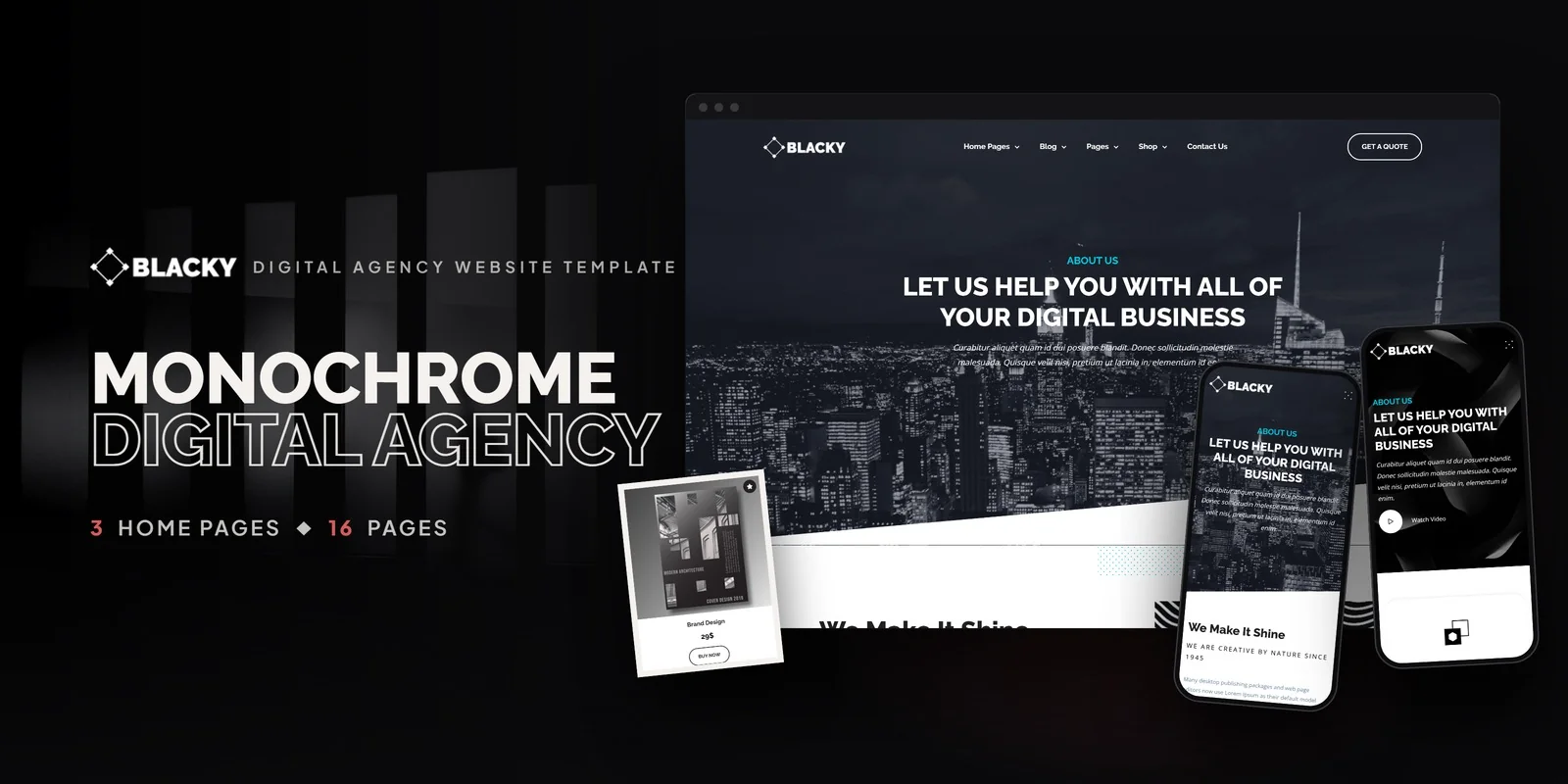
Blacky is a dark-themed creative agency HTML5 template designed to meet every requirement outlined in this guide. Built for design studios, branding agencies, creative consultancies, and digital product companies, it delivers the essential components for a premium, portfolio-grade creative agency web presence — with a full e-commerce shop and three distinct homepage layouts that provide immediate visual variety.
What Blacky Includes
- 16 Fully Designed HTML5 Pages — complete page set covering home, services, portfolio, shop, blog, and contact
- 3 Unique Home Layouts — distinct dark hero styles and featured content arrangements for A/B testing
- Isotope Portfolio Grid — filterable project gallery with animated transitions by category
- Full E-Commerce Shop — product grid, price range filtering, product detail with jQuery Zoom, and checkout flow
- Pricing Plans Section — service tier comparison for transparent agency pricing
- Slick Carousels — client testimonial rotations and featured project showcases
- Magnific Popup Lightbox — full-screen portfolio image viewing with gallery navigation
- CounterUp Animated Statistics — projects completed, clients served, years in business
- ion.rangeSlider — price range filtering for the shop section
- WOW.js Scroll Animations — subtle entrance animations throughout all pages
- Blog Archive — blog listing and post detail templates for content marketing
- Contact Page — enquiry form with agency contact details
Technical Foundation
Blacky is built on Bootstrap 5 with Slick carousels for testimonial and showcase sections, Isotope grid filtering for portfolio browsing by project category, Magnific Popup lightbox for full-screen project image viewing, CounterUp for animated credibility statistics, ion.rangeSlider for shop price filtering, jQuery Zoom for product detail viewing, and WOW.js for scroll-triggered entrance animations. The dark design language uses carefully calibrated near-black backgrounds with strategic accent colours, creating the visual depth that makes portfolio work command attention.
Built for Creative Commerce: Blacky is one of the few creative agency templates that includes a complete e-commerce shop alongside the portfolio. With product grids, ion.rangeSlider price filtering, jQuery Zoom product detail viewing, and a checkout flow, your agency can sell digital products — icon packs, UI kits, brand templates, stock photography — directly from the same website that showcases your agency portfolio. Two revenue streams, one cohesive dark-themed platform.
Customisation Roadmap for Creative Agencies
Week One — Portfolio and Brand Identity: Curate your strongest 15–20 portfolio pieces across disciplines. Organise them into Isotope filter categories that match your service offerings — Branding, Web Design, Print, Motion, Packaging. Write concise project descriptions for each piece. Replace all placeholder content, swap the accent colours to match your brand palette, and update typography if your brand uses specific typefaces.
Week Two — Services, Pricing, and Content: Write detailed service descriptions for each offering with starting prices or package tiers. Configure the pricing plans section with your actual packages. Set up the shop if you sell digital products — upload product images, write descriptions, set prices. Write your first three blog posts to launch with active content. Configure contact forms to route to your agency inbox.
Week Three — Integration and Launch: Connect analytics (Google Analytics 4, Microsoft Clarity). Set up contact form email routing. Integrate any third-party tools — CRM, project management, email marketing. Test across all devices and browsers. Deploy to your hosting environment and submit to Google Search Console.
Frequently Asked Questions
Related guide: For results-driven layouts, see our pick of business website templates that convert.
Need Help Launching Your Agency Website?
MetropolitanHost provides professional web development services for HTML template deployments. Our team understands creative industry website requirements and delivers clean, well-structured implementations.
- WordPress Theme Installation — live in under 24 hours
- Full Website Package — complete front-to-back deployment
- Colour Customisation — match your agency branding across all pages
- Website Speed Optimisation — Core Web Vitals improvements
- Accessibility Compliance — WCAG audit and remediation



