What Is a Business Directory Website Template?
A business directory website template is a pre-designed, fully coded website built specifically for business listing portals, local service directories, professional networks, chamber of commerce sites, city business guides, and niche industry directories. It includes every page a directory platform needs — homepage with featured listings and search functionality, listing archive pages in grid list and map views, individual listing detail pages with contact information and reviews, agent and dealer profile directories, listing submission forms for business owners, pricing plans for premium listings, comparison tools, blog for local content and industry news, and user account management — all designed, responsive, and ready for launch.
For entrepreneurs and organisations building a local business directory, industry-specific listing portal, or community resource hub without paying $15,000 to $50,000 for a custom marketplace build or $200 to $500 per month for a managed directory platform, a template delivers the most practical path to a fully functional directory. But directory websites face a unique technical challenge: they must serve two entirely different user groups simultaneously — the businesses seeking exposure and the consumers searching for services. Your template must satisfy both audiences with distinct interfaces, submission workflows, and discovery tools. This guide covers what directory users and listed businesses expect, what technical features drive engagement, and how to choose the right template for your directory project.
Template vs Directory Platform vs Custom Build
Directory website builders typically face three options when establishing their platform:
| Factor | Directory Platform (Brilliant Directories, eDirectory) | Business Directory Template | Custom Build |
|---|---|---|---|
| Upfront Cost | $0–500 | $29–69 | $15,000–50,000 |
| Monthly Cost | $195–495/month | $3–10/month (hosting only) | $200–500/month |
| 3-Year Total Cost | $7,020–18,320 | $137–429 | $22,200–68,000 |
| Code Ownership | No — you rent it | Yes — you own it forever | Yes — you own it |
| Design Uniqueness | Same framework as competitors | Fully customisable source code | Fully custom |
| Map Integration | Platform-dependent | Built-in interactive maps | Custom development |
| Listing Comparison | Limited or premium add-on | Built-in comparison tool | Any format |
| Submission Forms | Platform-controlled | Fully customisable forms | Any format |
| Vendor Lock-in | High — listing data trapped | None | None |
Directory platforms like Brilliant Directories and eDirectory offer turnkey solutions but charge monthly fees that compound into significant overhead. A $295/month platform costs $10,620 over three years — capital that could fund marketing, content creation, or outreach to attract business listings. A template provides the complete front-end directory experience while allowing integration with any backend database, CRM, or payment processor through standard web development.
What Directory Users Expect From Your Website
People visiting a business directory arrive with a specific intent: find a trustworthy provider for a service or product they need right now. Unlike casual browsing, directory searches are high-intent and time-sensitive. Your website must deliver fast, filtered results that help users evaluate options quickly. Here is what directory visitors evaluate:
Powerful Search and Filtering
The core value proposition of any directory is discoverability. Users expect to search by keyword, category, location, price range, rating, and specialisation — and see results instantly. A directory without robust filtering is just a list. In 2026, users are accustomed to the filtering sophistication of Amazon, Google Maps, and Yelp. Your directory template must offer multi-parameter search with real-time filtering to meet those expectations. Dropdown selects with autocomplete, location radius searches, and sortable results are baseline requirements, not premium features.
Multiple Listing View Options
Different users prefer different browsing experiences. Some want a compact grid to scan many options quickly. Others prefer a detailed list view with descriptions visible at a glance. And for location-dependent directories — restaurants, services, retail — an interactive map view is essential. Offering all three views (grid, list, and map) lets users browse in whatever mode suits their decision-making process, directly reducing bounce rates and increasing the time users spend exploring your listings.
Detailed Listing Pages With Trust Signals
When a user clicks on a listing, they expect comprehensive information: business description, contact details, operating hours, location map, photo gallery, service categories, pricing indicators, and social proof through reviews or ratings. Sparse listing pages signal an unreliable directory. Each listing detail page should function as a self-contained business profile that provides enough information for the user to take action — whether that means calling, visiting, or submitting an enquiry — without leaving your directory.
Listing Comparison Tools
Users shortlisting multiple providers want to compare them side by side. A comparison tool that displays key attributes — pricing, services, ratings, location — in a structured table saves users from opening multiple tabs and switching between listing pages. This feature is particularly valuable for directories in competitive service categories where businesses differentiate on nuanced factors like specialisation, pricing tiers, or geographic coverage.
Agent and Professional Profiles
For service-oriented directories — legal, real estate, medical, financial — users want to evaluate individual professionals, not just businesses. Agent and dealer profile pages with bios, specialisations, credentials, client testimonials, and direct contact information transform a basic directory into a trusted professional network. These profiles build the personal trust that drives enquiries in high-consideration service categories.
Mobile-First Discovery Experience
Directory searches are overwhelmingly mobile. A user searching for “best Italian restaurant near me” or “plumber open now” is on their phone, often while walking or driving. Your directory template must deliver flawless mobile performance — touch-friendly map controls, swipeable listing cards, tap-to-call buttons, and fast loading on cellular connections. If your directory is frustrating on mobile, users will abandon it for Google Maps or Yelp within seconds.
What Listed Businesses Expect From Your Directory
A directory is a two-sided marketplace. To attract users, you need listings. To attract listings, you need to demonstrate value to business owners. Here is what businesses evaluate when deciding whether to list on your directory:
Easy Listing Submission
Business owners are busy. If your listing submission process requires more than five minutes, you will lose them. A well-designed submit listing form captures essential information — business name, category, description, contact details, photos, operating hours, and location — in a clean, multi-step form that guides owners through the process without overwhelming them. jQuery Steps multi-step forms reduce abandonment by breaking a long form into manageable sections with progress indicators.
Premium Listing Options With Clear Value
Monetisation through premium listings is the primary revenue model for most directories. Business owners need to see clear, quantifiable differences between free and paid tiers — featured placement, enhanced profiles, priority in search results, additional photos, video embedding, or verified badges. Your pricing page must present these tiers with transparent feature comparison tables that make the upgrade decision straightforward.
Account Management and Listing Control
Businesses expect to manage their own listings — updating descriptions, swapping photos, changing hours, responding to enquiries. A user account system with listing management dashboard, submitted listing history, and saved listing favourites gives business owners ownership of their directory presence. This self-service model also reduces your administrative overhead as the directory grows.
Technical Features That Drive Directory Engagement
Beyond content and design, specific technical components determine whether a directory retains users and attracts listings. These features transform a static listing page into an interactive discovery platform:
Interactive Map Integration
Map-based discovery is the fastest way for users to find nearby businesses. An interactive map view with clustered pins, popup previews, and zoom-to-detail functionality turns geographic proximity into your directory’s core advantage over generic search engines. Users can visually scan an area, identify clusters of relevant businesses, and click through to listings — all without typing a search query. This spatial browsing mode is particularly powerful for restaurant, retail, and service directories where physical location is a primary decision factor.
Isotope Grid Filtering
Isotope-powered grid layouts enable real-time, animated filtering of listings without page reloads. Users click a category filter — “Restaurants,” “Legal Services,” “Auto Repair” — and watch the grid smoothly rearrange to show matching results. This instant visual feedback creates a responsive, app-like experience that keeps users engaged and encourages exploration across multiple categories. Isotope filtering is particularly effective for directory homepages where users may not have a specific business in mind but want to browse available categories.
Select2 Enhanced Dropdowns
Standard HTML select boxes fail at scale. When your directory has 50 categories, 200 locations, or thousands of tags, users need autocomplete search within dropdown menus. Select2 transforms basic selects into searchable, scrollable, multi-select dropdowns that handle large option sets gracefully. A user typing “dent” in a service category dropdown should instantly see “Dentist,” “Dent Repair,” and “Dental Lab” — not scroll through 200 alphabetised options. This micro-interaction dramatically improves search efficiency on listing pages and submission forms.
Slick Carousel for Featured Listings
Featured and premium listings generate revenue. Displaying them in a Slick-powered carousel on the homepage and category pages gives paying businesses prominent, rotating visibility without consuming excessive page space. Autoplay, responsive breakpoints, and touch-swipe support ensure featured listings receive maximum exposure across all devices. This premium placement creates a tangible value proposition for business owners considering paid listing upgrades.
Magnific Popup Lightbox
Listing photos are a primary trust signal for directory users. Magnific Popup provides a smooth, responsive lightbox for viewing business photos, venue interiors, product images, and team portraits without leaving the listing page. The seamless zoom-and-browse experience keeps users on your directory rather than sending them to the business’s own website for visual information. High-quality photo galleries within listing pages directly correlate with higher enquiry rates.
Cost Breakdown: Business Directory Website Options
Directory websites represent a significant business investment. Understanding the true cost of each approach helps founders make informed decisions about their platform strategy:
| Cost Component | HTML Template | Directory Platform | Custom Build |
|---|---|---|---|
| Template / License | $29–69 (one-time) | $0 | N/A |
| Hosting | $36–120/year | Included | $240–1,200/year |
| Platform Fee | None | $2,340–5,940/year | None |
| Map Integration | Built-in | Platform-dependent | $2,000–5,000 custom |
| Listing Comparison | Built-in | Premium add-on | $1,500–3,000 custom |
| Design Customisation | $0–500 | $0–300 | $5,000–15,000 |
| Total Year One | $65–689 | $2,340–6,440 | $23,740–74,200 |
| 3-Year Total | $137–929 | $7,020–18,320 | $24,220–76,600 |
Revenue Per Dollar Invested: A directory platform charging $295/month costs $3,540 per year before you earn a single dollar from listings. If your average premium listing sells for $25/month, you need 12 paying businesses just to break even on platform costs — before hosting, marketing, or content creation. An HTML template at $29–69 eliminates that overhead entirely, letting your first premium listing contribute directly to profit. With 30+ pages including built-in maps, comparison tools, and listing submission forms, the template delivers more features than most platforms at a fraction of the cost.
How to Choose the Right Business Directory Template
Not all templates serve the directory market effectively. Here is what to evaluate specifically for directory use:
Check for Multiple Listing Views
A directory template without grid, list, and map views is incomplete. Grid view serves quick scanners, list view serves detail-oriented researchers, and map view serves location-driven searchers. If the template only offers one listing view, you are forcing every user into a single browsing paradigm — and losing users whose preferred discovery mode is not supported. Verify that all three views are fully designed with proper filtering integration, not just mentioned in feature lists.
Evaluate the Submission Form
The listing submission form is your directory’s growth engine. A poorly designed form — too long, confusing, or visually unpolished — directly suppresses listing growth. Look for multi-step forms with progress indicators, clear field labels, image upload support, and map-based location selection. The submission experience should be as polished as the public-facing directory pages because every business owner who abandons the form is a listing you will never have.
Count the Page Depth
Directory websites require substantial page variety. Beyond home and listing pages, you need agent profiles, dealer profiles, pricing plans, blog, FAQ, authentication pages, account dashboard, comparison pages, and individual listing detail variants. A template with 15 pages will leave you building critical pages from scratch. A template with 30+ pages covers the full directory workflow — from user discovery through listing submission to account management — without requiring additional design work.
Test the Search and Filter System
Open the template demo and try searching, filtering, and sorting. Does the filter respond instantly or require page reloads? Are dropdown menus searchable or do they force scrolling through long lists? Can you combine multiple filters simultaneously? The search and filter system is the backbone of user experience in any directory — if it feels slow, clumsy, or limited in the demo, it will feel the same to every user of your live directory.
Common Mistakes When Building a Business Directory Website
Launching Without Enough Listings
An empty directory is a dead directory. Users who visit and find only 10 listings in a category will never return. Before launching publicly, seed your directory with at least 50 to 100 quality listings — even if those listings are on free tiers. The perception of a comprehensive, well-populated directory creates the critical mass that attracts both users and paying businesses. Use the submission form you built to enter listings yourself, ensuring the process is smooth before inviting business owners to do the same.
Overcomplicating Pricing Tiers
Three pricing tiers — free, standard, and premium — is the sweet spot for most directories. More than three tiers create decision paralysis. Fewer than three fail to capture the full range of business budgets. Each tier should have clear, meaningful differences: free gets basic listing visibility; standard adds featured placement and enhanced photos; premium includes priority search ranking, video embedding, and verified badge. Avoid micro-features that differentiate tiers without delivering visible value.
Neglecting SEO for Individual Listings
Each listing page is a potential landing page from Google. A directory with 500 listings has 500 opportunities to rank for long-tail searches like “emergency plumber in Brooklyn” or “organic bakery downtown Portland.” Ensure your template generates clean, semantic HTML for listing pages with proper heading hierarchy, schema-ready markup, unique title tags, and descriptive meta fields. Directories that treat SEO as an afterthought lose the organic traffic that makes directories self-sustaining.
Ignoring the Business Owner Experience
Most directory builders focus exclusively on the consumer-facing experience and neglect the business owner interface. If businesses cannot easily submit, edit, and manage their listings, your directory growth will stall. The account management dashboard, submission form, and listing editor must be as intuitive and polished as the public directory pages. Business owners who struggle with your backend will not renew their premium subscriptions.
Chipy — A Business Directory Template Built for Comprehensive Listings
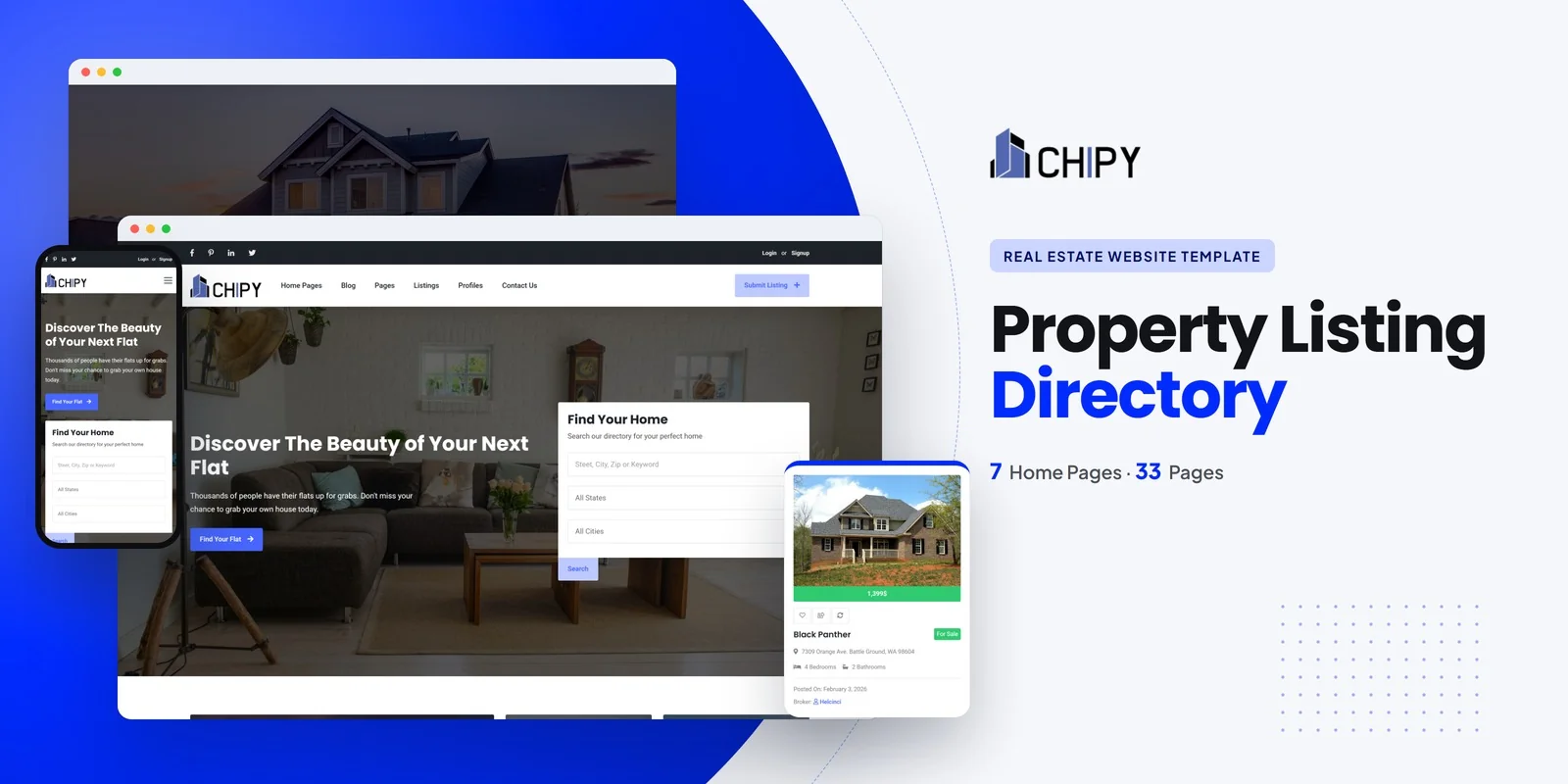
Every feature discussed in this guide exists in a single template. Chipy is a Bootstrap 5 HTML5 template with 30+ fully designed pages covering the complete directory workflow — from user discovery through listing comparison to business owner submission and account management.
What Chipy Includes
- 3 unique home layouts — three distinct hero styles and featured listing arrangements for different directory niches
- 3 listing view modes — grid, list, and interactive map view for flexible browsing
- 3 listing detail page styles — three layout variants for individual business profiles
- Listing comparison — compare businesses side-by-side on key attributes
- Submit listing form — multi-step jQuery Steps form for business owner submissions
- Agent directory — agent archive with individual agent profile pages
- Dealer directory — dealer archive with individual dealer profile pages
- 2 pricing plan layouts — clear tier comparison for monetisation
- Gallery page — image showcase for directory imagery
- Blog module — grid, list, sidebar, and full article formats for directory content
- Authentication module — login, register, and user profile pages
- FAQ and legal pages — compliance and support information
- Coming soon and 404 pages — branded holding and error states
Technical Foundation
- Bootstrap 5 — responsive grid with mobile-first breakpoints
- Slick Carousel — featured listing and testimonial sliders
- Isotope Filtering — animated grid filtering by category and type
- Magnific Popup — responsive lightbox for listing photos
- jQuery Steps — multi-step listing submission form
- Countdown Timer — promotional and limited-time listing features
- Select2 Dropdowns — searchable, enhanced select menus for filtering
- Cross-browser tested — Chrome, Firefox, Safari, Edge, Opera
Customisation Roadmap for Directory Builders
After purchasing Chipy, follow this implementation sequence to launch your business directory:
- Define your niche and categories — decide the industry focus (local services, restaurants, professionals, retail) and build your category taxonomy
- Brand the template — replace logos, update colours to match your brand, and customise typography
- Configure listing fields — adapt the submission form fields and listing detail layout to match your directory’s data requirements
- Set pricing tiers — configure free, standard, and premium listing packages with clear feature differentiation
- Seed initial listings — populate at least 50–100 listings before public launch to demonstrate directory value
- Integrate backend systems — connect to your database, payment processor, and email automation for listing management
- Launch with local content — publish blog posts about local businesses, industry guides, and neighbourhood features to drive organic traffic
Frequently Asked Questions
Need Help Launching Your Business Directory Website?
MetropolitanHost provides professional web development services for HTML template deployments. Our team understands directory and marketplace website requirements and delivers clean, conversion-optimised implementations.
- WordPress Theme Installation — live in under 24 hours
- Full Website Package — complete front-to-back deployment
- Colour Customisation — match your directory brand across all pages
- Website Speed Optimisation — Core Web Vitals improvements
- Accessibility Compliance — WCAG audit and remediation



