What Is a Construction Company Website Template?
A construction company website template is a pre-designed, fully coded website built specifically for construction companies, general contractors, architecture firms, home renovation businesses, and building service providers. It includes every page a construction business needs — homepage with project highlights, service pages with detailed offerings, portfolio gallery showcasing completed projects, e-commerce shop for building materials, comprehensive blog system for industry content, FAQ section, gallery page, and multiple contact page styles — all designed, responsive, and ready for your construction brand.
For construction company owners who need a website that wins projects without paying $5,000 to $10,000 for a custom build or committing to expensive agency retainers, a template delivers the most practical path to a professional online presence. But construction websites have requirements that generic business templates cannot satisfy. Your project portfolio must showcase your craftsmanship with before-and-after documentation. Your service pages must communicate scope and capability for both residential and commercial clients. Your overall design must project the stability and reliability that property owners demand from their contractor. This guide covers what construction clients expect, what features drive quote requests, and how to choose the right template for your construction business.
Template vs Construction Platform vs Custom Build
Construction businesses typically face three paths when building their online presence:
| Factor | Construction Platform (Houzz, BuildZoom) | Construction Template | Custom Website Build |
|---|---|---|---|
| Upfront Cost | $0–600/year | $29–69 | $5,000–10,000 |
| Monthly Cost | $0–100/month | $3–10/month (hosting only) | $50–200/month |
| 3-Year Total Cost | $0–4,400 | $137–429 | $6,800–17,200 |
| Code Ownership | No — you are a profile on their platform | Yes — you own it forever | Yes — you own it |
| Design Uniqueness | Same profile layout as all contractors | Fully customisable | Fully custom |
| Project Portfolio | Platform-hosted gallery | Grid + detail views with sidebars | Any format |
| Lead Generation | Platform-mediated (often shared leads) | Direct — all leads come to you | Direct |
| Time to Launch | 1–2 hours (profile setup) | 3–7 days | 4–12 weeks |
| Vendor Lock-in | High — your portfolio stays on their platform | None | None |
Construction platforms like Houzz and BuildZoom give you a profile page — not a website. Your portfolio lives on their domain, your leads are mediated (and often shared with competitors), and your online identity is a standardized profile that looks like every other contractor on the platform. A template gives you a standalone website where every lead comes directly to you, your portfolio lives on your domain, and your brand identity stands on its own rather than blending into a directory of competitors.
What Construction Clients Expect From Your Website
Construction clients — whether homeowners planning a renovation or commercial property managers commissioning a buildout — are making high-stakes decisions. A residential renovation costs $20,000 to $200,000. A commercial construction project runs into millions. These clients research extensively before contacting a contractor, and your website is typically the first evaluation point. 87% of potential construction clients start their contractor search online, and 92% browse on mobile devices.
Project Portfolio That Tells the Full Story
Your project portfolio is the centerpiece of your construction website. But a portfolio is not a photo dump — it is a collection of project stories. Each project should document the scope, the challenge, your approach, and the outcome. Before-and-after photography shows the transformation. In-progress photos demonstrate your construction methodology. Detail shots highlight your craftsmanship. Aerial or wide-angle shots show the scale.
Construction websites with portfolios receive significantly more inquiries than those without. The portfolio must be organized by project type — residential, commercial, industrial, renovation, new build — with individual detail pages for each project. Grid view with sidebar options gives visitors multiple ways to browse your work. The detail page for each project should include the project scope, timeline, challenges overcome, and a gallery of construction photos from start to finish.
Service Pages That Define Your Capabilities
Construction clients need to understand your scope before they contact you. Service listing and detail pages must clearly communicate what you build, what you renovate, what you specialise in, and what project sizes you handle. A residential renovation contractor needs pages for kitchen remodeling, bathroom renovation, home additions, basement finishing, and exterior work. A commercial contractor needs pages for office buildouts, retail construction, industrial facilities, and tenant improvements.
Each service detail page should explain your process, typical timeline, approximate budget ranges (or “request a quote” for variable pricing), and include photos of completed work in that service category. These detail pages also serve as SEO landing pages — a homeowner searching for “kitchen remodeling contractor [city]” should land on your kitchen remodeling service page with all the information they need to request a quote.
Clear Request-for-Quote Process
Construction leads do not convert through e-commerce checkout. They convert through quote requests, site visit bookings, and consultation scheduling. Your website must make the path from interest to contact request effortless. Every service page should end with a prominent call to action — “Request a Free Quote” or “Book a Site Visit.” Your contact pages should capture project type, project scope, timeline, budget range, and contact information. Multiple contact page styles allow you to create different intake forms for different service categories.
Construction websites with well-designed lead generation forms see dramatically higher submission rates than those with a generic contact email. Interactive elements like project cost calculators and material estimators provide immediate value while capturing lead information — sites featuring such tools see substantially higher form completion rates.
FAQ Section That Pre-Qualifies Clients
Construction clients have predictable questions: How long does a renovation take? Do you handle permits? What is your warranty policy? Do you provide material allowances? Are you licensed and insured? A comprehensive FAQ page answers these questions proactively — reducing repetitive phone calls while demonstrating your professionalism and transparency. The FAQ also serves as pre-qualification: clients who read your FAQ and still contact you are typically better-informed and closer to making a hiring decision.
Building Material Shop for Additional Revenue
Construction companies that sell building materials, fixtures, or finishing products alongside their contracting services benefit from an integrated e-commerce shop. Shop pages with multiple layout options — full-width, left sidebar, right sidebar — and product detail views create a complete online retail experience. This is particularly relevant for home renovation companies that offer curated material packages, hardware suppliers that also provide installation services, and contractors who sell specialty products.
Mobile Experience for On-Site Decision Makers
Construction clients often browse contractor websites from the job site — standing in a space that needs renovation, photographing areas that need work, or comparing contractors between site visits. Mobile-optimized websites that load fast and display project photos clearly on smaller screens capture these on-site evaluators. A mobile-unfriendly construction website immediately loses credibility — potential clients associate a poor digital experience with poor attention to detail in construction work.
Technical Features That Elevate Construction Websites
Beyond project photography and service descriptions, specific technical features enhance construction websites and improve lead conversion.
Portfolio System With Grid and Detail Views
A portfolio system offering grid views with sidebar options and individual project detail pages gives you the flexibility to present your work effectively. Grid views with left sidebar, right sidebar, and standard layouts let visitors browse your project catalog. Detail views with the same sidebar options give you space for comprehensive project documentation — scope, timeline, budget range, challenges, solutions, and a full photo gallery. The sidebar can house project categories, recent projects, or client testimonials alongside the main content.
Project Gallery Page
A dedicated gallery page separate from the portfolio system serves as a visual showroom — a quick, image-heavy overview of your construction quality across all project types. While the portfolio provides detailed project stories, the gallery provides immediate visual impact. First-time visitors can scan dozens of project images in seconds, forming an impression of your construction quality before diving into specific project details.
Comprehensive Blog System
A blog system with six layout variations — left sidebar, right sidebar, and standard layouts for both listing and detail pages — gives you complete flexibility for content marketing. Construction blogs that publish project updates, renovation guides, building code explanations, material comparison articles, and maintenance tips drive organic search traffic from property owners researching construction topics. Consistent blogging can dramatically increase inbound links and organic traffic.
E-Commerce Shop Pages
Shop pages with full-width, left sidebar, and right sidebar layouts plus product detail pages create a complete retail experience for construction companies that sell materials or products. Whether you sell curated fixture packages, specialty hardware, safety equipment, or finishing materials, the shop system handles product display and detail views in multiple column configurations.
Portfolio Impact: Construction websites with project portfolios receive substantially more inquiries than those without. The portfolio is not just a photo gallery — it is your proof of capability. Each project entry documents the scope, challenge, approach, and result. When a potential client can see that you have successfully completed a project similar to theirs, the trust barrier drops dramatically and the path to a quote request shortens.
How to Evaluate a Construction Template Before You Buy
Count the Pages and Layouts
Construction websites need depth — more pages than a simple business site. Count the portfolio layouts, blog layouts, shop layouts, and contact page styles. A template with only a single portfolio layout and one blog layout will feel restrictive as your content library grows. Look for templates that offer multiple sidebar configurations and layout options for each major section.
Evaluate the Portfolio System
Open the portfolio section in the demo. Does it offer grid views with sidebar options? Does each project have a dedicated detail page with space for comprehensive documentation? Can you envision your residential kitchen renovation and your commercial office buildout both being presented effectively in this system? A portfolio that only shows thumbnails in a grid without detail pages is insufficient for construction businesses.
Test the Mobile Experience
Pull up the demo on your phone. Do project photos display at sizes large enough to evaluate construction quality? Is the navigation intuitive with your thumb? Can you reach the contact page and submit a quote request in under three taps? Construction clients browsing on mobile — often on-site — have low patience for clunky mobile experiences.
Construction Website Cost Breakdown
Here is the realistic cost comparison for construction website approaches:
| Cost Category | Template Approach | Custom Build |
|---|---|---|
| Website Design | $29–69 (one-time) | $5,000–10,000 |
| Hosting | $3–10/month | $30–100/month |
| Domain | $10–15/year | $10–15/year |
| SSL Certificate | Free (Let’s Encrypt) | Free–$200/year |
| Professional Photography | $500–2,000 (per session) | $500–2,000 |
| Drone/Aerial Photography | $200–500 (per project) | $200–500 |
| Lead Capture Form Tool | Free–$30/month | $500–2,000 (custom) |
| Annual Maintenance | $200–800 | $1,500–6,000 |
| First-Year Total | $1,000–3,500 | $8,000–22,000 |
Construction SEO Strategy for Lead Generation
Construction SEO focuses on service-specific and location-based keywords that attract property owners and commercial clients actively seeking contractors.
Service-Specific Location Pages
Create individual pages for each service in each major service area. “Kitchen remodeling in [city],” “commercial construction [county],” “home addition contractor [neighbourhood]” — each combination represents a potential client ready to request a quote. The service detail pages in your template serve as the foundation for these SEO landing pages. Multiply your services by your service areas, and you have dozens of keyword-targeted pages that each attract relevant organic traffic.
Project Case Studies as Content
Each completed project in your portfolio is a content marketing asset. Write up the project scope, challenges, solutions, and results as a case study blog post. Link the blog post to the portfolio entry. These case studies serve dual purposes: they rank in search results for project-type queries, and they provide the detailed proof of capability that converts browsing visitors into quote requesters. A portfolio photo shows your work; a case study tells the story behind it.
Google Business Profile and Review Strategy
Construction clients read reviews before contacting contractors — around 91% of consumers review online ratings before making decisions. Your Google Business Profile should feature project photos updated regularly, responded-to reviews, accurate service area information, and weekly posts with project updates or seasonal construction tips. Systematically requesting reviews from satisfied clients builds the social proof that drives future leads.
Lead Generation Strategy: Construction websites that combine service-specific SEO landing pages, regularly updated project portfolios, and active Google Business Profiles create a lead generation engine that compounds over time. Each new project adds portfolio content and a potential case study. Each satisfied client adds a review. Each blog post adds an organic search ranking opportunity. The construction companies that invest in all three channels consistently outperform those relying on referrals alone.
Cali Constructions — The Most Comprehensive Construction Template Available
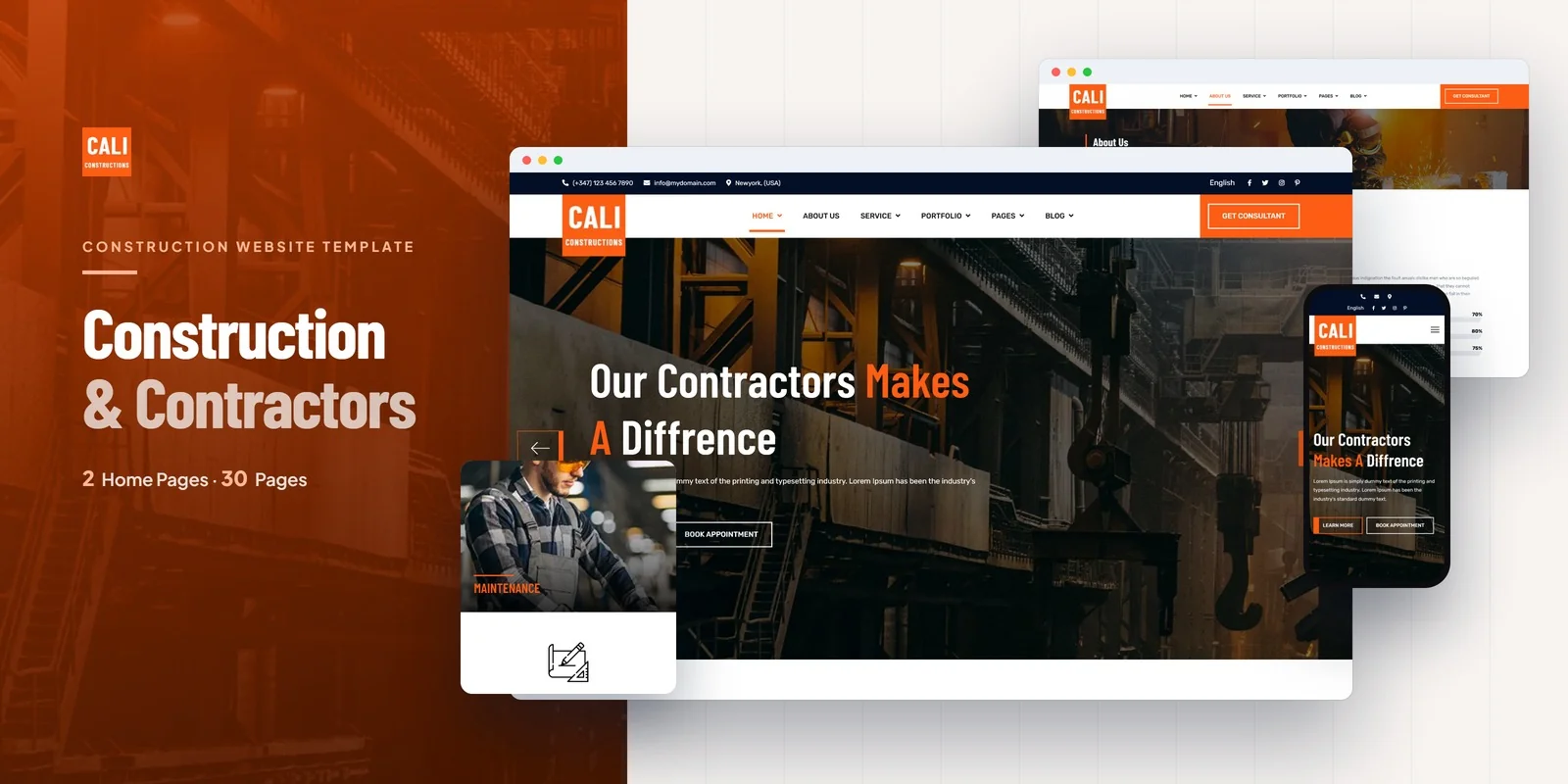
Cali Constructions is a construction HTML5 template that delivers an unmatched 30-page website covering every touchpoint a construction business demands. Built for general contractors, construction companies, architecture firms, home renovation services, and building material suppliers, it provides the most comprehensive construction template page set available — from portfolio systems and service showcases to e-commerce shop pages and a full blog system.
What Cali Constructions Includes
- 30 Professionally Designed Pages — the most comprehensive construction template available
- 2 Homepage Layouts — two distinct designs for different construction brand identities
- Portfolio System — grid views with left sidebar, right sidebar, and standard layouts plus detail views with matching sidebar options
- Service Pages — service listing and individual service detail pages for your construction offerings
- E-Commerce Shop — full-width, left sidebar, and right sidebar shop layouts plus product detail pages
- 6 Blog Variations — left, right, and standard layouts for both blog listing and detail pages
- Dual Contact Pages — two contact form styles for different inquiry types with map integration support
- Gallery Page — dedicated visual showroom for completed project photography
- FAQ Page — comprehensive frequently asked questions section for client pre-qualification
- Coming Soon and 404 Pages — utility pages for pre-launch and error handling
- Bootstrap 5 Framework — fully responsive, mobile-first design for on-site browsing
- Cross-Browser Compatible — tested on Chrome, Firefox, Safari, Edge, and Opera
Why Cali Constructions Works for Construction Companies
With 30 pages, Cali Constructions is the most page-rich construction template available — and construction businesses need that depth. The portfolio system with six layout options (three grid, three detail) gives you complete flexibility in presenting completed projects across residential, commercial, and industrial categories. The six blog variations support the content marketing strategy that drives organic leads. The e-commerce shop pages add a revenue channel for companies selling materials or products alongside contracting services.
The dual contact page styles let you create different intake forms — one for residential quote requests with home details, another for commercial inquiries with project scope information. The FAQ page handles the pre-qualification questions that every construction company answers repeatedly. The gallery page provides the visual impact that makes first-time visitors want to explore your detailed portfolio entries. Built on Bootstrap 5, every one of these 30 pages is fully responsive and optimized for the mobile devices construction clients use on-site.
Page Count Advantage: Cali Constructions ships with 30 pages — significantly more than most construction templates that offer 10 to 15 pages. This depth matters because construction businesses need multiple portfolio layouts, multiple blog layouts, shop capabilities, FAQ sections, and dual contact forms. Every additional page is a potential SEO landing page, a content marketing asset, or a conversion pathway. A 30-page template gives you the architecture to build a construction website that competes with custom-built sites at a fraction of the cost.
Customisation Roadmap for Construction Companies
Week One — Content and Photography: Photograph your best completed projects — wide shots for scale, detail shots for craftsmanship, before-and-after documentation. Gather team photos, company history, certifications, and license information. Write service descriptions for each construction category you offer. Prepare project summaries for your portfolio entries. Replace all placeholder content with your construction company’s brand identity, colour palette, and messaging.
Week Two — Portfolio and Services: Populate the portfolio system with your completed project documentation organized by type (residential, commercial, renovation, new build). Create individual service detail pages for each construction service. Write your FAQ page content addressing the questions clients ask most frequently. Set up the gallery page with your strongest project photography. Configure the shop pages if you sell building materials or products.
Week Three — Lead Generation and Launch: Configure both contact page forms for residential and commercial inquiries. Integrate Google Maps on the contact pages. Publish your first blog posts — a signature project case study, a renovation guide, and a seasonal maintenance tip article. Submit your sitemap to Google Search Console. Optimize your Google Business Profile with project photos and service area information. Test across all devices and deploy.
Frequently Asked Questions
Need Help Launching Your Construction Website?
MetropolitanHost provides professional web development services for HTML template deployments. Our team understands construction industry website requirements and delivers clean, lead-generating implementations.
- WordPress Theme Installation — live in under 24 hours
- Full Website Package — complete front-to-back deployment
- Colour Customisation — match your construction brand across all pages
- Website Speed Optimisation — Core Web Vitals improvements
- Accessibility Compliance — WCAG audit and remediation



