What Is a Classified Ads Website Template?
A classified ads website template is a pre-designed, fully coded website built specifically for online classified marketplaces, buy-and-sell platforms, local trading portals, second-hand goods directories, service listing sites, and community exchange platforms. It includes every page a classifieds platform needs — homepage with featured listings and category navigation, listing archive pages in grid list and map views, individual listing detail pages with seller information and image galleries, listing comparison tools, listing submission forms for sellers, pricing plans for premium ad placement, e-commerce integration for direct purchases, blog for marketplace content and buying guides, and full user account management with saved searches and submitted ads — all designed, responsive, and ready for launch.
For entrepreneurs building a local classifieds platform, niche marketplace, or community trading portal without paying $20,000 to $60,000 for a custom marketplace build or $200 to $600 per month for a managed classifieds platform like OLX or OfferUp white-label solutions, a template delivers the most practical path to a fully functional marketplace. But classified ads websites face a unique chicken-and-egg challenge: buyers only visit if there are listings, and sellers only post if there are buyers. Your template must serve both audiences with submission workflows that attract sellers and discovery tools that retain buyers. This guide covers what both marketplace participants expect, what technical features drive transactions, and how to choose the right template for your classifieds project.
Template vs Classifieds Platform vs Custom Build
Classifieds marketplace builders typically face three options when establishing their platform:
| Factor | Classifieds Platform (OLX Clone, Yclas) | Classified Ads Template | Custom Build |
|---|---|---|---|
| Upfront Cost | $0–1,000 | $29–69 | $20,000–60,000 |
| Monthly Cost | $99–499/month | $3–10/month (hosting only) | $300–800/month |
| 3-Year Total Cost | $3,564–18,964 | $137–429 | $30,800–88,800 |
| Code Ownership | No — you rent it | Yes — you own it forever | Yes — you own it |
| Design Uniqueness | Clone of existing marketplace | Fully customisable source code | Fully custom |
| Map Integration | Platform-dependent | Built-in interactive maps | Custom development |
| Listing Comparison | Rarely available | Built-in comparison tool | Any format |
| E-Commerce Shop | Varies by platform | Built-in shop module | Custom development |
| Vendor Lock-in | High — listing data trapped | None | None |
Classifieds platforms and OLX clone scripts offer quick setup but charge ongoing fees while trapping your listing data and community within a rented system. A $299/month platform costs $10,764 over three years — capital that could fund marketing campaigns to attract initial sellers and establish the critical mass every marketplace needs to become self-sustaining. A template gives you ownership of your marketplace design while allowing integration with any backend, payment system, or messaging infrastructure you choose.
What Buyers Expect From a Classifieds Website
Buyers visiting a classifieds platform arrive with specific purchase intent. They are looking for a product or service at a price better than retail, and they want to find it quickly with confidence that the listing is legitimate. Your website must deliver fast, filtered discovery with enough trust signals to overcome the inherent scepticism of peer-to-peer transactions. Here is what buyers evaluate:
Fast, Filtered Search Across Categories
Classifieds buyers know roughly what they want — a used laptop, a car under $5,000, a local carpenter — and they expect to filter results by category, price range, location, condition, and posting date within seconds. A classifieds site without robust filtering is just a wall of ads. In 2026, buyers are accustomed to the filtering sophistication of Amazon, eBay, and Facebook Marketplace. Your classifieds template must offer multi-parameter filtering with real-time results that match those expectations. Enhanced dropdown menus with autocomplete, price range controls, and sorting by date, price, or distance are baseline features.
Multiple Browse Modes
Different buyers browse differently. A buyer looking for electronics wants a grid view to compare images quickly. A buyer searching for services prefers a list view with descriptions visible. And for location-dependent classified ads — furniture pickup, local services, garage sales — an interactive map view showing nearby listings is essential. Offering grid, list, and map views lets every buyer browse in the mode that suits their decision-making process, directly increasing the time they spend on your platform and the likelihood of completing a transaction.
Detailed Listing Pages With Seller Information
When a buyer clicks on a classified ad, they need comprehensive information to decide whether to proceed: item description, condition, price, location, high-quality photos, and seller contact details. Sparse listing pages with one photo and two sentences breed suspicion. Each listing detail page should provide enough information — including multiple image views with zoom capability and clear seller identification — for the buyer to take action without requesting additional information. Three distinct listing detail page styles allow different ad categories to present information in layouts optimised for their specific content requirements.
Listing Comparison for Big Purchases
Buyers shortlisting multiple similar items — comparing three used cars, evaluating two laptops, choosing between service providers — want to see options side by side. A comparison tool that displays key attributes like price, condition, age, location, and included features in a structured table saves buyers from opening multiple tabs and manually tracking differences. This feature is especially valuable for high-value classified categories where the decision involves weighing multiple factors and spending decisions are not impulsive.
Location-Based Discovery
Classifieds are inherently local. A buyer searching for furniture wants listings within driving distance, not across the country. Interactive map-based discovery with pin clusters, zoom controls, and popup listing previews transforms geographic proximity into your platform’s core differentiator. Users can visually scan their neighbourhood for nearby listings, identify clusters of relevant ads, and filter by distance radius — all interactions that Facebook Marketplace and Craigslist have trained buyers to expect from any classifieds platform.
Mobile-First Browsing Experience
Classifieds browsing is overwhelmingly mobile. Buyers check listings during commutes, lunch breaks, and while walking through neighbourhoods looking for garage sales or pickup locations. Your classifieds template must deliver a flawless mobile experience — touch-friendly listing cards, swipeable image galleries, tap-to-call seller buttons, and map controls that work smoothly with fingers instead of a mouse. If your platform requires pinching and zooming to read ad details on a phone, buyers will default to Facebook Marketplace within seconds.
What Sellers Expect From Your Classifieds Platform
Sellers are the supply side of your marketplace. Without listings, no buyers will come. To attract sellers, your platform must demonstrate value through exposure, ease of posting, and clear monetisation options:
Quick and Easy Ad Submission
A seller with a couch to sell will not spend 20 minutes filling out a submission form. They will post on Facebook Marketplace in 30 seconds instead. Your listing submission process must be fast, intuitive, and require only essential information — title, category, description, price, photos, location, and contact method. Progressive disclosure through multi-step forms reduces perceived complexity while capturing comprehensive information. The difference between a 2-minute and a 10-minute submission process is the difference between a growing platform and an empty one.
Premium Ad Placement Options
Monetisation through premium ad placement is the primary revenue model for classifieds platforms. Sellers need clear, visible benefits for paying to promote their listings — featured placement at the top of search results, highlighted borders or badges, extended listing duration, additional photo slots, or priority visibility in category pages. Your pricing page must present these tiers with transparent feature comparison that makes the upgrade decision straightforward. Two pricing plan layout variants allow you to test which presentation format drives higher conversion rates.
Account Management and Ad Dashboard
Sellers posting multiple items or running ongoing service ads need to manage their listings — updating prices, refreshing expired ads, checking view counts, and responding to enquiries. A user account system with an ad management dashboard, submitted listing history, and profile management gives sellers ownership of their marketplace presence. This self-service model also reduces your administrative burden as the platform scales from hundreds to thousands of active listings.
Technical Features That Drive Classifieds Engagement
Beyond content and design, specific technical components determine whether a classifieds platform retains both buyers and sellers. These features transform a simple listing page into an interactive marketplace:
Interactive Map View With Location Filtering
Map-based browsing is the defining feature of modern classifieds platforms. An interactive map view with clustered pins, popup listing previews, and radius-based filtering lets buyers discover nearby listings visually. This spatial discovery mode is fundamental for categories where physical proximity determines transaction viability — furniture, vehicles, local services, and anything that requires pickup or in-person evaluation. Map integration transforms your classifieds site from a list of ads into a location-aware marketplace.
Select2 Enhanced Category Filtering
A classifieds platform with 50 categories and hundreds of subcategories needs smarter filtering than basic HTML dropdown menus. Select2 transforms category selects into searchable, autocomplete-enabled dropdowns where users type “elect” and instantly see “Electronics,” “Electrical Services,” and “Electric Vehicles” — not scroll through an alphabetised list of every category. This search-within-filter capability is essential at scale and directly reduces the friction between a buyer’s intent and their first relevant search result.
jQuery Zoom for Product Verification
Trust is the central challenge of peer-to-peer classifieds. Buyers need to verify item condition through photos before committing to a meeting or purchase. jQuery Zoom enables hover-to-magnify functionality on listing images, letting buyers inspect product condition, verify details like serial numbers or brand labels, and spot damage or wear that standard-sized photos might conceal. This visual verification capability directly reduces no-show rates and post-transaction disputes by ensuring buyers have realistic expectations before they make contact.
Integrated E-Commerce Shop
Modern classifieds platforms often blend peer-to-peer listings with direct retail. An integrated e-commerce shop module allows your platform to sell premium memberships, featured listing packages, marketplace merchandise, or curated products alongside user-generated classified ads. This dual model — user listings plus platform retail — creates diversified revenue streams beyond listing fees alone. The shop module with product archive, detail pages, and checkout integration provides a complete retail experience within your marketplace.
Cost Breakdown: Classified Ads Website Options
Launching a classifieds marketplace is a business investment. Understanding the true cost of each platform approach helps founders allocate capital wisely between technology and growth:
| Cost Component | HTML Template | Classifieds Platform (Yclas, OLX Clone) | Custom Build |
|---|---|---|---|
| Template / License | $29–69 (one-time) | $0–1,000 | N/A |
| Hosting | $36–120/year | Included or $50–200/year | $360–1,800/year |
| Platform Fee | None | $1,188–5,988/year | None |
| Map Integration | Built-in | Platform-dependent | $3,000–8,000 custom |
| Listing Comparison | Built-in | Rarely available | $2,000–5,000 custom |
| Design Customisation | $0–500 | $0–500 | $8,000–20,000 |
| Total Year One | $65–689 | $1,188–7,688 | $33,360–94,800 |
| 3-Year Total | $137–929 | $3,564–18,964 | $34,080–98,400 |
Revenue Per Dollar Invested: A classifieds platform charging $299/month costs $3,588 per year before you have a single listing. If your average premium listing upgrade sells for $5, you need 718 paid upgrades annually just to cover platform costs — before hosting, marketing, or content moderation. An HTML template at $29–69 eliminates that overhead entirely, letting every listing fee and premium upgrade contribute directly to profit. With 33 pages including built-in maps, comparison tools, listing submission forms, and an e-commerce shop, the template delivers the complete marketplace experience at a one-time investment.
How to Choose the Right Classified Ads Template
Not all templates serve the classifieds market effectively. Here is what to evaluate specifically for marketplace use:
Check for Map-Based Discovery
A classifieds template without an interactive map view is fundamentally incomplete. Location is the primary filter for most classified transactions — buyers want nearby items they can inspect and pick up. Open the template demo and verify that the map view is fully designed with pin markers, popup previews, and zoom functionality — not just mentioned as a feature. A working map view with location-aware browsing transforms a basic listing site into a competitive marketplace platform.
Evaluate the Submission Workflow
The listing submission form determines your platform’s growth rate. A confusing or lengthy form suppresses listing volume. Open the template demo and step through the submission process. Is it broken into manageable steps with progress indicators? Does it support image uploads, category selection with search, and location tagging? The submission experience must be faster and simpler than posting on Facebook Marketplace — because that is your real competition for seller attention.
Count the Page Depth
Classifieds platforms require extensive page variety. Beyond listing pages, you need pricing plans, seller profiles, account dashboards, blog, authentication, comparison pages, shop module, and multiple listing detail variants. A template with 15 pages will leave critical workflows incomplete. A template with 33+ pages covers the complete marketplace lifecycle — from buyer discovery through seller submission to account management and premium upgrades — without requiring additional design investment.
Test the Filter and Search System
Open the template demo and try filtering by category, sorting by price, and combining multiple search parameters. Does the system respond smoothly without full page reloads? Are the dropdown menus searchable for large category sets? Can you switch between grid, list, and map views while maintaining your filter selections? The filter system is the spine of user experience on any classifieds platform — clunky filtering means buyers leave, and without buyers, sellers stop posting.
Common Mistakes When Building a Classifieds Website
Launching Without Critical Mass
An empty classifieds site is worthless. Buyers who visit and find 20 listings across all categories will never return. Before public launch, seed your platform with at least 200 to 500 listings — even free listings you create yourself from existing sources. The perception of an active, well-populated marketplace creates the network effect that attracts organic sellers and return buyers. Budget time and effort for pre-launch content seeding; it is more important than marketing spend.
Copying Craigslist’s Design
Craigslist succeeds despite its design, not because of it. In 2026, buyers expect visual classifieds with image thumbnails, map views, and polished layouts. A text-heavy, link-list approach signals an outdated platform that buyers associate with scams and spam. Modern classifieds require image-first listing cards, visual category browsing, and a design standard that communicates legitimacy and trust. Your template’s visual quality is a direct trust signal — polished design reduces buyer scepticism in peer-to-peer transactions.
No Trust or Verification Signals
Classifieds buyers are inherently suspicious — they have read stories about marketplace scams. Your platform must address this through design: verified seller badges, listing photo requirements, clear seller profiles with account history, and comparison tools that encourage informed decision-making. A platform that does not visually communicate trust will struggle to convert browsers into buyers, regardless of how many listings it hosts. Trust design is not optional for classifieds; it is the primary conversion factor.
Ignoring Mobile-First Usage Patterns
Over 70 percent of classifieds browsing happens on mobile devices. Buyers check listings during commutes, sellers photograph items on their phones and want to post immediately, and both sides communicate through mobile messages. If your platform is not optimised for mobile-first usage — fast loading, touch-friendly interactions, easy photo uploads, and readable listing cards — you are building for the 30 percent of traffic that uses desktops and ignoring the majority of your potential users.
Drago — A Classified Ads Template Built for Marketplace Success
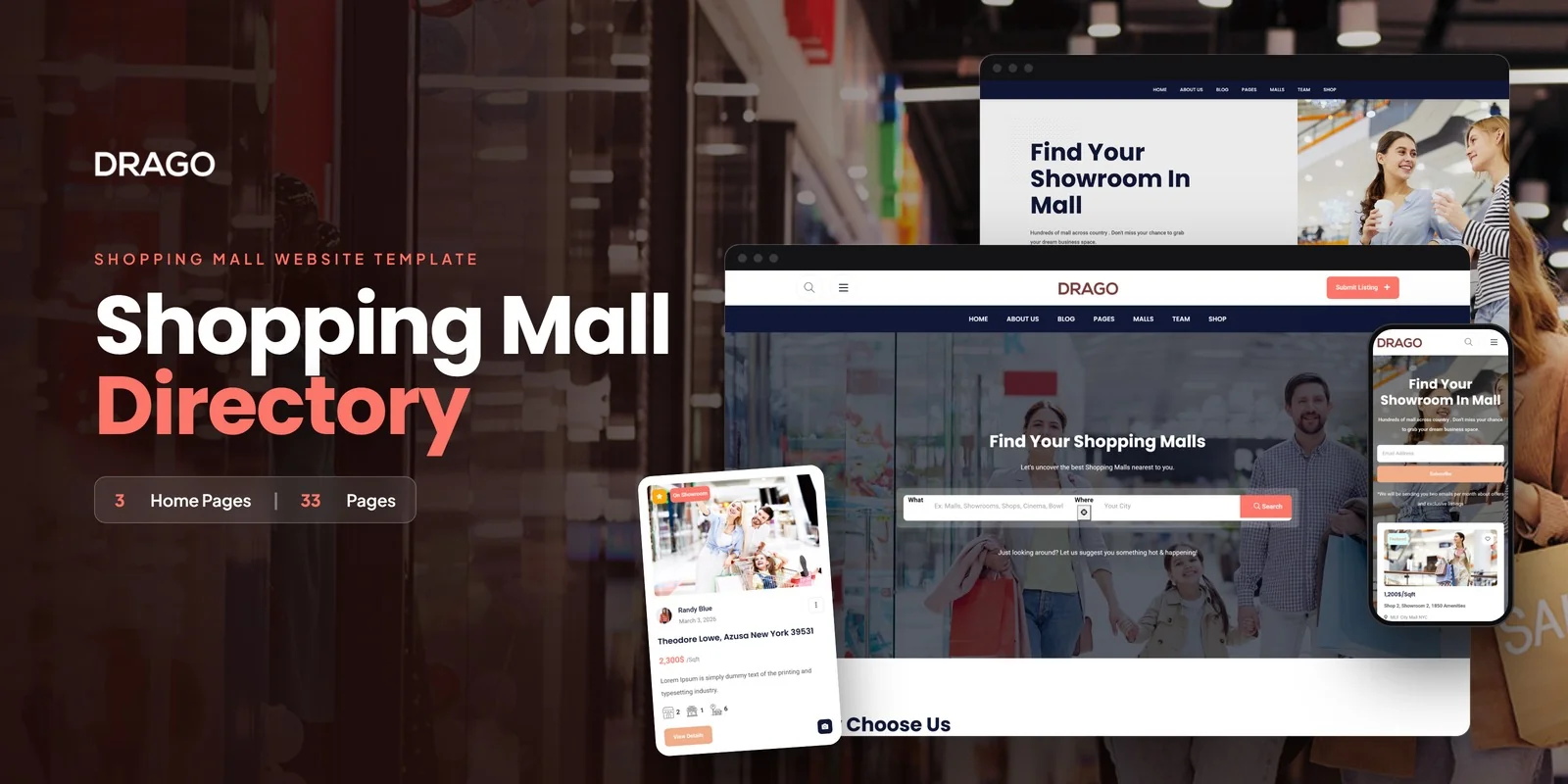
Every feature discussed in this guide exists in a single template. Drago is a Bootstrap 5 HTML5 template with 33 fully designed pages covering the complete classifieds marketplace workflow — from buyer discovery through listing comparison to seller submission and account management.
What Drago Includes
- 3 unique home layouts — three distinct hero styles and featured listing arrangements for different marketplace niches
- 3 listing view modes — grid, list, and interactive map view for flexible browsing
- 3 listing detail page styles — three layout variants for individual classified ad pages
- Listing comparison — compare items or services side-by-side on key attributes
- Submit listing form — seller submission form for posting classified ads
- E-commerce shop — retail product archive for platform merchandise and premium packages
- jQuery Zoom — product image magnification for item condition verification
- 2 pricing plan layouts — clear tier comparison for premium listing monetisation
- Team profiles — marketplace team and management profiles
- Blog module — marketplace news and buying guides in five formats
- Authentication module — login and register for buyer and seller accounts
- Coming soon and 404 pages — branded holding and error states
Technical Foundation
- Bootstrap 5 — responsive grid with mobile-first breakpoints
- Select2 Dropdowns — searchable, enhanced category filtering
- jQuery Zoom — hover-to-magnify item image inspection
- Magnific Popup — responsive lightbox for listing galleries
- Cross-browser tested — Chrome, Firefox, Safari, Edge, Opera
Customisation Roadmap for Classifieds Builders
After purchasing Drago, follow this implementation sequence to launch your classifieds marketplace:
- Define your niche and categories — decide the marketplace focus (local buy-and-sell, vehicles, services, real estate, jobs) and build your category taxonomy
- Brand the template — update colours, logo, typography, and imagery to establish your marketplace identity
- Configure listing fields — adapt the submission form and listing detail pages to match your marketplace’s data requirements
- Set pricing tiers — configure free, standard, and premium listing packages using the pricing plan layouts
- Seed initial listings — populate at least 200–500 listings before public launch to demonstrate marketplace activity
- Integrate backend systems — connect to your database, payment processor, and messaging system for transaction management
- Launch with content — publish buying guides, safety tips, and category-specific advice blog posts to drive organic traffic
Frequently Asked Questions
Related guide: For a full listings build, see the business directory website template buyer’s guide for 2026.
Need Help Launching Your Classifieds Marketplace?
MetropolitanHost provides professional web development services for HTML template deployments. Our team understands marketplace website requirements and delivers clean, conversion-optimised implementations.
- WordPress Theme Installation — live in under 24 hours
- Full Website Package — complete front-to-back deployment
- Colour Customisation — match your marketplace brand across all pages
- Website Speed Optimisation — Core Web Vitals improvements
- Accessibility Compliance — WCAG audit and remediation



