Docfind — Doctor Directory Website Template With 40 Frontend and 81 Admin Pages
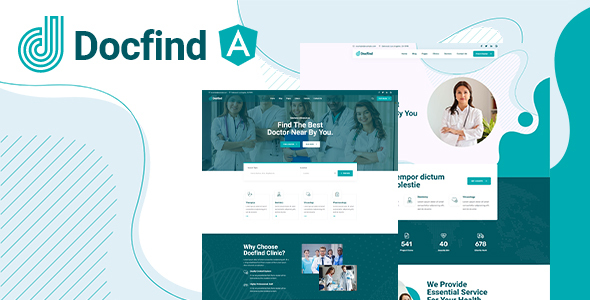
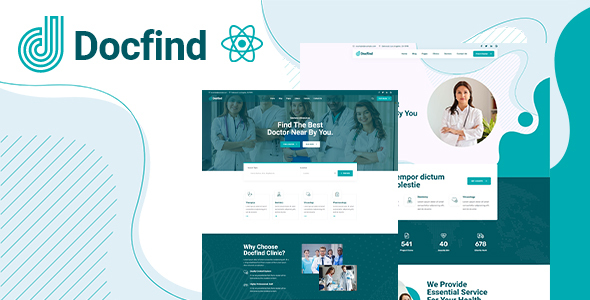
Docfind is a premium doctor directory website template built on Bootstrap 5 with 120 total pages — 40 patient-facing frontend pages and 81 clinic admin dashboard pages — covering everything from doctor and clinic listings to online appointment booking, medical specialties, and a complete healthcare administration back-office. At $12, it is the most comprehensive medical directory template available on ThemeForest.
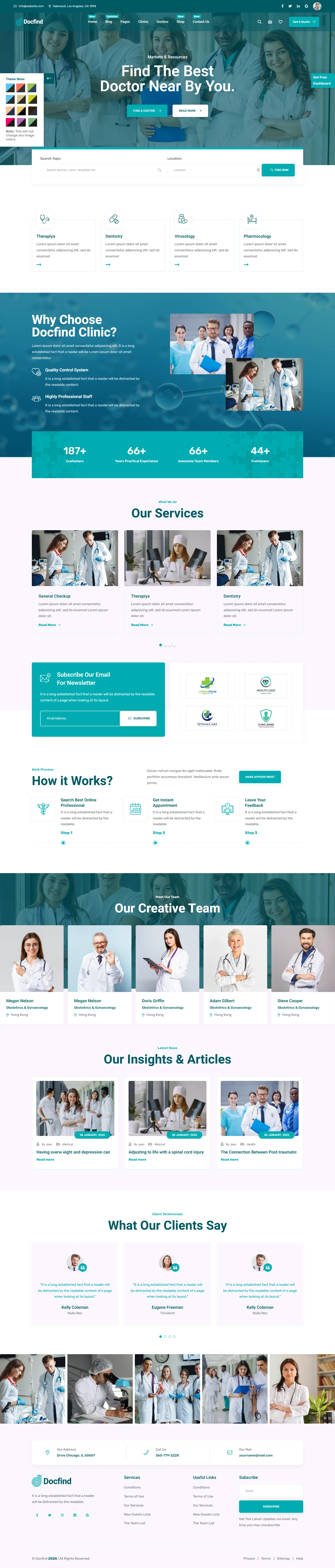
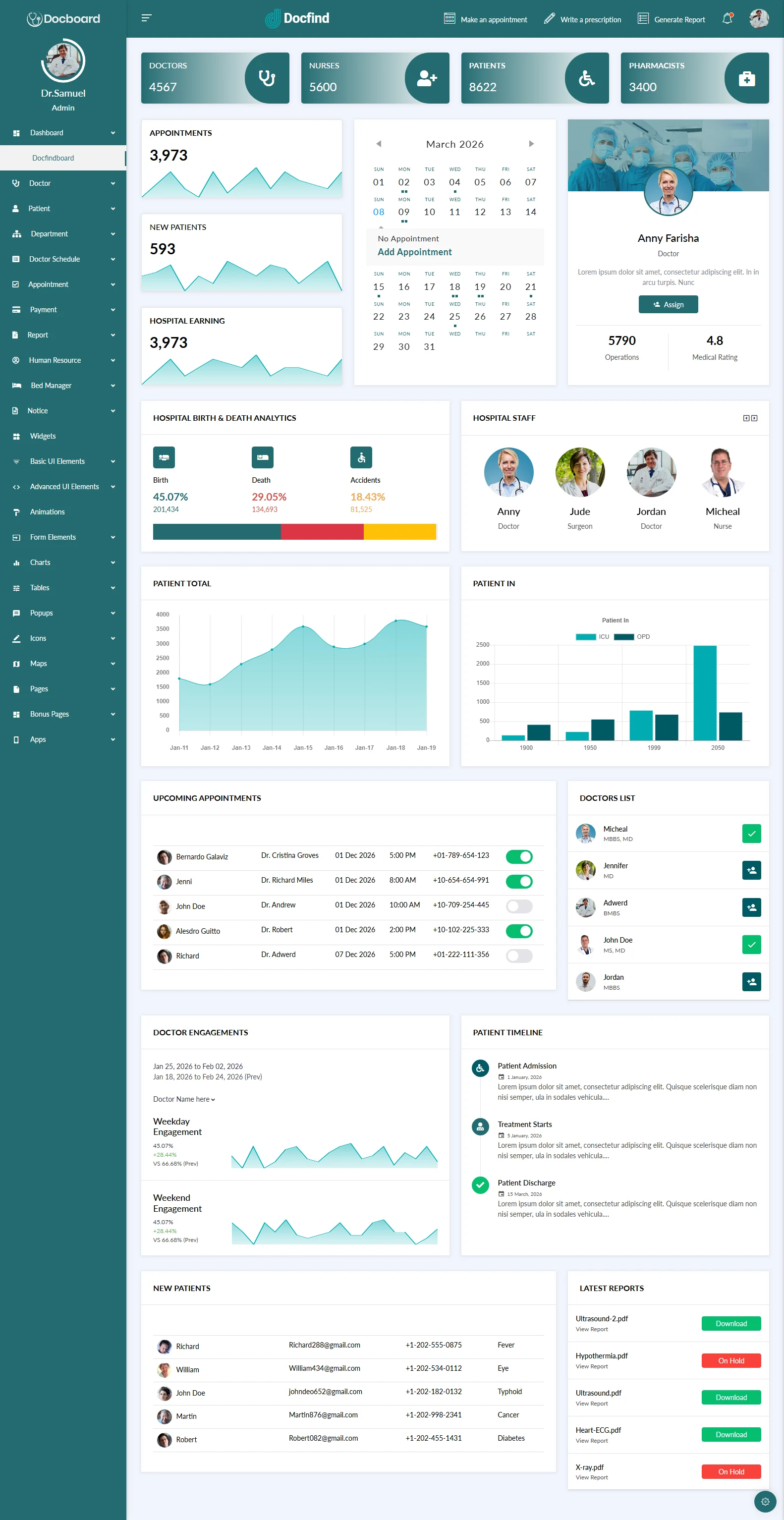
What makes Docfind unique in the healthcare template market is the completeness of both its front-end and back-end systems. The patient-facing side covers doctor search, clinic discovery, appointment booking, medical specialties browsing, a pharmacy shop, and a full blog system with nine post format types. The admin dashboard covers doctor schedules, appointment management, patient records, department management, bed management, human resources, payment and invoicing, analytics, and team communication — every workflow a medical platform administrator needs.
The medical teal (#00ACB1) design language communicates clinical professionalism and healthcare trust without the cold sterility of generic medical templates. Docfind is designed to attract patients looking for trusted healthcare providers while giving clinic administrators a comprehensive digital operations platform — all in a single $12 template purchase.
Frontend Directory + Admin Dashboard Highlights


Full Feature Breakdown
| Feature | Docfind Detail |
|---|---|
| Total Pages | 120 (40 frontend + 81 admin dashboard) |
| CSS Framework | Bootstrap 5 |
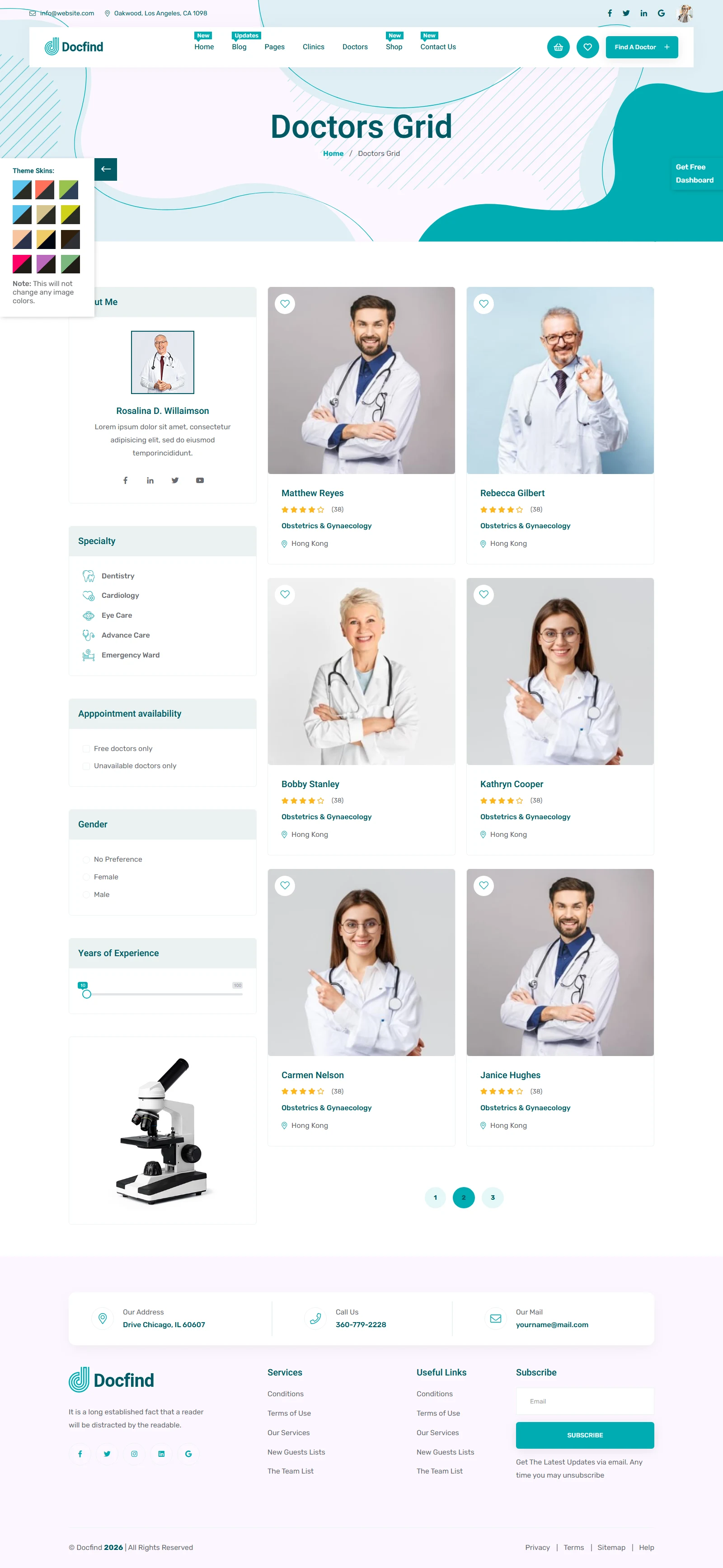
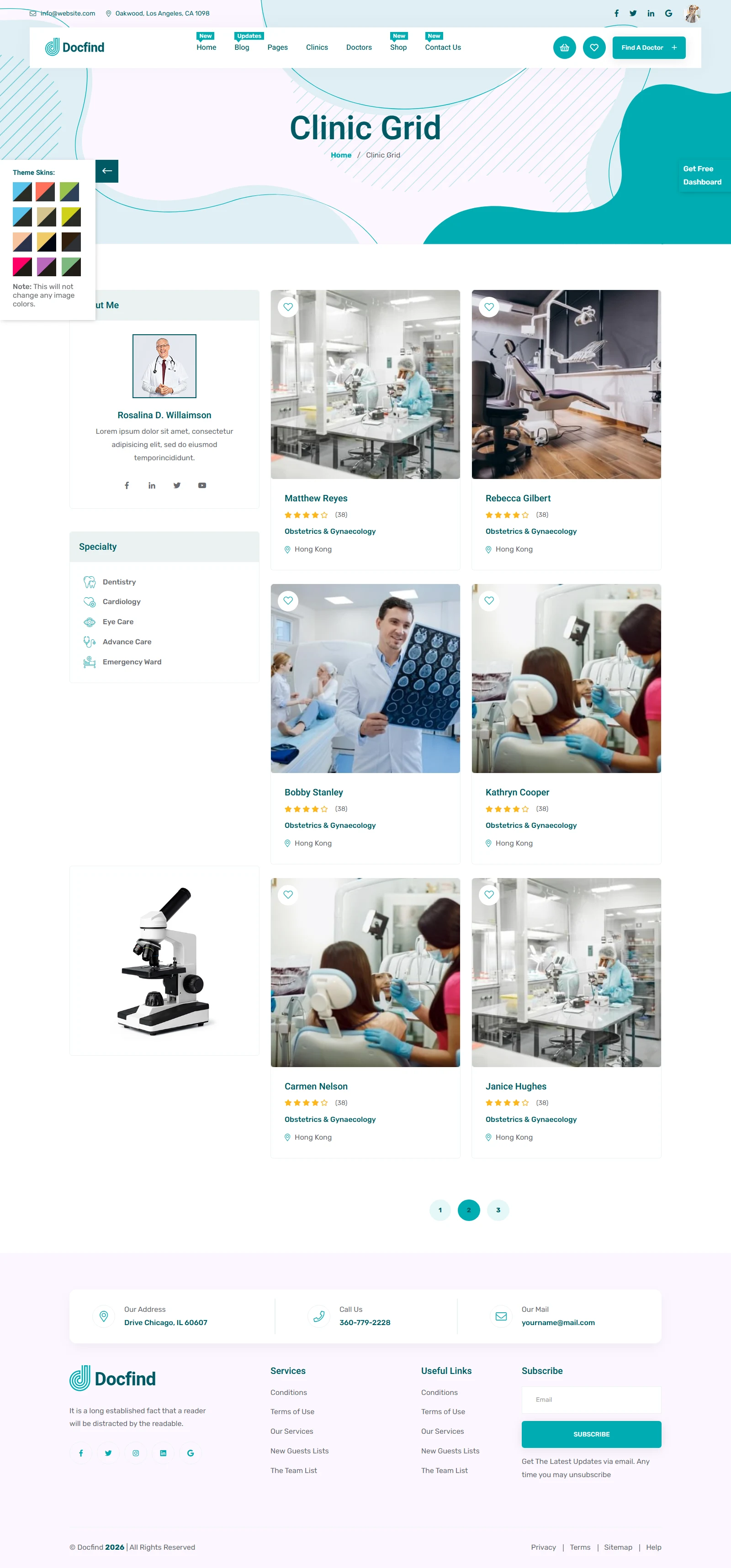
| Doctor Directory | Grid and list views with specialty filters |
| Clinic Directory | Grid, list, and detail pages |
| Appointment Booking | Online booking flow page |
| Medical Specialties | Hospital, emergency, dentist, surgery, lab, pharmacy |
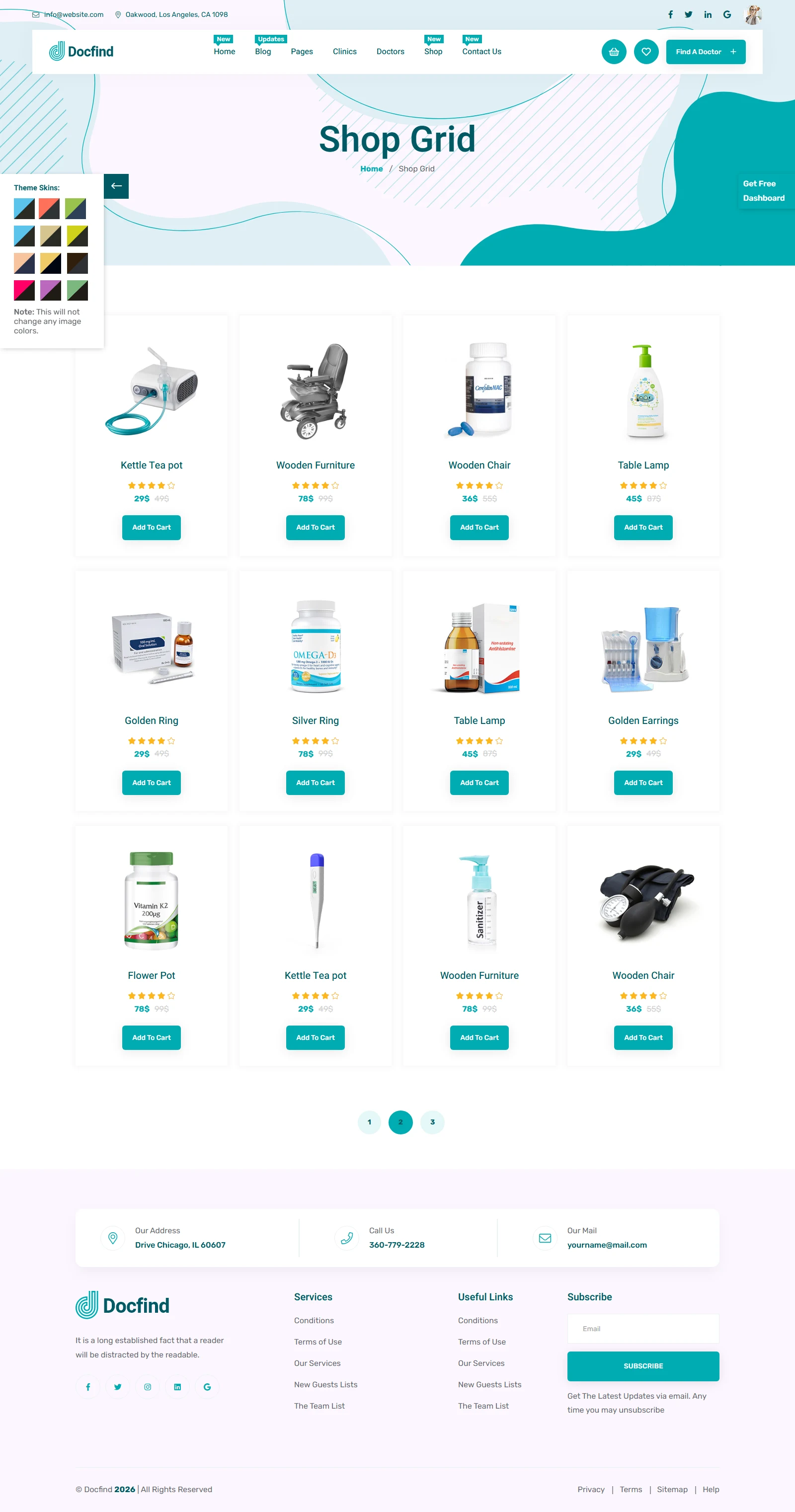
| Pharmacy Shop | Full e-commerce with cart and checkout |
| Blog System | 9 post format types |
| Admin: Appointments | Add and manage appointment schedules |
| Admin: Patients | Add and manage patient records |
| Admin: Doctors | Staff and schedule management |
| Admin: Bed Manager | Hospital bed allocation system |
| Admin: HR | Nurses, pharmacists, and representatives |
| Admin: Payments | Invoice and payment tracking |
| ThemeForest Price | $12 regular licence |
♿ Healthcare Accessibility — ARIA and Keyboard Navigation Throughout
Docfind is built on semantic HTML5 with ARIA roles, properly labelled form controls, and keyboard-accessible navigation across the doctor search, clinic filtering, appointment booking, and pharmacy shop flows. Healthcare websites serve users with visual impairments, motor limitations, and age-related accessibility needs — Docfind’s accessible foundation ensures that patients of all abilities can find and book healthcare providers without barriers.
40 Frontend + 81 Admin Pages: The Full Docfind Architecture Explained
120 pages is a significant investment of design work. Here is how Docfind organises them across its two distinct systems:
- Core Frontend (5 pages): Homepage, about us, services, service details, pricing, FAQ, and contact — the trust-building and information architecture that converts new visitors into patients and registered users.
- Medical Specialties (6 pages): Hospital, emergency medicine, dental, surgery, laboratory, and pharmacy specialty landing pages — enabling the directory to serve as a vertical search engine for specific medical needs.
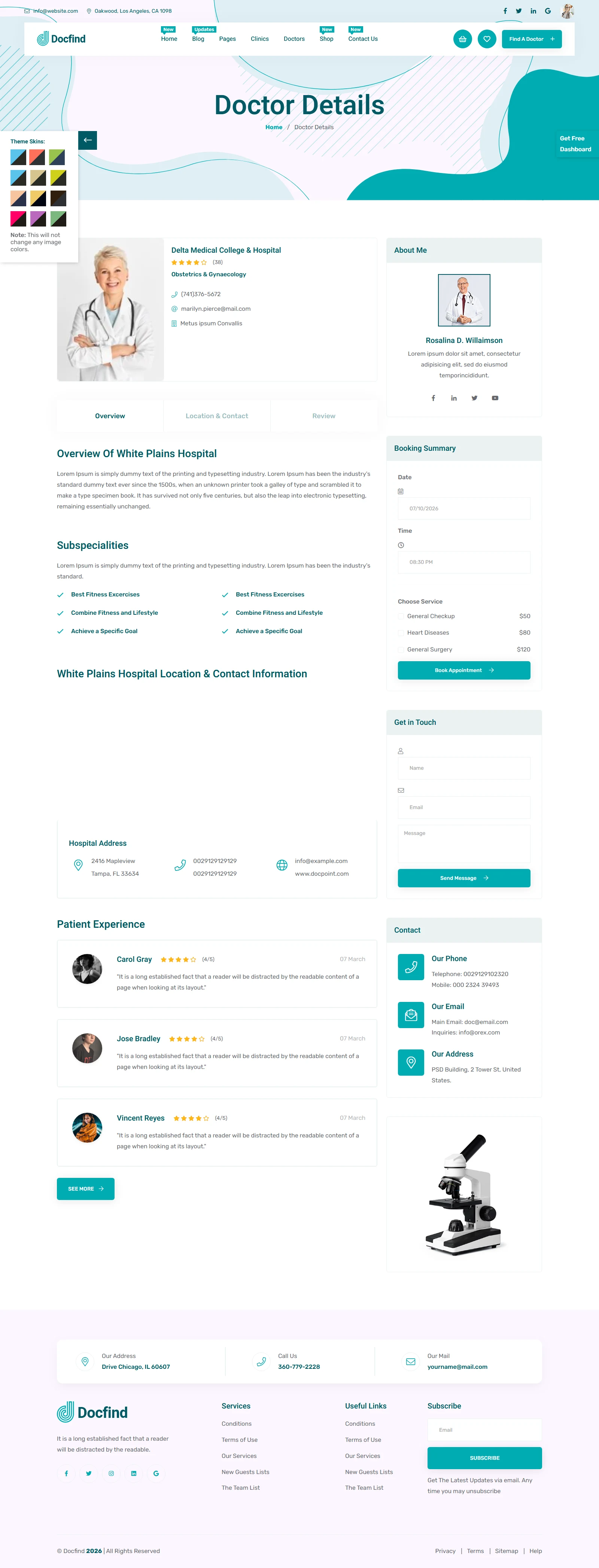
- Doctor Directory (4 pages): Doctors grid, doctors list, doctor details, and doctor-clinic association page — the core discovery experience for patients searching for specific practitioners.
- Clinic Directory (4 pages): Clinic grid, clinic list, clinic details, and appointment booking flow — the facility-level discovery layer for patients searching by location or speciality.
- Blog System (9 pages): Blog grid, blog standard, and seven blog detail format types (standard, video, audio, gallery, quote, link, left sidebar) — for publishing medical content that builds SEO authority and patient education.
- Shop System (7 pages): Shop grid, left sidebar, right sidebar, product details, cart, wishlist, and checkout — a complete pharmacy and medical products e-commerce system.
- Admin Dashboard (81 pages): Overview dashboard, web analytics, client management, project management, social media, appointments (add + list), doctor schedules (add + list), departments, doctors, patients, bed management, notices, payments, invoices, human resources (nurses, pharmacists, representatives), reports (doctor, patient, total), team apps (chat, email, to-do), forms, tables, charts, maps, icons, UI components, and pre-built pages — a complete hospital or clinic management back-office.
Frequently Asked Questions
Need Help Deploying Your Healthcare Platform?
MetropolitanHost provides professional web development services for HTML template deployments. Our team delivers clean, well-structured healthcare platform implementations.
Theme Installation
Full theme install on your server, plugin activation, dummy data import, and initial server config. Delivered in 24 hours.
Full Website Package
Complete website build with essential SEO built in. Best for starters, new sites, or projects that have outgrown basic setups.
Color Scheme Customization
Need your brand colors implemented perfectly across the theme? We apply your design system — every element, every page.
Website Speed Optimization
Core Web Vitals, image compression, caching, and code minification for desktop and mobile. Faster sites rank higher.
Accessibility Compliance
European Accessibility Act (EAA) in force June 2025 plus ADA for the USA. Don't face legal penalties — we implement full compliance.