What Is a Hair Salon Website Template?
A hair salon website template is a pre-designed, fully coded website built specifically for hair salons, barbershops, beauty studios, hairstyling academies, and personal grooming businesses. It includes every page a beauty professional needs — homepage with visual impact, services showcase with detailed treatment listings, portfolio gallery with filterable before-and-after work, team profiles with skill visualisations, animated business statistics, client testimonials, and contact page — all designed, responsive, and ready for your brand.
For salon owners and independent stylists who need a website that looks as polished as their work without paying $3,000 to $8,000 for a custom build or $50 to $200 per month for a salon-specific platform, a template delivers the most practical path to a professional online presence. But hair and beauty websites have unique requirements. Your portfolio must showcase your actual skills through photography. Your service menu must be transparent and easy to navigate. Your team profiles must communicate expertise and specialisation. This guide covers what salon clients expect from your website, what technical features make the difference, and how to choose the right template for your beauty business.
Template vs Salon Platform vs Custom Build
Beauty professionals typically face three options when establishing their online presence:
| Factor | Salon Platform (GlossGenius, Fresha) | Hair Salon Website Template | Custom Website Build |
|---|---|---|---|
| Upfront Cost | $0–100 | $29–69 | $3,000–8,000 |
| Monthly Cost | $24–100/month | $3–10/month (hosting only) | $50–150/month |
| 3-Year Total Cost | $864–3,700 | $137–429 | $4,800–13,400 |
| Code Ownership | No — you rent it | Yes — you own it forever | Yes — you own it |
| Design Uniqueness | Same layout as competitors | Fully customisable | Fully custom |
| Portfolio Gallery | Basic photo grid | Filterable Isotope gallery | Any format |
| Booking System | Built-in | Integrate any booking tool | Any system |
| Time to Launch | 1–2 days | 3–7 days | 4–12 weeks |
| Vendor Lock-in | High — your site disappears if you cancel | None | None |
Salon platforms offer booking convenience but lock you into their design system — every salon on GlossGenius looks like every other salon on GlossGenius. A template gives you full creative control over your brand presentation while still allowing you to integrate any booking system you prefer. For salon owners who see their website as an extension of their artistry, the template path provides the design freedom that platforms cannot match.
What Salon Clients Expect From Your Website
People searching for a hair salon, barbershop, or beauty studio are making a deeply personal decision. They are trusting you with their appearance — and the anxiety of a bad haircut or colour treatment is real. Your website must overcome that anxiety by proving your skill, showcasing your work, and making the booking process effortless. Here is what salon clients look for:
Portfolio That Proves Your Skill
Your portfolio is the single most important element on your salon website. It is the visual proof that you can deliver the results clients want. Before-and-after photos of colour corrections, precision cuts, balayage treatments, and styling transformations tell a story that no amount of written copy can match. But a random dump of Instagram-quality photos is not a portfolio — it is a photo album.
An effective salon portfolio organises work by service type using filterable categories. A prospect looking for balayage inspiration should be able to filter to see only balayage work. Someone considering a dramatic colour change should filter to colour transformations. Isotope grid filtering provides this category-based navigation, letting potential clients find the exact type of work they are considering and evaluate your expertise in that specific area.
Service Menu With Transparent Pricing
Hidden pricing kills salon bookings. A potential client who cannot find what a cut and colour costs on your website will check the next salon that lists prices clearly. Your services showcase must list every service with its price — or at minimum, a starting price with a “from” indicator for services where pricing varies by hair length, complexity, or stylist level. Categorise services logically: cuts, colour, treatments, styling, extensions, and specialty services. Each category should display the service name, brief description, duration, and price.
The service menu is also a major SEO opportunity. Individual service pages optimised for searches like “balayage near me” or “keratin treatment [city]” drive high-intent local traffic directly to the most relevant page on your site.
Stylist Profiles That Build Personal Connection
Salon clients often book with a specific stylist, not just a salon. Stylist profile pages should include a professional headshot, areas of specialisation, years of experience, certifications and training, and a personal statement that gives clients a sense of the stylist’s personality and approach. Clients choosing between three salons will book with the one where they feel a personal connection to a specific stylist — and that connection starts on your website.
A unique element that elevates stylist profiles is skill visualisation. Animated circular charts showing a stylist’s proficiency in different techniques — 95% in precision cutting, 90% in colour correction, 85% in bridal styling — communicate expertise in a format that is instantly understandable. These charts add a data-driven credibility layer that text alone cannot achieve.
Social Proof That Overcomes New-Client Anxiety
First-time salon clients carry inherent anxiety. Will the stylist understand what I want? Will the colour match the reference photo? Will I leave looking worse than when I arrived? Client testimonials, Google review integrations, animated statistics showing clients served and years in business, and before-and-after galleries all serve to reduce this anxiety. Place social proof near the booking call to action — the moment of maximum hesitation is the moment when reassurance matters most.
Online Booking Without Friction
The majority of salon appointments are now booked online. Clients expect to see available time slots, choose a stylist, select a service, and confirm the booking without making a phone call. Your website must either include a booking form or seamlessly integrate a booking widget from services like GlossGenius, Fresha, Square Appointments, or SimplyBook.me. The key requirement is that the booking experience feels native to your website — not a jarring redirect to a different platform with different branding.
Mobile Experience That Books in Three Taps
Salon clients book from their phones — often while looking in the mirror, scrolling social media, or comparing salons during a lunch break. Your entire website must work flawlessly on mobile, but the path from landing page to booked appointment must be particularly frictionless. Three taps: find a stylist, choose a service, book a time. Any additional friction — slow loading, hard-to-read menus, forms that require pinch-zooming — loses the booking to a competitor with a smoother mobile experience.
Technical Features That Elevate Salon Websites
Beyond visual design, certain technical features specifically enhance salon and beauty websites.
Filterable Portfolio Gallery
Isotope grid filtering transforms a static photo gallery into an interactive portfolio that clients can navigate by service type. Instead of scrolling through hundreds of photos, a client clicks “Balayage” and sees only balayage work. Clicks “Men’s Cuts” and sees only barbering. This filtering serves two purposes: it helps clients find the specific work they are interested in, and it demonstrates the depth of your expertise in each category.
Animated Skill Charts for Stylist Expertise
EasyPieChart provides animated circular skill visualisations that bring stylist profiles to life. A chart that fills to 95% for “Precision Cutting” or 90% for “Colour Correction” communicates expertise in a format that is visually engaging and instantly understandable. These charts add a data-driven credibility element that differentiates your salon website from competitors who rely solely on text-based bios.
Animated Business Statistics
CountTo and CounterUp animated statistics display your salon’s credentials in an attention-grabbing format. Numbers that animate from zero to “2,500 Clients Served” or “15 Years of Experience” or “8 Award-Winning Stylists” create immediate credibility as visitors scroll down the page. These animated statistics work particularly well on the homepage and about page, where first-time visitors are forming their initial impression of your salon.
Scroll Animations for Visual Flow
WOW.js scroll animations add subtle visual polish as visitors scroll through your pages. Elements that fade in, slide in, or scale up as they enter the viewport create a sense of refinement that mirrors the attention to detail clients expect from a quality salon. The key is subtlety — animations should enhance the browsing experience, not overwhelm it. A well-implemented scroll animation strategy makes your website feel alive and premium.
Portfolio Impact: A salon website with a filterable portfolio converts at significantly higher rates than one with a basic photo grid. When a client can filter to see only the type of work they want — balayage, colour correction, men’s cuts — they are evaluating your specific expertise in their area of interest. That targeted proof of skill eliminates doubt and drives bookings.
Digital Marketing Strategy for Salons
The beauty industry has undergone a digital transformation. Clients who once chose salons based on walk-in convenience or word of mouth now research online, compare portfolios on Instagram, read reviews, and book appointments from their phones. Your website sits at the centre of this digital client acquisition ecosystem.
Local SEO for Hair and Beauty Businesses
Salon searches are intensely local. “Hair salon near me,” “balayage [city],” and “barbershop [neighbourhood]” are the queries that drive new client bookings. Your website must be optimised for these local searches with your salon address, phone number, and service area clearly stated on every page. Google Business Profile is essential — maintain current photos of your work, respond to every review, and keep your hours and services accurate. Each service page on your website should include your location naturally within the content, targeting queries like “keratin treatment [city]” or “men’s fade haircut [neighbourhood].”
Instagram-to-Website Pipeline
Instagram is the primary discovery platform for salon clients. Before-and-after transformation photos, styling reels, and colour correction videos generate followers — but followers do not automatically become booked clients. Your website converts Instagram traffic into appointments. The pipeline works like this: a potential client sees your work on Instagram, clicks the link in your bio, arrives at your website, browses your portfolio for additional proof of skill, checks your service menu and pricing, and books an appointment. Every step must be frictionless. Your website’s portfolio, service menu, and booking integration must work together as a seamless conversion path from social discovery to booked appointment.
Review Management as Marketing
Reviews are the most trusted marketing channel for salons. Over 90% of consumers read reviews before choosing a local business, and for personal services like hairstyling, reviews carry even more weight. Your website should display your best reviews prominently — on the homepage, on service pages relevant to the review, and in a dedicated testimonials section. Actively request reviews from satisfied clients after each appointment. Respond to every Google and Yelp review, positive or negative. A salon with 200 positive reviews and thoughtful responses to occasional negative feedback projects confidence and professionalism that a salon with 15 reviews cannot match.
Pricing Strategy and Online Transparency
One of the most debated topics among salon owners is whether to publish prices on the website. The data overwhelmingly supports transparency.
Why Transparent Pricing Wins
Salon clients who cannot find pricing online do one of two things: they call to ask (adding friction and admin overhead) or they leave and check a competitor who lists prices clearly. Studies of salon booking behaviour show that salons with transparent pricing on their websites receive significantly more online bookings than those that hide prices behind “call for quote.” Even for services where pricing varies — colour services based on hair length, chemical treatments based on complexity — showing a starting price with “from” or a typical range gives prospects enough information to decide whether your salon fits their budget before they commit to a consultation.
Service Menu Structure for Maximum Clarity
Organise your service menu in a hierarchy that mirrors how clients think about their needs. Start with the most popular category — haircuts — and list options from most basic to most premium. Follow with colour services, treatments, styling, and specialty services. For each service, include the service name, a brief one-sentence description, the typical duration, and the price or price range. Group related services together — “Cut and Colour Packages” or “Bridal Hair Services” — so that clients considering a combination of services can find pricing quickly. This structure also helps search engines understand your service offerings and rank your pages for relevant queries.
Retaining Clients Through Your Website
Acquiring a new salon client costs five to seven times more than retaining an existing one. Your website should support client retention through regular blog content with hair care tips and trend updates, a portfolio that is updated frequently with new work, seasonal promotions announced through your homepage and blog, and a booking system that makes rebooking effortless. Clients who visit your website between appointments — to read a blog post, check a new style, or rebook — stay engaged with your salon and are less likely to experiment with competitors.
Pricing Transparency Pays: Salons that list clear pricing on their website reduce phone inquiries, attract clients who are already pre-qualified by budget, and book more appointments online. If your prices vary by stylist level or hair length, show the range. Hiding pricing does not make your salon seem premium — it creates uncertainty that loses potential clients to competitors who are transparent about costs.
Building Individual Stylist Brands Through Your Website
Modern salon clients often follow and book individual stylists, not salons. The most successful salons amplify their team members’ personal brands through the salon website, creating a rising-tide effect where individual stylist recognition lifts the entire salon’s reputation.
Stylist Portfolio Sections
Each stylist profile should link to a filtered portfolio showing only that stylist’s work. When a prospect visits a stylist’s profile and sees their specific before-and-after transformations, colour work, and styling expertise, the booking decision becomes personal. They are not booking “a salon appointment” — they are booking with a specific artist whose work they have already evaluated and admired. This personal connection reduces no-shows, increases client loyalty, and justifies premium pricing for experienced stylists. Your template’s combination of filterable portfolio and detailed team profiles supports this individual brand-building approach.
Stylist-Specific Blog Content
Encourage your stylists to contribute blog content about their specialisations. A colour specialist writing about “the difference between balayage and ombre” or “how to maintain vibrant red hair” demonstrates expertise and targets search queries that attract high-intent clients. A bridal stylist writing about “wedding hair trends for 2026” or “how to choose your wedding hairstyle” attracts wedding clients during planning season. Each blog post by a specific stylist reinforces their authority and creates content that can be shared on their personal social media, driving followers from Instagram to your salon website.
Certification and Training Highlights
Clients pay premium prices for stylists with advanced training and brand certifications. A stylist certified in Olaplex treatments, trained at Vidal Sassoon Academy, or educated in Goldwell colour systems brings credibility that justifies higher service pricing. Your website’s team profiles should prominently display these credentials. The EasyPieChart skill visualisations in your template provide a unique way to quantify and display this expertise — showing that a stylist has achieved 95% proficiency in precision cutting through advanced academy training communicates authority in a format that is immediately impressive and easily understood.
Career and Recruitment Pages
Your website also serves as a recruitment tool. Talented stylists researching potential salons to work at will evaluate your website before applying. A salon with a polished website, strong portfolio, and well-presented team profiles signals a professional operation that attracts quality talent. Consider adding a careers page that describes your salon culture, benefits, education opportunities, and open positions. Salons that struggle to hire top talent often underestimate how much their website influences stylist recruitment decisions.
How to Evaluate a Salon Template Before You Buy
Inspect the Portfolio System
Open the template demo and navigate to the portfolio section. Does it support category-based filtering? Can you envision organising your work by service type — cuts, colour, treatments, bridal? Does each portfolio item open in a lightbox for detailed viewing? A portfolio system without filtering capability forces clients to scroll through all your work to find examples of the specific service they want.
Check the Services Display
Review how services are presented. Does each service have enough space for a name, description, duration, and price? Can you organise services into categories? Is the layout clean enough that a client can scan the full menu quickly? A service display that is too cramped or too sparse both fail the client experience test.
Evaluate the Team Profile Depth
Look at the team or stylist section. Does it offer individual profile pages with enough space for bios, specialisations, and photo galleries? Are there skill visualisation components like animated charts? Salon clients choose stylists personally — the team section must facilitate that personal selection process.
Hairrar — A Salon Template Built for Beauty Professionals
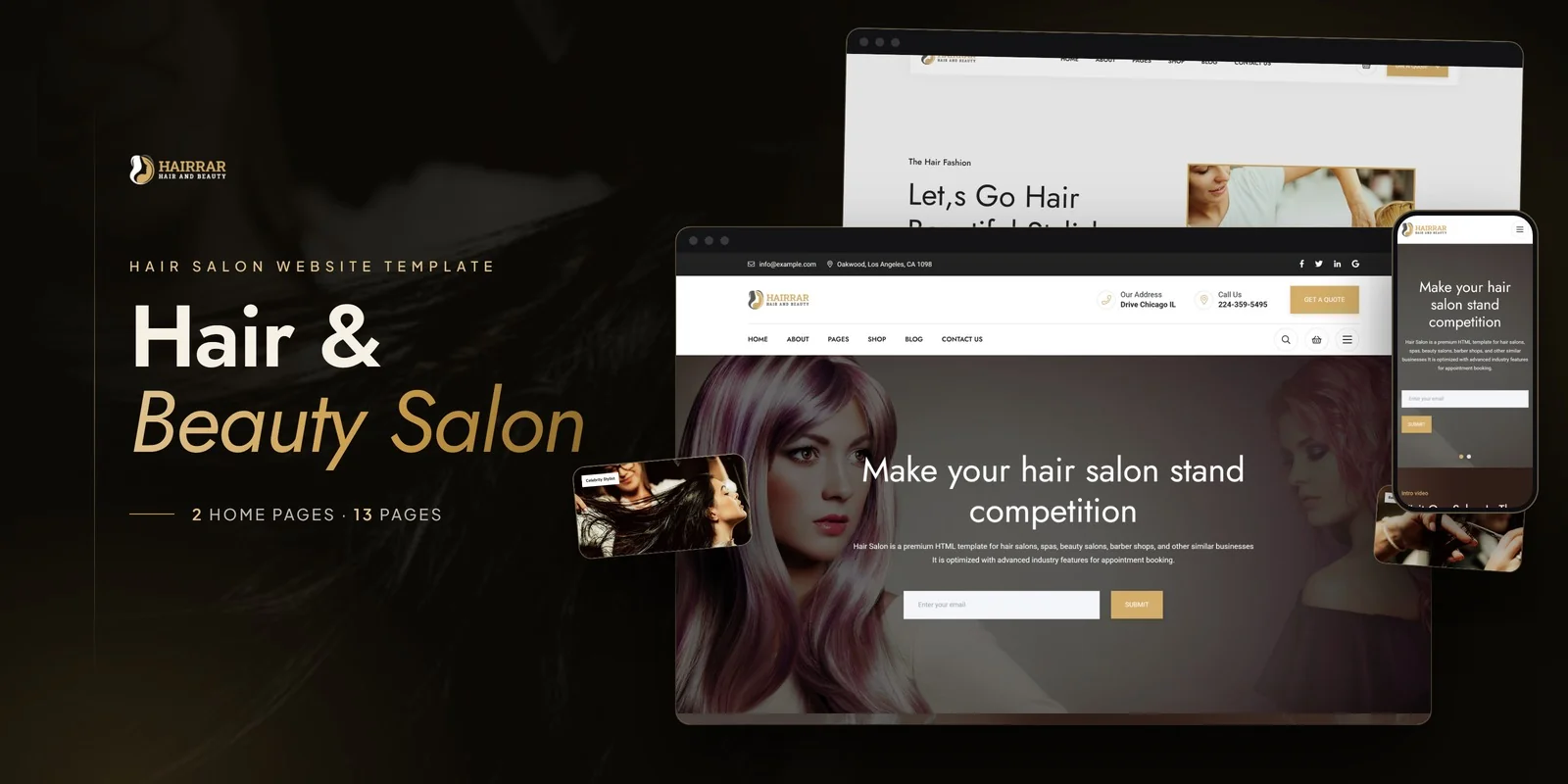
Hairrar is a hair salon and beauty studio HTML5 template designed to meet every requirement outlined in this guide. Built for hair salons, barbershops, beauty studios, and hairstyling academies, it delivers the essential components for a polished, professional beauty business web presence — with unique skill visualisation features that no generic template includes.
What Hairrar Includes
- Services Showcase — complete hair and beauty treatment listings with pricing and descriptions
- Portfolio Gallery — hairstyle and treatment portfolio with Isotope category filtering
- EasyPieChart Skill Charts — animated circular visualisations for styling expertise and treatment proficiency per stylist
- CountTo Animated Counters — clients served, styles created, years of experience in animated format
- CounterUp Animated Statistics — real-time animated achievement metrics for business credibility
- Slick Carousels — client testimonial and treatment gallery showcases
- Magnific Popup Lightbox — full-screen viewing for portfolio images and before-and-after photos
- WOW.js Scroll Animations — subtle visual polish throughout all pages
- Team Profiles — stylist bios with skill charts and specialisation details
- Blog Section — hair care tips, trend articles, and style inspiration content
- Contact Page — salon location, hours, and booking information
Technical Foundation
Hairrar is built on Bootstrap with Slick carousels for gallery and testimonial showcases, Isotope grid filtering for portfolio browsing by service category, EasyPieChart for animated skill visualisations on stylist profiles, CountTo and CounterUp for animated business statistics, WOW.js for scroll-triggered animations, and Magnific Popup lightbox for full-screen portfolio image viewing. Every page is fully responsive and built for the visual richness that beauty businesses require.
Unique Skill Visualisation: Hairrar is one of the only salon templates that includes EasyPieChart animated skill charts. These circular visualisations on each stylist profile — showing expertise levels in precision cutting, colour theory, styling, and treatments — add a professional credibility layer that text-based bios alone cannot achieve. Combined with CountTo animated business statistics, your salon communicates both individual expertise and collective achievement.
Customisation Roadmap for Salon Owners
Week One — Photography and Content: Photograph your best work for the portfolio — before-and-after shots with consistent lighting and backgrounds. Gather stylist headshots, bios, and specialisation information. Write your complete service menu with descriptions, durations, and pricing. Replace all placeholder content and adjust the colour palette to match your salon branding.
Week Two — Integration and Launch: Configure the portfolio gallery with your work organised by service category. Set up EasyPieChart skill levels for each stylist. Integrate your preferred booking system — embed a widget from GlossGenius, Fresha, Square, or similar. Connect contact forms to your email. Test across all devices and browsers, then deploy.
Frequently Asked Questions
Need Help Launching Your Salon Website?
MetropolitanHost provides professional web development services for HTML template deployments. Our team understands beauty industry website requirements and delivers clean, well-structured implementations.
- WordPress Theme Installation — live in under 24 hours
- Full Website Package — complete front-to-back deployment
- Colour Customisation — match your salon branding across all pages
- Website Speed Optimisation — Core Web Vitals improvements
- Accessibility Compliance — WCAG audit and remediation



