“Free AI website generator” is one of the most-searched phrases in 2026 — and one of the least honest. Most of the tools that rank for it are not actually free. They are free until you want a domain. Free until you want to remove the watermark. Free until you want to publish more than three pages. Free until you want to keep your data after closing the tab.
This article tests eight AI website generators that show up for “free ai website generator” in 2026 on a single honest question: what can you actually do without paying anything? We started a new account on each, generated a 5-page site, attempted to publish, and noted the exact moment the paywall arrived. Some of these tools are genuinely free for real use cases. Others are demos with a payment gate disguised as a generator. The list below is sorted by how much of the actual workflow stays free.
What “free” actually means in 2026
There are five common patterns hidden inside the word “free” when an AI website builder uses it:
- Free forever, with a watermark in the footer. You can publish, but every page says “Built with Toolname.” Acceptable for a portfolio, a side project, or a placeholder; not acceptable for a business site that wants to look professional.
- Free with a subdomain. You publish at yoursite.toolname.com instead of yoursite.com. Bad for SEO, bad for memorability, locks you into the platform when you eventually buy the domain.
- Free until you publish. You can generate and edit forever; clicking “publish” triggers the paywall. The 30-second demo is free; the actual site is not.
- Free up to N pages. Common pattern: free for 3 pages, paid above that. Useful if your project really is small; useless if you need anything bigger.
- Free with limits that compound. Free for the first 14 days, then 50% off for 6 months, then full price forever. The “free” lasts longer than the alternative, but you still end up paying.
Below, each tool is rated against these five patterns. “Genuinely free” means at least one realistic small-business use case can run on the free tier indefinitely. “Free in marketing only” means you cannot complete the workflow without paying. The line between these matters.
1. MetropolitanHost Studio — Best for genuinely free generation + transparent per-page pricing
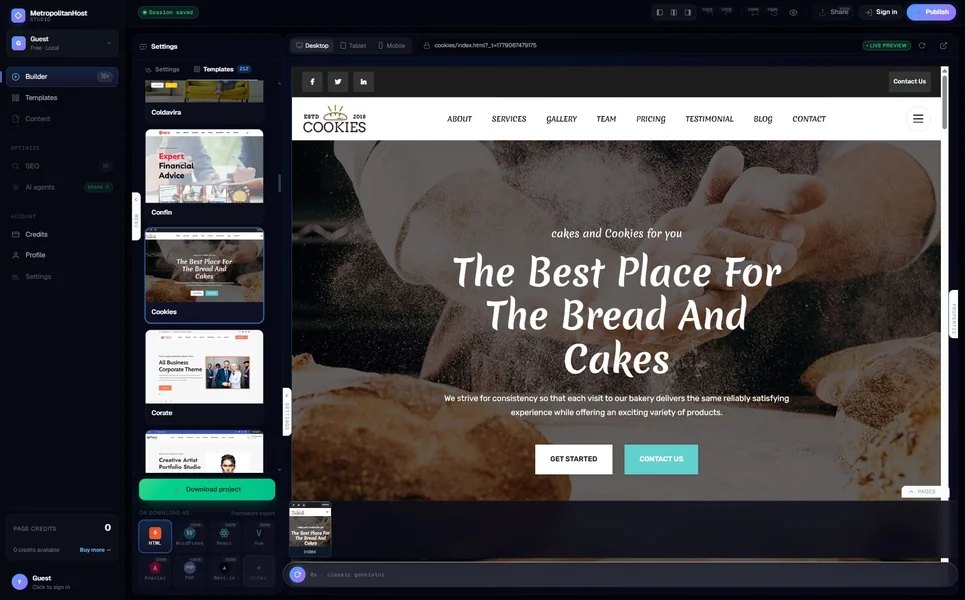
The MetropolitanHost AI generator is free to use indefinitely — generate as many sites as you want, preview them, edit them, regenerate them. The paywall arrives at download: you pay $5 for six pages, $9 for twelve, $19 for thirty, $99 for two hundred. There is no monthly subscription. You only pay when you want the actual HTML zip, and credits never expire.
That means: a typical 6-page small-business site costs $5 lifetime. You walk away with the source code and host wherever you want. There is no watermark, no subdomain lock-in, no “free until you publish” trap — the free tier covers everything except the final export, and the export is a one-time per-project fee, not a subscription.
For comparison, that is the cheapest “actually free until I am sure” experience on this list. Generate freely, decide if you want it, then pay $5 for the source code — or do not pay and the demo evaporates with no commitment.
Verdict — Genuinely free for unlimited generation and previewing. Paid at export time only ($5-$99 per project lifetime, not monthly).
2. Mobirise AI — Best for download-and-host with a real free tier
Mobirise is a desktop application (Windows / Mac) that you install on your own machine. The AI generates static HTML directly to your local file system. You publish wherever you want (Netlify, Vercel, your own server, anywhere). The free tier covers up to three projects per month with full AI generation, content tools, and HTML export.
The catch is the project limit (three per month on free) and the upgrade path (paid plans start at $39/year for unlimited projects). For most solo founders making one or two sites per year, the free tier covers the entire workflow indefinitely.
Verdict — Genuinely free for up to three projects per month. No watermark, no subdomain, no publishing wall.
3. Wix Free Plan — Marketing-only “free”
Wix’s free plan exists and is heavily marketed. You can build a complete site with Wix Harmony AI, publish it, share the URL. What the marketing does not say loudly: the free plan publishes at yoursite.wixsite.com/yoursubdomain, displays Wix ads on every page, does not let you connect a custom domain, does not allow ecommerce transactions, and caps storage at 500MB.
For a personal portfolio that lives behind the wixsite.com subdomain, the free plan technically works. For literally any business use, you will need at minimum the Combo plan at $16/month to remove the ads and connect a domain.
Verdict — Free in marketing only. Real-world use requires the paid tier.
4. Hostinger Horizons — Free trial, not free product
Hostinger’s AI builder is bundled with their hosting plans, which start at $3.99/month introductory and renew higher. The “free trial” gives you 7 days to test the builder and the hosting; after that, the bill arrives. There is no permanent free tier.
The introductory price is genuinely cheap (~$50/year for the first year) and the renewal is reasonable (~$100-$200/year). But “free” is not the right word for it — this is a paid product with a short trial.
Verdict — Free trial only. Becomes paid after 7 days.
5. Durable — Generate free, publish paid
Durable’s pitch is “a website in 30 seconds, free to try.” That is true: you can generate a complete site, edit it, preview it, even share a preview link, all without paying. The moment you want to publish to a real domain or connect to a Google Business Profile, the paywall arrives at $22/month ($25/month month-to-month).
For a buyer who genuinely wants to test before committing, Durable’s free generation is useful — you find out whether the AI produces a site that fits your business before spending money. But the “free” tier is a sales tool, not a usage tool.
Verdict — Free generation, paid publication. Useful as a try-before-you-buy, not as a free product.
6. Webnode — Free with watermark + subdomain
Webnode offers a permanent free plan that publishes at a webnode.com subdomain with the Webnode badge in the footer. The AI builder generates content, edits work, the site goes live, but it lives at yoursite.webnode.com with branding you cannot remove.
Acceptable for a hobby project, a class assignment, or a “test the workflow before committing” exercise. Not acceptable for any business presence — the subdomain and the watermark both signal “this is not a real business” to anyone who lands.
Verdict — Free with significant compromises (watermark + subdomain). Real-world business use requires $4-$32/month paid tier.
7. WordPress.com Free Plan — Free with subdomain + ads
WordPress.com’s free plan includes basic AI features, themes, and unlimited content — but publishes at yoursite.wordpress.com, displays ads, caps storage at 1GB, and disables most plugins. For a personal blog or a writer’s portfolio, the free tier is genuinely usable. For any business site, the Personal plan ($4/month, $48/year) is the minimum that removes the ads and lets you connect a domain.
Worth flagging: WordPress.com Free is different from self-hosted WordPress (wordpress.org). Self-hosted WordPress is software, not a service, and is “free” only in the open-source sense — you still pay for hosting elsewhere ($5-$30/month) and any premium themes or plugins you add.
Verdict — Free with significant compromises (subdomain + ads + plugin restrictions). Personal or hobby use only.
8. Google Sites + Gemini — Actually free, but barely an AI builder
Google Sites lets you build basic sites with Google’s Gemini AI generating section content. It is genuinely free with a Google account, no watermark, no subdomain restrictions (you can connect a custom domain), and integrates with the Google Workspace stack natively.
The honest catch is that Google Sites is not really competing with Wix or Squarespace. It is a lightweight internal-site builder originally designed for company intranets and team pages. The AI assist is light, the design templates are limited, and the output looks like Google Sites. For a small business that wants a real public-facing site, Google Sites is under-spec’d. For a team that wants an internal knowledge base or a quick landing page, it is genuinely free and competent.
Verdict — Genuinely free for the limited use case Google Sites is designed for.
The honest free-tier ranking
Sorting by how much of a realistic small-business workflow you can complete without paying:
- MetropolitanHost Studio: Unlimited free generation, $5-$99 lifetime per project at download. Genuinely free until you decide to keep it.
- Mobirise AI: Up to 3 projects per month with full HTML export, no watermark. Genuinely free for low-volume creators.
- Google Sites + Gemini: Genuinely free for the use case it covers (basic sites, internal pages).
- Durable: Free generation, paid to publish to a real domain.
- WordPress.com Free Plan: Free for personal blogs with subdomain and ads.
- Webnode: Free with watermark + subdomain; unusable for business.
- Wix Free Plan: Free with ads + Wix subdomain; demo only for real businesses.
- Hostinger Horizons: 7-day trial, not a free product.
What “free” should actually cover before you commit
The five questions to ask any “free AI website generator” before opening an account:
- Can I publish at my own domain on the free tier? If no, the free tier is a demo, not a usable product.
- Is there a watermark or platform branding on the published site? If yes, it is free for hobby use only.
- Can I download the HTML and host elsewhere on the free tier? If no, the free tier is a lock-in funnel.
- What page count limit applies on the free tier? Three pages is usually enough for a portfolio, not enough for a service business.
- What happens to my work if I stop paying? On hosted-only platforms, your site disappears. On export-friendly platforms, you keep what you downloaded.
The clearest “free” answers in 2026 come from MetropolitanHost (unlimited free generation, pay per project at download) and Mobirise (unlimited generation on desktop, free for low-volume use). Everyone else has caveats that matter.
The bottom line
The phrase “free AI website generator” is doing a lot of marketing work in 2026, and the user usually loses if they take it literally. The honest free options are the ones that let you generate, preview, and decide before any payment commitment — MetropolitanHost and Mobirise lead that group. The free-as-marketing options (Wix, Hostinger, Durable) are useful as try-before-you-buy demos but cannot be used as actual websites without paying.
If you want to test the genuinely-free path with code you can own, try the MetropolitanHost AI generator. Generate as many sites as you want; pay $5 when you find one you like; walk away with the HTML. For the full ranking by output quality (not just by free-tier generosity), see our 10 best AI website generators tested by code quality. If your priority is owning the code rather than getting it cheap, read AI website generators that export real HTML you actually own. And for the comprehensive cost breakdown across paid tiers, see AI website generator pricing in 2026.
Is there a genuinely free AI website generator in 2026?
Can I publish a free AI-generated website to my own domain?
Do free AI website generators put a watermark on the published site?
What’s the catch with “free” AI website builders?
What’s the cheapest path to a real website with AI in 2026?
More buyer's guides
- AI Website Generators That Export Real HTML You Actually Own (2026)
- AI Website Generators for Restaurants — Menus, Hours, Bookings Done Right (2026)
- Multi-Page AI Website Generators — 6 Tools That Build Beyond a Landing Page (2026)
- AI Website Generator Pricing — Real 2026 Costs from 12 Tools, Tier by Tier



