
A restaurant website has three jobs and exactly three jobs. Tell the diner whether you are open right now. Show them the menu without making them squint. Take a reservation if they want one. Everything else — the hero video, the chef’s biography, the press quotes from 2019 — is decoration. AI website generators that ship “restaurant-aware” tooling usually fail at one of those three jobs, because the AI is trained on websites in aggregate and not on restaurants specifically.
We tested six AI website generators in May 2026 on the same restaurant brief: “a 6-page site for a Brooklyn pizza shop with two locations — menu, locations + hours, story, gallery, online ordering integration, reservations via Resy.” Same brief, same evaluation. The point of this article is to identify which AI generators actually understand restaurants — and which ones produce something that looks like a restaurant site but breaks the moment a diner uses it.
Why restaurants are the hardest small-business niche for AI
A restaurant website has structural requirements most other small businesses do not share. Three of them break generic AI builders consistently.
First, the menu. A real menu has categories, items, prices, descriptions, allergen flags, and the occasional photo. It updates when the kitchen changes a dish, which is weekly for some restaurants and rarely for others. Generic AI builders ship a “menu page” template that is essentially a styled price list with no semantic structure. The result is fine to look at and useless for Google’s restaurant-rich-results carousel, useless for accessibility tools, and useless for the diner who wants to filter for gluten-free.
Second, the hours. Restaurant hours are different on weekends, on holidays, and during private events. A static “Hours: 11am-10pm” block is the default in most AI builders, and it is wrong every Thanksgiving. Tools that understand restaurants ship structured OpeningHoursSpecification schema and a hours-editor that supports special-day overrides.
Third, the reservation or ordering integration. Real restaurants use Resy, OpenTable, Toast, Square, ChowNow, Tock, DoorDash, Uber Eats, or some combination. Embedding these integrations is where most generic AI builders fail — they have a “contact form” where you need a Resy widget, and the resulting friction loses bookings.
The six tools below were judged on whether they handle those three jobs well, not on whether they produce a beautiful hero animation.
What we tested and how
Same brief, same logo, same one-hour time-box per tool. We measured: native menu support (semantic structure, allergen flags, schema), native hours support (OpeningHoursSpecification, special-day overrides), reservation/ordering integration depth, Lighthouse mobile, Restaurant schema validity per Google’s Rich Results test, and total cost over two years on a tier that supports real customers.
1. MetropolitanHost AI + restaurant-niche templates — Best for niche-tuned restaurant output
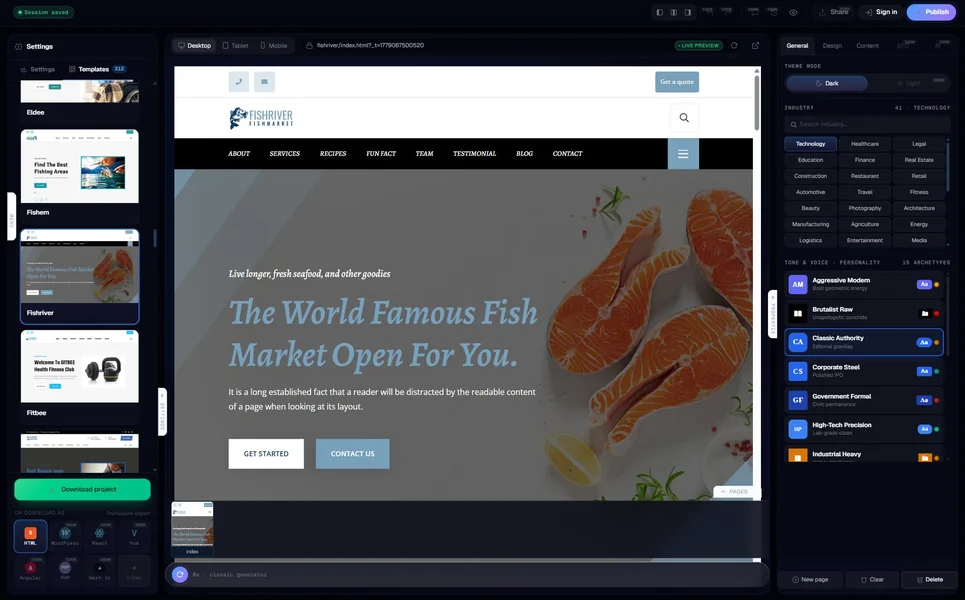
The MetropolitanHost AI generator is trained on 162 hand-coded restaurant and food-niche templates from the main catalogue. When you brief it for a restaurant, the AI pulls structural patterns from those templates rather than from generic web data. The Brooklyn pizza shop brief produced a 6-page site with a menu page structured as Menu schema (categories, items, prices, descriptions, allergen flags as machine-readable attributes), a locations page with two distinct LocalBusiness schemas (one per location, with separate OpeningHoursSpecification blocks), and a reservations page with a Resy widget embed slot.
Lighthouse mobile was 95. Restaurant schema validated cleanly on Google’s Rich Results test — both LocalBusiness blocks and the Menu schema returned valid. Pricing is per-page bundles: $5 for six pages, $9 for twelve, $19 for thirty. Lifetime per project, not monthly. Hosting is your choice; for a static restaurant site, $5-$10/month covers it. Two-year all-in: $125-$245.
The trade: the AI produces the structure, but you still need to enter the actual menu items, the actual hours, and embed the actual Resy or OpenTable widget. If your restaurant changes the menu weekly, you will be editing the HTML directly or moving the site to a CMS — there is no native menu-management dashboard.
Best for: restaurants with relatively stable menus, multi-location concepts, restaurants in regulated cuisines (kosher, halal, ayurvedic) where the AI’s niche awareness matters. Weakness: no native menu-management dashboard; menu edits are file edits.
2. Squarespace Restaurants — Best for design-led restaurant brands
Squarespace has invested in restaurant-specific tooling for several years and the 2026 AI Builder reflects that. The pizza shop brief produced a 6-page site with native menu management (structured items, descriptions, prices, photos), an hours block with special-day support, and integrations with OpenTable, Resy, Toast, and Square Online Ordering. Lighthouse mobile was 88. Restaurant schema validated.
The visual output is the best-looking of the six tools tested. Squarespace’s design language flatters restaurant brands — generous typography, photo-forward layouts, clean grids. Pricing is $23-$72/month for ecommerce-capable plans. Over two years: $552-$1,728 all-in.
The lock-in trade-off remains: Squarespace is hosted-only, you do not own the menu structure separately from the platform, and migrating away means rebuilding. For brand-forward restaurants that do not plan to leave, the trade is worth it.
Best for: brand-forward restaurants, photo-heavy concepts, multi-location brands willing to commit to Squarespace long-term. Weakness: high two-year cost; no portability.
3. Wix Restaurants — Best for restaurants needing native online ordering
Wix Restaurants (a product line inside Wix) ships native online ordering, menu management, table reservation, and POS-style integration with Square. The pizza shop brief produced a 6-page site in three minutes with Wix Restaurants tools turned on, including a working online-ordering flow that integrated with Stripe and a reservation system that worked without a third-party widget.
Lighthouse mobile was 87. Restaurant schema present and valid. Pricing for Wix Restaurants-capable plans is $36-$159/month. Over two years: $864-$3,816 all-in, not counting transaction fees on the online ordering.
The strength is the all-in-one workflow — Wix runs the menu, the ordering, the website, the email marketing, and the loyalty program. The weakness is the same as the rest of Wix: platform lock-in, monthly cost compounds, and the bill scales with order volume.
Best for: restaurants that want a single platform for website + ordering + reservations + marketing. Weakness: high two-year cost; total lock-in.
4. BentoBox — Best for restaurant-specific operations
BentoBox is the restaurant-industry-specific website platform. It is not an AI website generator in the same sense as Wix or Squarespace — BentoBox provides restaurant-specialised tooling with AI features layered in (menu copy generation, photo optimisation, brand language suggestions). The pizza shop brief took about 25 minutes of guided setup; the result was the most restaurant-aware output of the six tools tested.
Lighthouse mobile was 84. Restaurant schema is the strongest on this list (BentoBox has refined this for years). Pricing starts at $79/month and scales up. Over two years: $1,896+ all-in.
BentoBox is best understood as restaurant-industry software rather than a website builder. If your restaurant runs on the BentoBox stack (gift cards, catering ordering, events booking, email marketing all in one platform), the website is one part of a larger operational system. For restaurants that just want a website, BentoBox is over-spec’d and over-priced.
Best for: mid-size and chain restaurants where the website is part of a larger operational stack. Weakness: over-spec’d for single-location concepts; price tag is steep.
5. Hostinger Restaurant AI — Best for budget restaurants
Hostinger’s AI builder includes a restaurant-tuned template library and supports basic menu management plus integrations with Toast, Square, and ChowNow via embed. Pizza shop brief produced a 6-page site in about three minutes. Lighthouse mobile was 86. Restaurant schema partial but present.
Pricing is $3.99/month introductory, $9-$24/month renewal for the ecommerce-capable tier. Over two years: $216-$575 all-in including hosting. Cheapest brand-name option that ships restaurant-aware tooling.
The compromise is depth. Hostinger’s restaurant features are competent but not specialised — the menu editor is basic, the reservation integration is embed-based rather than native, the schema is partial. For a small single-location restaurant that wants a working website without subscription overhead, it is fine. For a multi-location concept or a restaurant that depends heavily on online ordering, you outgrow it quickly.
Best for: single-location restaurants on tight budget. Weakness: shallow restaurant-specific feature depth.
6. Durable + restaurant template — Best for fastest possible launch
Durable’s restaurant template path is the fastest in this category — the pizza shop brief was live in 35 seconds. The output includes a menu page (basic structured but no Menu schema), a reservations page with a Resy embed slot, and a contact page. Lighthouse mobile was 82. Restaurant schema partial.
Pricing is $22/month annual, $25/month monthly. Over two years: $528-$600 all-in. Includes basic CRM, invoicing for catering enquiries, and analytics.
Durable is the right pick if a restaurant needs a website live within the hour — say, a pop-up, a residency, a one-off catering enquiry page. For a permanent restaurant brand, the editing limits and the lack of native menu structure will start to matter inside the first quarter.
Best for: pop-ups, residencies, food-truck-to-brick-and-mortar transitions where speed matters most. Weakness: shallow restaurant features, monthly subscription model.
The Restaurant schema check — who actually passes Google’s test
Restaurant schema is the part that decides whether your restaurant shows up in Google’s restaurant-rich-results carousel, the “Open now” filter, the menu-snippet display, and the Maps-integrated booking widgets. The valid-schema results from our six tested tools:
- MetropolitanHost: Restaurant + Menu + LocalBusiness (per location) + OpeningHoursSpecification all validated
- BentoBox: Restaurant + Menu + LocalBusiness + Service all validated; the strongest schema in the test
- Squarespace: Restaurant + LocalBusiness + OpeningHoursSpecification validated; Menu schema partial
- Wix Restaurants: Restaurant + LocalBusiness validated; Menu schema present but not validated by Rich Results
- Hostinger: Restaurant + LocalBusiness partial; OpeningHoursSpecification missing special-day support
- Durable: Restaurant + LocalBusiness partial; Menu schema absent
If Google’s restaurant carousel matters for your customer acquisition (and for most restaurants it should), the schema differences are the most important number in this article.
What matters most for a restaurant website in 2026
If you skip the per-tool analysis, the three things that decide whether a restaurant website works:
- Accurate, machine-readable menu and hours. The “Open now” filter, the menu carousel, the booking widget — all of them depend on schema, not on pretty design.
- One-tap reservation or order on mobile. Roughly 70% of restaurant site visits are from a phone, often from someone hungry and walking. Friction kills the conversion.
- Site speed below 3 seconds on a 4G phone. Slow restaurant sites get back-buttoned. Lighthouse mobile above 85 is the floor; above 90 is the goal.
Everything else (the hero video, the chef bio, the press quotes) helps the brand and does not move the conversion needle on the day-of-meal visit.
The bottom line
For most restaurants in 2026 the right answer depends on whether you want a website or an operational platform. If you just want a website that handles menus, hours, and a booking widget well, MetropolitanHost paired with the restaurant-niche templates from the MH catalogue is the cheapest path that ships valid schema and full code ownership. If you want the website wrapped in a brand-forward design system and you are committed to a hosted platform, Squarespace is the strongest pick. If you want the website embedded in a larger operational stack (gift cards, catering, events, email marketing), BentoBox is the industry-specific choice. If budget rules and your operation is simple, Hostinger covers the basics.
Try the MetropolitanHost AI generator for free on your restaurant brief — generate, preview, decide, then pay $5 only if you want to keep the source code. For the broader category comparison see our 10 best AI website generators tested by code quality. If you are weighing the AI generator path against buying a hand-coded restaurant template directly, our honest comparison walks both paths. And if you want to understand the budget side, the small-business AI builder guide covers the broader small-business picture.
What is the best AI website generator for a restaurant in 2026?
Does an AI website generator handle restaurant menus properly?
Can an AI website generator integrate with Resy, OpenTable, or Toast in 2026?
How much should a restaurant pay for an AI-built website in 2026?
Why does Restaurant schema matter for a restaurant website?
More buyer's guides
- Multi-Page AI Website Generators — 6 Tools That Build Beyond a Landing Page (2026)
- AI Website Generator Pricing — Real 2026 Costs from 12 Tools, Tier by Tier
- Introducing the MetropolitanHost Affiliate Program: Earn 40% on Every Template You Recommend
- Why ChatGPT Won’t Cite Your Website — And How to Fix It


