What Makes a Fashion eCommerce Website Different From Every Other Online Store?

A fashion ecommerce website template is not a generic online store with clothing photos dropped in. Fashion retail operates under a completely different set of rules than electronics, groceries, or home goods. Your customers are not buying specifications — they are buying identity, aspiration, and self-expression. The website that sells a $200 dress needs to evoke the same emotional response as trying it on in a boutique fitting room.
This is why most generic ecommerce templates fail fashion brands. They are built for products that sell on features and price. Fashion sells on visuals, brand story, and the feeling a customer gets when they imagine wearing your pieces. The template you choose must understand this fundamental difference — and it must be built from the ground up for how fashion shoppers actually browse, evaluate, and buy online.
This guide breaks down exactly what a fashion ecommerce site needs to convert browsers into buyers, what most templates get wrong, and how to evaluate a template before spending a dollar.
Template vs Shopify vs Custom Build
Fashion brand owners typically face three paths when building an online store. Each has real trade-offs in cost, creative control, and long-term value:
| Factor | Website Builder (Shopify, Wix) | Fashion eCommerce Template | Custom Agency Build |
|---|---|---|---|
| Upfront Cost | $0 | $39–69 | $5,000–20,000 |
| Monthly Cost | $39–79/month + transaction fees | $3–10/month (hosting only) | $100–300/month (hosting + maintenance) |
| 3-Year Total Cost | $1,404–2,844 + transaction fees | $157–429 | $8,600–30,800 |
| Code Ownership | No — you rent it | Yes — you own it forever | Yes — you own it |
| Design Freedom | Limited to platform themes | Full creative control | Unlimited |
| SEO Control | Limited (platform URL structure) | Full control | Full control |
| Transaction Fees | 0.5–2% per sale (unless using Shopify Payments) | None (your payment processor only) | None |
| Time to Launch | 1–3 days | 3–7 days | 6–16 weeks |
| Portability | Cannot move — locked to platform | Move to any host | Move to any host |
The template sits in the sweet spot for fashion brands: you get a website that looks editorial-grade, loads faster than any platform builder, gives you complete ownership of the code, and costs less than a single month of Shopify Plus. For independent labels, boutique owners, and emerging designers who need a professional online presence without ongoing platform fees and transaction cuts, a fashion ecommerce template is the highest-ROI option available in 2026.
10 Features Every Fashion eCommerce Template Must Have
Not every template with a product grid qualifies as a fashion ecommerce template. Many are generic shop layouts with a hero image of a model. Before evaluating any template, check it against these ten requirements. If it fails more than two, move on.
1. Lookbook and Brand Showcase Pages
This is the single biggest differentiator between a fashion template and a generic ecommerce template. Fashion customers do not browse a product grid the way they browse Amazon for phone cases. They want to see the collection as a curated editorial experience — styled outfits, mood photography, seasonal themes. A lookbook page presents your pieces in context: how they look together, how they move, what lifestyle they represent. Templates without dedicated lookbook or brand showcase pages force you to sell clothes the same way someone sells USB cables. That is not how fashion works.
2. Multiple Product Layout Options
Different product types demand different presentation. A minimalist grid works for accessories and basics. A large-image list layout works for statement pieces and outerwear. Your template needs at least three shop layout variations — full-width grid, grid with sidebar for filters, and a list view with larger images and longer descriptions. This gives you the flexibility to present a $12 t-shirt and a $400 jacket in the way each deserves.
3. Product Detail Pages That Sell
The product detail page is where the buying decision happens. For fashion, this page must include multiple high-resolution product images (front, back, detail, on-model), zoom functionality, a prominent size selector, color variants, an add-to-cart button that stays visible while scrolling, and enough space for fabric composition, care instructions, and fit notes. Templates that give you a single product image and a paragraph of text are built for books, not blouses.
4. Mobile-First Responsive Design
Fashion ecommerce skews heavily mobile. Over 70% of fashion purchases begin on a smartphone, and that number is even higher for impulse buys from Instagram and TikTok ads. Your template must be designed mobile-first — not desktop-first with a responsive afterthought. Test the demo on your phone: swipe through product images, tap the size selector, add to cart, open the menu. If any of those interactions feel clunky on a 6-inch screen, your mobile shoppers will abandon and buy from a competitor.
5. Cart and Checkout Designed for Conversion
Fashion has one of the highest cart abandonment rates of any ecommerce category — consistently above 70%. The checkout experience in your template directly impacts whether browsers become buyers. A fashion-ready checkout must include a clean cart summary with product thumbnails (so shoppers can visually confirm what they are buying), a multi-step checkout that does not overwhelm with fields, guest checkout (forcing account creation kills conversions), and a layout that looks trustworthy on mobile. Templates with a single-page form dump lose sales.
6. Blog System for Content Marketing
Fashion brands that publish content — style guides, trend reports, behind-the-scenes stories, outfit inspiration — consistently outperform brands that rely solely on product pages. Your template needs a full blog system with multiple archive layouts and individual post pages. This is not optional. Blog content drives organic traffic from searches like “how to style a blazer for a wedding” or “best dresses for spring 2026,” bringing potential customers to your site who never would have found your product pages directly.
7. SEO-Optimized Semantic Markup
Behind every beautiful fashion layout, the HTML structure determines whether Google can find and rank your pages. Your template must use semantic HTML5 elements — proper heading hierarchy, descriptive image alt text placeholders, clean navigation with ARIA labels, and structured product information. This is what allows Google to understand your site and rank your product pages for searches like “black cocktail dress” or “men’s streetwear collection.” Templates built on messy, non-semantic code look fine to humans but are invisible to search engines.
8. Fast Page Speed and Clean Code
A fashion website loaded with heavy animations, unoptimized scripts, and bloated CSS takes over three seconds to load on mobile — and 53% of mobile visitors leave a site that takes longer than three seconds to load. Your template should be built on a modern CSS framework like Bootstrap 5, use minimal JavaScript, avoid render-blocking resources, and score well in Google PageSpeed Insights without any optimization. Speed is a direct Google ranking factor and a direct conversion factor. Slow fashion sites lose both rankings and sales.
9. Authentication Pages That Match Your Brand
Login and registration pages are often overlooked, but they are part of your brand experience. A fashion customer creating an account or signing in should see the same aesthetic quality as your homepage. Custom-styled authentication pages build trust and reduce friction. Templates that redirect to generic, unstyled login forms break the brand immersion and make your site look unfinished.
10. Cross-Browser and Cross-Device Consistency
Your customers use Chrome on Android, Safari on iPhone, Firefox on desktop, and Edge on work laptops. Your template must render consistently across all of them. Cross-browser testing is non-negotiable for fashion sites because visual inconsistencies — a misaligned product grid, a broken image gallery, a checkout button that disappears on Safari — directly erode trust. Fashion shoppers judge quality by what they see on screen. If your website looks broken, they assume your clothes are low-quality too.
Quick Checklist Before You Buy
Open the template demo on your phone. Browse the lookbook pages. Tap through product images. Add something to the cart. If the experience feels clunky, slow, or visually inconsistent — the template is not ready for your fashion brand. A demo that frustrates you will frustrate your customers even more.
Why Lookbooks Are the Secret Weapon of Fashion eCommerce
Walk into any successful fashion boutique and you will notice something immediately: the clothes are not hanging on a rack in alphabetical order. They are styled together — a jacket paired with a scarf, boots placed next to jeans, a dress displayed with the right bag. The store is curated to inspire complete outfits, not individual purchases.
A lookbook page does exactly this for your online store. It presents your collections as editorial spreads rather than isolated product listings. Instead of showing a customer a grid of 200 individual items, a lookbook tells a visual story: “Here is our spring collection. Here is how these pieces work together. Here is the lifestyle this collection represents.”
The business impact is measurable. Fashion retailers with lookbook-style content on their websites report higher average order values because customers buy the complete outfit instead of a single piece. They also see lower return rates because shoppers have a clearer picture of how the items look when styled together, rather than guessing from a product photo on a white background.
When evaluating a fashion ecommerce template, count the lookbook or brand showcase pages. One is good. Three is better. Six dedicated brand pages — each serving as a separate collection showcase — gives you the editorial depth to tell multiple brand stories and rotate seasonal content without redesigning your site.
Product Photography Presentation: What Your Template Must Support
The most common reason fashion ecommerce sites fail to convert is not bad marketing or weak pricing — it is poor product photography presentation. The photos themselves might be excellent, but if the template does not display them properly, the effort is wasted.
Multiple Image Formats Your Template Should Handle
Fashion product photography typically uses three formats, and your template should showcase all of them:
- Flat lay: Product photographed from above on a clean surface. Essential for showing fabric texture, color accuracy, and design details. Your product page needs large, zoomable images for this format.
- On-model: Product worn by a model showing fit, drape, and movement. Your template needs tall image containers that do not crop the model awkwardly at the knees or elbows.
- Lifestyle: Product shown in context — a jacket worn on a city street, a dress at a dinner party. These images drive emotional connection and belong on your homepage, lookbook pages, and blog posts.
Gallery and Zoom Functionality
Fashion shoppers zoom. They want to see the stitching, the buttons, the fabric weave, the print detail. Your product detail page must include a multi-image gallery with zoom on hover or click. Templates that display a single product image — or a gallery without zoom — are missing one of the most fundamental fashion ecommerce requirements. The inability to inspect details is one of the top five reasons fashion shoppers abandon product pages.
Sizing Guides and Trust: Reducing Returns Before They Happen
Return rates in fashion ecommerce hover between 20% and 40% — dramatically higher than any other product category. The number one reason for returns is fit. The customer ordered a medium, received it, and it did not fit the way they expected. Every return costs your business money in shipping, restocking, and lost customer trust.
Your website template cannot solve the sizing problem entirely, but it plays a critical role. The product detail page must include clearly structured space for sizing information — a size chart table, fit notes (slim fit, true to size, runs large), model measurements (“Model is 5’8″ wearing size S”), and fabric composition that hints at stretch and drape. Templates that only give you a single text field for the product description do not provide enough structured space for this essential information.
Beyond the product page, a dedicated FAQ page covering your sizing policy, return process, and measurement instructions builds the trust layer that encourages first-time buyers to take the risk. Fashion shoppers who feel confident about sizing convert at significantly higher rates than those who are guessing.
Checkout Optimization for Fashion Brands
Fashion ecommerce cart abandonment rates are among the highest in online retail — consistently between 70% and 80%. Understanding why shoppers abandon and choosing a template that addresses those reasons is the difference between a website that generates revenue and one that generates frustration.
Why Fashion Shoppers Abandon Carts
Research consistently identifies the same reasons across fashion ecommerce:
- Unexpected shipping costs shown at checkout (not on the product page)
- Forced account creation before purchasing
- Complicated checkout process with too many form fields
- No visual confirmation of what they are buying (no thumbnails in cart)
- Lack of trust signals — no secure payment icons, no return policy visible
- Slow page loads during checkout
What Your Template’s Checkout Must Include
A fashion-optimized checkout template includes a clean cart page with product thumbnails and size/color details so shoppers can visually verify their selections. The checkout flow should be multi-step (shipping, payment, confirmation) rather than a single overwhelming form. Guest checkout must be an option. The layout should display trust signals — secure payment icons and a visible return policy link. And the entire checkout must work flawlessly on mobile, because that is where the majority of fashion purchases happen.
The Cart Abandonment Math
If your fashion store gets 1,000 visitors per month and 10% add items to the cart, that is 100 potential orders. At a 75% abandonment rate, only 25 complete the purchase. Reducing abandonment by just 10 percentage points — from 75% to 65% — gives you 35 orders instead of 25. That is a 40% revenue increase from the same traffic. The template you choose directly impacts this number through its checkout design, page speed, and mobile experience.
35 Pages That Cover Every Fashion Shopper Touchpoint
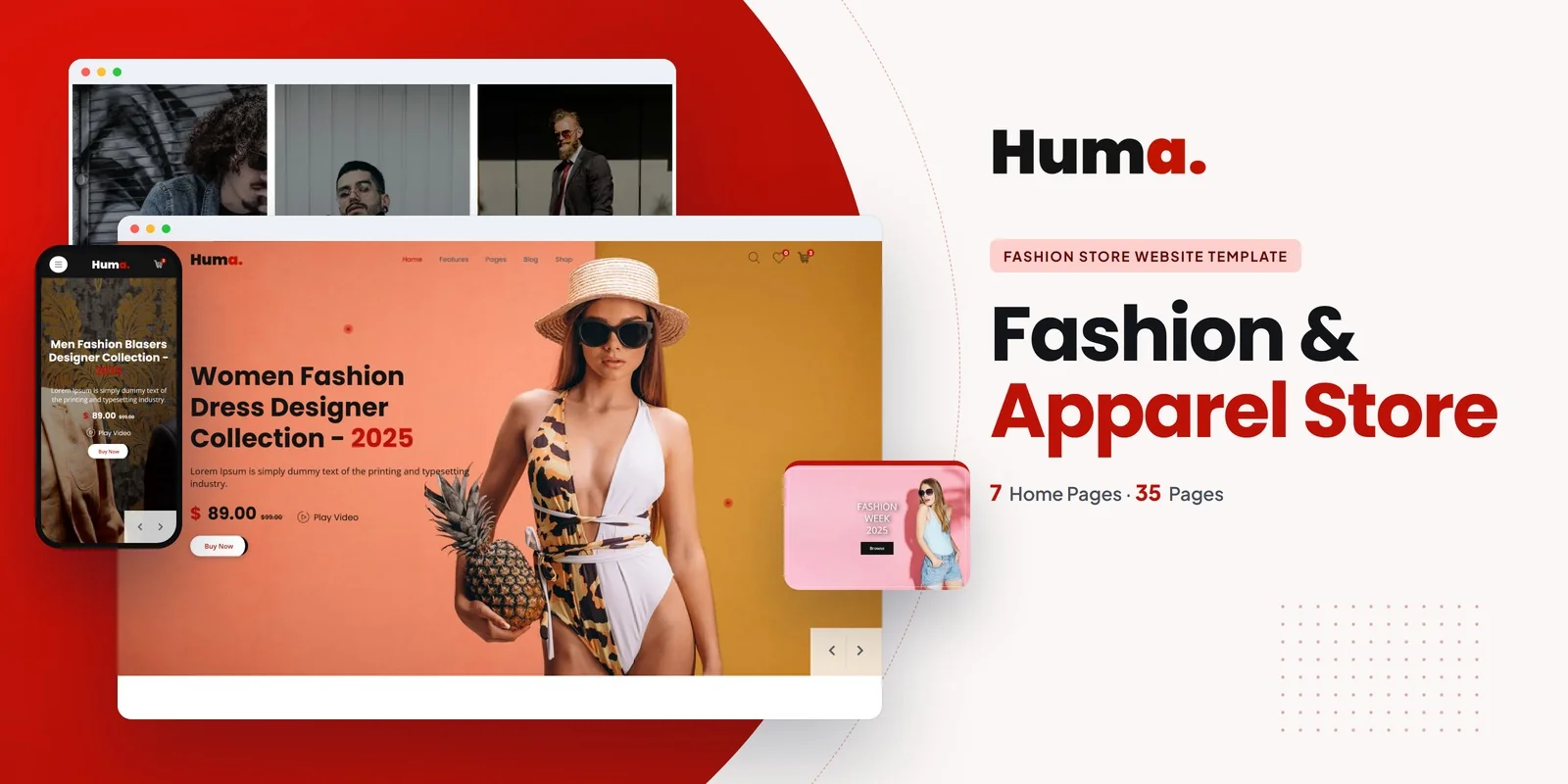
A serious fashion ecommerce website is not a five-page brochure with a product grid bolted on. It is a complete digital storefront that serves every shopper need from first impression to order confirmation. The most complete fashion ecommerce templates cover all essential pages — and the Huma fashion template is one of the few that ships with 35 purpose-built pages designed as a complete system. Here is what each section covers and why your fashion brand needs it:
Homepage
The homepage sets the brand tone in under three seconds. Huma’s homepage uses full-width hero imagery, featured collection highlights, and a clean navigation structure that guides shoppers into the store. For fashion brands, the homepage must communicate aesthetic identity immediately — before the visitor reads a single word. If the visual impression does not match the brand, the visitor leaves.
Brand Showcase Pages (6 Pages)
This is where Huma stands apart from generic ecommerce templates. Six dedicated brand pages — Alice, Armour, Desmonte, IC, Reformed, and Regenerator — provide lookbook-style showcases for individual collections or sub-brands. Each page is architecturally designed as an editorial spread rather than a product listing. Use these for seasonal collections, capsule lines, collaborations, or individual brand stories within a multi-brand boutique. Having six ready-made brand pages means you can rotate seasonal content without redesigning your site every quarter.
Shop Pages (7 Layouts)
Seven distinct shop layouts cover every browsing preference: grid full-width, grid with left sidebar, grid with right sidebar, grid standard, list with left sidebar, list with right sidebar, and list standard. The grid layouts work for visual browsing — customers scanning thumbnails quickly. The list layouts work for detailed comparison — customers reading descriptions and checking sizes before clicking through. Sidebar variants give you space for filters, categories, and promotional banners without cluttering the product area.
Product Detail Pages (3 Variants)
Three product detail page designs — Standard, Variant 1, and Variant 2 — give you different approaches to showcasing individual items. Different product types benefit from different layouts: a simple t-shirt needs a clean, fast-loading detail page, while a premium coat deserves a more expansive layout with larger images and more descriptive space. Having multiple variants means you choose the right presentation for each price point and product category.
Blog System (9 Pages)
Six blog archive layouts and three blog detail page styles provide a complete content marketing foundation. Fashion brands that publish style guides, trend reports, and behind-the-scenes content drive organic search traffic that product pages alone cannot capture. The variety of blog layouts lets you match your content presentation to your brand’s editorial voice — whether that is a magazine-style grid or a classic single-column reading experience.
Cart and Checkout (2 Pages)
A polished cart page with product thumbnails, size and color details, and quantity adjustments, followed by a multi-step checkout designed for high conversion rates. These are the transactional core of your website — the pages that directly generate revenue. Huma’s checkout is designed with the fashion-specific abandonment reduction principles covered earlier in this guide.
Utility Pages (6 Pages)
About Us, Contact, FAQ, Login, Register, Coming Soon, and 404 pages — all styled to match the fashion aesthetic. Every touchpoint maintains brand consistency. The Coming Soon page is particularly valuable for fashion brands launching new collections or pre-sale campaigns. The custom Login and Register pages maintain your brand experience through the account creation process.
How Your Template Choice Affects SEO and Organic Traffic
The template you choose directly impacts how many potential customers find your fashion brand through Google and how many of them complete a purchase once they arrive. Here is how:
Page Speed and Core Web Vitals
Google uses Core Web Vitals as a ranking factor for all websites. Fashion websites are especially vulnerable to poor speed scores because they rely on large, high-quality images. Templates built on bloated frameworks or loaded with unnecessary animations score poorly on Largest Contentful Paint and Cumulative Layout Shift — pushing your store down in search results. A template built on Bootstrap 5 with clean, minimal JavaScript gives you the foundation to score in the green zone on Google PageSpeed Insights, which directly improves your visibility for product and category searches.
Product Page SEO
When someone searches “black cocktail dress” or “men’s linen shirt,” Google looks at your product pages’ HTML structure to determine relevance. Templates with proper heading hierarchy, semantic HTML5 elements, and structured product information make it easier for Google to understand what each product page is about and rank it accordingly. This is built into the template’s code — it is not something you can easily add later to a template with poor markup.
Blog Content and Long-Tail Traffic
Fashion brands that publish blog content targeting long-tail searches — “how to style wide-leg pants,” “best fabrics for summer dresses,” “what to wear to a beach wedding” — capture organic traffic that product pages cannot. Each blog post is a new entry point to your site. A template with a robust blog system (multiple layouts, clean typography, social sharing) makes content marketing viable from day one.
What the Template Costs — And What the Full Online Store Costs
Fashion brand owners often ask about the “real cost” of going the template route versus sticking with Shopify or hiring an agency. The template itself is only one line item. Here is an honest breakdown of every cost involved in launching a fashion ecommerce website from a template in 2026:
| Cost Item | One-Time | Annual | Notes |
|---|---|---|---|
| Fashion ecommerce template | $49 | — | One-time purchase, you own it forever |
| Domain name | — | $12–18 | yourbrandname.com |
| Web hosting | — | $36–120 | Shared hosting is fine for most fashion stores |
| SSL certificate | — | $0 | Free with most hosting (Let’s Encrypt) |
| Payment gateway | — | 2.9% + $0.30 per transaction | Stripe or PayPal — same fees on any platform |
| Setup by freelancer (optional) | $100–500 | — | Install, customize, connect payment and cart |
| Total Year 1 | $97–687 (+ transaction fees) | ||
| Total Year 2+ | $48–138 (hosting + domain only) |
Compare that to the alternatives:
- Shopify: $39–79/month = $468–948/year, plus 0.5–2% transaction fees unless using Shopify Payments. Over three years, you will spend $1,404–2,844 — and the moment you stop paying, your store disappears. You never own the code, you cannot move it to another host, and you are locked into their theme ecosystem.
- Custom agency build: $5,000–20,000 for design and development, plus $100–300/month for maintenance. Over three years, that is $8,600–30,800. Justified for brands doing $500K+ in annual revenue, but overkill for emerging labels and independent boutiques.
The Platform Fee Math
A fashion brand on Shopify Basic ($39/month) selling $5,000/month in clothing pays $468/year in platform fees plus $150–1,200/year in transaction fees depending on payment method. In three years, that is $1,854–5,004 for a website you never own. A one-time $49 template with $10/month hosting costs $409 over the same period — and you own every line of code, host anywhere, and pay zero platform fees. The savings fund your next collection.
Connecting Your Template to a Payment and Cart System
This is the step that turns a beautiful fashion website into a revenue-generating online store. The process is more straightforward than most fashion brand owners expect.
The Snipcart / Ecwid Method (Easiest)
Services like Snipcart and Ecwid provide a JavaScript snippet you paste into your template. The snippet turns any HTML page into a functional online store — it adds buy buttons, manages the cart, handles checkout, processes payments through Stripe or PayPal, and sends order confirmations. For non-technical fashion brand owners, this is the fastest path from template to live sales. The process takes 30–60 minutes, requires no coding beyond pasting a snippet, and costs $0–29/month depending on the service and your sales volume.
The WooCommerce / Shopify Buy Button Method
If you want more control over your product catalog, you can host your product data in WooCommerce or Shopify Lite and embed buy buttons into your template pages. Shopify Lite ($9/month) gives you product management, inventory tracking, and payment processing — you just embed the buy buttons into your existing HTML template. WooCommerce (free, self-hosted) gives you the same functionality with no monthly platform fees. Both methods let you keep your fashion template’s design while adding full ecommerce functionality behind it.
The Full Custom Method
For fashion brands with a developer, the template’s cart and checkout pages connect to a payment processor API (Stripe, PayPal) directly. This requires development work but delivers a completely seamless shopping experience where every element — from product page to order confirmation — matches your brand design exactly. This approach works best for established brands with a technical team or a freelance developer on retainer.
Frequently Asked Questions
Related guide: For premium positioning, also review the luxury brand website templates built for fashion houses and jewelry brands.
Need Help Launching Your Fashion Store?
MetropolitanHost provides professional web development services for HTML template deployments. Our team understands fashion ecommerce requirements and delivers clean, conversion-focused implementations.
- WordPress Theme Installation — live in under 24 hours
- Full Website Package — complete front-to-back deployment
- Colour Customisation — match your brand colors across every page
- Website Speed Optimisation — Core Web Vitals improvements
- Accessibility Compliance — WCAG audit and remediation


