Most “AI website generators” build one long landing page and split it into anchored sections. They call it a “website” because the navigation has links — but every link scrolls to a section inside the same HTML document. That works for a side project or a quick portfolio. It does not work for a business that needs 6-20 distinct pages with proper URLs, internal links between them, per-page schema, and a sitemap Google can index.
This article tests six AI website generators in 2026 that build genuine multi-page sites — separate HTML documents, separate URLs, real navigation, real internal links, real per-page metadata. We used the same brief on each: “a 12-page site for a Brooklyn law firm — home, attorneys, practice areas overview, family law, immigration, real estate, business law, case studies, blog, FAQ, contact, intake.” Twelve pages, real navigation depth, real per-page differentiation.
Why multi-page matters for SEO and conversion in 2026
The “one long page with anchor sections” pattern has costs that compound over time. Three of them matter most.
First, per-page SEO. Each URL is a separate ranking opportunity. A 12-page site can rank for 12 different primary keywords plus their long-tails. A one-page site can rank for one. For service businesses where different services attract different queries — “Brooklyn immigration lawyer” versus “Brooklyn family law attorney” versus “Brooklyn real estate closing attorney” — the multi-page structure is the difference between three first-page rankings and zero.
Second, internal link equity. Search engines weigh the link structure between pages on the same domain. A real multi-page site builds an internal link graph that distributes authority to the pages you want to rank. A single-page site has no internal link graph — there is only the one page.
Third, page-specific intent. A visitor searching “Brooklyn immigration lawyer” expects to land on a page about immigration law, not on the homepage with immigration as one of seven sections to scroll past. Multi-page sites can serve intent-specific landing pages; single-page sites cannot.
The six tools below were judged on whether they actually produce multi-page output with proper URLs, navigation, internal links, and per-page schema — or whether they produce a long landing page dressed up as a “site.”
What we tested
Same brief, same logo, same one-hour time-box per tool. We measured: number of genuinely separate pages produced (not anchor sections), depth of navigation menu, internal links between pages, per-page meta titles and descriptions, schema validity on each page type, Lighthouse mobile on a representative interior page (not the homepage), and total cost over two years on a tier that supports the full page count.
1. MetropolitanHost Studio — Best for multi-page niche-tuned output
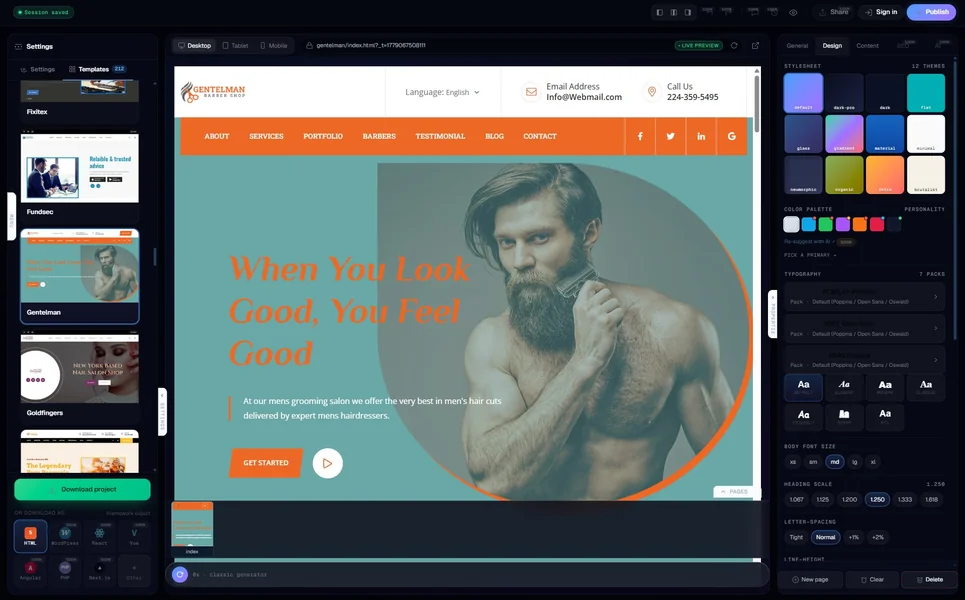
The MetropolitanHost AI generator is built around multi-page output. The six page-size tiers (Nano 6 pages → Huge 32 pages) treat the page count as the primary input, not an afterthought. The Brooklyn law firm brief produced a 12-page site in about nine minutes: home, attorneys directory page, practice-areas overview, four practice-area sub-pages (family / immigration / real estate / business), case studies index, blog, FAQ, contact, intake.
Each page has its own URL, its own meta title and description, its own schema (LegalService schema on the practice-area pages, FAQPage schema on the FAQ, BlogPosting on the blog), and proper internal navigation. Lighthouse mobile on a representative interior page was 95. Cross-page internal links averaged 14 per page (header nav + footer + contextual in-content links generated by the AI based on topical relevance between pages).
Pricing is per-page bundles. A 12-page site is the $9 tier (twelve credits). $9 lifetime, no subscription, plus your own hosting. Two-year all-in: $129-$249.
Verdict — True multi-page with niche-aware structure. Cheapest path on this list.
2. 10Web AI for WordPress — Best multi-page WordPress generator
10Web’s AI generates a real WordPress install with multiple pages, a navigation menu, and Elementor-based per-page editing. The law-firm brief produced an 11-page site in roughly 14 minutes. Pages had distinct URLs, the menu was three-tiered (with practice areas as a dropdown), and Yoast SEO was pre-installed for per-page meta management.
Lighthouse mobile on a representative interior page was 87 (WordPress overhead). Schema is Yoast-shaped. Cross-page internal links averaged 9 per page. Pricing is $10-$48/month with hosting included. Two-year all-in: $240-$1,152.
The strength is that the output is a real WordPress install — easy to extend, easy to add more pages later, easy to migrate to other hosting (the AI editor stops working once you self-host, but the WordPress install travels). The weakness is the same as the broader 10Web story: the AI side is tied to 10Web’s hosting.
Verdict — True multi-page on WordPress. Best if WordPress is the destination.
3. ZipWP — Best multi-page WordPress with full self-host portability
ZipWP also generates a multi-page WordPress install, with a critical difference from 10Web: the AI continues to work on your own hosting via the ZipWP plugin. The law-firm brief produced a 10-page site in 12 minutes — slightly fewer pages than 10Web in our test because ZipWP rolled the four practice areas into a single template-driven set rather than four distinct pages.
Lighthouse mobile on a representative interior page was 91 (the Astra base theme is lean). Schema is Yoast-shaped. Cross-page internal links averaged 11 per page. Pricing is free for unlimited generation with limited editing, $19/month for full Pro editing. Two-year all-in: $240-$456 plus your own hosting (~$120-$360 over two years).
Verdict — True multi-page WordPress that stays editable when you self-host. Strongest portability story.
4. Sider Multi-Page Generator — Best for React-first multi-page output
Sider is a niche player but the only AI tool we found in 2026 that explicitly markets multi-page generation as its primary feature. It generates a complete multi-page React project with navigation between pages handled by React Router, per-page metadata via React Helmet, and a sitemap.xml generated at build time. The law-firm brief produced a 12-page React project in about seven minutes.
Lighthouse mobile on a representative interior page was 89 (React’s hydration overhead is real). Schema present per page. Cross-page internal links averaged 8 per page. Pricing is $0-$15/month with limited free tier. Two-year all-in: $0-$360 plus your own hosting.
The trade-off is that React-only output limits your hosting options (you need a Node-compatible host or a build pipeline to static HTML). For developers comfortable with the React ecosystem, the output is genuinely good; for non-developers, the deployment story is friction.
Verdict — True multi-page React. Best if your stack is React.
5. Appy Pie — Best for fastest multi-page generation
Appy Pie generates multi-page sites with navigation, separate URLs, and per-page editing in under 60 seconds for most briefs. The law-firm brief produced a 12-page site in 51 seconds — by far the fastest in this group. Quality was acceptable: Lighthouse mobile 84, schema partial, cross-page internal links averaged 6 per page.
Pricing is free with watermark + subdomain, $24-$120/month for paid tiers. Two-year all-in: $576-$2,880 all-in. The free tier is a demo only — real-world business use requires the paid tier.
The strength is speed and the simplicity of editing across pages. The weakness is depth — schema is thin, internal-link density is below the others, and the editor’s depth is limited compared to ZipWP or 10Web.
Verdict — True multi-page with fastest generation. Compromises elsewhere.
6. Dorik AI — Best for unlimited multi-page sites
Dorik’s pitch is unlimited sites and unlimited custom domains on its paid tier — useful for agencies producing multi-page sites for many clients. The law-firm brief produced a 12-page site in roughly four minutes with a clean navigation structure. Lighthouse mobile on a representative interior page was 87. Schema present.
Pricing is $0 (3-page limit) to $30/month for unlimited multi-page sites with custom domains. Two-year all-in for the paid tier: $720. The unlimited-sites story is real and is the strongest cost story for agencies running many client projects simultaneously.
The compromise is that, like Wix and Squarespace, Dorik is hosted-only — your sites live inside Dorik’s infrastructure. The unlimited-sites economics only make sense if you commit to staying.
Verdict — True multi-page with unlimited-site agency economics. Hosted lock-in.
What separates “multi-page” from “long landing page”
Three concrete tests to apply to any AI website generator’s “multi-page” claim before trusting it:
- Do the pages have separate URLs? If clicking “About” navigates to /about rather than scrolling to #about, it is a multi-page site. If everything is anchored, it is a long landing page.
- Does each page have its own meta title and description? True multi-page sites generate distinct meta data per URL. Tools that do not (Wix Free, some Durable plans, most “one-page builders”) signal that the SEO scaffolding is single-page even if the navigation looks like multi-page.
- Does each page have its own schema? A multi-page AI generator emits Service schema on the services page, FAQPage schema on the FAQ, BlogPosting on the blog, ContactPage on the contact. A long-landing-page tool emits one schema block on the homepage and nothing on the rest.
Wix, Squarespace, Hostinger, Webflow, and most “AI website builders” pass test 1 (separate URLs) but vary on tests 2 and 3. Among the six tools tested above, MetropolitanHost, 10Web, ZipWP, and Sider pass all three tests by default. Appy Pie and Dorik pass tests 1 and 2 but need manual schema additions for test 3.
How many pages do you actually need?
Quick reference based on common small-business categories in 2026:
- Solo freelancer or personal brand: 4-6 pages (home, work, about, contact, possibly journal/blog and pricing).
- Service business (cleaning, legal, accounting, consulting): 8-14 pages (home, services overview + 3-6 service sub-pages, about, team, case studies, blog, FAQ, contact).
- Restaurant or hospitality: 5-8 pages (home, menu, locations, story, gallery, reservations, contact, possibly catering).
- Local retail or e-commerce: 10-20+ pages (home, shop overview + category pages + product pages, about, contact, shipping, returns, FAQ).
- Multi-location chain: 15-40+ pages (home + per-location landing pages + global content).
- Content site or blog: Unbounded; grows weekly with publishing.
If your project sits at 6 pages or fewer, the multi-page question barely matters — most AI builders handle that range adequately. The question becomes critical above 10 pages, where the difference between “real multi-page with internal link equity” and “long-landing-page-with-anchors” starts to affect rankings.
The bottom line
If you want a genuinely multi-page AI-generated site in 2026, the shortlist is small: MetropolitanHost (HTML, the cheapest path), 10Web or ZipWP (WordPress), Sider (React), Appy Pie (fastest), or Dorik (unlimited sites for agencies). Most “AI website builders” outside this shortlist are either single-page tools or multi-page tools that lack the per-page schema and metadata that make multi-page worth the effort.
For most small-business projects with 6-15 pages, MetropolitanHost paired with your own hosting is the cheapest path with the cleanest multi-page output. Try it for free — generate a multi-page site, preview all 12 pages, decide if it works, pay $9 once for the export. For WordPress destinations, see our breakdown of AI website generators for WordPress. For the broader category, our 10 best AI website generators tested by code quality covers the full landscape. And if portability of the source code matters, AI website generators that export real HTML walks the ownership question in detail.