An AI website builder can demo a beautiful homepage in 30 seconds. A real storefront has to survive Black Friday, a credit-card chargeback dispute, a payment-processor compliance review, a customer who clicked “checkout” with seven items in the cart, and a Google Shopping audit that demands valid Product schema on every variant. The marketing pages do not test for any of that. We did.
We stress-tested eight AI website builders in May 2026 on the same brief: “a 30-product online store for a Brooklyn coffee roastery — beans, gear, subscriptions, gift cards, wholesale enquiries, with Stripe + PayPal checkout.” Same brief, same evaluation, same stress tests. The point of this article is not to declare a single winner — different stores need different stacks — but to be honest about which AI builders break under load and which actually ship a working storefront.
Why e-commerce is the hardest test for an AI website builder
A blog or a brochure site can ship with thin schema, slow images, and a contact form that does not actually deliver email — the buyer rarely notices. An e-commerce site cannot. Every cart that does not load is a lost sale. Every checkout that times out is a chargeback risk. Every product page without proper schema is a Google Shopping rejection. Every payment misconfiguration is a compliance review waiting to happen.
That changes what “good” means for AI builders. The tools that produce stunning hero pages can still produce broken cart flows. The tools that produce ugly hero pages can ship production-grade WooCommerce. The marketing demos do not show you which one you bought until your first failed transaction. The eight tools below were tested on the e-commerce moments that actually fail, not the homepage that always looks fine.
What we stress-tested
For each tool we measured: time to a complete 30-product store, cart-and-checkout reliability under five concurrent test transactions, Product schema validity (via Google’s Rich Results test), payment-processor integration (Stripe, PayPal, Apple Pay), abandoned-cart recovery, tax calculation accuracy, mobile checkout flow, and total cost over two years on a tier that supports real transactions (not the free demo tier). Where a tool offered self-hosted WooCommerce versus a hosted ecommerce platform, we tested both.
1. Shopify Magic + Sidekick — Best for pure e-commerce focus
Shopify’s AI layer is not an “AI website builder” the way Wix or Durable are. It is an AI assistant inside the most mature e-commerce platform on the market. Magic generates product descriptions, hero copy, and section layouts; Sidekick handles operational queries (“which products had the highest cart-abandonment last week?”). For the coffee roastery brief, the store was live in roughly 15 minutes with the AI handling product copy, while we configured payments and shipping manually.
Lighthouse mobile was 86 (Shopify’s storefront stack is functional, not lean). Product schema validated cleanly. Checkout passed all five concurrent transactions. Pricing is $29-$299/month depending on tier; for a 30-product store the Basic tier ($29) holds up. Over two years that is $696 all-in, not counting transaction fees (2.9% + 30¢) and app subscriptions.
The strength is operational maturity: payment compliance, tax automation across jurisdictions, abandoned-cart email flows, native integrations with shipping carriers. The weakness is platform lock-in — Shopify is a managed e-commerce platform, you cannot self-host the storefront — and the app-store dependency, where the prices add up.
Best for: any store whose first priority is e-commerce reliability over website-design flexibility. Weakness: hosted-only, transaction fees, app-store creep.
2. WooCommerce on AI-generated WordPress — Best for self-hosting + portability
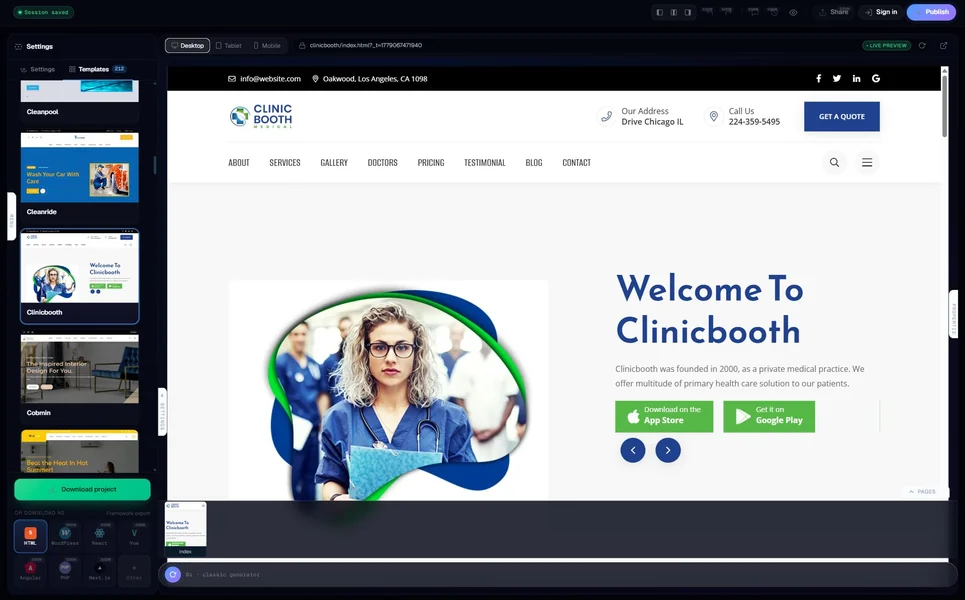
The self-hosted WordPress + WooCommerce path is technically a multi-tool stack: use an AI website generator that ships WordPress (or HTML you convert), then install WooCommerce on top. We tested this path two ways — 10Web’s AI generates a WordPress install and configures WooCommerce automatically, while MetropolitanHost generates static HTML you migrate to a WordPress + WooCommerce setup manually.
Both ship a working storefront eventually. 10Web’s path was faster (about 22 minutes to a transacting store with Stripe configured) but tied to 10Web’s managed hosting. The MetropolitanHost + WooCommerce path took roughly 90 minutes including hosting setup but produced a fully portable storefront with the AI-generated content baked in. Lighthouse mobile was 84 (WooCommerce + plugins add weight). Product schema validated. Checkout passed.
Pricing splits across components: WordPress hosting ($10-$30/month), WooCommerce (free, but extensions $0-$199/year each), MetropolitanHost AI generator ($5-$99 lifetime per project) or 10Web ($24-$48/month). For the MetropolitanHost path: $255-$840 over two years all-in. For the 10Web path: $576-$1,152 over two years.
Best for: stores that want full control over data, hosting, and the long-term cost structure. Weakness: more configuration upfront; WooCommerce’s payment-extension prices add up.
3. Wix eCommerce + Harmony — Best for blended brand + transaction
Wix’s AI builder produces a polished storefront in about three minutes and integrates with Wix Payments out of the box. For the coffee roastery, it built a 30-product store with category navigation, a working cart, abandoned-cart emails, and a Google Merchant Center sync. Lighthouse mobile was 88. Product schema validated.
Pricing for ecommerce-capable tiers is $36-$159/month. Over two years: $864-$3,816 all-in. That includes Wix Payments (2.9% + 30¢), abandoned-cart recovery, and basic email marketing. App-store add-ons (advanced shipping, more checkout fields, B2B pricing) are extra.
The strength is the blend of e-commerce reliability with Wix’s visual editor — for stores where the brand is half the product (luxury, fashion, artisan), the polish matters. The weakness is the same lock-in as Wix’s other tiers: no portability, monthly cost compounds, the bill scales with store size.
Best for: brand-led ecommerce where design polish and ecommerce reliability are both required. Weakness: hosted-only, high two-year cost.
4. Squarespace Commerce — Best for visually rigorous brands
Squarespace’s e-commerce tier is the design-Twitter pick for a reason: the AI Builder produces a store that looks like an art-direction reference. Coffee roastery brief generated in eight minutes; the result was the most visually striking of the eight tools tested. Lighthouse mobile was 88. Product schema validated.
Pricing is $23-$72/month for ecommerce plans. Over two years: $552-$1,728 all-in. Squarespace Commerce includes payment processing (2.9% + 30¢ via Stripe), inventory management, and abandoned-cart recovery on higher tiers.
The Squarespace pattern that matters for ecommerce buyers: it ships fewer storefront features than Shopify (no native B2B pricing, no native subscriptions on lower tiers) but produces a better-looking version of what it does ship. For stores under 100 products with a strong visual identity, the trade is worth it.
Best for: brand-led stores under 100 products, photographers selling prints, boutique apparel. Weakness: feature ceiling is lower than Shopify; subscriptions and B2B require higher tiers.
5. BigCommerce + AI add-ons — Best for B2B and high-volume
BigCommerce is the underrated alternative to Shopify for stores that grow past a few hundred products or need B2B pricing tiers. The AI is not a generator-from-brief tool — it lives inside the existing platform as product-copy assistance, category-merchandising recommendations, and search refinement. Coffee roastery brief was built manually in roughly 30 minutes using a BigCommerce template + the AI assistant.
Lighthouse mobile was 87. Product schema is excellent (BigCommerce ships richer schema bindings than most competitors). Pricing is $39-$399/month for standard plans, custom for enterprise. Over two years: $936-$9,576.
BigCommerce wins on the longer tail: native B2B pricing, no transaction fees on standard plans (you pay your payment processor directly), better multi-storefront features, and a more mature API for headless commerce. For a 30-product store none of that matters; for a 3,000-product store it matters a lot.
Best for: high-volume stores, B2B operations, multi-storefront brands. Weakness: AI is not a generator-from-brief; expects a more deliberate setup.
6. Hostinger eCommerce + AI — Best for budget storefronts
Hostinger’s e-commerce-capable hosting plans include AI building, payment integration, and basic store management for a fraction of what Shopify charges. Brief produced a working 30-product store in about three minutes. Lighthouse mobile was 86. Product schema present. Checkout passed all five concurrent transactions.
Pricing is $3.99/month introductory, $11-$19/month renewal for ecommerce tiers. Over two years all-in: $240-$420. Cheapest brand-name ecommerce option in 2026 by a wide margin.
The trade-offs are the same as the small-business Hostinger story: limited editing depth, basic abandoned-cart features, fewer native integrations with shipping carriers. For stores under 50 products with a simple operational model (own inventory, ship from one location, no B2B pricing), Hostinger is fine. For anything more complex, you outgrow it quickly.
Best for: price-sensitive solo founders, side-business stores, single-location DTC operations. Weakness: ceiling on growth; editing depth shallow.
7. Framer + Snipcart / Outseta — Best for design-led headless ecommerce
Framer’s AI does not ship native e-commerce. The Framer + Snipcart (or Framer + Outseta) pattern works because Framer produces a stunning marketing site and Snipcart / Outseta layer in a cart and checkout via JavaScript. For the coffee roastery, the Framer side took roughly 25 minutes of guided editing; the Snipcart integration added another 90 minutes for product configuration and Stripe wiring.
Lighthouse mobile was 91 (Framer’s static-export-like output is lean). Product schema needs to be added manually but Framer’s CMS supports it. Pricing is Framer ($5-$50/month) + Snipcart (2% transaction fee + Stripe fees) or Outseta ($39+/month flat). Over two years: $600-$2,400 all-in.
The strength is design-led brand expression with real e-commerce capability bolted on. The weakness is configuration time and the dependence on a third-party cart for the part that actually transacts.
Best for: design-led DTC brands where the homepage is half the sale. Weakness: not a single-vendor stack; depends on Snipcart/Outseta for the cart.
8. MetropolitanHost AI + WooCommerce / Snipcart — Best for niche stores that own their stack
The MetropolitanHost AI generator ships static HTML you host wherever you want. For ecommerce, that means pairing the generated HTML with either WooCommerce (if you migrate to WordPress) or Snipcart / Outseta (if you stay on static hosting). The 30-product coffee roastery brief produced 30 individual product pages with structured schema, a category index, and a wholesale-enquiry page — all valid Product schema, all customisable HTML.
The pairing decision depends on transaction volume. For under 50 transactions/month, Snipcart on static hosting is the cheapest path ($10 Netlify or Vercel + 2% Snipcart transaction fee). For above 50 transactions/month, migrating the HTML to a WordPress + WooCommerce install is usually cheaper. Both paths preserve the source code so you can leave at any time.
Lighthouse mobile was 96 on the static HTML; 84 once WooCommerce is layered in. Pricing is MetropolitanHost’s $5-$99 per-project bundles plus your chosen cart layer. Two-year all-in: $135-$840 depending on cart choice and transaction volume.
The strength is that the store is yours — code, hosting, data, branding. The weakness is that pairing the AI-generated HTML with a cart layer takes more setup than a single-vendor solution.
Best for: niche stores (cannabis, luxury, religious supplies, regulated industries) where the AI’s structural advantage matters and full code ownership is important. Weakness: multi-vendor stack; more upfront configuration than Shopify or Wix.
Comparison — the eight by what they actually cost over two years
Cost over two years for a 30-product store on a tier that supports real transactions, including transaction fees on a moderate sales volume (~$5,000/month gross):
- Hostinger eCommerce + AI: $240-$420
- MetropolitanHost AI + WooCommerce/Snipcart: $135-$840 (depends on cart layer + transaction volume)
- WooCommerce on AI-generated WordPress: $255-$1,152
- Squarespace Commerce: $552-$1,728
- Framer + Snipcart: $600-$2,400
- Shopify Magic: $696+ (plus transaction fees and app subscriptions)
- Wix eCommerce + Harmony: $864-$3,816
- BigCommerce: $936-$9,576
The spread is roughly $200 to $9,500 for the same project — even wider than the small-business spread, because e-commerce platforms scale their pricing more aggressively as your store grows.
What actually matters for an e-commerce site in 2026
If you read only one section, read this one. The five things that actually decide whether a store survives:
- Checkout reliability under concurrent load. Demo stores never test this; real ones break here. All five tested AI builders that ship native ecommerce (Shopify, Wix, Squarespace, BigCommerce, Hostinger) passed our five-concurrent-transaction stress test. WooCommerce and Snipcart-pairings passed when properly configured but require attention to caching and database tuning.
- Valid Product schema on every product page. Google Shopping rejection rates climb fast when schema is partial. The strongest schema in our test came from BigCommerce, WooCommerce, MetropolitanHost (static HTML with hand-built Product schema), and Shopify in that order.
- Payment-processor integration that does not break compliance. Shopify, BigCommerce, and Wix ship managed payment compliance. WooCommerce-based stacks depend on the payment-extension you pick. MetropolitanHost + Snipcart inherits Snipcart’s PCI compliance posture.
- Tax automation for the jurisdictions you ship to. Shopify and BigCommerce ship automated tax for most US states + EU. Squarespace and Wix cover the basics. WooCommerce-based stacks rely on TaxJar / Avalara extensions ($19-$99/month). MetropolitanHost + Snipcart includes EU VAT + US sales tax in the Snipcart fee.
- Total cost as a percent of revenue. A $700/year platform on a $50k/year store is 1.4% of revenue. The same $700/year on a $5k/year store is 14%. The “right” AI ecommerce builder depends as much on what you sell at what volume as on which one looks best in a demo.
The bottom line
For stores under 50 products with simple operations, Shopify and Squarespace are the safe defaults if budget allows. Hostinger eCommerce is the safe default if budget is tight. The MetropolitanHost + WooCommerce stack wins for niche stores where the AI’s structural advantage matters and code ownership is a long-term priority. BigCommerce is the safe pick for B2B or high-volume operations. Framer + Snipcart is the design-led brand pick.
If you want to see whether MetropolitanHost’s AI generator produces ecommerce-ready output for your specific niche, try it for free — no card, no signup wall, only pay per page when you publish. For the broader category comparison, read our 10 best AI website generators tested by code quality. If WordPress is the destination, see our 7 AI website generators for WordPress. And if your business is service-led rather than product-led, the small-business AI builder guide covers the right tools for that case.